
Participating Frequently
January 2, 2018
Answered

Keyframe Velocity ,Speed, and influence Question!

  • January 2, 2018
  • 2 replies
  • 6871 views

Hello all ,

I have a question about Keyframe velocity : I Confused between Speed and Velocity and not understand influence in the right way , so please help me and explain it to me .

What I already now Speed is velocity.. someone correct me?

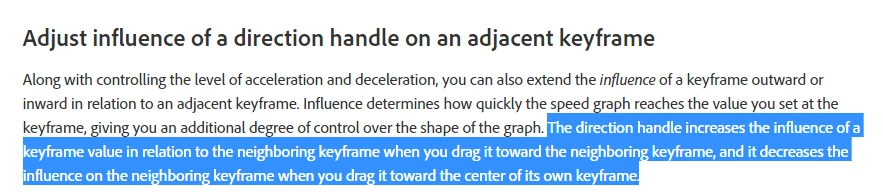
For the influence it's about acceleration and deceleration ... I don't know if i get it right :( . Please take a look to The blue paragraph
I tried to applied that in after effects but it looks not working ... or maybe it work for me ... but I don't understand how the influence will affects the the neighboring keyframe?
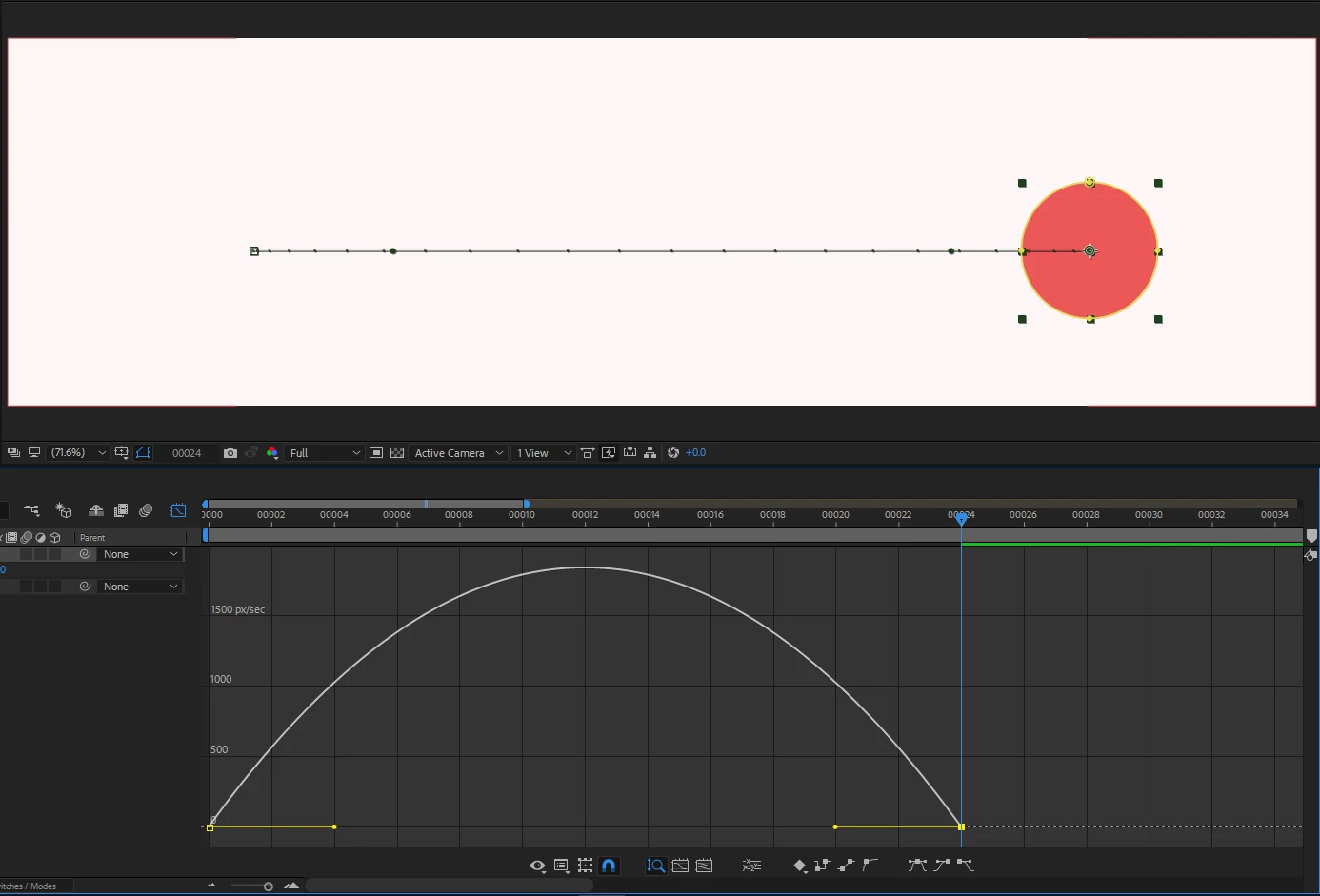
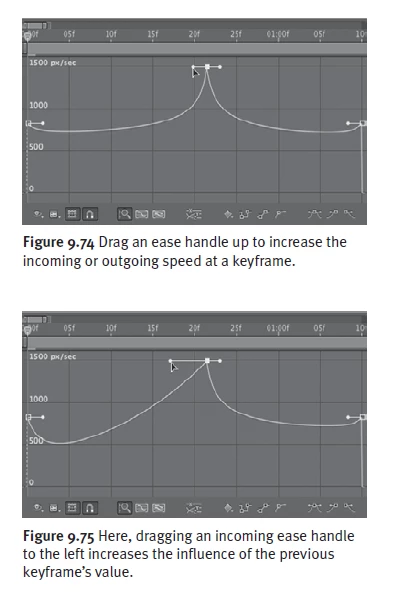
I drag the direction handle,toward the neighboring keyframe to increases the influence :
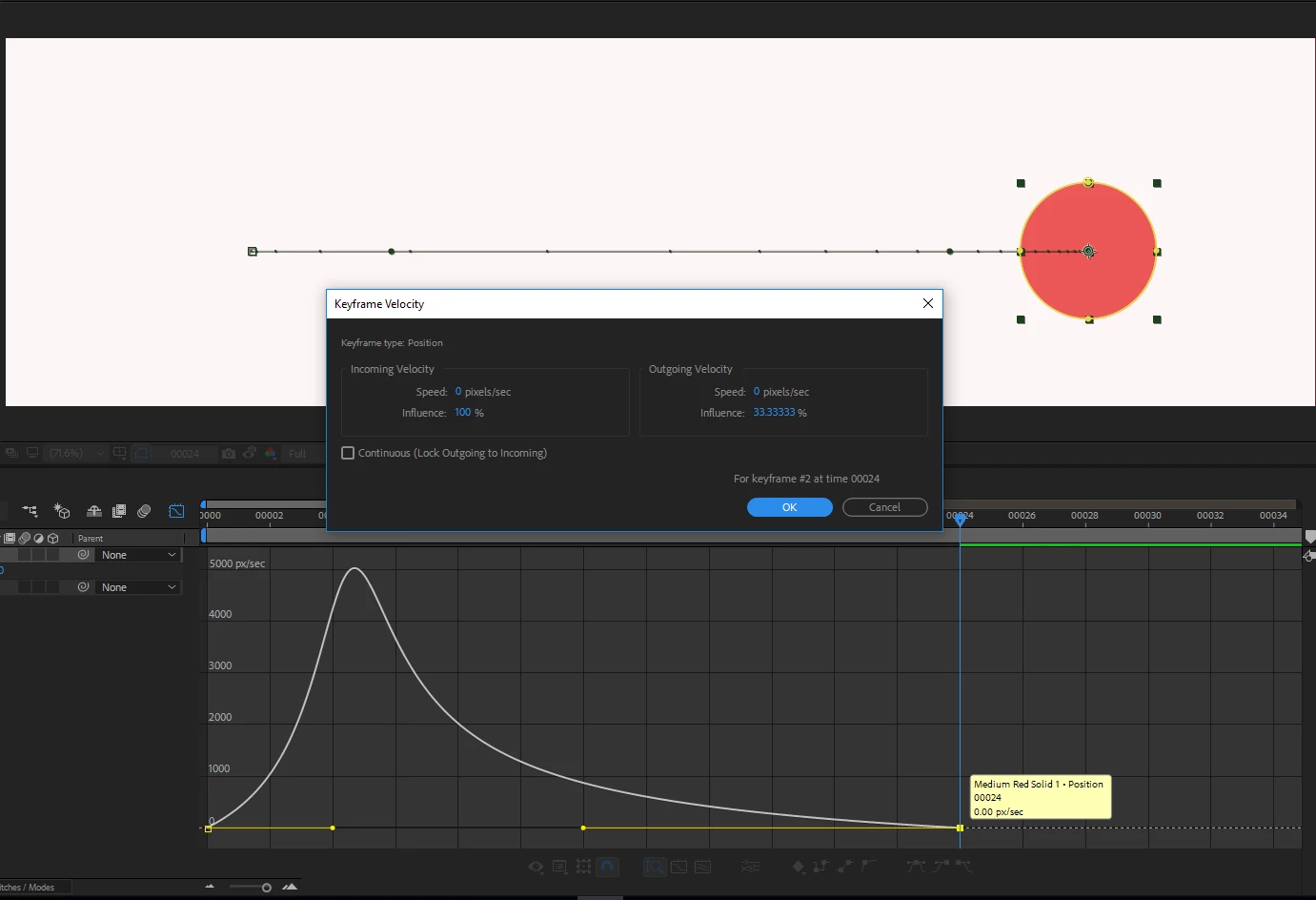
I drag the direction handle toward the center of its own keyframe , to decreases the influence :
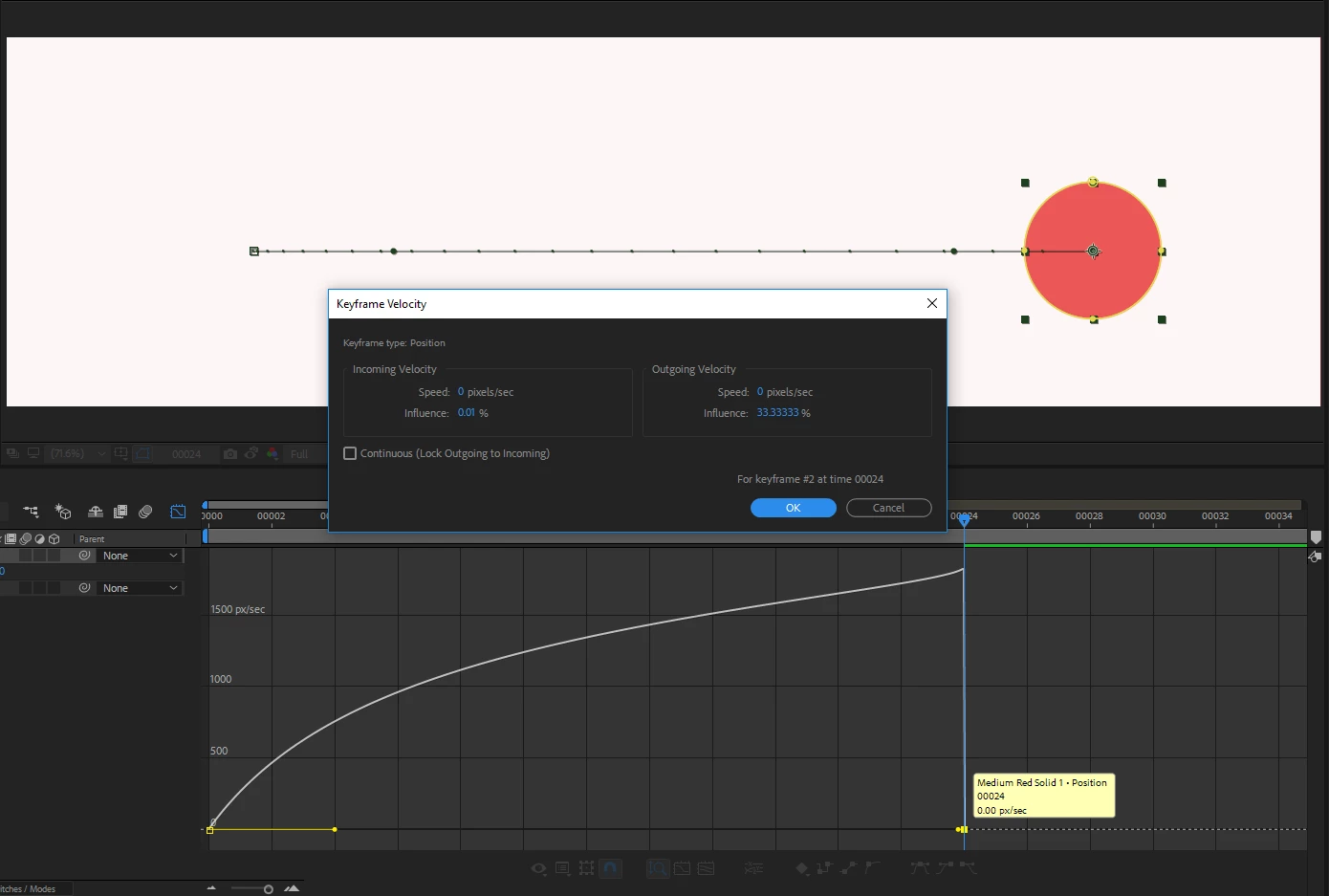
is that what they means? I see the neighboring keyframe doesn't affect his influence  ?

Please some help in this situation.

Thank you .
    This topic has been closed for replies.
    Correct answer Roei Tzoref

    Thank you Roie for explain it more , I have one more question and I will end this thread as a "Correct Answer"

    I just want to know What does the author mean, by increases the influence of the previous keyframe’s value. ?

    My English doesn't help me much , I still confused when i come to read this line .

    see the whole page here :Adjusting Temporal Interpolation Manually


    I get the confusion. when you drag the influence it only affects the current keyframe, not the previous. you can only affect the influence of the incoming or outgoing velocity of a keyframe and dragging each handle won't affect the influence of other keyframe. I guess it's written in an inaccurate way.

    2 replies

    asam007Author
    Participating Frequently
    January 10, 2018

    So the influence handle affects the incoming or outgoing Velocity/Speed (acceleration and deceleration )for the current keyframe .and it's not affect the current keyframe value or the other keyframes value.

    Thank you.

    Roei Tzoref
    Legend
    January 10, 2018
    So the influence handle affects the incoming or outgoing Velocity/Speed (acceleration and deceleration )for the current keyframe .and it's not affect the current keyframe value or the other keyframes value.

    that is correct.

    Roei Tzoref
    Legend
    January 2, 2018
    What I already now Speed is velocity.. someone correct me?

    velocity is Ae's way to refer to speed over time. speed+influence = velocity.

    I see the neighboring keyframe doesn't affect his influence  ?

    do you mean speed? influence cannot be affected by changing the relation of the keyframes. speed can. it is now not affected by changing the relation of keyframes because the handle is at the minimum influence.

    if you give it more influence you will see the speed changes as you place it up or down left or right.

    changing the relation with keyframes affects the speed, not the influence. the influence stays the same and is not affected by changing the relation of keyframes.

    asam007Author
    Participating Frequently
    January 2, 2018

    Thank you. I mean the influence .. as adobe help says on the  After Effects User Guide :

    The direction handle increases the influence of a keyframe value in relation to the neighboring keyframe when you drag it toward the neighboring keyframe, and it decreases the influence on the neighboring keyframe when you drag it toward the center of its own keyframe.

    So the handels affects the influence for the nighboring keframes ? But I see it's affect the shape of the curve .?

    And what do you mean by changing the relation with keyframes .?

    Thanks.

    Roei Tzoref
    Legend
    January 2, 2018

    And what do you mean by changing the relation with keyframes

    when you drag keyframes closer together or further apart - it affects the speed, but the influence would stay the same. the only way to affect influence is to manipulate it through stretching/contracting the handles, or use the automatic 33% easy ease shortcuts or numerically in the keyframe velocity window.

    So the handels affects the influence for the nighboring keframes ?

    the influence handles affect the incoming/outgoing speed of the keyframe you are changing the in. changing them can affect the overall speed between 2 keyframes. changing one influence handle does not affect another influence handle. the text in the paragraph you mentioned could have been more clear.

    to make things more clear - 2 factors can affect the keyframe velocity (speed over time to the keyframe and out of the keyframe):

    1. setting the influence handles (each for their own keyframe, one does not affect the other)

    2. changing the incoming/outgoing keyframe speed

    these two settings can be accessed through the graph editor: extracting/contracting handles for influence and moving up and down for incoming/outgoing speed. Alternatively, you can use the keyframe velocity window (Ctrl+Shift+k) and change them manually.

    two more factors can also affect overall speed (between keyframes) but they are not in this window:

    1. spatial interpolation - only for position keyframes, if you extract bezier handles in space, it will affect the speed in between the keyframes

    2. if you drag the keyframes closer together or further apart - that will affect speed in between the keyframes.