

Participant
February 23, 2020
質問

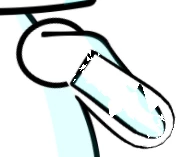
Hand is appearing to be transparent but the original file is not transparent.
  • February 23, 2020
  • 返信数 4.
  • 941 ビュー


Hand is transparent. It is appearing pixeleted when I want it to appear normal/overlay. Any idea which setting might be off? 

このトピックへの返信は締め切られました。

返信数 4

alank99101739
Legend
February 28, 2020

Could you show the rigging hierarchy for the arm as well? I am interested in the depth of layers. I have not seen one quite like that, but have seen problems when CH gets the relative depth wrong of the different bits of artwork and the artwork wraps around over itself. So each triangle in the mesh might randomly get in front or behind other artwork. I notice also you have a swapset or similar on the arm - the rigging would show that more clearly as well.


I fixed my problem when I hit something close (not the same, just close) by adjusting the layer depths in the puppet artwork. I think I experimented with different groupings and independence as well. I am however scratching my head as your artwork looks like it should be pretty simple. Mine was from Adobe Draw where each pen stroke created a new polygon. So something that looked simple was actually hundreds of shapes. What also helped me was to merge layers in the artwork to simplify it. My artwork then did not have overlapping shapes, so there was no problem with depth going wacky.

Inspiring
February 27, 2020

You only have one dragger, right? Your wrist dragger. You don't actually have to move that one, although that's typically where wrist draggers go so the hand doesn't accidentally rotate weirdly, but you need to go back to your art and extend the arm so its shoulder properly overlaps with the torso. You're always going to have problems if the art of your limbs doesn't live in the proper spots. It can get tricky, especially when you have outlines, but there are lots of tutorials out there on character design and rigging that cover the challenges and solutions. You can try to remove the Fixed stick and instead put pins at the top and bottom of the current "shoudler," but I still think that's going to cause some problem.

Inspiring
February 27, 2020

Move your hand dragger to the center of the hand (basically on top of the current anchor point pins). Also, why do you have the Fixed Stick? That's likely what's causing the overlapping mesh issue here. You're preventing those polgygons from moving, so when you bring the wrist to the chest area you get the pinching and overlap.

Participant
February 27, 2020

Which dragger are you talking about? I could not catch it. Without the fix stick arm is going to have a split like this.

Inspiring
February 24, 2020

It's hard to tell what's going on in that screenshot, but it looks like your mesh is overlapping. Can you post a full screenshot of your Puppet panel with this happening, as well as showing the whole Rigging workspace with the hand or arm visible? Something that shows what your pin setup is for that limb.

Participant
February 27, 2020

The other hand is not as much affected, which also has similar setting just reversed.