



解決済み
How To resolve "disk space is full" issue when downloading the apps in Creative Cloud Packager
Hello All!
I have recently started using Creative Cloud Packager and have started my first package. I have instructed it to download to my Local D Drive (which has 200GB free) and it has started successfully however about a third of the way through it stops and some of the apps have a warning icon and the error "Disk Space is full, please clear some space and try again". However my D Drive still shows 200GB free which implies that it is not downloading to there at all and also that there is space!
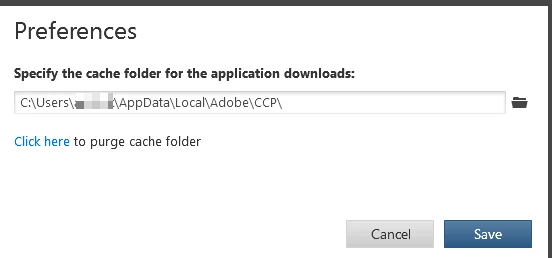
Is there a download cache location which could be full or should it download straight to the folder I instructed?
Can anyone advise on the best way to troubleshoot this please?
Thanks,
James


 AdChoices