


Inspiring
January 24, 2021
解決済み

How to Import swatches from Illustrator on Desktop to Illustrator on iPad?

  • January 24, 2021
  • 返信数 1.
  • 2161 ビュー

Hi.

I have .ase swatch files stored on iCloud, which I use in the desktop version of Ai.


I am now confused as to how to import them into the iPad version of Ai - is this even possible, and if so, how.

Thank you all in advance.


{Renamed by MOD}
このトピックへの返信は締め切られました。
解決に役立った回答 Srishti_Bali

Hi there,


Sorry for the delayed response. I am hopeful that the query was resolved by now. If not, please try these steps one by one and let us know how it goes:


  1. Save the Swatch in your CC library on the Desktop version.
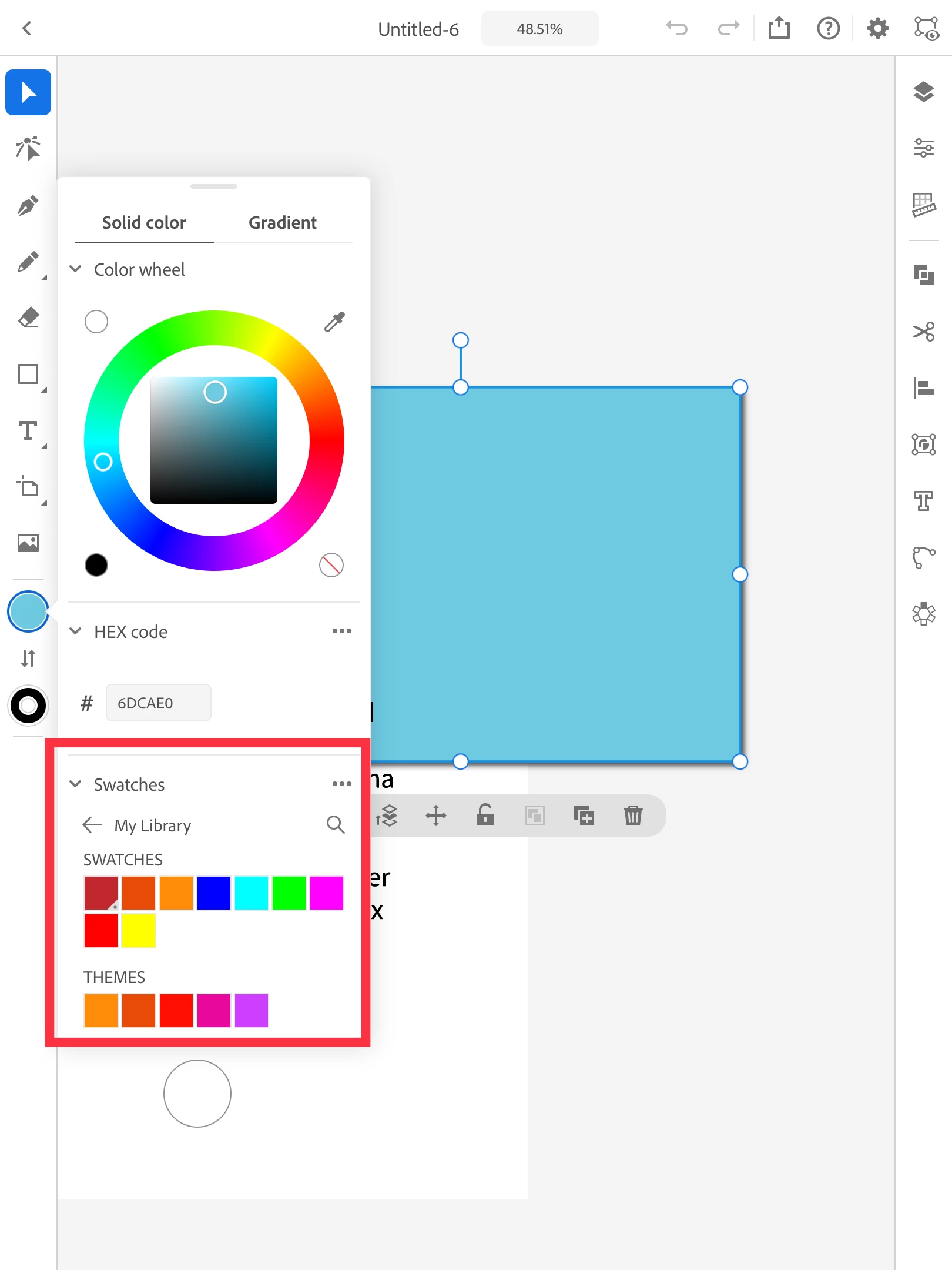
  2. Select the object and tap the Fill or Stroke tool displayed at the bottom of the toolbar.
  3. Choose a color from the Library.


For more details, please refer to this help article (https://helpx.adobe.com/in/illustrator/using/colors-gradients-ipad.html).


Regards,

Srishti


返信数 1

Srishti_Bali
Srishti_Bali解決!
Legend
February 11, 2021

Hi there,


Sorry for the delayed response. I am hopeful that the query was resolved by now. If not, please try these steps one by one and let us know how it goes:


  1. Save the Swatch in your CC library on the Desktop version.
  2. Select the object and tap the Fill or Stroke tool displayed at the bottom of the toolbar.
  3. Choose a color from the Library.


For more details, please refer to this help article (https://helpx.adobe.com/in/illustrator/using/colors-gradients-ipad.html).


Regards,

Srishti