

Participant
January 7, 2023
Answered

How to create a keyboard shortcut for first line indent in InDesign?

  • January 7, 2023
  • 2 replies
  • 599 views

Any way to create a keyboard shortcut for first-line indent? Thanks!


<Title renamed by moderator>

 

This topic has been closed for replies.
Correct answer Barb Binder

Hi @Brian25629682tech:


No. Instead, create a paragraph style and define the first line indent, and then create a shortcut to assign the style.
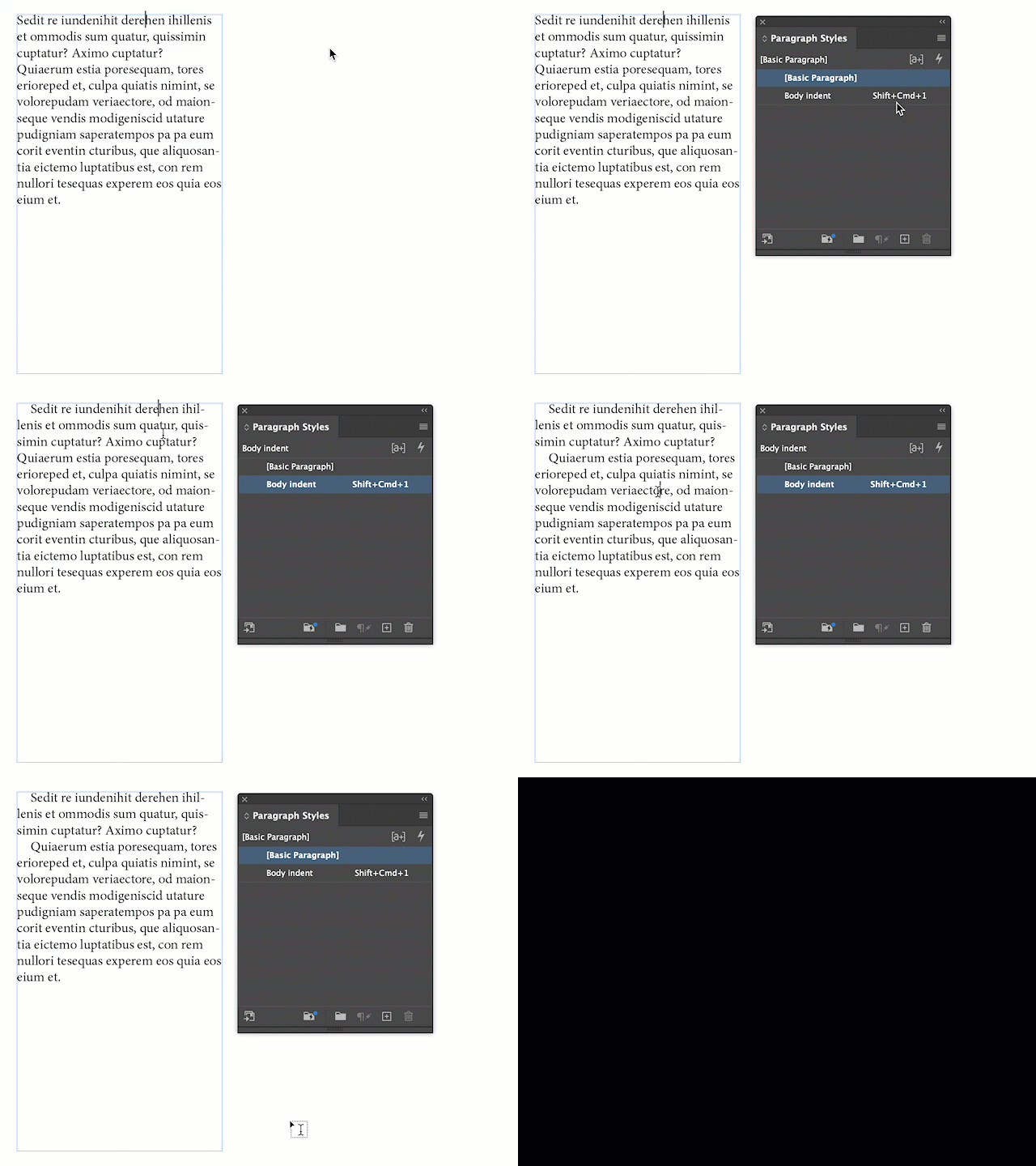


~Barb


2 replies

Peter Spier
Community Expert
Community Expert
January 7, 2023

I get the sense you want a dialog to create the indent on the fly perhaps rather than defining a style (though I thoroughly agree with Barb's answer). I think you could probably do that with a script and assign a shortcut to the script, but I don't write scripts so I can't offer more.

Barb Binder
Community Expert
Barb BinderCommunity ExpertCorrect answer
Community Expert
January 7, 2023

Hi @Brian25629682tech:


No. Instead, create a paragraph style and define the first line indent, and then create a shortcut to assign the style.


~Barb


~Barb at Rocky Mountain Training
Participant
January 7, 2023

Thank you! It will save me alot of time, I design a weekly newspaper... do a lot of indents and unindents. Thanks again!

Michael Bullo
Community Expert
Community Expert
January 8, 2023

If you adopt the Paragraph Styles method described by @Barb Binder you might find Quick Apply useful. It can be launched from the Edit menu and the keyboard shortcut is...


Windows: Control + Enter
Mac: Command + Return


Type "p:" to list just the Paragraph Styles. Use the up/down arrow keys and press Enter/Return to apply a style.