Inspiring
December 5, 2023
質問

Want to get consistent position of graphic "frames" with text in ePub reflowable output from InDesig

  • December 5, 2023
  • 返信数 1.
  • 658 ビュー

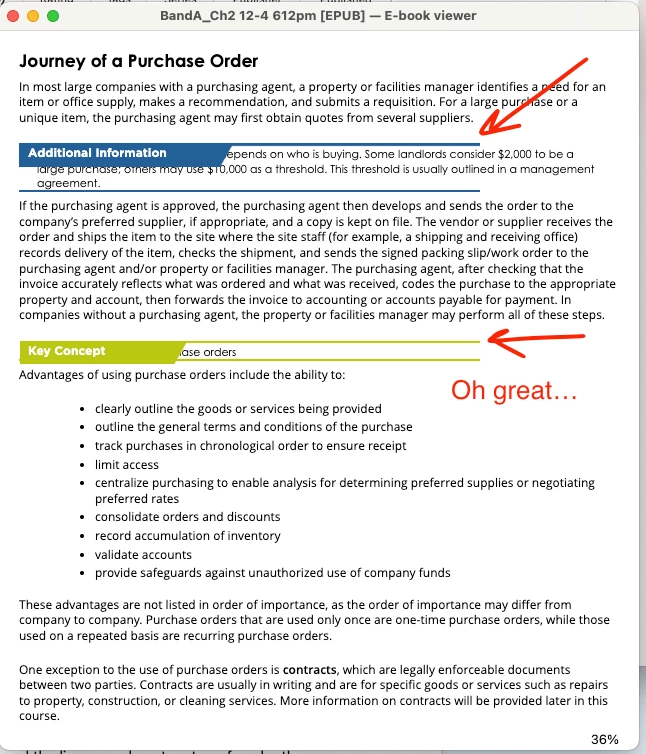
My client asked me to create an ePub output of an existing printed book from an InDesign layout they shared. There are three types of callout boxes with "frames" made up of a category name in a box with an angled edge plus a line above, and a line below the information. See the InDesign layout image where I point out one of these.
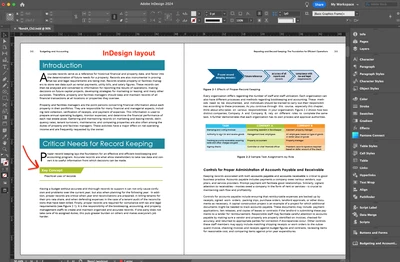


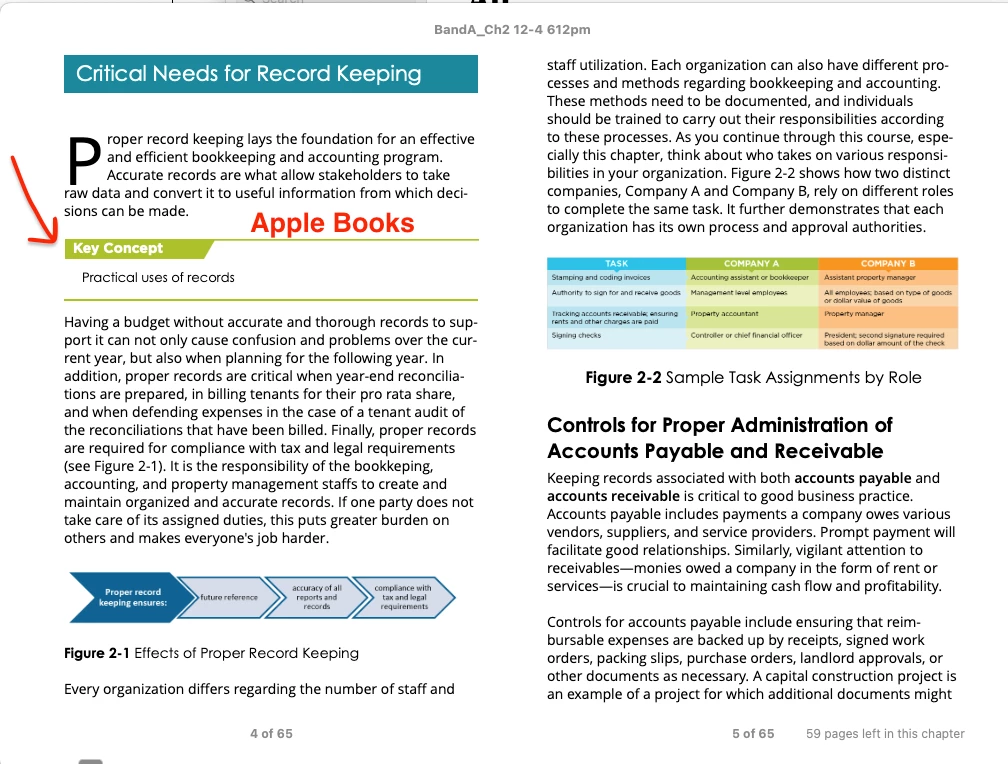
The layout had the line/title graphics grouped as one object and placed over the text, and anchored to it. That wasn't working for ePub. I figured out that I had to ungroup these "frames" and place the upper title/box/line above its content and anchor it above, then anchor the lower line below the content. When you look at the ePub output in the Apple Books image attached, it looks fine. Some of these callouts have three or four lines of text, so by having the title line and the lower line anchored above and below, the text can be the space it needs to be and the lines don't interfere.


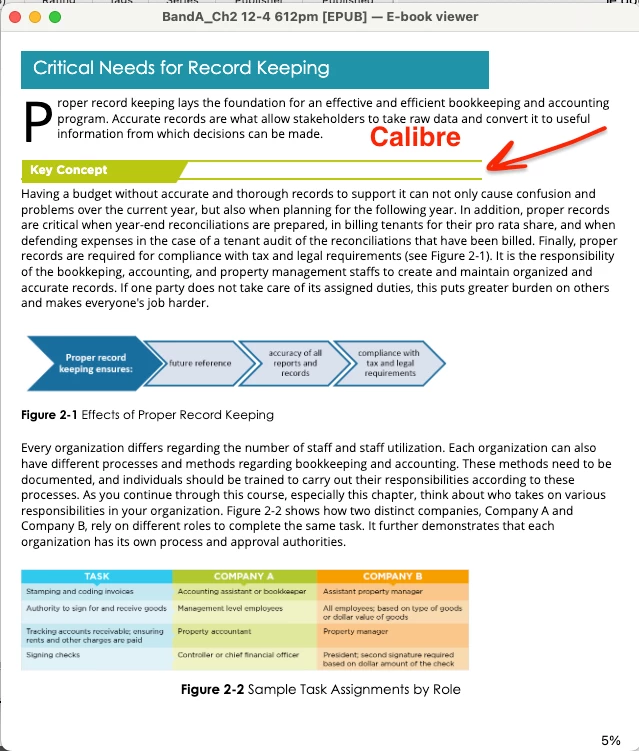
But... the output in Calibre is no good. The content is behind the title items and the lines are almost on top of each other. I'm learning a lot about ePub this year and I'm doing well, but this one has me stumped. I'm do add custom css files to output so I know what I'm doing there.


Is there a better practice for converting the look of these features in a reflow able ePub so that I know they'll be consistently displayed? I thought I had this set when viewing in Apple Books, but Calibre is saying I don't. This "trick" is the final big hurdle to solving their need to have an ePub version of their materials.


このトピックへの返信は締め切られました。

返信数 1

James Gifford—NitroPress
Legend
December 5, 2023

Okay, first a meta-answer that your client may not want to hear but you should absorb as a working principle — it's a mistake to try too hard to make an e-book exactly resemble a print book. Different media, different strengths and limitations, and even for details as small as text accent graphics the design should accommodate processes that are... easy and graceful in that medium. Some things are trivial to do in print, others trivial to do in e-text, and often it's those simple things that are disproportionately hard to do in the other medium. A simple, visually or functionally equivalent variation should be used to make that detail of the layout easy to manage in each medium.


But that's not what they want, and it can be more difficult to explain why, for example, text can't have an angled box around it in an EPUB than it is to just find some way to get it to work. 🙂 "Their way, not the right way." — nothing new here except the precise situation. 🙂


That said, and since you're comfortable with CSS, I don't see why stripping down the export for that style (you don't say if you're using a dedicated EPUB export file or working from the print one...) and then using the border statement to add just a top border to one style and a bottom border to the second would be most of the solution here. That and defining those paragraphs with spacing etc. that keep them separated from adjacent text.


That said,. I can't quite figure out how you are doing the angled edge on that background, and that may be interfering somehow with orderly stacking of the lines. But you're on the right track, I think, with two styles that run together to create the effect. I just think it's going to take an almost wholly defined CSS style for each to achieve it. (That is, not just a few adjustments from the ID export.)

David Borrink作成者
Inspiring
December 5, 2023

James, hey thank you for a quick response to my situation. I do agree with what you're saying. Since I'm somewhat new to doing ePub outputs for books, I didn't want to assume it wasn't possible with my X number of attempts to make this work because more experienced minds have probably either pulled off stuff like this and I didn't know it yet, or I'm just trying too hard to do something that isn't possible without a lot of convoluted CSS tricks. I just needed to know from those who know better. Like yourself.


So yeah, that tells me that I will need to go to the client and say, "your design is not possible to pull off without complications". Fortunately, she told me that some changes might be warranted that would lead toward the future editions and obviously this will have to be one of them. I definitely think your suggestion of one line above and below would be better and a lot more simple to pull off—a simple pair of divs each with their own border. I'm more of a "keep it clean" designer so since I'm becoming their new go-to person, I can push that idea. 

James Gifford—NitroPress
Legend
December 5, 2023

Well, don't give up yet. It's always instructive to solve a specific problem, too.


I also prefer to solve problems like this from within ID plus a CSS file, rather than anything that requires post-export surgery. It makes the workflow more streamlined and repeatable.


Without knowing anything of your existing styles, I'd use:

  • One style to give the shaded background plus the top rule;
  • One style to give the 'content' text plus the bottom rule.


That may not even need any CSS adjustment, but such would probably allow some fine-tuning the export alone won't. (For one thing, ID doesn't export padding at all, which is often needed to get things like the background color properly arranged.) The only thing I can't quite figure out is how to do the angled edge, but if you get this approach to work, convincing the client that it's not worth a more complex setup just to get that detail might... cost fewer brownie points.