

解決済み
Brush tool Smoothing option grayed out in Photoshop
I was wondering why I can't use my photoshop smoothing
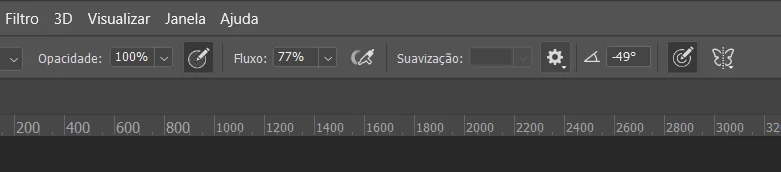
{Thread renamed by moderator}

I was wondering why I can't use my photoshop smoothing
{Thread renamed by moderator}
Hi Nicole,
As smoothing is grayed out, could you try resetting the brush tool and let us know if it helps? https://helpx.adobe.com/in/photoshop/kb/basic-troubleshooting.html#tool
Regards,
Sahil
Enter your E-mail address. We'll send you an e-mail with instructions to reset your password.
 AdChoices