


siu mingc63589472
Participating Frequently
May 1, 2019
質問

Drawing Problem on PS CC 2019

Hello, I updated my PS to 2019 recently, however I encountered a problem when using the brush to draw.

Everytime when I start drawing something, there will be a very weird display in the layer interface (Like the one marked below), and if I turned off the backgruond layer, the drawn stuff will become very tint.
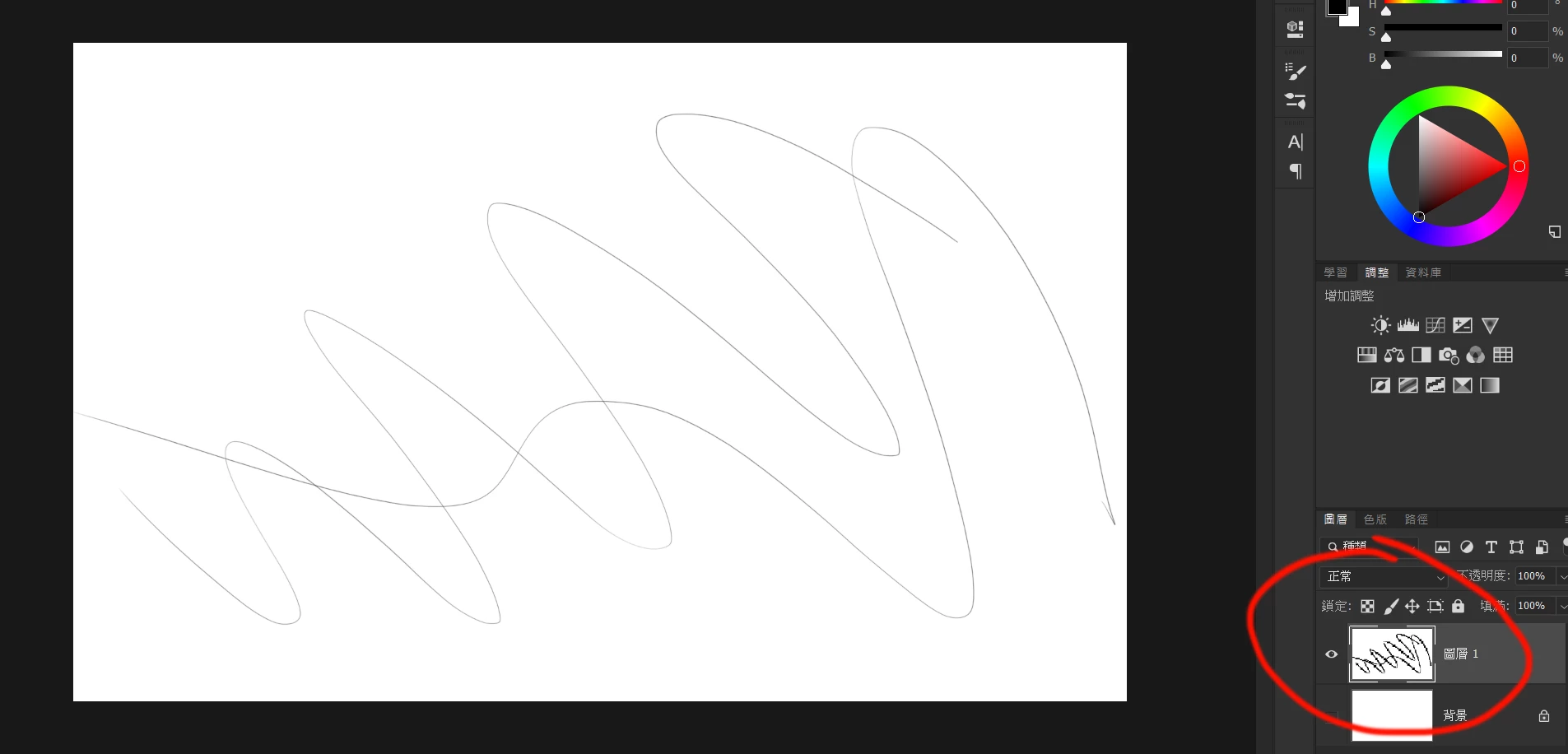
I tried to turn on the legacy compositing but it was no use, and if I disabled the GPU acceleration and repeat the previous steps, the situation became like this,
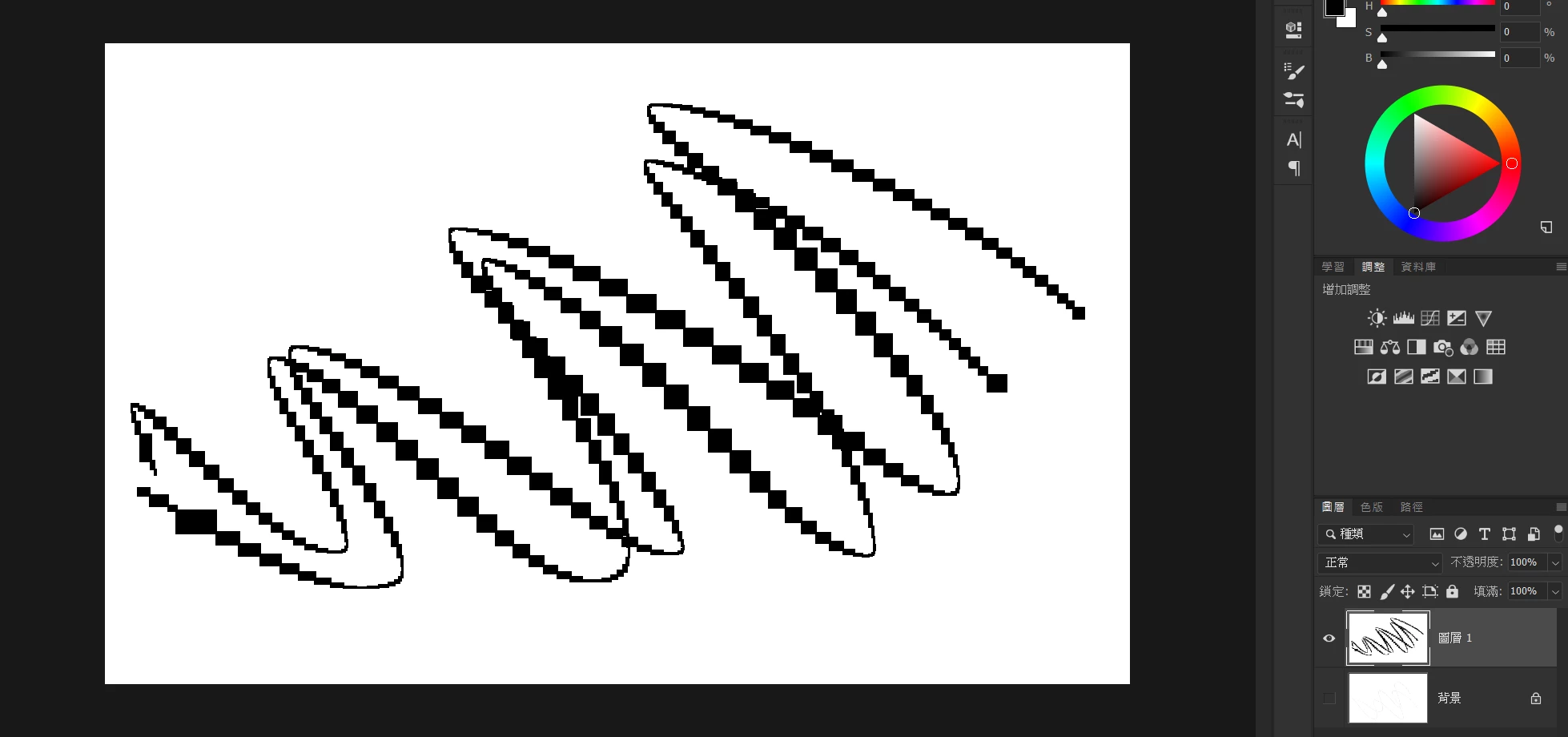
I'd already updated all of my BIOS, system driver, Nvidia Display card Driver, Wacom tablet driver,PS and other almost everything that I could find to the newest version, or disable Windows Ink, but didn't help at all. This situation only occur in PS CC2019, but not in 2018 in the same condition.

I'm using a Lenovo Legion Y720(i7-7700HQ, GTX1060 6GB, 16GB Ram). Hope there will be solutions, suggestions or future updates to solve.

Sorry for bothering and please forgive my poor english, thank you!

    このトピックへの返信は締め切られました。

    返信数 3

    siu mingc63589472
    Participating Frequently
    May 1, 2019

    I tried to disable both the Intel and Nvidia GPUs and tried to change the resolution but the result is still can't be solved.

    It seems the only way I could do is going back to 2018 and wait for any technicians could discover this problem if I'm lucky I the future.

    Anyway, Thanks for you two for helping me a lot and sorry for the result.

    JJMack
    Community Expert
    Community Expert
    May 1, 2019

    Photoshop is still seeing two adaptors for GL GPU and a different adapter for CL GPU.  What does Photoshop Performance Preferences show both The standard settings and the advance setting.

    My machine does not have two different GPU in it the Nvidia Control Panel on my machine will not have some of the option the you will have in your Nvidia control Panel.

    Yours should have  a option to prefer to use a particular gpu. Found is a different thread...

    JJMack
    May 1, 2019

    Hi

    Have you tried resetting your Photoshop preferences

    siu mingc63589472
    Participating Frequently
    May 1, 2019

    Yes, I'd also tried this but unfortunately it still doesn't work.

    May 1, 2019

    It seems to be GPU related, does your Laptop have 2 GPU's, it's possible you may have an Intel HD 630 one as well, have you tried updating the driver for that, also take a look here

    Troubleshoot Photoshop graphics processor (GPU) and graphics driver issues