

ROSIEPARK24
Participant
January 25, 2022
解決済み

How do I allow artwork to run across two artboards in photoshop?

  • January 25, 2022
  • 返信数 2.
  • 5261 ビュー

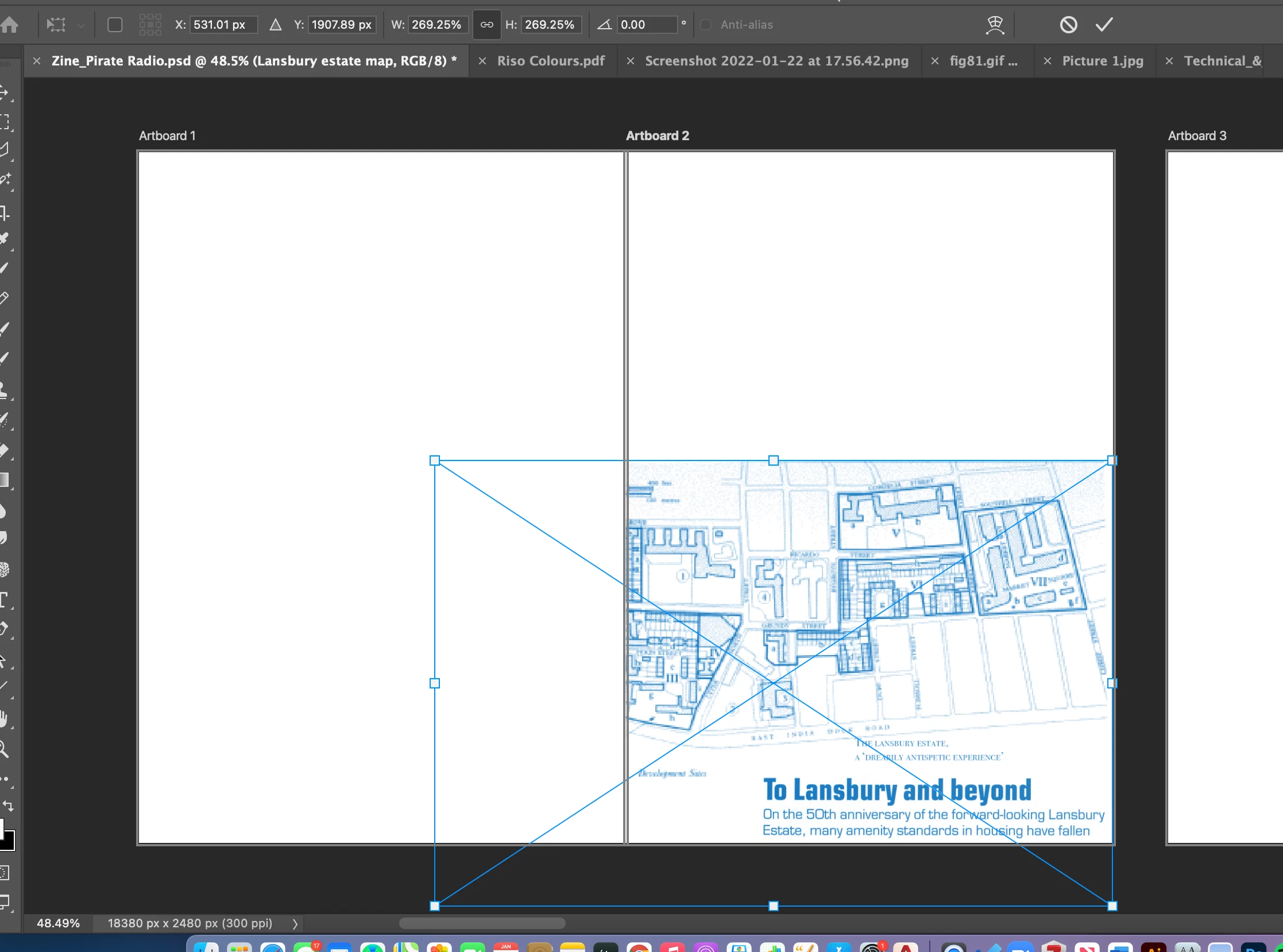
When I stretch my image across the two artboards it doesnt display on one of the artboards?

It would be great if someone could help me with this! 🙂 
    解決に役立った回答 Stephen Marsh

    Where did you read/see/hear that this was possible? Or is this just how you think/wish that the feature should work?


    https://helpx.adobe.com/photoshop/using/artboards.html


    EDIT: I'd suggest that you make a single canvas, then place a guide at the overlap. You can then save out both halves of the canvas separately via a number of methods.

    返信数 2

    Stephen Marsh
    Community Expert
    Stephen MarshCommunity Expert解決!
    Community Expert
    January 25, 2022

    Where did you read/see/hear that this was possible? Or is this just how you think/wish that the feature should work?


    https://helpx.adobe.com/photoshop/using/artboards.html


    EDIT: I'd suggest that you make a single canvas, then place a guide at the overlap. You can then save out both halves of the canvas separately via a number of methods.

    Participant
    September 25, 2024

    It's possible in Illustrator so it would logically follow that they would make the feature available in Photoshop, no?

    Participant
    September 26, 2024

    You can disagree but that's how the feature is designed.

    https://helpx.adobe.com/photoshop/using/artboards.html

    "So, what's an artboard?

    You can think of an artboard as a special type of layer group. An artboard clips the contents of any contained elements to its boundaries. The hierarchy of elements in an artboard is displayed in the Layers panel, together with layers and layer groups. Artboards can contain layers and layer groups, but not other artboards.

    Visually, artboards serve as individual canvases within a document. Any layers in the document not contained within an artboard are grouped at the top of the Layers panel and remain unclipped by any artboards."


    Fair enough, nothing I can do about it. Just another annoying inconsistency in the Adobe Suite.

    Ged_Traynor
    Community Expert
    Community Expert
    January 25, 2022

    Moving thread to the Photoshop ecosystem forum from Using the Community
