


Nothing but inaudible AM type radio static...
Hi: I'm really hoping that someone can help me find a solution to Premiere Pro only playing my audio clips with super heavy static that renders the tracks completely unrecognizable. I tried .mov, .wav, .mp3 and .prproj files that I imported directly into Premiere Pro v. 13.1.4 (Build 2), all with the same result. But the problem only occurs when my 3.5mm wired Bose headphones are connected to the back of my iMac and also through the internal speaker. However, I can play any of those same files with the same headphones in Audition Build 12.1.3.10 with zero problems. But another twist to this is that I am also able to play any of those files in both Premiere Pro and Audition through my Sennheiser DECT headset provided I change the Audio Hardware Default Input and Output settings.
My system configuration is...
iMac (27-inch, Mid 2011)
Processor: 2.7 GHz Intel Core i5
Memory: 32 GB 1333 MHz DDR3
macOS High Sierra v. 10.13.6 (17G7024).
Graphics: AMD Radeon HD 6770M 512 MB
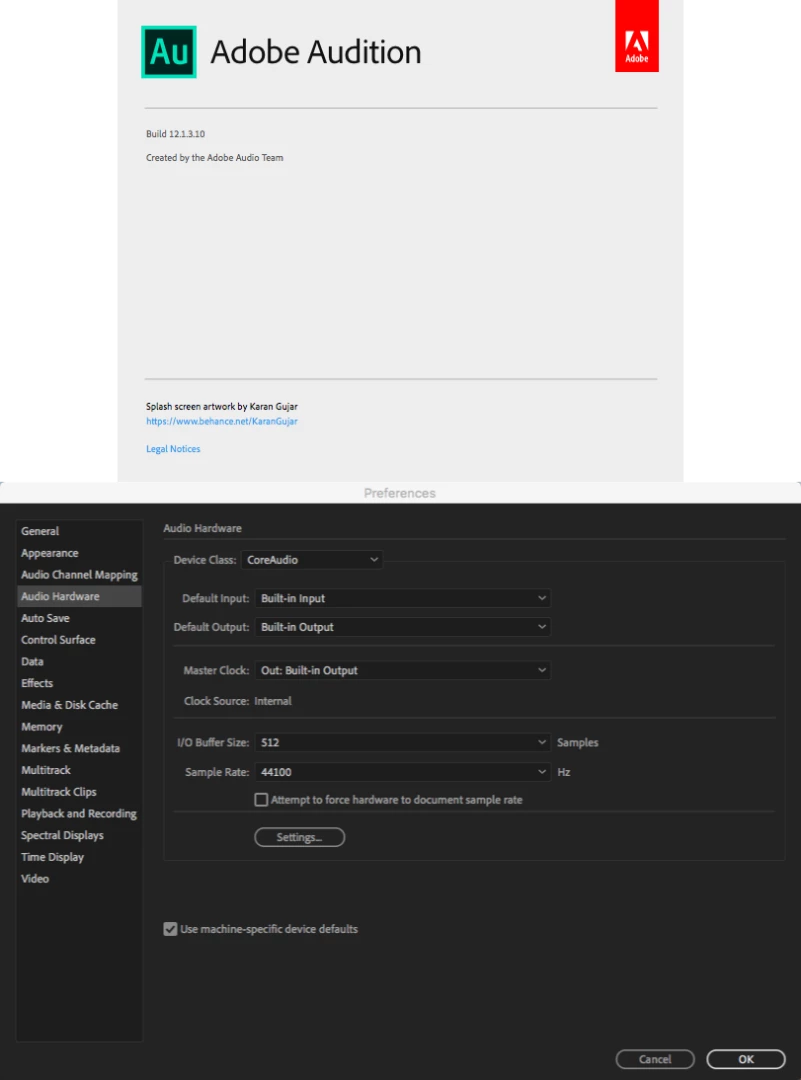
Before posting this, I did some digging and found 2 somewhat similar posts on CreativeCOW and Static Noise in Premiere Pro (no matter what audio file I use)! if that provides any clues as to what might be going on. I also took these 2 screenshots of my system's Audio hardware settings below, which hopefully might provide a few more clues.
_08.18.png)
Thanks in advance...
 AdChoices