


Participant
July 22, 2021
Answered

Unable to create captions Premiere Pro 15.4.0 (Build 47)

  • July 22, 2021
  • 4 replies
  • 2833 views

The transcription process works great.  As soon as I click the "Create Captions" button, I get the screen below, and it never changes.  I can cancel it an go back to the transcription, but can not get any further.  Any assistance would be appreciated.
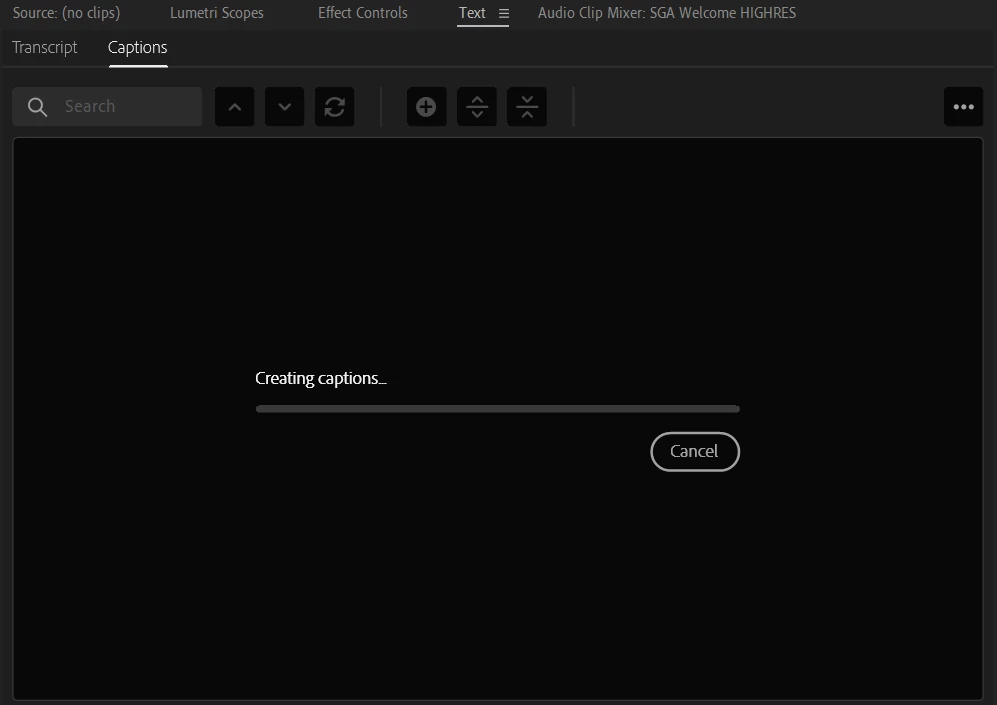
 

This topic has been closed for replies.
Correct answer Greyce

Contact support over chat and see if they can help you out.


I'm happy to report that the auto captioning issue i was experiencing has been resolved with Premiere Pro's last version 22. Thank-you.

4 replies

nicwbta
Participating Frequently
October 1, 2021

I'm having the same issue, with the latest version of Premiere Pro which I downloaded earlier today.


I've reset my preferences, and signed in and out again as suggested here, but nothing doing.


Working for a hearing related charity, I was hoping that this would be a gamechanger, and it will be when it works - but how do I get it to work?!

NathanWoo
Participant
December 2, 2021

Still experiencing the issue in latest version. Transciption works but when selecting 'create captions' it creates the track but no actual captions.

Inspiring
December 2, 2021

Yes, it's very disappointing this amazing feature still does not work for us.

Participant
September 11, 2021

Same problem here. I just added a comment to upvote the bug report as well.


caroline_edits
Community Manager
Community Manager
September 17, 2021

Hey Curtis – could you try signing in and out of your Creative Cloud desktop app? Maybe temporarily disable any firewall that might be blocking Premiere from connecting to the Creative Cloud? Sorry for this frustration, we'll look into it. 


Caroline

Inspiring
December 2, 2021

I have tried your suggestion of signing in and out of Creative Cloud but still can't get the captioning to work. I work for a government dept so turning off a firewall is not an option.  At the moment, my work around is using You-tube to create my captions. It would be a really awesome Christmas gift from Adobe, if the auto captioning issue got fixed in PPro. 


Inspiring
August 5, 2021

I'm experiencing exacty the same problem.  I tried all the recommended fixes in this string and still not able to generate the captions. I am working on Windows 10. Not sure if the operating system could be the issue? Hope this gets resolved soon.

Ann Bens
Community Expert
Community Expert
July 22, 2021
Participant
July 22, 2021

Unfortunately this has been tried, to no avail.

Thank you for the reply.

Stan Jones
Community Expert
Community Expert
July 22, 2021

Very odd. There was a bug like this that appeared and was fixed in the Beta. It is NOT that bug: it is working for me, and in that bug, the Cancel button did not work.


I would next reset your Captions workspace. I assume that is the one you are in. I had a problem that staff could not recreate; it was fixed by either preferences reset or the workspace reset.


Stan