jessical60390806
Participant
September 30, 2018
解決済み

Downloaded pictures look like they have transparent background - but they don't!

  • September 30, 2018
  • 返信数 1.
  • 532 ビュー

Hi!

I have licenced a few images that look like they should have a transparent background, but as it turns out, they don't! When I look around the Adobe Stock database, it seems like all images have the same issue: they all have a dak grey, chequered "background" that would be interpreted as transparent, but probably isn't. How do I solve this? I've looked around and found a few "solutions", but I don't want to have to, nor should I have to, work around this problem for every picture I licence!

https://stock.adobe.com/se/images/colorful-glowing-light-rainbow-rays-rainbow-vector-glaring-effect-with-transparency-graphic-element-for-documents-templates-posters-flyers-vector-illustration/162162358

#126303860

#162162358, #126303828 and #126303851.

このトピックへの返信は締め切られました。
解決に役立った回答 twaritar3263062

Hi Jessica,

Sorry to hear that you are facing issues with Adobe Stock services.

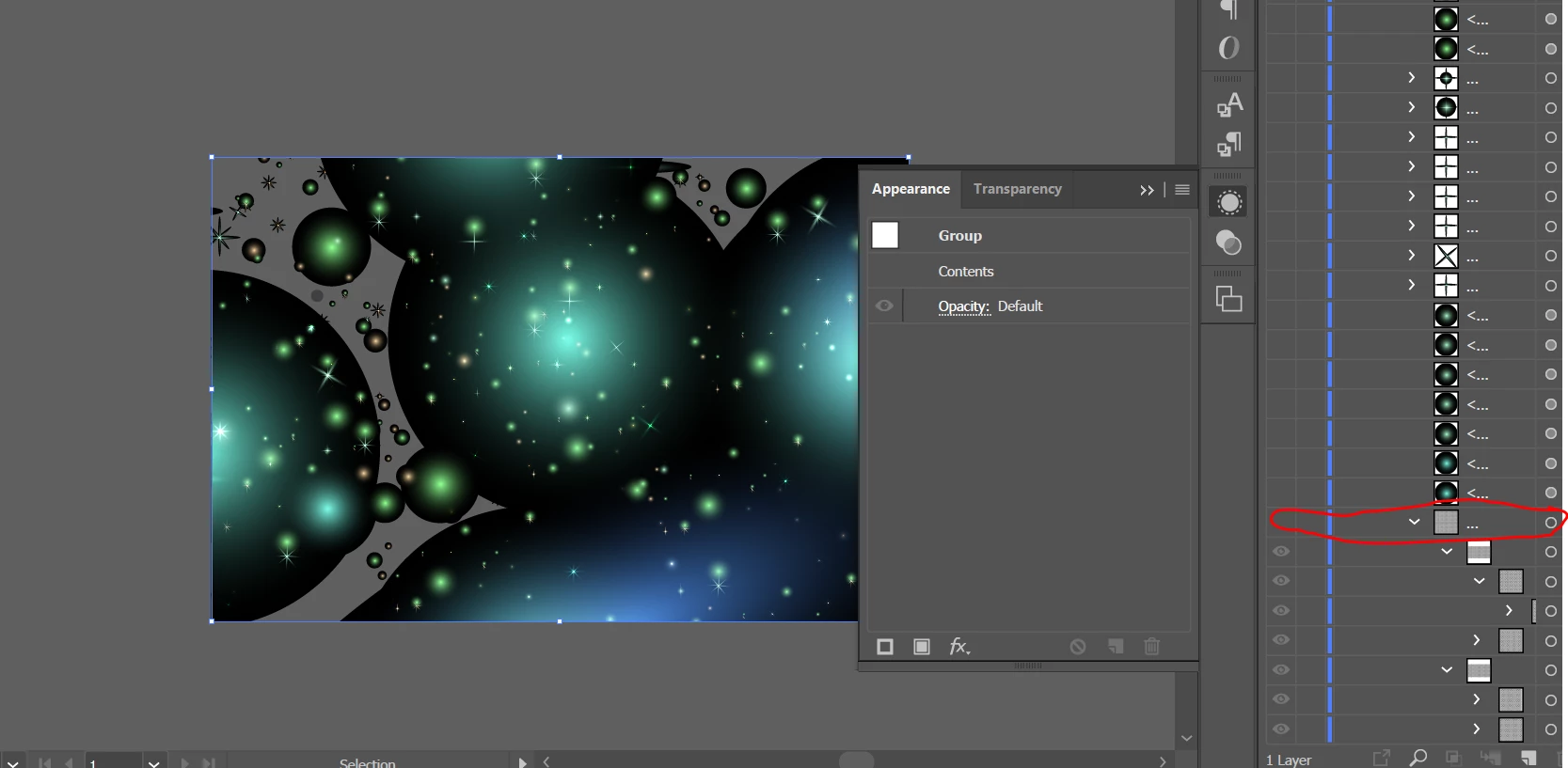
Are you opening the files in Illustrator? The vector files are best used in Illustrator. To get rid of the checkered background hide the bottom layer. Each of the different sparkle effects are on a different layer in the layers panel.

Just turn off the other layers with the black outlines the same as you did with the background. They are on their own layers as well.

Also, to help you better, I am looping in one of our experts from Illustrator srishtib8795206 

Feel free to update this thread in case of any additional questions.

Regards,

Twarita

返信数 1

twaritar3263062
Participating Frequently
October 1, 2018

Hi Jessica,

Sorry to hear that you are facing issues with Adobe Stock services.

Are you opening the files in Illustrator? The vector files are best used in Illustrator. To get rid of the checkered background hide the bottom layer. Each of the different sparkle effects are on a different layer in the layers panel.

Just turn off the other layers with the black outlines the same as you did with the background. They are on their own layers as well.

Also, to help you better, I am looping in one of our experts from Illustrator srishtib8795206 

Feel free to update this thread in case of any additional questions.

Regards,

Twarita

Participant
November 28, 2023

I went to the layers for the background and each individual box is a separate piece. It's not very practical to have to turn off each individual layer. It seems far easier to select all the boxes at once and delete them. Still, if an image claims to be transparent and it's not, it's a big inconvenience to have to do anything to the image. Why not ask the designer to set the image in such a way where those purchasing it don't have to do anything to it?

Abambo
Community Expert
Community Expert
November 28, 2023

There is no way to contact a contributor and let him fix the asset. That should have been refused at the moderation level and not go to sales if it poses a serious issue. The problem with such assets is, that they really need to have a background to work, also for the preview.


This set aside, the background is always the last element in the layers' palette. I've never seen an asset of this kind, that needed to switch off more than one group/layer. So that should be easy to catch.

ABAMBO | Hard- and Software Engineer | Photographer