Bug Reports
Actividad reciente
Hi everyone,I'm experiencing a major issue where the playback of my projects won't show at all. It doesn't matter whether it's an existing project or a brand new one—my playback simply doesn't work. Here's a list of everything I've already tried, but none of it has worked:I checked my NVIDIA drivers (they're all up to date).I uninstalled and reinstalled both Premiere and the entire Creative Cloud.I followed the "file > project settings > general > renderer" tip that's all over YouTube.I even went to an HP store, but the technician had no clue.I contacted NVIDIA customer service, and they recommended installing the "Creator" driver, but that didn’t solve it either.I swear I've watched EVERY relevant YouTube video.I reset my workspaces to the "saved layout."I updated Windows.I changed the playback resolution.I toggled my proxies on and off.Some details that might help:I bought this computer in May 2024. It has 32GB of RAM, an i7 processor, and an NVIDIA graphics card, so I highl
Premiere Pro 2024(v24.6.1)が全く使えません。再インストール("以前の設定および環境設定を読み込む"をオフにしました)しても変わらず… 動画をタイムラインパネルに入れた時の色も2023版とは違う濃い青、エッセンシャルグラフィックは紫色とこれは2024版では普通なのでしょうか?テキスト入力が全くできず、困っております。 どなたか助言をお願い致します…!!
Por alguna razon cuando le doy en multicamara en programa no me deja ver la otra camara disponible, tengo todo activado y aun así no me deja ver las dos camaras, solo me aparece la principal, en el monitor de origen si me aparece pero de igual, neceito que me aparezca en porgama para poder seleccionar la camara que quiero utilizar
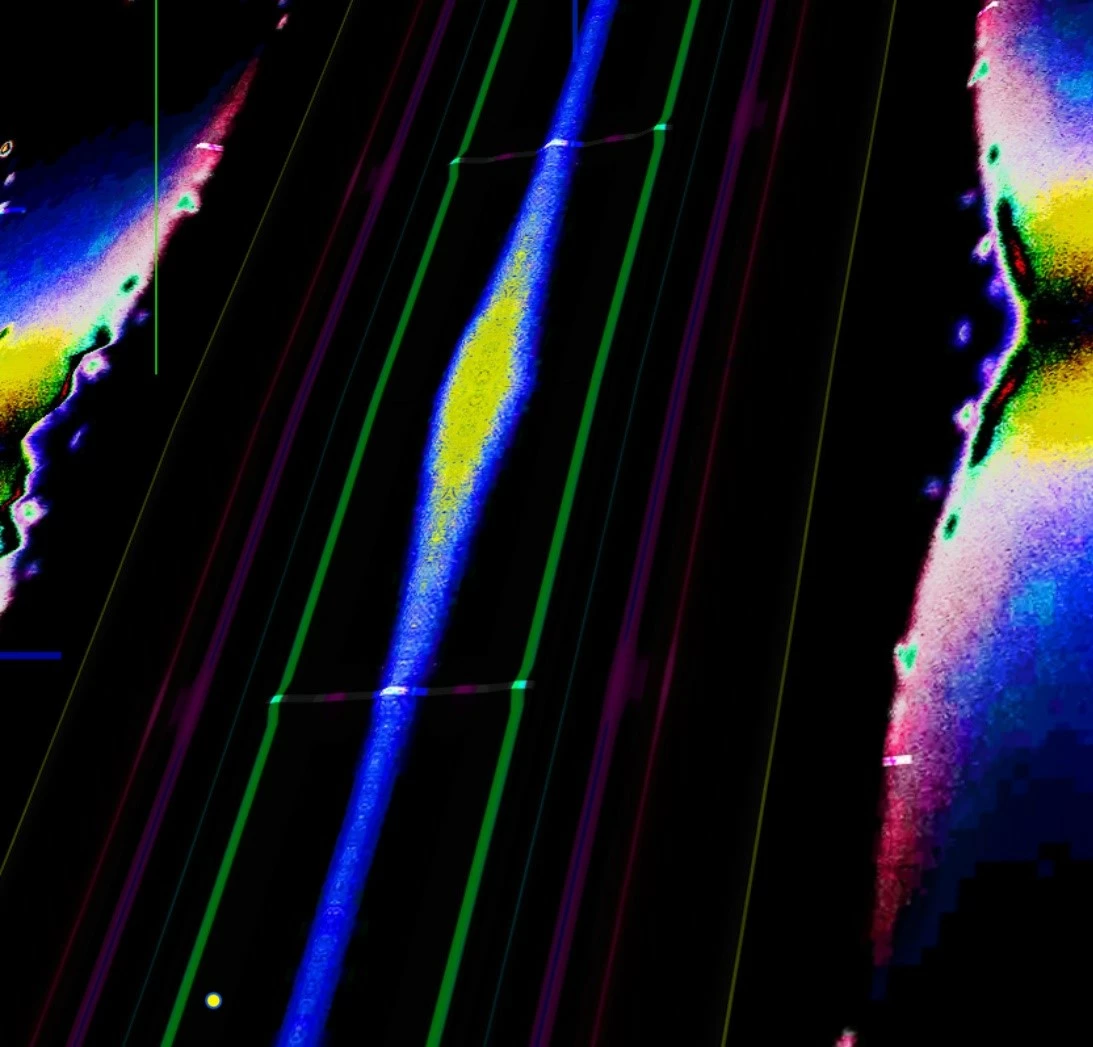
Ayuda! LLevo varias semanas con este problema y no logro encontrar solución.. Premiere se queda colgado aparecen colores como en la imágenes que adjunto y se cierra reseteando la computadora, esto trabajando con un proyecto muy sencillo que no debería sobrecargar para nada el ordenador. También me ocurre con After Effects. Lo que he echo:- Borrar e instalar nuevamente el programa- Instalar nuevamente el sistema operativo- Borrar y restablecer de fabrica el ordenador- Volver a instalar el programa luego de borrar todo el ordenador.Luego de hacer todo esto ya no aparecen los recuadros de colores pero con acciones sencillas se queda colgado pensando y se resetea el ordenador.Premiere Pro actualizado a su ultima version 24.1.0 MacBook Pro Sonoma actualizado.
For some odd reason 200 fps is missing from proxy Preset Settings in Premiere Pro. Is there some reason for that or just error?
Hi people,I can see that this is an ongoing issue, bug, I can see many many reports of the same problem, nothing seems to work. I am desperately trying to export a video I have edited for work and it just will not export. I have tried the following:- closed and restaterted the program- restarted the computer - copied and pasted to a new sequence and new project - turned off GPU acceleration - tried on Software encoding - tried removing effects and reapplying them - removing effects and not reapplying them - updating my GPU, then restarting the PC and program Usually this annoying error happens and it gives me a timestamp and USUALLY I can remove the effects and then it will work (which is already a fault that Adobe should address) but now I am getting a teimstamp of 19:43-19:44 and the video footage ends at 9:08, so there is NO footage at the error's timestamp. Now this is new, I haven't seen anyone come across this problem online. Adobe, how can we be expeected to
I just tried to record a voice-over with my new mike Shure MV7 plus (https://www.shure.com/en-US/products/microphones/mv7?variant=MV7%252B-K) in Premiere CC and I can't activate any track for recording. When I click on the "R" button on any track in the audio track mixer, it just won't activate. However, I activating the "R" button in the audio track mixer works just fine with any other microphone connected to my Mac Studio M2 . I DID choose the microphone correctly under "settings - audio devices". I/O Buffer is set to 512, sample rate to 48000, output routed to "Adobe Desktop-Audio". I tried playing around with the buffer but that doesn't change anything. The sample rate can't be changed. Surprisingly, the microphone works fine with any other app INCLUDING Adobe Audition. I use the latest version of Premiere - 24.6.1 (build 2) - and MacOs Sonoma 14.7. CAN YOU PLEASE HELP?
La barra de opciones que aparece al clickear con el boton derecho sobre un clip en la linea de teimpo me aparece recortada. No aprovecha el espacio de la pantalla y no se pueden utilizar las ultimas funciones como la reasignacion de tiempo. Las configuraciones del monitor estan 1920x1080.
Summary:When Metadata & Timecode effect reads clip timecode and encounters a held frame it continues counting up rather than displaying the frame number of the held frame. Steps to reproduce:1. Add transparent video layer to v2. Add the Metadata & Timecode effect.2. In the effect Controls Panel set "Line 1: Metadata" to "Source Timecode" or "Clip Timecode." Choose either "Top Clip" or V1 for Source Track3. Add a video file under the transparent video on v1.4. Right click on the video on v1 “Add Frame Hold” and play the clip What should have happened:With the the old timecode effect, when using "Timecode Source: Clip" it would read the TC of the media and if it came to a would simply hold that frame number, and resume counting once the clip continued. (So if I have a five frame clip and held frame 3 for 3 extra frames it would count: 1, 2, 3, 3, 3, 3, 4, 5). I would expect this same functionality with the updated effect.What actually happens:The new Metadata and Timeco
Projemde bir sorun var, içindeki resimleri taşıyamıyorum veya yeni resim ekleyemiyorum.
Premiere 24.6.1 but have been experiencing this behavior since probably version 23Mac OS Sonoma 14.3.1It's been a few versions since I've had this issue. I think normally most people don't use this shortcut but I find it crucial for moving fast and efficiently when playing back stuff on my timeline. I have "move playhead to cursor" set to Z. It's cool because my mouse now works as a magnet for the playhead. I use it to set my mouse in an area I wish to start playback from and immediately hit "Z" and spacebar to playback. The problem is that sometimes when I press "Z" it doesn't actually land where my mouse is. It's close but not exact which is the behavior that is usually expected. Problem usually arises from being zoomed into the timeline at a certain level as well as when the view changes once the playhead passes the far right side of the timeline that is outside of the current zoom level. I'm forced to constantly adjust my zoom level in order to get it to behave as it did previously
Hi Developers, I have been getting this error for years now with the hopes that it would be fixed but alas it hasn't. This is a very base level function that used to work no problem. The problem? Everytime I have to overwrite a render in AE while PR is open then I return to PR the file I have overwritten throws an error I am attaching to this post. "Error retrieving frame ZZZ". Why not just ammend your render with an _1 etc you may ask. Well we would like to just replace files in the project because it makes things a whole lot easier especially if you have that same file in multipe timelines. Come on Adobe. Get the basic stuff right before moving onto AI. Thank you
Can't seem to mark in or out on the source monitor after updating to Version 24.0 Also keyboard shortcuts "I" and "O" don not work with the source monitor even while it is the panel that is selected. Any ideas how to fix this issue asap?
Repro steps:Text Window, Captions tab, 3 dots, Export to SRT file > Select export destination Bug:Export to SRT file does not use last export destination as most-recently used filepath (MRU). It always defaults exporting to the current project file folder. Other export models of CSV and Text file do respect the MRU filepath. Request:Please fix so we don't have to change the export destination of SRT every single time.
I updated to Premiere Pro 24.6.1 yesterday on my Macbook Pro M2 Max running 15.0.1. All of a sudden I literally cannot get Premiere to stop crashing. As soon as I drag footage onto the timeline it crashes. I've uninstalled and reinstalled. I've rolled back to earlier versions. I've updated my OS from 15 to the latest 15.0.1. I've obviously rebooted. Nothing is working and I'm getting really frustrated as I'm on a deadline for projects. I've also seen that in the past month others have had similar issues with this build and I wasn't able to find a solution that works for me based on what fixed it for them. For example I don't have any AJA software (to my knowledge) on my machine. I'm trying to upload the latest crash log but the file type (DMP) is not supported so it won't attach (unbelievable). I would greatly appreciate any guidance on how to proceed. Thank you in advance.
Der Bildschirm im Programm ist grau/schwarz manchmal auch weiß. Wenn ich einen Clip anklicke, um ihn im Quellfenster aufzurufen, sehe ich ebenfalls nur ein graues Feld. Wenn ich den Arbeitsbereich verschiebe, entstehen etliche Klone von den Grafiken. Ich habe alles bereits probiert: Von Einstellungen zurücksetzen bis zu Cache leeren. Nichts funktioniert! Bei After Effects ähnlich!!
Bonjour à tous, J'anime un cours sur Adobe Premiere Pro en BTS et je rencontre un problème.Je leur ai proposé un tutoriel pour créer une nouvelle séquence (ils en avaient déjà créé une pour le dérushage).Très simplement, je leur propose de faire Fichier / Nouveau / Séquence, de passer sur Personnalisé et de vérifier les réglages avant de valider cette nouvelle séquence.La nouvelle séquence est créée.En revanche, le contenu de la séquence Dérushage avec tout leur travail a disparu.La séquence Dérushage est toujours là mais est vide. S'ils font Cmd+Z, le contenu revient. Quelqu'un sait-il pourquoi cela se produit, s'il vous plaît ?C'est arrivé à deux élèves. Je précise que nous travaillons sur une salle avec 15 Macs et tous les étudiants travaillent sur le même compte Apple Étudiants, peut-être est-ce lié au problème ? Merci à vous pour votre aide !R.
Bonjour, le curseur n'avance pas correctement lorsque je lis la séquence, il m'est impossible de faire des cut précis.Il ne se déplace pas en même temps que la séquence, il y a un bug que je n'arrive pas à résoudre.Comment faire svp? la grande flèche se déplace uniquement lorsque je clique sur pause
Problem Description:I can't play or edit 360 VR video in Premiere Pro. The program initially doesn't recognize or process the VR video properly. However, after leaving Premiere Pro open for several hours, playback and editing become functional.Steps to Encounter the Bug:Open Premiere Pro (2024 version) and import the 360 VR video file.Attempt to play or edit the video in the timeline.The video either doesn’t play, or editing options are disabled or unavailable.After leaving Premiere Pro open for several hours, the playback and editing start working.What should have happened?The 360 VR video should play and be editable as soon as it's imported without any delays.What actually happened?Initially, the video doesn’t play or respond, but after leaving the program open for a long time, the playback and editing functionality return.Do you have any third-party plug-ins or panels installed (even if they aren't being used when you encounter the bug)?GoPro FX Frame.Please include your hardware sp
Timeline audio track volume changes to mono left or right when importing a clip and total output sound tracks count changes to 4,when adding a clip from source monitor to the timeline , the A1, A2, A3 audio track volume output changes to left/right, and creates a total 4 channel out volume that plays only a mono left/right track,it should have been a stereo out with both left and right channels present, as the source clip has stereo channel audio.With audio track mixer edit, solves the problem, the problem keeps happening even with new sequence Adobe Pr version- 24.6.1 (bulid 2)system - iMac intel i5 3.1 GhzAMD Radeon pro 5300 4 GBMacOS - Sonoma 14.6.1
Hello,I have a weird problem in a Team project:I deleted 2 files that we didn't use in the edit, because premiere was always confusing them with others with exactly the same name ( a camera issue that wasn't fixed in due time and now it's too late to fix the root of it).I removed them from the disk where the media is, and deleted them from the project, but this is where the problem is: every time I open the project, it asks me to reconnect them, and those files are no longer in the project! if I use the search engine in the project panel, they don't appear.Does anyone know how to solve this? For now, I just keep them offline, but I would like not to see this message when I open the project.Thanks!
Não consigo abrir a tela de Preferências da Legenda, clico nela mas ela não carrega por inteiro, carrega somente até a opção "formato", preciso de ajuda para alterar as definições de Legenda
I've been having a constant issue with Premiere crashing almost as soon as I start to import clips from my Canon C70. I can't even begin color grading before it starts reporting frame drops, freezing, and then a complete crash. I've updated drivers, cleared the cache, run the Adobe diagnosis tool, and even pulled my IT department up to run through everything. So far the only fix is to revert to an earlier version. For reference, this is what I'm running on. Processor: 11th Gen Intel i7-11850HRAM: 32 GBWindows 11NVIDIA RTX A3000 Laptop GPU The footage I normally work with is formatted XF-AVC YCC422 10 bit. 4K Long GOP resolution.
It wasn't supposed to be like this, but the program suddenly turns off every 3-5 minutes while editing.Of course, if I open the program again, it will recover, but it keeps turning off, which is so disturbing to edit!I didn't change anything, I just edited it as usual, why is this?
lately the most simple and short transcriptions have been crashing my premiere. I can tell these crashes are related to transcription because nothing else has caused my project to crash. The crash always comes after the transcription has started or FINISHED. this is a relatively new development. Mac OS Sequoia 15.0.1, 128gb ram. Preimere Pro Version 24.6.1 (build 2). Will there be any new releases of premiere soon to rectify this?
Remix with Firefly Community Gallery
Thousands of free creations to fall in love with and remix in Firefly.
¿Ya tiene cuenta? Iniciar sesión
¿Aún no tienes una cuenta? Crea una cuenta
Enter your E-mail address. We'll send you an e-mail with instructions to reset your password.