


Participant
July 1, 2026

Program Monitor plays footage squished

This only happens with certain clips, it doesn't seem to matter whether they're from the same camera or not. In fact, the clips I'm having this issue with were filmed on the exact same camera, only a few minutes apart.

When I press play in Premiere Pro, the footage suddenly gets squished and occasionally displays glitchy horizontal lines, as shown in the attached image. I'm not sure what's causing it or how to fix it, but it's been getting in the way of my editing workflow quite a bit. Please Help!
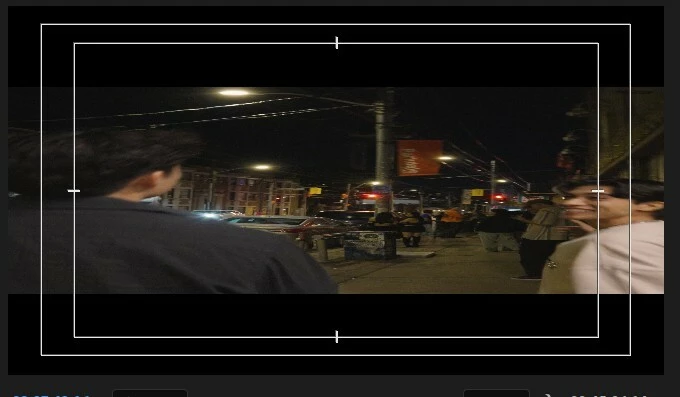
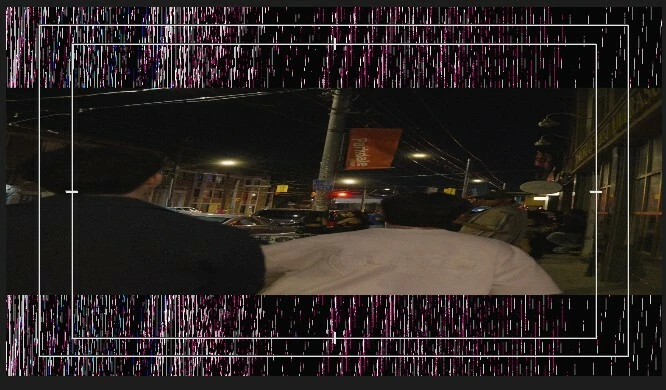
Both are screenshots I captured while the footage was playing, when I pause on those exact frames the footage looks completely fine


Your Premium trial has ended

Your Premium trial has ended

    返信数 1

    Amy the Stuv
    Community Manager
    Community Manager
    July 1, 2026

    Hi @RizzyMissy2000 ,

    Welcome to the Premiere forums! To better help you on this issue, we need a few more details. Please see, How do I write a bug report?


    I am wondering if your Program Panel playback resolution is set to ½. If you set it to Full, does this issue resolve? This could be a potential workaround as we investigate. 

    Program Panel, change Resolution to Full


    Thanks for bringing this to our attention!

    Amy


    Participant
    July 1, 2026

    That actually fixed it!!!, BUT the export itself still is squishy which makes no sense

    Amy the Stuv
    Community Manager
    Community Manager
    July 1, 2026

    @RizzyMissy2000 You might need to match the exact resolution of the sequence on the initial export. There is something getting falsely flagged when changing between them, and we are looking into it.


    Once you have an export without the squish, you should be able to transcode that export through Media Encoder to whatever resolution you need, but let me know if that’s not the case.


    Very strange indeed, but all of our systems, software, hardware, os, codecs are so complex and ever changing as we work to integrate everything. Will let you know once we have a fix for it, but hoping this is a good workaround for the meantime.


    Thanks again!

    Amy