







Learn how to create, build, and animate 2D puppets.
Actividad reciente
https://sta.sh/0bo9tvl3v4pThat is the link to the download of the PSD. I compared the psd to the wendigo template, and the blank face template, but no matter what I change, the puppet stays on its neutral face in Character Animator. I've tagged the folder "Mouths" to be "Mouth" in the rigging section already. Anything helps! Thanks!
Hi!Character Animator is having zero problems when I switch to only using one monitor, but while using two monitors, the program crashes. I've been having problems installing the latest After Effects CC version. I doubt the two problems are related, but I'm no expert. That may be relevant information. Thanks for taking the time to help!Here's the windows crash details: Problem signature: Problem Event Name: APPCRASH Application Name: Character Animator.exe Application Version: 1.0.5.141 Application Timestamp: 58013307 Fault Module Name: atig6txx.dll Fault Module Version: 21.19.407.0 Fault Module Timestamp: 585d57a1 Exception Code: c0000005 Exception Offset: 00000000000175c3 OS Version: 6.1.7601.2.1.0.256.1 Locale ID: 103
Hello,I have created a puppet with 3 separate arm positions with 3 hand positions, which i use as swap sets. I start with the natural arms position and then when i need to show a different hand gesture i use the swap set. But that does not look natural at all, as arms are in natural rested positions and then in the next frame they suddenly start showing a different gesture. I feel this could be possible if i create one single arm with different hand gestures and then when i need to show a different hand gesture i could move the arm around with my desired hand position. Is this possible ?
It would be nice if you could grab the white line representing "end of scene" and adjust it by dragging. At present you have to type numbers into the "Duration" property by hand I think. This would make it quicker to re-adjust the duration when your recording extends the duration. I don't mind having to grab it in the bar at the top, or below all the tracks. Its just typing in Duration by hand you don't get all the snap effects etc.Could go further and allow dragging of the scene start as well, so you can have things before the scene start - which would allow the twitching of characters at the start of a scene to be clipped out. (That is, introduce a separate "Skip Frames At Start" property, as mentioned before. The same dragging should be possible for the start and end of a scene.)Or introduce "start of scene" and "end of scene" marker types. If I use them, they control when where the scene starts and its duration. Maybe "Duration" and "Skip Frames At Start" properties are autom
There's a spike in my character right where there's a breathe point - it's most evident during a walk or run cycle. Notice the spike at the bottom of the character's t-shirt in the attached picture. It's like that one point is 'glued' to the center regardless of how the character moves. Been troubleshooting for hours with no useable workaround. Doesn't appear to be related to the mesh or vector points.I placed the breathe point near the origin of the character because when placed elsewhere, it moves the whole character off the ground (feet appear to be floating and bouncing) and it doesn't look like natural breathing (i.e. it doesn't look like it's coming from the diaphragm). Moving the breathe point fixes the spike (or merely relocates it I guess) but the breathing function doesn't look right at all.Has anyone run into this spiking problem? Is there a better way to set-up breathing that would avoid this altogether?Thanks!EDIT: for what it's worth, my current workaround is to create a
Hello,Very new to all of this. I want to make my entire character dragable, or at least just his head. I am able to make the character move around on the screen using the X and Y coordinates, but I'd like to be able to drag him around while recording. When I add a the tool to drag the puppet, there's a fixed point at the center of the forehead that won't move and just warps the puppet. Is there a way to make the whole puppet dragable?
Hello all,So about 3 months ago I was working in character animator with my puppet and everything was working as it should. I was in the middle of recording a scene when the body stopped moving completely but the facial features still worked. It's been so long since the initial issue that I don't remember exactly what troubleshooting I did. But once I could not figure it out on my own I contacted Adobe on about 6 different occasions. They accessed my computer through remote control and on 3 of those conversations I was asked to send in the file of the character for further inspection but now 3 months later, I have yet to get an answer. The other puppets within the program work fine and my character was created based off of the puppet files that are supplied to us in the program. I created the puppet in Illustrator and followed the instructions to the T. I'm not sure what has delayed the resolution to this issue so much but I'm just ready to have it resolved
ok so I was watching ok samurai's building your own animated face tutorial when i ran into some trouble when i imported the mouths on to my blank puppet it would n't let me move the layer what to do?
hey! I got character animator yesterday, and after ambitiously building the first puppet, I'm creating a second today.So I had a question regarding the eye blinking. I have blink layers that work, but before adding those, I noticed that the eye shapes could flatten to match your eyes closing in the webcam. Are those possible to add while you have a blink layer, and if so, how?My puppet has a rather jumpy blink, so those would help smooth it out.Thanks!
hallomy system is MAC OS 10.9.5 , it seems to be impossible to download and use Adobe character animator, it is right? Or there is a chance to download? I would stay with my actual System of course. I have also installeted the suite master collection 6 and for AE seems to be OK maverick (10.9).Thank you always in advance !giuliana
Hi I'm trying to record a scene with changing scale. I've recorded the face tracking already and wanted to record scale changing separately but the whole puppet moves when i do that. How can I change scale with having the position set?
Hello. This program is full of setbacks and bugs and it's easy to completely destroy a few days of work. This wouldn't be so challenging if it wouldn't automatically save over previous work as I go. I had it working, made an adjustment, it all stopped working and I can't get it back!!
The following information applies to Character Animator version 23.0 and earlier, which use OpenGL. For GPU errors in Character Animator version 23.1 and later, which use Metal (on macOS) and DirectX 12 (on Windows), see the GPU FAQ. If any of the following error messages appears upon launching Character Animator or when trying to display a scene in the Scene panel or open the Puppet panel: "OpenGL setup failed -- the Scene panel will likely be blank. Updating your graphics card driver may fix this issue. See adobe.com/go/ch_opengl for details." "OpenGL setup failed -- Scene panel will likely be blank. Updating your graphics card driver may fix this, unless you're using Remote Desktop." "OpenGL setup failed -- Character Animator requires a display set to at least 32-bit color. See adobe.com/go/ch_opengl for details." "AIF/OpenGL error -- graphics card driver may need updating." it is usually due to older/obsolete graphics drivers or the OpenGL capabilities of your graphic
Stick tool in Adobe Character Animator not working !!gush, how many mess ups am I going to find in your crappy program ?now when trying to place the stick tool on a cute teddy bear arms their not working to make the arm bend like the other arm does.and I am placing them as the same as the other side arm.Like I said before script kiddies stop copy and pasting code from off the internet and in your app and get the real programmers from Adobe to take over.and putting a patch out once a month is not worth my payment on this app !!and I pay for this by monthly script kiddies....I be posting a Live stream video about this junk I am posting to you about, go find it script kiddies !!!
Puppet BB8 character body disappearing before key is pressed and after key trigger is pressed it shows up and moves then stops, so I can use my key trigger for the robot arm w/liter to appear out.But to get body to roll again, have to press key trigger twice and during that process the body disappears again then re-appears to do the rolling layer motion.body is supposed to be there No matter if its moving or NOT !!this star wars BB8 character I made with full detail.and okay samurai and his videos do NOT help one bit !!in most of his videos he shows you how to do a small thing in it then the rest is garbage talk and showing other stuff, very little in learning anything off his videos.and hes was No help in getting the body to roll either.why don't you guys copy and paste code from adobe after affects ? then maybe most of your mechanics in the program will work and be user friendly !!so far every character I turned in to a puppet for character animator I had to work on for over 8 hours
It would be swell if there were a keyboard shortcut that took Record mode into full screen so we could better see what our puppet was up to. Perhaps it would help if the Camera & Microphone window floated above the Scene window.Keep up the good work,Martin
Hi,A new issue I've recently encountered (it was working) is I can no longer scrub sound on the timeline. Playback is perfect, including the sound, but as soon as I try to move the playhead while editing lip syncing or similar, I can't hear a thing. Any ideas? Refreshing the scene / restarting ChA or the computer don't fix it.Another audio issue I've had is when using Bluetooth headphones to listen to music (spotify etc), as soon as I open Character Animator the sound quality drops considerably to sound like a very low resolution. Quitting ChA fixes this.For info I'm running MacOS High Sierra on a Late 2015 27" iMac i7.Thanks,George
I've successfully got my puppet to talk, blink, wiggle his eyebrows etc. in a full frontal posture. I've also successfully gotten it to turn its head. But, even though I've included all the elements and I think I've arranged them the same way, I cannot get it to do any facial movements in quarter turn. Can anyone see what I might be doing wrong?Martin
whne attepting to start the trial the following linkaam://SAPCode=ANMLBETA?version=1.0.6?actionList=CC-UI?passPhrase=RYSNWN5NkOqVHgdLrpV3FzC6PmraNQTIwBhBkzN2zkAoggBOgKux9aXS0GfDBWre3GX/3VJvWtB3j/0rd/AafBD8KoktvEM59ezhEo7VJDDmYV6bdSY4zTtP3nWwmJAk218mYUL1FldoA7fXQMdx6Q7OkEcXaw65nd8ZkApZpY8=cannot be read by any browser i have.please fix
New and changed featuresProjects and the Project panelLong names for project items in the Project panel and layer names in the Puppet panel now appear in tooltips over the truncated versions of those names.ScenesScene snapshots: take a snapshot (Scene > Take Snapshot) of a reference pose to compare against, hide/show the snapshot, and increase/decrease snapshot opacity.Export the current frame of a scene (File > Export > Frame).Default scene frame rate is now 24 fps.Narrow Scene panel now shows the Refresh, Show Mesh, Stream Live, and Background Color buttons in a pop-up window opened by clicking the "<<" button.Artwork and AssetsJPEG (*.jpg or *.jpeg) support for puppets and cycles.Illustrator (vector artwork) rasterization control: new Resolution property (in the Puppet section of the Properties panel) for controlling the maximum quality of the vector artwork when it is rasterized.Puppets and the Puppet panelNew and updated template puppets in the Start workspace; use
Working in ACA 2018.My character disappeared after I made a few extra cycle layers. THIS IS WHAT I GET ^^^^^^^^^I have deleted 106 actions (apparently I can't get them back and have to redo them YUCK!).I thought maybe the character was out of view BUT when I click on the MESH view its there: PLEASE HELP I NEED THIS TO WORK!!!!!I have 230 triggers on this character, with 5 head views and eye changes, etc.IT WAS WORKING CORRECTLY but I feel I might be pushing the limits?Please help ASAP.HERE ARE SCREENSHOTS OF WHAT'S GOING On:Here's what my Illustrator project looks like: ANYBODY please help me make my character re-appear in the interface. This is driving me nuts! Thank you.
Hello, I have been working with Character Animator for 18 months. I had some puppets that were working very well, but then I upgraded. Now I have to re-rig them all? 1. HOW DO I TAG IN ILLUSTRATOR so that the swap sets import? I have complex characters with head turns, eye changes, cycle layers on eyes and eyebrows, etc. In the previous version, I could just put them in a folder and add (h!) or something to get a tag and swap set set up in an organized, easy to find way. NOW the swap sets for the same puppets appear in the panel BUT just plain don't work coming in from Illustrator. I figured out that if I delete them all and drag them back in one by one they work. This is a LOT of deleting and a lot of dragging and there's got to be another way to make this work. Can you show an example of a folder naming/setup that does import to Character Animator properly? Or is this a bug??? 2. The removal of the staple made some of my complex characters look very distorted (think 1990's computer s
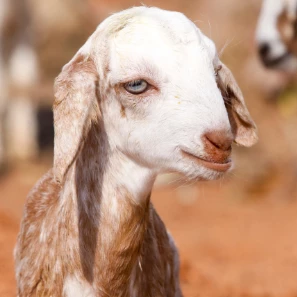
Hi there, this is my first attempt at a puppet, so apologies. I'm trying to animate a sheep. It's head is not sitting on a neck, and I think that's what's causing me problems. The head seems to be fixed to the body, there is no independent movement at all. Any clues?Message was edited by: Paul Long
My wife and I often build . We usually build our Character Animation characters in Photoshop, and, of course, do the rigging in Character Animator on a desktop workstation - but when travelling on a laptop. We then load everything up to a folder on a network cloud server, and when we've gotten to a destination, opened the Character in Animator to make sure everything is working, we've found that Ch shows missing files - like all the character artwork.We check to be certain the Photoshop file and all other assets are in a folder together.It appears I'm missing something very important. Any thought? Many thanks for any help!
Remix with Firefly Community Gallery
Thousands of free creations to fall in love with and remix in Firefly.
¿Ya tiene cuenta? Iniciar sesión
¿Aún no tienes una cuenta? Crea una cuenta
Enter your E-mail address. We'll send you an e-mail with instructions to reset your password.