

Participant
February 13, 2024
Question

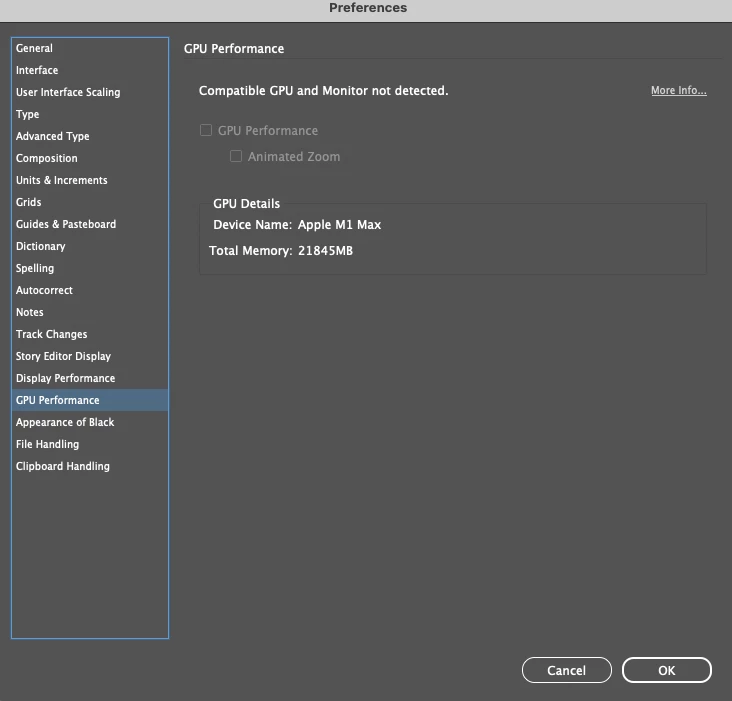
InDesign 19.2 OS X Sonoma 14.3.1 (23D60) GPU not still not working

  • February 13, 2024
  • 2 replies
  • 165 views

Sorry, but I'm tired of this situation. New version old errors.
This topic has been closed for replies.

2 replies

Harshika Verma
Community Manager
Community Manager
February 19, 2024

Hi @Justyna&Max,


Hope you're doing well!


We would like to follow up on the issue. Are you able to resolve the issue by following our expert's suggestion? We're unable to see the same behavior at our end.


Please feel free to update the discussion so that we can continue to investigate and help you with the issue.


Thanks,

Harshika 

Community Expert
February 13, 2024

See this thread - it might be the external monitor
https://community.adobe.com/t5/indesign-discussions/indesign-gpu-not-recognised-on-m1-max/td-p/13354675


Hard to know


Common fixes
Try resetting your preferences:

Windows: Start InDesign, and then press Shift+Ctrl+Alt. Click Yes when asked if you want to delete preference files.
macOS: While pressing Shift+Option+Command+Control, start InDesign. Click Yes when asked if you want to delete preference files.
A dialog will appear asking to delete the InDesign Preferences, select 'Yes' on this dialog.
Further info and instructions here if needed:
https://helpx.adobe.com/in/indesign/kb/indesign-preferences-support-file-locations.html


--

Reinstalling rarely fixes everything - you can do a complete reinstall using the
Creative Cloud Cleaner Tool https://helpx.adobe.com/creative-cloud/kb/cc-cleaner-tool-installation-problems.html
