Exit
  • Global community
    • Language:
      • Deutsch
      • English
      • Español
      • Français
      • Português
  • 日本語コミュニティ
  • 한국 커뮤니티
2

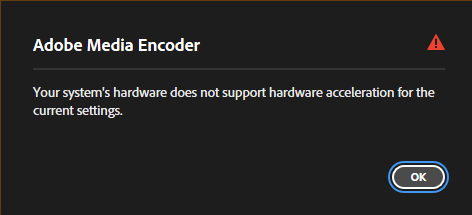
Your system's hardware does not support hardware acceleration for the current settings

Explorer ,
Aug 03, 2025 Aug 03, 2025

Hi Adobe Community,

I’m experiencing an issue with Adobe Media Encoder where Hardware Encoding is not available, even though I have an NVIDIA RTX 3080 Ti installed.

When I try to switch to Hardware Encoding in the H.264 export settings, I receive this error message:

“Your system's hardware does not support hardware acceleration for the current settings.”

TOPICS
Crash , Performance
822
Translate
Report
Community guidelines
Be kind and respectful, give credit to the original source of content, and search for duplicates before posting. Learn more
community guidelines
Adobe Employee ,
Aug 04, 2025 Aug 04, 2025

Hey Finfin,

I'm sorry to hear about this. Some export settings don't support hardware acceleration. Please share screenshots of your export settings so I can take a closer look. 


Moving to Discussions for troubleshooting.

Thanks,

Ishan

Please tag me (@) in your replies so that it notifies me and helps me respond promptly.
Translate
Report
Community guidelines
Be kind and respectful, give credit to the original source of content, and search for duplicates before posting. Learn more
community guidelines
Explorer ,
Aug 17, 2025 Aug 17, 2025

i use H264 the details in attachment

Translate
Report
Community guidelines
Be kind and respectful, give credit to the original source of content, and search for duplicates before posting. Learn more
community guidelines
Adobe Employee ,
Aug 29, 2025 Aug 29, 2025

Thanks for sharing the details. Please install NVIDIA Studio Driver 573.22 and let me know if that helps with this issue. 

Translate
Report
Community guidelines
Be kind and respectful, give credit to the original source of content, and search for duplicates before posting. Learn more
community guidelines
LEGEND ,
Aug 04, 2025 Aug 04, 2025

You don't include crucial information ... your CPU, the specific media, and the settings you are trying to export to. As all of those details matter for this process.

Translate
Report
Community guidelines
Be kind and respectful, give credit to the original source of content, and search for duplicates before posting. Learn more
community guidelines
Explorer ,
Aug 06, 2025 Aug 06, 2025

CPU Ryzen 7 5700X3D


I export  in H264 ;

1920 x 1080 ;

30 fps ;

The issue is, if I render directly through After Effects, it can use hardware encoding, but if I render through Media Encoder, it only uses software encoding. Even with the same settings.

Translate
Report
Community guidelines
Be kind and respectful, give credit to the original source of content, and search for duplicates before posting. Learn more
community guidelines
Explorer ,
Aug 06, 2025 Aug 06, 2025

.

Translate
Report
Community guidelines
Be kind and respectful, give credit to the original source of content, and search for duplicates before posting. Learn more
community guidelines
Community Beginner ,
Nov 02, 2025 Nov 02, 2025

Hey Finfin,

Have you got the solution? I'm facing the same issue! 😞

Hardware Encoding is working in AE, but not supported in AME


System Config:

CPU: 14700K

GPU: 4070Ti

RAM: 64GB


Software and Drivers

AE: 25.5

AME: 25.5

Nvidia Studio Driver 581.57


Looking for the solution 


Translate
Report
Community guidelines
Be kind and respectful, give credit to the original source of content, and search for duplicates before posting. Learn more
community guidelines
Adobe Employee ,
Nov 04, 2025 Nov 04, 2025

Could you please provide more details? –

What is your workflow? After Effects Export via AME from within Ae? Dragging Ae comps into AME directly? What exactly is your source material? Does After Effects direct export work? Does AME finish the encoding despite the error message?

Please provide more information. See https://community.adobe.com/t5/adobe-media-encoder-bugs/how-do-i-write-a-bug-report/idi-p/13094801 what we need in order to look into your issue.

Translate
Report
Community guidelines
Be kind and respectful, give credit to the original source of content, and search for duplicates before posting. Learn more
community guidelines
Community Beginner ,
Nov 08, 2025 Nov 08, 2025

Hello Ecki,

Thanks for your reply.


I'm working on a pretty simple composition in AE. Yes, I tried to export via "Add to AME Queue..." from AE, In AME the "Hardware Encoding" is not supported, but in direct AE export, it's working. AME exports are ok i guess, but it's consuming much time as it's using "Software Encoding"


If you need any further details, I can do a screen record.


Thanks in advance.

Translate
Report
Community guidelines
Be kind and respectful, give credit to the original source of content, and search for duplicates before posting. Learn more
community guidelines
New Here ,
Nov 08, 2025 Nov 08, 2025
LATEST

Man i just got the same issue, like right here right now 

Translate
Report
Community guidelines
Be kind and respectful, give credit to the original source of content, and search for duplicates before posting. Learn more
community guidelines