



Hosun
Inspiring
March 26, 2020
解決済み

AIGPUSniffer

  • March 26, 2020
  • 返信数 2.
  • 2533 ビュー

Hi,


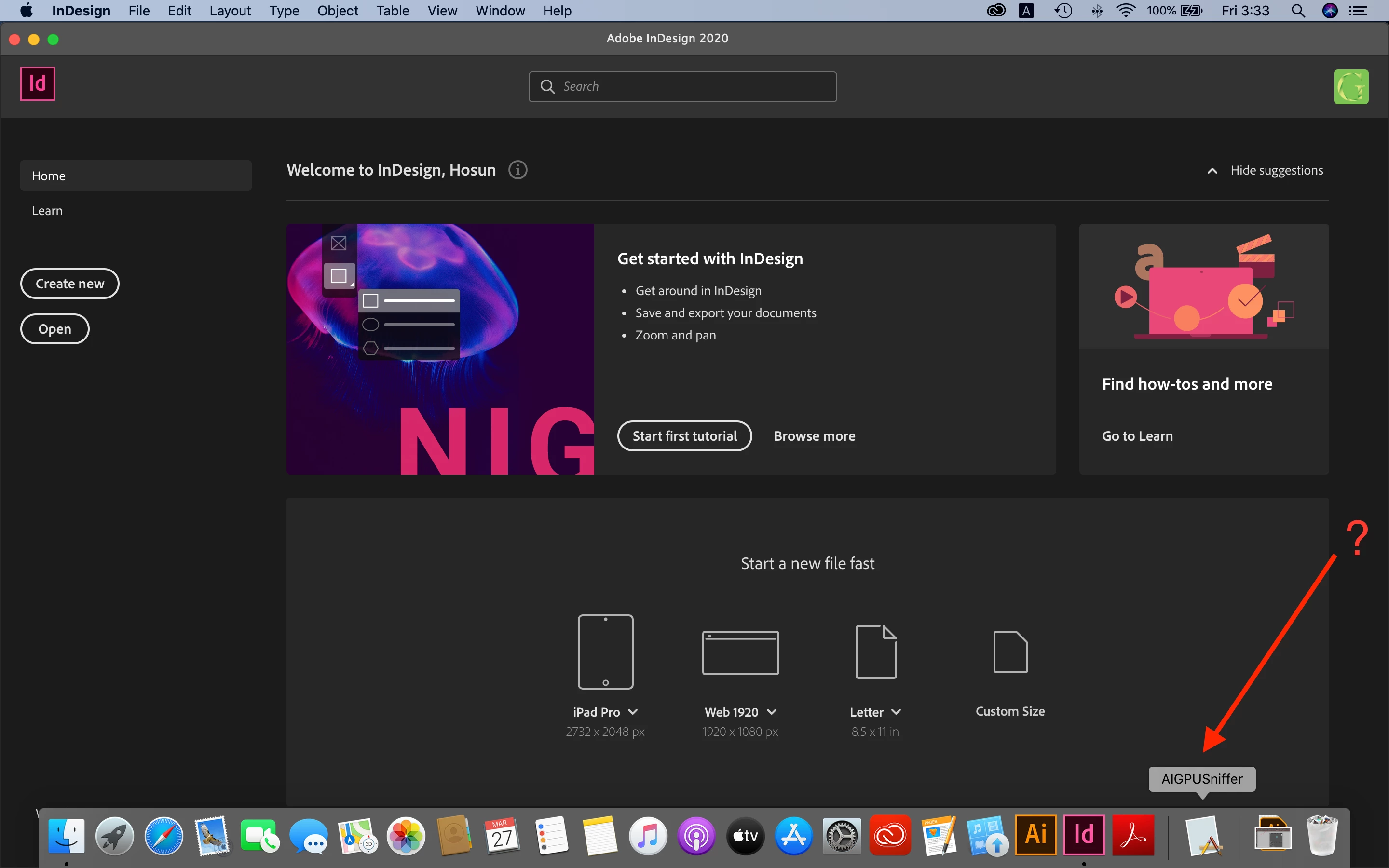
I encounter AIGPUSniffer issue.


I posted a question and am waiting for a reply.

https://community.adobe.com/t5/indesign/aigpusniffer-appears-on-dock-while-indesign-cc2020-is-running/m-p/11009351?page=1#M180480


I just want to know if it is a serious problem or not.


If it's not a serious issue, I want to go with it.

I am afraid fixing the issue would cause much more troubles.

I started use Mac from two months ago.


Hosun Kang
 

このトピックへの返信は締め切られました。
解決に役立った回答 Manan Joshi

This is not a problem, you must have "Show Recent application in dock" preference set. As mentioned in the previous thread this is a required service so this is launched when you launch InDesign and due to the dock setting i mentioned before it stays in dock. To remove this, change the dock preference and then once you remove this from the dock it will not reappear. See the following link for more details on dock preferences

https://support.apple.com/en-hk/guide/mac-help/mchlp1119/mac


-Manan

返信数 2

Manan JoshiCommunity Expert解決!
Community Expert
March 30, 2020

This is not a problem, you must have "Show Recent application in dock" preference set. As mentioned in the previous thread this is a required service so this is launched when you launch InDesign and due to the dock setting i mentioned before it stays in dock. To remove this, change the dock preference and then once you remove this from the dock it will not reappear. See the following link for more details on dock preferences

https://support.apple.com/en-hk/guide/mac-help/mchlp1119/mac


-Manan

-Manan
Hosun
Hosun作成者
Inspiring
March 30, 2020

Hi,


Thank you very much for your solution.

There is an easy way.


In Ashutosh's previous reply, there is a link.

https://helpx.adobe.com/indesign/using/setting-preferences.html


I tried shift+control+option+command, but it was right-click


Do you have any comment on that?


Thanks again.


Hosun Kang


Hosun
Hosun作成者
Inspiring
March 26, 2020

Hi,


When I open Id, I see AIGPUSniffer in Dock.


Could you tell me what it is?


I didn't see it on Windows.


Hosun Kang 


{Renamed by MOD}

Ashutosh_Mishra
Inspiring
March 27, 2020

Hi Hosun,


Thanka for reaching out, AIGPUSniffer is an essential service which runs in the background. It should not appear in the dock though. You may try resetting the preferences once. Follow instructions on help article https://helpx.adobe.com/indesign/using/setting-preferences.html 


**Please note that resetting preferences will remove all the custom settings and InDesign will launch with default settings. You can also take a backup of the folders in case you want to. Location is mentioned in the article.

You may also try reinstalling the app if that does not help. Please use Creative Cloud cleaner to remove the existing installation. Find more information on https://helpx.adobe.com/in/creative-cloud/kb/cc-cleaner-tool-installation-problems.html
Hope it helps.


Regards,

Ashutosh 

Hosun
Hosun作成者
Inspiring
March 28, 2020

Hi,


Thank you very much for your reply.


I tried the first option. But no prompt appeared.


Then, I moved to the second option. I encountered the screenshots below.

(Should I remove Id first?)


Hosun Kang