



valentinozegna
Known Participant
April 11, 2020
質問

Lightroom will not update local adjustments when a preset with no local adjustments is chosen

This bug started happening to me probably after the latest 9.2 update.


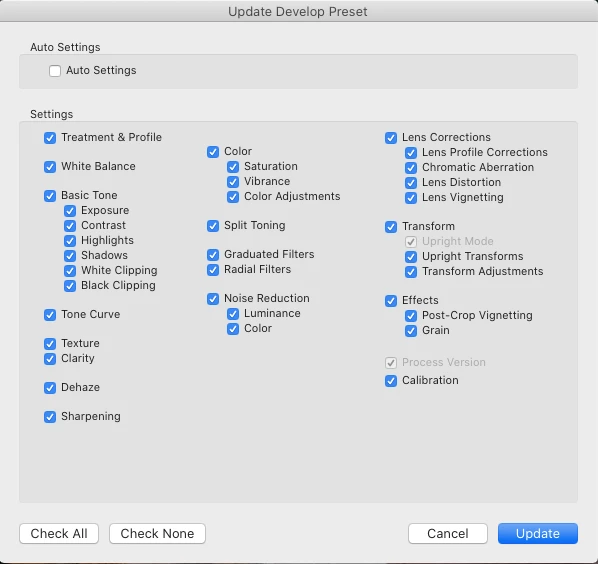
1) Prepare a flat preset, with all edits set to their neutral position, and no local adjustments.

Let's call this preset "Rawest". Make sure everything is selected when you save it, especially the "Graduated Filters" and "Radial Filters" options. Now, this preset is supposed to restore everything to flat and remove any local adjustment, when selected.
 

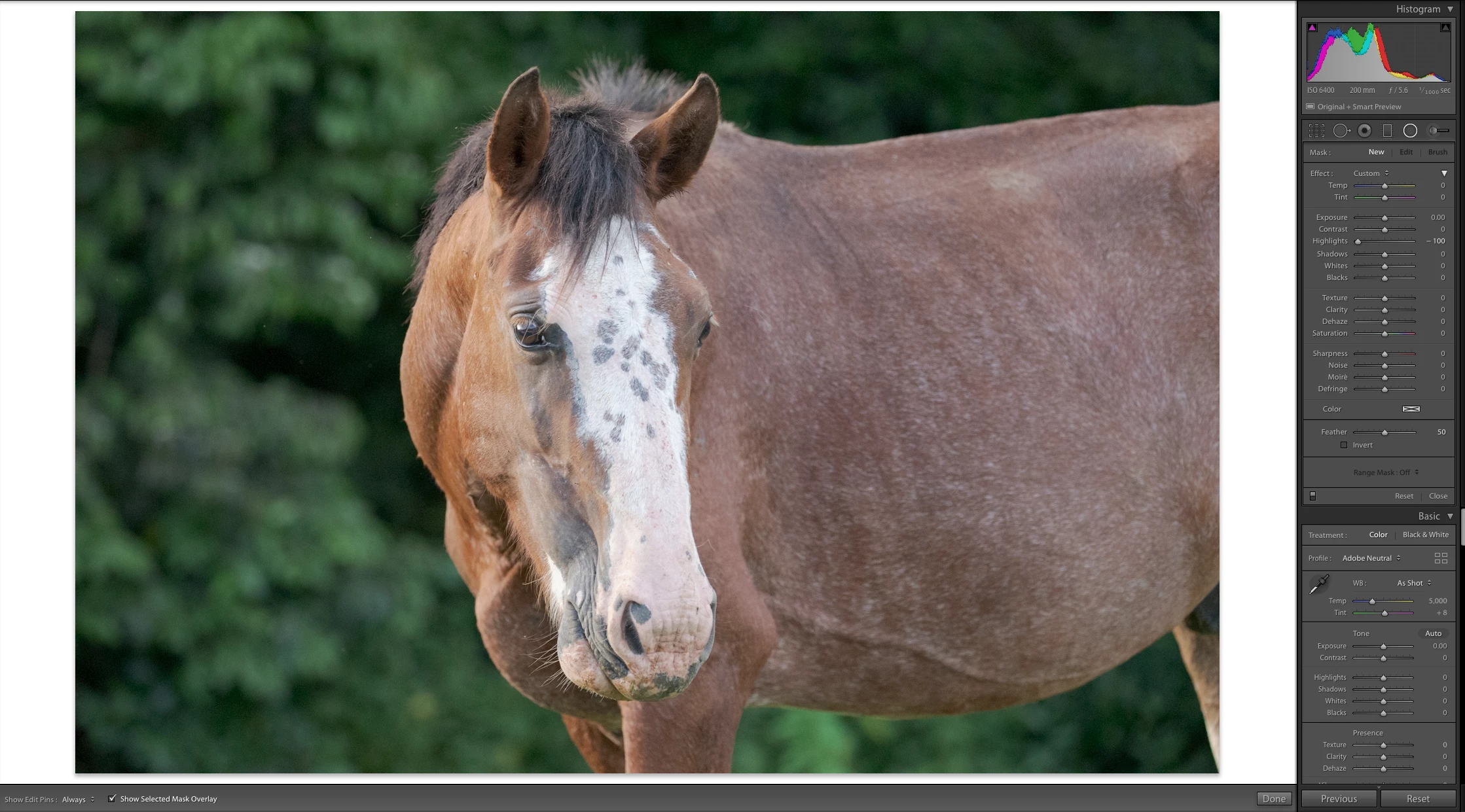
2) Pick a photo, and select the Rawest preset. As you can see, no local adjustments are present and everything is flat.
 

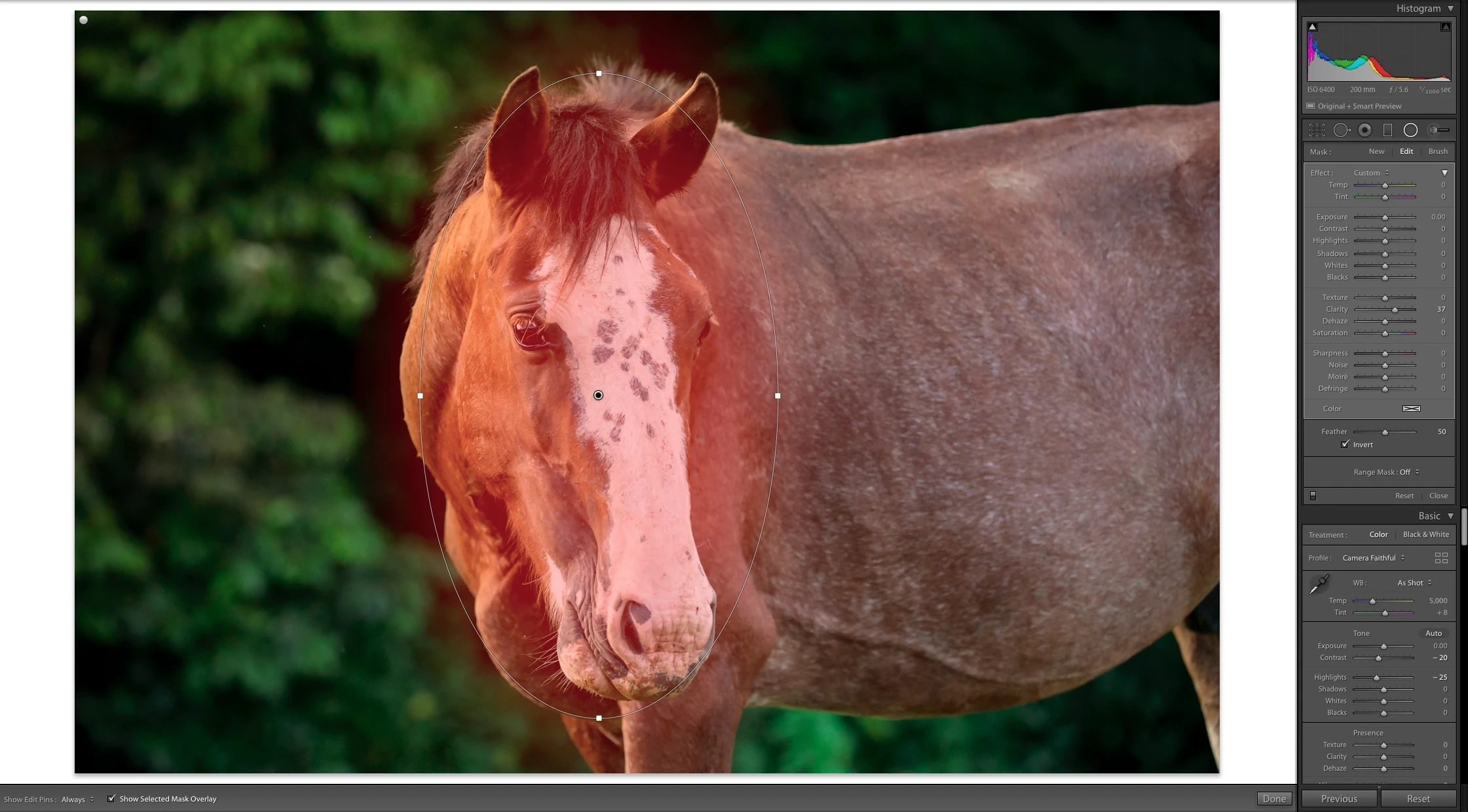
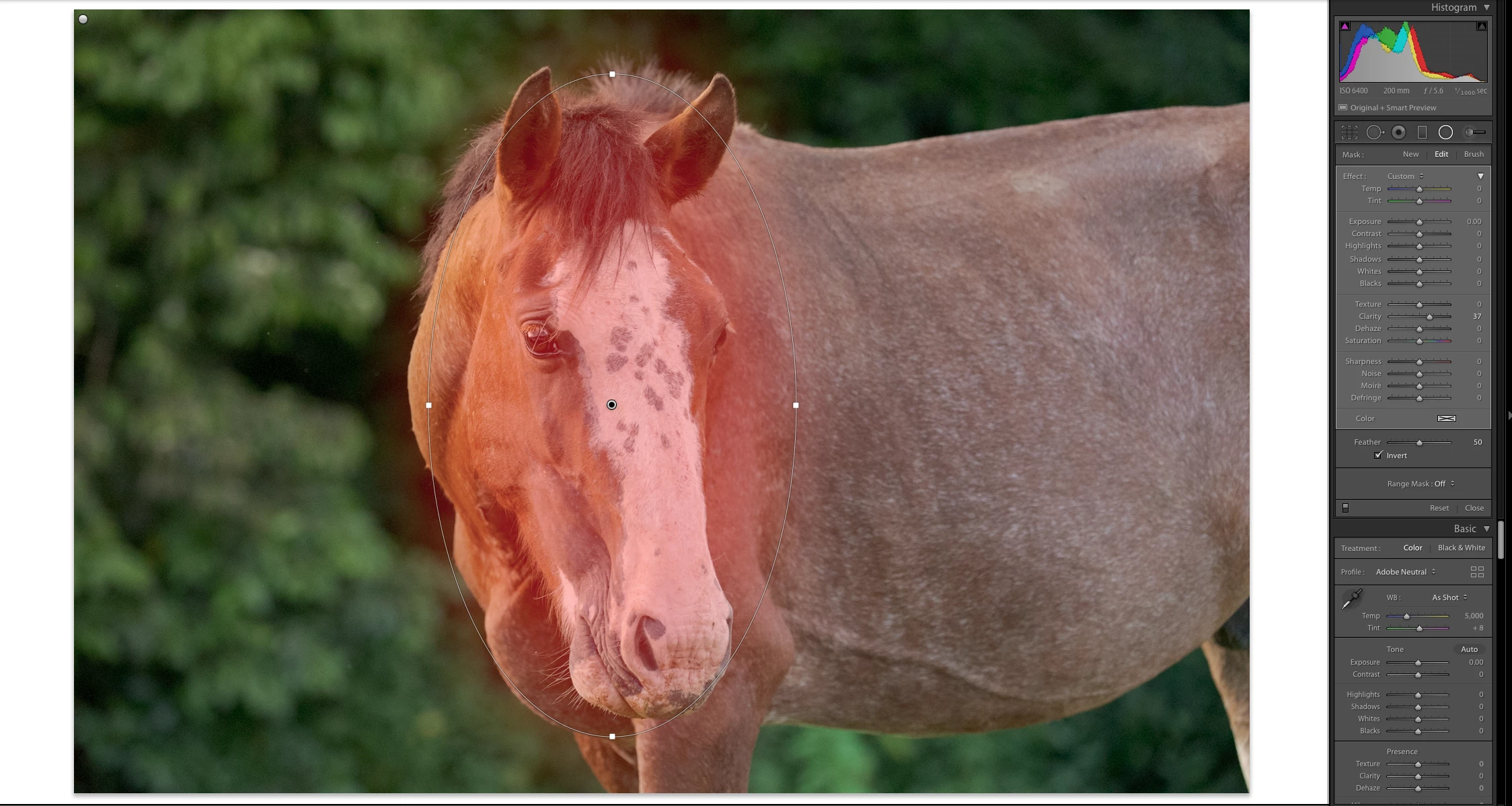
3) Edit the photo and add some local adjustments. Here I added 2 radial filters, one on the top-left corner, and one on the face of the horse.
 

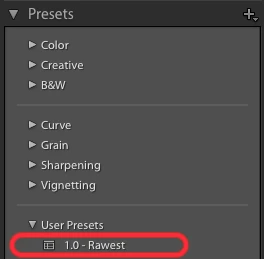
4) Now select the "Rawest" preset that you created in the beginning.
 

5) Look at the local adjustments: they have not been removed. Parameters in various panels have returned to their neutral position as expected, but every local adjustment is still there. This was not happening in previous versions of Lightroom.


このトピックへの返信は締め切られました。

返信数 20

Bob Somrak
Legend
June 20, 2020

Lightroom 9.3 has resolved some of the things discussed in this thread by having a built-in preset called "Adobe Default" which does the same thing as the old Reset(Adobe).  

M4 Pro Mac Mini. 48GB
Bob Somrak
Legend
April 15, 2020

A Snapshot after you first import won't work as it is the the same as if you used the Reset button.  Unfortunately the Reset button and and initial Snapshot include the edits you used in an import preset or Camera Default.  The only thing that worked was Reset(Adobe) which was removed as a feature in 9.?.

M4 Pro Mac Mini. 48GB
valentinozegna
Known Participant
April 15, 2020

The only workaround I can think of right now is to save a Snapshot as soon as the picture is imported. In this way, I can always go back to the original state. 

Bob Somrak
Legend
April 15, 2020

All these hacks caused by the lack of a simple Adobe(Reset) button.  Now you can only reset back to import unless you go through a lot of gyrations.

M4 Pro Mac Mini. 48GB
johnrellis
Legend
April 15, 2020

"this still doesn't do anything to get rid of the  brush local adjustments."


You could use the free Fix Presets plugin to add dummy adjustment brush settings to the preset (hack upon hack).

Bob Somrak
Legend
April 15, 2020

You will also have to add a Hidden Graduated Filter to "zero" them.  Unfortunately, this still doesn't do anything to get rid of the  brush local adjustments.  

M4 Pro Mac Mini. 48GB
johnrellis
Legend
April 15, 2020

"In previous versions of Lr if you held down the “Shift” key the reset button would change to “Reset (Adobe)” Selecting this was a COMPLETE reset to what the true ADOBE defaults were."


Yup, I see that in LR 5.  Never knew that...


[Use the blue reply button under the first post to ensure replies sort properly.]

johnrellis
Legend
April 15, 2020

[This post contains embedded images that don't appear in email. View the post in your Web browser to see the images.]


Johan wrote, "...adding a filter via a preset deletes all existing filters..."


That suggests a workaround: Add a single, very small radial filter to a photo that's outside the upper-left corner of the image, e.g.

Don't change any of the sliders for the filter.  Save it as part of your "Zero" preset.


Applying that preset will clear any other radial filters, and the dummy one added by the preset won't have any effect on the image.


[Use the blue reply button under the first post to ensure replies sort properly.]

Bob Somrak
Legend
April 15, 2020

John

If you have a “Camera Default” applied, hitting the “reset” button only resets back to the “Camera Default”.  


In previous versions of Lr if you held down the “Shift” key the reset button would change to “Reset (Adobe)” Selecting this was a COMPLETE reset to what the true ADOBE defaults were.  


If you have an old version of Lr loaded try it!!   

M4 Pro Mac Mini. 48GB
johnrellis
Legend
April 15, 2020

"I wonder if this is actually a new (undocumented) feature."


I just tested LR 5, and it behaves the same way as 9.2.1.  


However, in LR 5 (and presumably through LR 7.1), you could manually edit the .lrtemplate file and add this line:

CircularGradientBasedCorrections = {},

which represents the empty list of radial filters.  When applied, that would clear all the radial filters.


I tried the analagous thing with the new .xmp format, first adding these lines:

<crs:CircularGradientBasedCorrections>
<rdf:Seq>
</rdf:Seq>
</crs:CircularGradientBasedCorrections>

and then these lines:

<crs:CircularGradientBasedCorrections>
</crs:CircularGradientBasedCorrections>

Neither worked -- they were ignored.


The underlying issue is that the new .xmp preset mechanism doesn't distinguish between "not changing filters" (the absence of CircularGradientBasedCorrections) and "setting 0 filters (a CircularGradientBasedCorrections containing 0 corrections).


There were other things lost with the introduction of the .xmp format, such as being able to capture the state of the Turn On/Off buttons in each Develop panel.  The Camera Raw UI didn't have those buttons, so the Camera Raw .xmp presets didn't save their state; so when LR adopted the Camera Raw preset mechanism, that ability was lost.  Adobe called it "by design" (others might have called it "oversight").


[Use the blue reply button under the first post to ensure replies sort properly.]