






Announcements
Recently active
When asking a question on the Premiere Pro user-to-user forums, you can make it easier for folks to help you by proactively providing the answers to the following questions: What version of Premiere Pro? Include the minor version number (e.g., Premiere Pro 2025 (Version 25.6.3). Have you installed the recent updates? (If not, you should. They fix a lot of problems.) What operating system? This should include specific minor version numbers, such as "Mac OSX v26.0" - not just "Mac". What kind(s) of source footage? When discussing your source footage, please specify the codecs, not just the container types. For example, "H.264 in a .mov container," not just "QuickTime". If you are getting any error message(s), what is the full text of the error message(s)? What were you doing when the problem occurred? Has the same media with this computer system ever worked before? Did you update your project from one major version of Premiere Pro to the next, and then saw problems in th
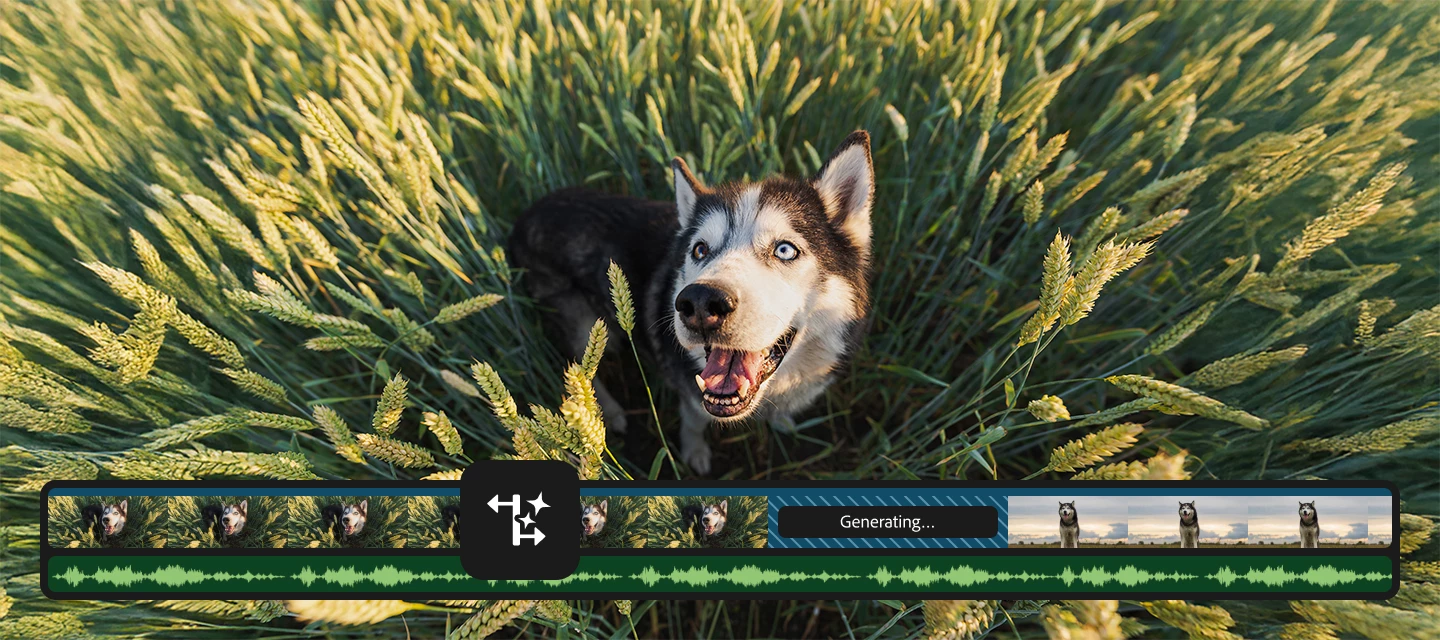
We’re excited to introduce Generative Extend, a new feature powered by Adobe Firefly’s video model that gives you more flexibility when editing. If you’ve ever wished you could hold a shot just a little longer—without extra footage—you’ll love this. Meet Generative Extend Generative Extend lets you extend the duration of a clip by generating new frames that match the original content. It’s great for:Matching timing with audio cues. Adding handles for smoother transitions. Fine-tuning pacing without complicated workarounds. Why it’s a game changer Think about those moments when you need a few extra frames for a voiceover or to hit the beat in a music video. Instead of searching for alternate takes or duplicating frames, Generative Extend makes it simple—and keeps your edit looking natural. How Generative Extend works A few detailsExtend up to 2 seconds for video and 10 seconds for audio. Supports clips at 12–30 fps and 8-bit SDR. Generated frames are clearly labeled, and you can rege
You can customize your community profile by clicking your profile avatar and Editing Your Community profile. Your profile picture and screen name will appear on the content you publish and in your private messages. You can update your profile picture. You can pick a new custom screen name or have the system auto-generate a new screen name for you. The information you enter in the signature section will appear in your posts. Using the toggles, you can choose to display your online status and to make recent activity on your profile public. Information under the section “Add more to your profile” can be edited and will be made public only when you enable the toggle “Show all information on Community Profile.” This is your public profile information from Adobe products and services such as Behance and Lightroom. Updating this information will propagate everywhere. Enter or edit your First Name an
Adobe Premiere Pro v23.2 has a new auto detect, interpretation and time line tone mapping workflow for log space video clips. We support Sony S-Log, Panasonic V-Log, and Canon Log video, as well as iPhone HLG and other HLG/ PQ video. The following video shows how to enable and work with this new workflow.
New in Premiere Pro, timeline tone mapping for iPhone HDR clips placed in Rec 709 Sequences. The following video shows how to use the new time line tone mapper, along with existing color tools, to work with HDR and native Rec 709 footage in the same time line without using LUTs or clipping or crushing image data.
Remix with Firefly Community Gallery
Thousands of free creations to fall in love with and remix in Firefly.
Already have an account? Login
Enter your E-mail address. We'll send you an e-mail with instructions to reset your password.