
















『アドビコミュニティフォーラム』に質問/トピックを投稿する方法
Announcements
新着順
Version 26.2.2 fixes a critical stability issue that was causing Premiere to hangIf you've been battling freezes and hangs in Premiere 26.2 or 26.2.0, this one's for you.The FixAdobe has released Premiere 26.2.2, which addresses a critical stability issue that was causing the application to hang. If you updated to 26.2 or 26.2.0 and found yourself staring at a frozen timeline — or worse, reverting to an older version just to get a job out the door — this patch is specifically aimed at that.The fix came out of internal engineering diagnostics and was corroborated by a clear pattern in community reports. You weren't imagining it, and you weren't alone. Why It MattersStability fixes don't get the spotlight that new features do, but for working editors they're often the most important updates Adobe ships. A hang mid-edit isn't just an annoyance — it's lost time, broken focus, and in deadline-driven work, it can cost real money. The fact that multiple users independently identified 26.0.2 a
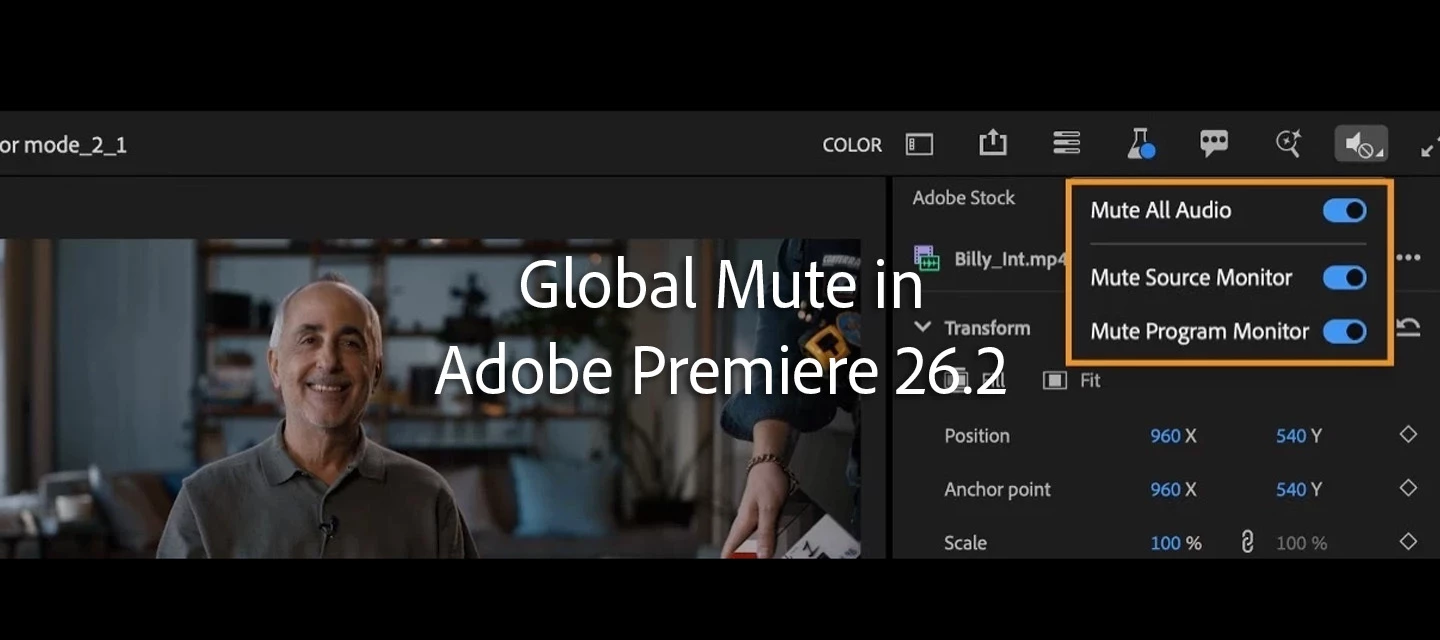
🔇 Global Mute in Adobe Premiere (What It Actually Does) TL;DRGlobal Mute silences monitoring only It does not affect exports It’s a playback convenience—not an audio changeThe Mistake People MakeUsers enable Global Mute and believe:Audio is muted in export ❌ Tracks are disabled ❌Neither is true. When to Use Global MuteReviewing visuals without distraction Working in shared spaces Quickly muting playback during detailed edits📎 Resources: Help Documentation: Global MuteBlog Post by Product Manager Adolfo H. in the Adobe Premiere Beta Forum here
As a Creative Cloud member, you have access to a host of membership benefits to keep you ahead of the curve and support your creative work. This month, we've added a powerful new partner perk and a curated collection of free design templates to help you do more with your membership. Here's what's new:New Partner Perk: 50% Off Hootsuite + 30-Day Free TrialWhether you're a freelancer, marketer, or creative professional, getting your work in front of the right audience matters just as much as making it look great. That's why we're excited to announce an exclusive Hootsuite offer for Creative Cloud members: 30 days free plus 50% off your first year of Hootsuite Standard.With Hootsuite, you can plan your content calendar, publish across multiple social networks from a single dashboard, engage with your audience, and measure what's working, all in one place. And because Hootsuite integrates with Adobe Express, you can design your visuals and schedule them without ever breaking your creative
If you're experiencing a problem with Premiere Pro, we want to hear from you! We'd also like to know if you've found errors or omissions in our documentation. The most critical information in a problem report is how to reproduce the issue. It is challenging for us to address a problem we cannot replicate. Please provide detailed steps for us to follow to observe the problem you're encountering. Use the template below to provide us with information: Issue – A short description of the problem. Steps to reproduce – A numbered list of the exact steps needed to reproduce the problem. Expected result – What should happen after completing the last step. Actual result – What actually occurred after the previous step Screen recording – If you think it might be helpful, include a recording of your screen, showing the issue. Adobe Premiere Pro version – FAQ: How to find the exact version of Premiere Pro you're using? Operating system – Specify Windows or macOS, along with the
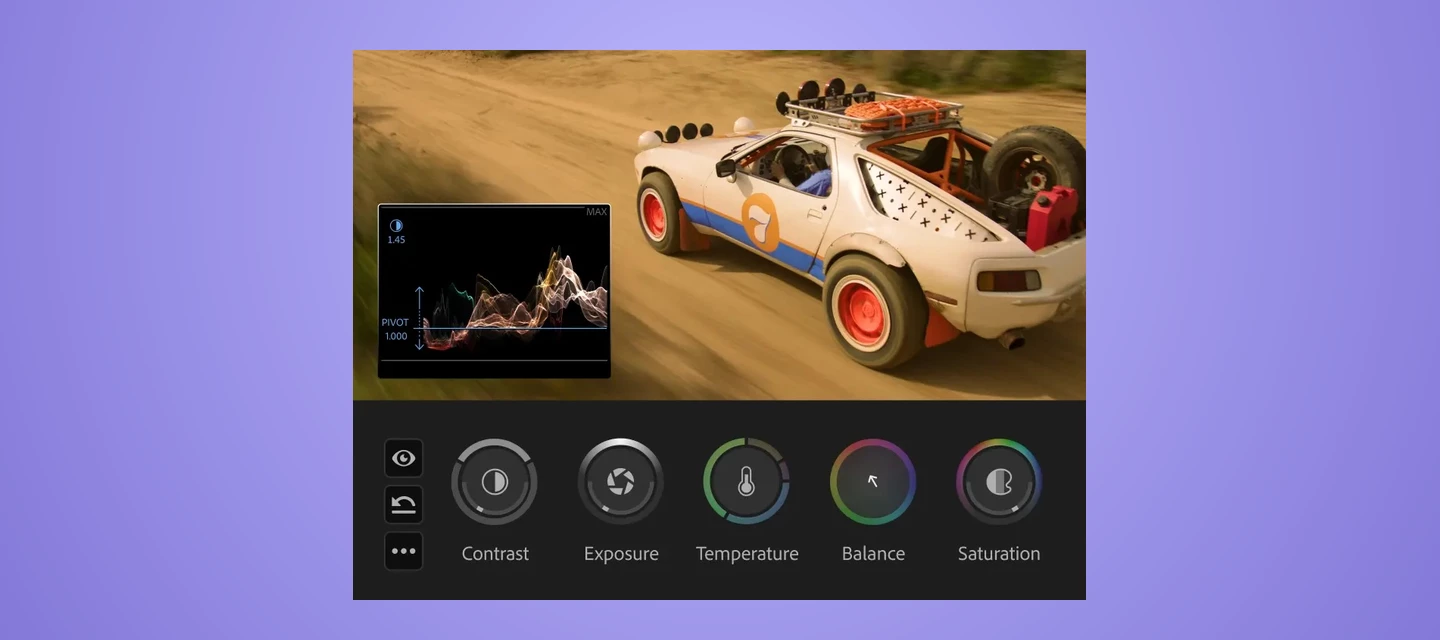
Color Mode in Adobe PremiereColor Mode is an application-sized release inside Adobe Premiere (Beta) — a purpose-built color grading experience with new controls, a clip grid, contextual HUDs, Styles, Modules, and a new grade management system called Operations. View the entire series here. Video Tutorials 1. Five Things to Know Before You StartBefore you dive in, here are the five most important things to know to get the most out of your first session, now available in public beta.Watch Video https://www.youtube.com/watch?v=oxwht2r2K8I 2. How to Find the TimelineIn Color Mode, the timeline is replaced by the Clip Grid — a visual overview of every clip across your sequence, designed for color-focused navigation. Learn how to move through your edit, select clips, and filter by status without leaving the color environment.Watch Video https://www.youtube.com/watch?v=FyJjBXT9_tI 3. The Fastest Way to GradeColor Mode is built for speed — apply a Style to your entire sequence in one click, ma
Boost Your Creative Career with 3 Months of LinkedIn Premium – Free with Adobe Creative Cloud Subscription! We're excited to help you take your next big step-creatively and professionally. With 3 free months of Linkedln Premium, you'll get access to powerful tools designed to help you grow your network, land your next opportunity, and build in-demand skills. Here’s what you’ll unlock: LinkedIn Premium Career can help you find the right job, stand out to hiring managers, network with recruiters, and build skills to advance your career with over 24,000 LinkedIn Learning courses. Who’s Eligible & How to Redeem Your Free LinkedIn Premium Offer? Offer EligibilityThis exclusive offer is available to Adobe Creative Cloud customers who have never tried Linkedln Premium before. If you're a net-new user, you're in! How to RedeemPlease visit adobe.com/benefits and log in to check your eligibility and redeem your offer. Note:
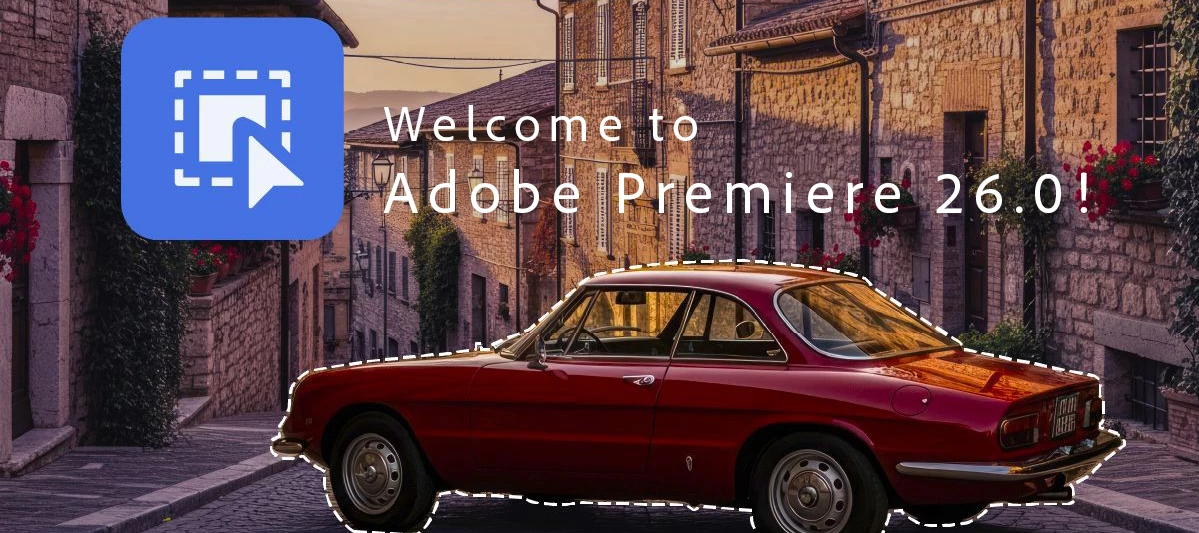
Premiere Pro v26.0 introduces enhancements focused on performance improvements, workflow efficiency, and refined editing tools. Whether editing short-form content or long-form productions, this release supports a more streamlined creative process. What's new in Premiere Pro v26.0 AI-powered Object MaskingThe Object Mask tool uses AI to automatically identify objects and people in your footage. With a single click, you can select and isolate an object, then track it throughout your shot.Learn more about Object Masking › Redesigned shape masksEnhanced Rectangle, Ellipse, and Pen mask tools make it easier to draw and refine masks with greater precision, including rounded-corner control and constrained straight lines, which are all editable both numerically and visually.Learn more about using masking tools › Send media from Firefly Boards to Premiere desktopSend media from Adobe Firefly Boards straight to Premiere on desktop for a smoother creative workflow.Learn how to import Firefly B
Hey all—Now that the official announcement is out, I wanted to share a few thoughts on Frame.io Drive and what it changes in practice.At a high level, Frame.io projects can now mount directly to your desktop, so media shows up in Finder (Mac) or Explorer (Windows) like a local drive.The interesting part is that you can start working with files immediately — without downloading them first.What that looks likeOnce Frame.io Drive is installed, you can open media directly in Premiere Pro, After Effects, Photoshop, and other creative tools. Files stream as needed, while frequently used media gets cached locally over time.So instead of:download → organize → relink → start workingit starts to feel more like:mount → open → workThat may sound subtle, but if you regularly deal with large media, shared storage, or distributed teams, it changes a pretty familiar part of the workflow.Why I think this mattersWhat stood out to me pretty quickly is that you stop thinking about “moving media” as a sepa
🧭 Navigate Faster with Sequence IndexTL;DRSequence Index is a navigation tool, not an edit panel It surfaces clips and titles instantly It’s ideal for large or long timelinesWhy Sequence Index ExistsScrolling long timelines is slow. Sequence Index lets you:Locate clips by name Navigate complex structures instantlyFilter clips in the Sequence Index by label color or properties such as media type, effects, or clip status to quickly locate specific items in complex timelines. Best Use CasesFeature‑length timelines Documentary editing Projects with dense marker use📎 ResourcesHelp documentation: Navigate timelines with Sequence Index
We’ve released Premiere Pro v25.6, and it’s full of updates designed to make editing easier, faster, and more connected. Whether you’re working on quick social edits or long-form projects, this version helps you stay focused on your creative work. What's new in Premiere Pro v25.6 Firefly integration Send media from Adobe Firefly on the web straight to Premiere on desktop for a smoother creative workflow.Learn how to import media from Firefly to Premiere. Smarter search with Media Intelligence Search your footage for specific sounds by simply describing what you want to find. Locate similar shots or alternate takes with ease.Learn how to search for audio and search for similar visuals quickly with Media Intelligence. Bulk audio cleanup Easily bleep or mute unwanted words and sensitive information across your timeline in one go. Learn how to clean audio with bulk mute or bleep. Adobe Stock built-in Discover, license, and import over 835 million high-quality images, videos, templates, mu
🎚 Audio Source Audio Channel Mapping - Show and Hide Audio Channel Labels - Change Audio Source Audio Channel MappingTL;DRChannel labels describe audio configuration, not content They help diagnose mapping issues Labels do not change audio behavior on their ownCommon misunderstandingsChannels may appear labeled in ways that don’t match expectations (e.g., dual mono vs stereo).These labels:Reflect source audio structure Help you verify routing Do not rename clips or tracks When This Is Most UsefulMulticam footage Dual‑system audio Broadcast or podcast workflows More info here: Change Audio Channel Mapping and Show and Hide Audio Channel Labels
🎉 NAB 2026: Join the Post|Production World Party & Adobe Mini-Expo (Sunday Night)🎯 OverviewIf you're heading to NAB this year, Adobe is hosting a Post|Production World Party & Mini-Expo on Sunday night — a great opportunity to connect with fellow editors, creators, and industry professionals in a relaxed setting.Whether you're attending sessions or just arriving in Vegas, this is a strong way to kick off the week.📍 Event DetailsPost|Production World Party & Adobe Mini-Expo📅 Sunday, April 19🕔 5:15 – 7:15 PM📍 Room N250 — Las Vegas Convention Center🤝 What to ExpectThis event is designed for networking and community connection across the post-production space.You’ll be able to: Meet editors, motion designers, and creators from across the industry Connect with Adobe team members and other companies Network with conference speakers and peers Explore tabletops from industry-leading companies 🍸 Extras Light food (passed hors d’oeuvres) Cash bar (1 drink ticket inclu
🎬 What’s new in Premiere Pro (April 2026 release)Hi everyone 👋We’ve just released the latest Premiere Pro update (v26.2), bringing a range of improvements to help you work faster, stay organized, and refine your edits with more control. See a summary of the new features here.Here’s a quick look at what’s new: 🎨 New effects & transitions New effects & transitions Explore new Film Impact–powered effects and transitions, including: Channel Blur, Gradient, and Noise effects Dynamic 3D Spinback and Slide transitions Great for adding texture, depth, and motion to your edits.Learn more about the effects>Check out the new transitions> 🎯 Improved Object Masking Improved Object Masking New Sharp and Smooth edge modes let you refine mask edges more precisely—helping your masks better match your footage.Learn how to adjust mask edge quality to match your footage › 🎧 Audio waveforms in the Source Monitor Audio waveforms in the Source MonitorYou can now view audio waveforms dir
As a Creative Cloud member, you have access to a host of membership benefits to keep you ahead of the curve and support your creative work. Over the past month, we’ve added new benefits and enhanced others to make your membership more valuable. Here’s what’s new: Adobe Fonts: New Foundries and Sofia Update We know everyone has their own type – which is why we’re constantly adding to Adobe Fonts to make sure there’s something for every project. With this update, we’ve added new expressive/display fonts, as well as fonts that support Korean, Hebrew, and Arabic. Plus, we’ve expanded the iconic Sophia Pro font family.Click here to explore the new fonts and foundries. New Partner Perk: 25% off Flickr Pro Photographers, this one’s for you! We’ve heard a desire from Creative Cloud members in the photo space for partner perks designed for photo use cases. Look no further! We’re happy to announce that Creative Cloud members can take advantage of a 25% discount on various Flickr Pro plans. T
When asking a question on the Premiere Pro user-to-user forums, you can make it easier for folks to help you by proactively providing the answers to the following questions: What version of Premiere Pro? Include the minor version number (e.g., Premiere Pro 2025 (Version 25.6.3). Have you installed the recent updates? (If not, you should. They fix a lot of problems.) What operating system? This should include specific minor version numbers, such as "Mac OSX v26.0" - not just "Mac". What kind(s) of source footage? When discussing your source footage, please specify the codecs, not just the container types. For example, "H.264 in a .mov container," not just "QuickTime". If you are getting any error message(s), what is the full text of the error message(s)? What were you doing when the problem occurred? Has the same media with this computer system ever worked before? Did you update your project from one major version of Premiere Pro to the next, and then saw problems in th
We’re excited to introduce Generative Extend, a new feature powered by Adobe Firefly’s video model that gives you more flexibility when editing. If you’ve ever wished you could hold a shot just a little longer—without extra footage—you’ll love this. Meet Generative Extend Generative Extend lets you extend the duration of a clip by generating new frames that match the original content. It’s great for:Matching timing with audio cues. Adding handles for smoother transitions. Fine-tuning pacing without complicated workarounds. Why it’s a game changer Think about those moments when you need a few extra frames for a voiceover or to hit the beat in a music video. Instead of searching for alternate takes or duplicating frames, Generative Extend makes it simple—and keeps your edit looking natural. How Generative Extend works A few detailsExtend up to 2 seconds for video and 10 seconds for audio. Supports clips at 12–30 fps and 8-bit SDR. Generated frames are clearly labeled, and you can rege
You can customize your community profile by clicking your profile avatar and Editing Your Community profile. Your profile picture and screen name will appear on the content you publish and in your private messages. You can update your profile picture. You can pick a new custom screen name or have the system auto-generate a new screen name for you. The information you enter in the signature section will appear in your posts. Using the toggles, you can choose to display your online status and to make recent activity on your profile public. Information under the section “Add more to your profile” can be edited and will be made public only when you enable the toggle “Show all information on Community Profile.” This is your public profile information from Adobe products and services such as Behance and Lightroom. Updating this information will propagate everywhere. Enter or edit your First Name an
Adobe Premiere Pro v23.2 has a new auto detect, interpretation and time line tone mapping workflow for log space video clips. We support Sony S-Log, Panasonic V-Log, and Canon Log video, as well as iPhone HLG and other HLG/ PQ video. The following video shows how to enable and work with this new workflow.
New in Premiere Pro, timeline tone mapping for iPhone HDR clips placed in Rec 709 Sequences. The following video shows how to use the new time line tone mapper, along with existing color tools, to work with HDR and native Rec 709 footage in the same time line without using LUTs or clipping or crushing image data.
すでにアカウントをお持ちですか?ログイン
Enter your E-mail address. We'll send you an e-mail with instructions to reset your password.
申し訳ございません。このファイルは、ダウンロードしても安全かどうか、内容を確認中です。数分後にもう一度お試しください。
申し訳ございませんが、当社のウイルススキャナは、このファイルをダウンロードすることは安全ではないと検出しました。