  • 1374 Product updates

【解消済み】macOS 15.4 にてドロップレットが作成できない問題について

本件、2025年9月24日アップデートの26.11で修正を完了いたしました。 お手数ではございますが、該当OSをご利用の方はCreative Cloud からPhotoshopをアップデートしてご利用ください。   なお、ドロップレット利用時にはOS側のセキュリティによりゴミ箱へ入れる旨のメッセージが表示となります。 その場合は「完了」を選択いただき、Macのシステム設定から「プライバシーとセキュリティ」の項目内の最下部にある「ドロップレット名のブロック」をお探しください。 「このまま開く」を選択いただくことでその後利用が可能となります。以下記事も参考にご覧ください。 アクションの基本とよくあるお問い合わせについて       ------------------------------------------------ 2025年4月に配信されたmacOS 15.4 にアップデートすることで、Photoshopのドロップレットが作成できない問題を確認しております。   エラーメッセージ:コマンド ドロップレットを作成を完了できません。ファイルが見つかりません。。   このエラーと共に保存先には「ドロップレット名.appContents」というフォルダが生成され、このフォルダはドロップレットとして動作いたしません。   現時点ではOSを戻す以外に問題の回避策が確認出来ておりません。確認出来次第、この投稿へ追記する予定です。 ご不便おかけし恐縮ではございますが、ドロップレットを作成する予定のある方はOSのアップデートをお控えいただきますようお願いいたします。

【4/3修正】Elements 2025製品にて体験版の表示が出る問題ついて

  4/3現在、問題の修正を確認いたしました。     万が一お手元で改善がない場合には、お手数ですがパソコンの再起動をお試しください。     お手数おかけし恐縮ではございますがご確認何卒よろしくお願いいたします。   ------------------------------------------------------------------------------------------------   Photoshop Elements 2025Premiere Elements 2025にてご契約があり、正しいAdobeIDでログインしているにも関わらず【体験版】表示が出る問題が報告されております。     本件につきましては、現在開発部門へ報告し、調査を進めております。     体験版の表示が出ている状態でも【体験版の期間】であれば使用可能となっております。     現時点でElementsが起動出来ているお客様は、問題の解消までElementsの終了やパソコンの再起動を行わず、Elementsを起動した状態を保ってご利用いただきますようお願い申し上げます。     ご不便おかけし恐縮ではございますが、解消のご報告までは体験版にてご利用いただき、報告ををお待ちいただくようお願い申し上げます。     本件について解消など動きがある場合には、本記事のタイトルに「更新日」をつけて追記などしてまいります。   ご不便をおかけしており大変申し訳ございません。     ご確認よろしくお願いいたします。

Enjoy faster, smoother experience with Performance Improvements in Illustrator

Enjoy faster, smoother experience with Performance Improvements in Illustrator

 Hey everyone!We know that performance is essential to your creative workflow in Adobe Illustrator, and we’re excited to share our ongoing efforts to enhance the application's speed and responsiveness. You will experience noticeable improvements in common workflows, particularly when working with menus, linked images, effects, app launch times, file saving and more. Our roadmap includes extensive performance upgrades, with regular updates planned throughout 2025 and 2026.Explore the latest updates and enhancements in Illustrator. Update to Illustrator 30.3 using this link, or open the Creative Cloud desktop app and click Update next to Illustrator. For step-by-step guidance, check out the detailed update instructions. Enhancements in Illustrator 30.0 Faster saving: Illustrator now saves only the changes made, not the entire document, allowing quicker saves for complex artwork.   Improved crash recovery: Quickly and reliably restore your work after unexpected crashes.   Seamless editing: Enjoy real-time, lag-free on-canvas operations like moving, scaling, rotating, and duplicating. Enhancements in Illustrator 29.8.1With Illustrator 29.8.1, enjoy faster launch times, a smoother, more responsive experience, and quicker access to your files and design workflows.Enhancements in Illustrator 29.6Effects: Calligraphic Brushes and Art Brushes (Window > Brushes) render effects faster. Editing: Operations such as move, scale, rotate, and duplication are smoother and faster.Enhancements in Illustrator 29.5Menus:Top-level menus and context menus open and respond more quickly. Navigation in Type > Font and the context Font menu is smoother and faster.Links panel:The panel offers a faster scrolling experience. The panel updates in real time when you modify embedded and linked assets—including those from network drives.Effects:Transform (Effect > Distort & Transform > Transform), Warp (Effect > Warp), and Blend (Object > Blend) apply faster. Effects render faster on objects with multiple fills and strokes.Enhancements in Illustrator 29.4Menus and menu items open and respond more quickly and smoothly, helping you access features and complete workflows more efficiently.Enhancements in Illustrator 29.3Enjoy improved rendering speeds for frequently used effects such as Drop Shadow, Blur, Inner Glow, Outer Glow, and Rasterize, ensuring a seamless design experience.Manage layers more efficiently with smoother hide/unhide actions, faster expand/collapse operations, and improved panel scrolling.Faster File Import: Import PNG, JPEG, TIFF, and Photoshop files more quickly from both local storage and network drives, optimizing your workflow.Enhancements in Illustrator 29.2Image import, export, and embedding:Faster File > Open, File > Place, and drag-and-drop operations for JPEG and PNG files. Faster export to JPEG and PNG file formats. Faster conversion of linked images to embedded images.Effects processing:Improved performance for all Photoshop effects on images. Faster object rasterization when using Object > Rasterize.Layers panel:Smoother and faster layer management, including hide/unhide and expand/collapse operations, panel scrolling, and layer navigation.Share Your Feedback Explore these performance improvements in Illustrator and let us know your thoughts in the comments. Feel free to create a new post if you have any issues related to the release or need more tips!If you found this announcement helpful, click 👍 Like.Use ⭐ Subscribe to stay informed about future updates.You may also share this post with others who might benefit from these enhancements.

Illustrator v29.4 | Faster, smarter, and more intuitive!

Hey everyone! Illustrator v29.4 is here with exciting performance upgrades, Retype enhancements, and features inspired by your feedback. Update now to experience these improvements and elevate your creativity!   Update the App Try out the latest Features and Enhancements in Illustrator. Update Illustrator v29.4 Enjoy a smoother experience! Menus and menu items now open faster and respond more seamlessly, allowing you to access features effortlessly and complete your workflows more efficiently.     Easily identify all instances of a font with Retype Now, when using Retype to detect fonts in rasterized or outlined text, words with the same font are highlighted together—whether adjacent or not. Selecting one word instantly highlights all matching fonts, saving you from manual scanning. Plus, in the Retype panel, you can filter by your favorite fonts and adjust the sample text size (small, medium, or large) for a more customized experience.    Enhancements inspired by your feedback Instant Color Selection with Enhanced Hex Code Input Flexible Hex Input: Enter colors in single-digit (1 → 111111), double-digit (12 → 121212), or three-digit (123 → 112233) formats for quick selection. Flexible Hex Input: Enter colors in single-digit (1 → 111111), double-digit (12 → 121212), or three-digit (123 → 112233) formats for quick selection.   CSS Color Names: Enter standard color names (e.g., Red → FF0000, Blue → 0000FF) or even partial names like ‘Ye’ to get suggestions (Yellow → FFFF00). Try these enhancements today and make color selection smoother than ever!   Fixed Issues Illustrator v29.4 also includes several bug fixes. Take a look here. We’d love to hear from you! Try out the v29.4 and let us know your thoughts. Feel free to reach out if you have any questions or need more tips! If this was helpful, please click the Upvote icon in the top left corner of this post. Your feedback helps us improve the experience. Thank you! Have questions? Click 'Reply' below to ask. Click 'Follow' below to bookmark this post for easy reference.

Enhancing Security for Agreements: Acrobat Sign Transport Layer Security (TLS)

Acrobat Sign strives to uphold the highest standards for security with an objective to keep agreements and signatures safe during and after e-signature processes. A key component of this security is the use of Transport Layer Security (TLS), which plays a vital role in the document lifecycle by protecting data as it moves across networks. TLS helps safeguard Acrobat Sign agreements during transmission by encrypting the communication channels and preventing unauthorized access or tampering. For example, when agreements are sent via email, received, and signed, TLS helps to ensure their security throughout these processes. This is especially important for Acrobat Sign users, as it keeps sensitive information confidential and intact throughout the signing process, reinforcing trust and compliance in every digital transaction.    Why TLS is Important  The primary purpose of TLS is to establish a secure channel between a client and a server – in this case, between Acrobat Sign and the users or systems that interact with it. Here’s why TLS is essential:  Encryption: Acrobat Sign uses TLS encryption at every stage to secure user data. When users log in and upload documents, TLS protects their credentials and the content during transit. Throughout the signing workflow, all communications are encrypted to maintain confidentiality. Even event notifications including status updates are sent via TLS-encrypted channels.  Data Integrity: By employing cryptographic hash functions, Acrobat Sign uses TLS to ensure that agreements remain untampered during transit.  Authentication: Acrobat Sign uses TLS to authenticate the identities of communicating parties, helping to reduce the risk of man-in-the-middle attacks. By supporting mutual TLS during event notifications, we securely transmit messages to their intended recipients.   Privacy: Acrobat Sign leverages TLS to maintain the confidentiality of user data by safeguarding personal information, financial transactions, and sensitive communications.    TLS in Acrobat Sign  Acrobat Sign uses TLS in all its network communications. TLS secures not just the connection to our Acrobat Sign Web Portal, but also the end-to-end user experience when reviewing and signing an agreement. Furthermore, it can send out notifications for any agreement related events, including Request to Sign, Reminder, or Completion.     TLS 1.2 Improvements  The security of TLS 1.2 depends on the strength of "cipher suites.” A cipher suite is comparable to a set of tools that help determine how data is protected when sent through the internet. Imagine it as choosing a combination of locks and keys to keep your information safe from prying eyes. Some cipher suites use older methods that are not as secure. For instance, certain cipher suites might use outdated encryption techniques or weaker hashing algorithms (which help verify data integrity).    Acrobat Sign is a multi-tenant web application that supports millions of customers. Our approach is to support the strongest cipher suites without breaking our existing customer's flow. Here are two examples of weak cipher suites categories that customers should consider removing:    Cipher suites using static keys: Static key ciphers lack Perfect Forward Secrecy (PFS). Without PFS, if a private key is compromised, all past communications encrypted with that key become vulnerable to decryption. With advances in Post Quantum Cryptography, this "Capture then decrypt" vulnerability with static key ciphers can become a serious issue.  Cipher suites using SHA1 hash: SHA-1 hashing algorithm are considered insecure due to known collision vulnerabilities, making them susceptible to attacks that can undermine data integrity.    Working with Customers  As Acrobat Sign moves toward more advanced TLS methods, Adobe strives to keep customers in the loop by proactively identifying customers using weaker cipher suites and assisting them to move to strong ciphers. Using this method, any weak ciphers have been proactively removed without impacting customers.    What's next? - TLS 1.3   TLS 1.3 is the latest version of the Transport Layer Security protocol, bringing significant improvements in both performance and security. It streamlines the handshake process, reduces latency, and eliminates outdated cipher suites that could be vulnerable to attacks. One of the key advantages of TLS 1.3 is its forward-thinking design, which makes it more adaptable to new cryptographic technologies. Acrobat Sign supports TLS1.3 but continues to support TLS 1.2 as many organizations have not yet upgraded to TLS 1.3.    Post-Quantum Cryptography (PQC)  There is growing interest in integrating Post-Quantum Cryptography (PQC) algorithms into TLS. PQC algorithms are designed to be secure against the potential threats posed by quantum computers, which could break current encryption methods. By adopting TLS 1.3 and supporting PQC algorithms, the security of data transmissions can be further enhanced to protect itself against future quantum-based attacks.     Conclusion  The Acrobat Sign Team is proactively engaged to maintain a high bar for its data and communication security to protect their customers. By adopting the latest security technologies and enforcing up-to-date protocols, Adobe guides customers to meet the same high standards by helping them protect the confidentiality, integrity, and privacy of their data.     For more information about Acrobat Sign’s security posture and controls, please review the Adobe Acrobat Sign Security Overview Whitepaper. 

Adobe Express モバイル版: 重要なアップデートとデバイス要件の変更について

この記事は 2025/2/27  Adobe Express Mobile: Important updates & device requirement changes  @Amitej S の翻訳です。     みなさん、こんにちは! この度、Adobe Expressのアップデートを行いました。その一環として、旧バージョンのAdobe Express、Spark Page、Spark Videoのサポートが終了し、モバイルデバイスの最小システム要件が変更されました。 押さえておきたいポイント!   旧バージョンのAdobe Express、Spark Page、Spark Videoをお使いの場合は、最新バージョンにアップデートし、ファイルを移行する必要があります。 すでに作成したものはすべて新しいプラットフォームに移行し、編集可能なままそのまま残りますのでご安心ください。移行された作品は「マイファイル(英語版ではYour Stuff)」フォルダにあります。 お使いのデバイスがこれらの要件を満たしていない場合、Adobe Expressの新バージョンをアップデートまたは使用することはできません。   注:移行されたSparkビデオプロジェクトは編集できなくなりますが、ダウンロードは可能です。また、Adobe Expressのストレージクォータが免除されます。 本日(2025/2/27)より、iOSまたはAndroidデバイスにこのアップデートに関するポップアップメッセージが表示される場合があります。 新しいアプリを実行するには、少なくとも3GBのRAMとiOS 17またはAndroid 10が必要になります。   変化には疑問がつきものです。ご質問がある場合は、このスレッドに返信してください。これらのアップデートの詳細をお知りになりたい方は、以下のリンクをご参照ください:    Adobe Expressモバイル技術要件 :モバイル版Adobe Expressに必要な最小システム要件の最新情報をご確認ください。 Adobe Express FAQ: Adobe Expressに関するよくある質問にお答えします。 Adobe Express Videoファイル、Spark Video、Spark Page iOSアップデート: Spark VideoとSpark Pageに関する回答をご覧ください。 ファイルの移行:  新しいAdobe Expressアプリにファイルを移行する方法をご紹介します。 Disord: Adobe Express Discordサーバーに参加して、他のユーザーと交流したり、クリエイティブなフィードバックを得たり、リソースを共有したりしましょう! #chat-japanese が日本語でやりとりしてるチャンネルになります。 User Voice:  新機能のリクエストはUserVoiceをご覧ください。

Adobe retires Fill & Sign: Switch to Acrobat Reader

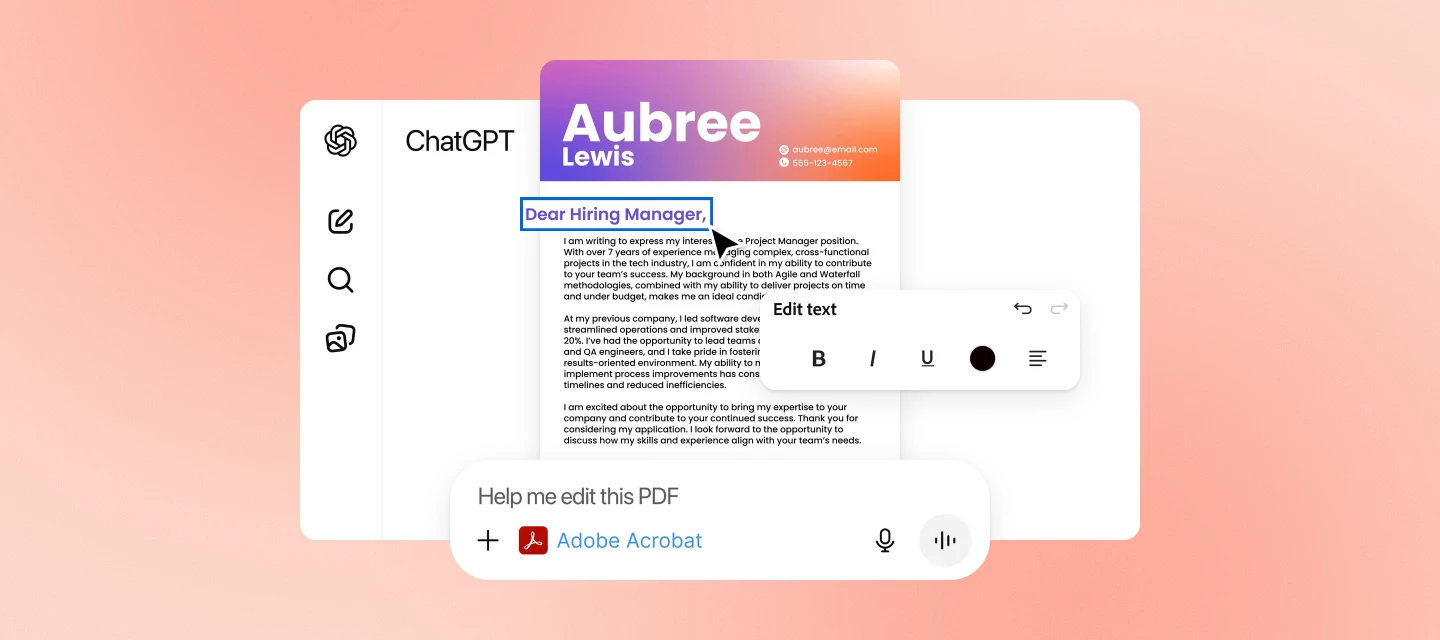
  The Adobe Fill & Sign app will soon be retired and no longer receive updates or support. We encourage you to migrate to the Acrobat Reader Mobile app to access the Fill & Sign feature for form-filling and signature workflows. Switch to the Acrobat Reader Mobile app The Adobe Fill & Sign app launch now displays a dialog that notifies you about the upcoming change. Select Go to Acrobat Reader to explore the Fill & Sign functionality within the Acrobat Reader app. You may choose Maybe later to continue with the Adobe Fill & Sign app until the app is retired.  The Acrobat Reader Mobile app offers a more comprehensive set of features that cater to a broader range of PDF-related tasks. Advanced PDF viewing: The Acrobat Reader app allows you to explore PDFs in advanced modes, locate specific topics within PDFs, and enhance readability through Liquid Mode. Annotation and collaboration: Acrobat Reader Mobile app's annotation features are great for reviewing and collaborating on documents with others.  Form filling: The Acrobat Reader Mobile app provides support for easily filling and signing forms. Learn more about the Acrobat Reader app's Fill & Sign feature. Enhanced security: Acrobat Reader provides more robust security features for protecting sensitive documents. If this was helpful, please click the  Upvote icon in the top left corner of this post. Your feedback helps us improve the experience. Thank you! Community resources: https://helpx.adobe.com/acrobat/migrating-from-fill-and-sign.html

ついにiPhoneでPhotoshopが使えるようになりました!

この記事は、Photoshop on iPhone, now available および What's new in Photoshop on iPhone @nikunj.m の翻訳です。   Photoshop iPhone版をリリースしました!   エキサイティングな新機能が追加されました。アプリで何ができるかはこちらをご覧ください。   iPhoneにPhotoshopをインストールするには、App StoreでPhotoshopを検索し、利用可能なものをインストールしてください。お使いの携帯電話が対応しているかどうかを確認するには、ここをクリックしてください。   iPhoneでのPhotoshopの詳細については、こちらのユーザーガイドをご覧ください。     Photoshop iPhone版をダウンロード     Photoshop iPhone版の新機能についてご紹介します!   新規オブジェクトの追加 Photoshopの強力な機能に加えて、生成塗りつぶしを使用して、簡単なテキストプロンプトで画像にコンテンツや新しいオブジェクトを簡単に追加できます。新しいオブジェクトを追加する方法を学びます。操作方法はこちら   画像の特定の部分を調整 タップ選択やなげなわツールで画像の特定の領域を簡単に切り分け、明るさや鮮やかさを変更してポップな色を追加できます。操作方法はこちら   背景の変更または置換 携帯電話の画像で背景を簡単に置き換えたり、生成塗りつぶしでAI生成の背景を作成したり、テクスチャやパターンを含むAdobe Stock画像の大規模なライブラリから選択したりできます。操作方法はこちら      不要な部分の削除 生成塗りつぶしとPhotoshopの強力な機能を使って、素早くシームレスに画像からコンテンツを削除できます。操作方法はこちら        画像の変形と結合 写真とAdobe Stock画像、グラフィック、テキストなどをブレンドして、あなただけの魅力的なビジュアルを作成できます。操作方法はこちら        アプリの機能や使い方の詳細については、こちらのユーザーガイドも合わせてご参照ください。