  • 1296 Product updates
Illustrator's Beta Bug Bash Drive (2-Week Initiative)

New in Beta: Parametric Mesh Scripting APIs

Hello AE beta users!  Version 26.3.058 of After Effects Beta introduces scripting APIs for Parametric 3D Meshes.  These new APIs enable you to use scripting to create and customize the six types of parametric 3D meshes introduced in After Effects 26.0: cube, sphere, plane, torus, cone and cylinder. The new Parametric Mesh menu Whether you want to create precise data visualizations or just fill a comp with dozens of colorful cubes and spheres, scripting makes it easy.  New APIs  Check layer type      Layer instanceof ParametricMeshLayer       Description      Enables the script author to check whether layer is a parametric 3D mesh layer.       Type      Boolean; read-only.   Create mesh layer      LayerCollection.addParametricMesh(name, parametricMeshType)       Description      Creates a new parametric 3D mesh layer.       Parameters  Parameter  Type  Description  name  String  The name of the new layer  parametricMeshType  ParametricMeshType enumerated type  ParametricMeshType.CUBE  ParametricMeshType.SPHERE  ParametricMeshType.PLANE  ParametricMeshType.TORUS  ParametricMeshType.CONE  ParametricMeshType.CYLINDER        Returns ParametricMeshLayer  object.   ParametricMeshLayer object       Description      Return true if it is a parametric mesh layer, and false otherwise.       Type      Boolean; read-only.       Example       comp.layer(index);      if (layer instanceof ParametricMeshLayer)      {             // do something...      }   ParametricMeshOptions object      comp.layer(index).parametricMeshOptions       Description      Return Mesh Options based on the ParametricMeshType of the layer.       Type      Property group; read-only. Types of sub-properties vary; read-write.       Parametric Cube properties      parametricMeshOptions.width      parametricMeshOptions.height      parametricMeshOptions.depth      parametricMeshOptions.smoothingAngle       Parametric Sphere properties      parametricMeshOptions.radius      parametricMeshOptions.sides      parametricMeshOptions.sliceCaps      parametricMeshOptions.sliceStart      parametricMeshOptions.sliceEnd      parametricMeshOptions.smoothingAngle       Parametric Plane properties      parametricMeshOptions.width      parametricMeshOptions.length      parametricMeshOptions.cornerRadius      parametricMeshOptions.cornerSides       Parametric Torus properties      parametricMeshOptions.ringRadius      parametricMeshOptions.pipeRadius      parametricMeshOptions.ringSides      parametricMeshOptions.pipeSides      parametricMeshOptions.caps      parametricMeshOptions.sliceStart      parametricMeshOptions.sliceEnd      parametricMeshOptions.smoothingAngle       Parametric Cone properties      parametricMeshOptions.topRadius      parametricMeshOptions.bottomRadius      parametricMeshOptions.height      parametricMeshOptions.sides      parametricMeshOptions.topCap      parametricMeshOptions.bottomCap      parametricMeshOptions.sliceCaps      parametricMeshOptions.sliceStart      parametricMeshOptions.sliceEnd      parametricMeshOptions.smoothingAngle       Parametric Cylinder properties      parametricMeshOptions.radius      parametricMeshOptions.height      parametricMeshOptions.sides      parametricMeshOptions.topCap      parametricMeshOptions.bottomCap      parametricMeshOptions.sliceCaps      parametricMeshOptions.sliceStart      parametricMeshOptions.sliceEnd      parametricMeshOptions.smoothingAngle   ParametricBevelOptions      comp.layer(index).parametricBevelOptions       Description      Returns Bevel Options based on the ParametricMeshType of the layer.     Note: only cubes, cones and cylinders support bevels.      When trying to access bevel options on parametric mesh types that don’t have bevels, you will get a      "mesh type does not have bevel options” warning.       Type      Property group; read-only. Types of sub-properties vary; read-write.      Parametric Cube properties      ParametricBevelOptions.radius      ParametricBevelOptions.sides       Parametric Cone properties      ParametricBevelOptions.topRadius      ParametricBevelOptions.topSides      ParametricBevelOptions.bottomRadius      ParametricBevelOptions.bottomSides       Parametric Cylinder properties      ParametricBevelOptions.radius      ParametricBevelOptions.sides  Please give this new functionality a try and let us know how it’s working for you. 

Release Notes - April 2026

Release Notes - April 2026

This month's update includes a redesigned Generative Fill interface with reference image support and an updated model picker in the contextual task bar. Rotate Object received visual and interaction refinements, and a broad set of stability and workflow issues have been resolved across Generative AI, Adjustments, Actions, and Type. Feature Updates & Additions Generative Fill: Redesigned InterfaceThe Generative Fill dialog has been redesigned. Reference images are now accessible directly in the interface, with no need to switch to a separate panel. The model picker now appears in the contextual task bar alongside the prompt. A curated set of models replaces the previous long scrolling list, making it faster to switch between Firefly, Gemini, and other available options. Your generative AI credit balance is now visible in the contextual task bar while you work. Firefly Image 3 is no longer available in the Generative Fill model picker. The new default model is Firefly Fill & Expand.Rotate ObjectRotate Object now has a rich tooltip. Hovering the icon shows a brief explanation of the feature along with a link to documentation. The bounding box, boundary affordances, and icon for Rotate Object have been visually refined for better clarity. Photoshop now shows a "low-resolution preview" notice when Rotate Object is active on the FLOW canvas.TypeThe Dynamic Text icon now has a redesigned tooltip explaining what Dynamic Text does and how to use it.Properties PanelExposure adjustment controls have been updated to use the new modern properties panel style, consistent with the rest of the redesigned panel system.Remove ToolGeneral Distractors now requires the same GPU hardware as People Removal. On systems without a compatible GPU, the option will be grayed out rather than producing unexpected results. Bug Fixes CrashesResolved multiple crashes: in the Filter Gallery, when scrolling certain panels, during Layers panel menu operations, when canceling an in-progress generation from the Properties panel, when reopening a JPEG after File > Close on Windows, in the Adjustments panel when switching tools, and when dragging images into a document on Windows ARM.Generative AIReference images added via the Properties panel are no longer permanently deleted when generating the first variation. Uploading a reference image or using Style Effects no longer causes Photoshop to freeze. The Properties panel text area is now responsive after a reference image is deleted, and the correct dialog now appears when switching models while a reference image is active. On Windows, typing in an existing prompt no longer inserts text at the beginning of the field, and placeholder text now displays correctly in the Properties panel. Prompt edits now sync correctly between the Properties panel and the contextual task bar. The contextual task bar remains visible after switching between Generative Fill and Generate Image. Variations now load correctly when Photoshop is relaunched while a progress bar is active. The prompt area no longer expands unexpectedly after adding a reference image. Several Properties panel layout issues have been corrected: the prompt box is no longer offset to the right, the scroll bar in the text prompt area is restored, and text typed into the prompt field no longer disappears after clicking Generate. The panel is also no longer interactive during an active generative operation on Windows. The Generative AI hub now opens correctly from the Properties panel and home screen, and no longer reopens unexpectedly when the app regains focus. Credit amounts for Gemini 3.1 and Firefly Image 5 are now displayed accurately. The credit hub dialog no longer appears cut off. The Photoshop icon in the hub no longer shows as an Illustrator icon. Non-Adobe accounts can no longer access the Generative AI hub. Generating on a blank canvas with Firefly Image 5 now works correctly. Background removal no longer triggers unintentionally when using a reference image. The GenAI Hub no longer appears blank in non-English locales. Interruption dialogs for credit exhaustion and quota limits have been removed from the workflow.Rotate ObjectSwitching documents while in Rotate Object edit mode now keeps the edit session active and displays the overlay correctly. The Generative AI credit hub now launches from the Rotate Object Properties panel, and the Rotate, Spin, and Tilt fields are now properly aligned.Other FixesSaving an Adjustment Preset for the Green channel in Curves now works correctly. (Thanks for the community report.) The Hue/Saturation panel no longer crashes when using the color picker or eyedropper. A preview issue in the Clarity and Dehaze panel has been corrected. The "Reset Color and Vibrance" option no longer appears when unavailable, and canvas size units now stay in sync with the Rulers setting. The Essentials action set now loads correctly in release builds. "Insert Action" is correctly translated in all supported languages. Type path direction icons (Start, End, Midpoint) now update correctly after reversing text direction. The toast notification after creating a new gradient now dismisses correctly.If you have questions about anything in these notes, or feel like we left something out, drop a comment below. We want these release notes to be genuinely useful, so tell us what would make them better. Thanks,Cory - Photoshop Product Manager

Firefly Image 3 Retirement: Transitioning to Firefly Fill & Expand in Photoshop

Firefly Image 3 Retirement: Transitioning to Firefly Fill & Expand in Photoshop

We’re rolling out newer, more capable generative models in Photoshop to help you create with greater realism, speed, and control. As part of this evolution, Firefly Image 3 is being retired from Generative Fill and Generative Expand workflows, starting with the Photoshop 27.6 release. Going forward, we recommend using Firefly Fill & Expand, an actively supported model designed to deliver improved results for these workflows. What’s changingThis update is happening in two phases to give you time to transition. Phase 1: Starting April 28, 2026, Firefly Image 3 is removed from the model picker in Photoshop 27.6, though it will remain temporarily available and functional in versions 26.0–27.5 until August.Phase 2: In August 2026, Firefly Image 3 will be fully removed from service across all versions and plans. What to use insteadFor Generative Fill and Generative Expand tasks, Firefly Fill & Expand is the recommended alternative. It’s optimized for these workflows and continues to receive ongoing improvements and support. You can also explore other available models in the model picker to find the best fit for your creative needs.   Got questions? We've got you covered! Why is Firefly Image 3 being removed?We're always working to bring you new and improved models in Photoshop that are faster, more realistic, and give you more control. With better, more capable models now available in Generative Fill and Generative Expand — like Firefly Fill & Expand — Firefly Image 3 is being phased out in favor of these newer, actively supported options. When is Firefly Image 3 being removed?Firefly Image 3 was removed from the model picker on April 28, 2026 with the 27.6 build. It will temporarily remain active in UI and service on builds v26.0 – v27.5, but the service will be removed from all builds and plans in August, 2026. This phased approach gives you time to transition to supported alternatives What should I use instead?We recommend using the Firefly Fill & Expand model as it's optimized for Generative Fill and Generative Expand workflows. Other models are also available in the model picker if you'd like to explore different options. Why does the result look different from Firefly Image 3?Different models can produce different results based on how they interpret prompts, composition, detail, and style. Will this affect my existing Photoshop files?No. Your existing Photoshop files will not be affected. This change only impacts model availability going forward — not access to your saved documents. Can I still use Firefly Image 3 after updating Photoshop?Firefly Image 3 is being removed from the model picker in the current release of Photoshop. During this transition period, the model will function if accessed through an older version of Photoshop, but it will no longer appear as a selectable option. Once the full retirement takes effect, it will no longer be available. Why can't I find Firefly Image 3 in the model picker anymore?Firefly Image 3 has been removed from the model picker as part of a phased retirement plan. We recommend using Firefly Fill & Expand instead. Do I need to update Photoshop?Yes. Updating Photoshop ensures you have access to the latest supported models, features, and improvements. Will Generate Image still utilize the Firefly Image 3 model?Yes, Firefly Image 3 will still be available in the Generate Image for now. This retirement applies only to the Generative Fill and Generative Expand workflows. Will more models be removed in the future?We may continue to refresh the models available in Photoshop over time as part of improving quality, simplifying the experience, and focusing on supported options. Have more questions?Drop them in the comments below. We’d also love to hear if you’ve started using Firefly Fill & Expand , share how it’s working for your Generative Fill and Expand workflows, or any tips you’ve picked up along the way.

Photoshop v27.6 Is Live! Rotate in 3D, Clean Up Faster, and Create with Smarter AI

Photoshop v27.6 Is Live! Rotate in 3D, Clean Up Faster, and Create with Smarter AI

The April 2026 release brings a strong mix of creative freedom, smarter AI workflows, and performance improvements, all designed to help you spend less time managing layers and settings, and more time creating. From more powerful generative AI controls to cleaner documents and better performance on modern hardware, this update focuses on clarity, speed, and control. What’s newPhotoshop v27.6 focuses on making editing more intuitive and efficient. You can now rotate objects directly on the canvas with real-time previews, giving flat elements a 3D feel. File organization is improved with automatic Layers panel cleanup and smarter layer naming, while tools like Find Distractions and enhanced reflection removal make image cleanup faster and more precise. Generative features have also expanded, with access to more AI models like Gemini 3.1 and Adobe Firefly Image Model 5. You can use multiple reference images for better consistency and even generate images from text prompts without leaving Photoshop. On the creative side, updates like Dynamic Text, improved gradient controls, a streamlined Actions panel, and a smarter Contextual Task Bar help speed up workflows. Integration with Firefly Boards also makes it easier to move seamlessly between ideation and editing. What’s changed in this release📌With Photoshop 27.6, support for Firefly Model 3 has been removed, and Firefly Fill & Expand is the recommended replacement, delivering improved quality and results across Generative Fill. For more details click on the link below👇  Bug fixes — thanks to you!This release includes fixes for several issues you reported, including:Curves adjustment presets could not be saved when edits were made to the Green channel in RGB mode.  Color and Vibrance values not updating when adjusted on-canvas Photoshop becomes unresponsive when signing out via Creative Cloud Desktop on Windows System freezes triggered by certain Style Effect workflows Incorrect generative credit deductions and misleading Generative Credits dialog information Truncated model descriptions for some generative AI modelsSee the full list of fixed issues in the detailed release notes.  How to updateOpen the Adobe Creative Cloud desktop app, go to the Apps tab, and update Photoshop to the latest version. Turn on automatic updates to get new features as soon as they’re available.Join the conversation 👇What’s the first feature you’re excited to try: on‑canvas object rotation, Layer Cleanup, or the updated Firefly models? Share your early impressions, workflows, or before‑and‑after results with the community and let us know how this release is working for you. 

Photoshop (beta) :削除ツール:生成AIモデルの「オンデバイス」サポート

いつもPhotoshopベータ版をお使いいただきありがとうございます。ベータ版に新機能が入ったのでご紹介します。[削除ツール:生成AIモデルの「オンデバイス」サポート]ご好評をいただいている「削除ツール」ですが生成AIモデル使用時もインターネットを使わない「オンデバイス」でサポートできるようになりました。最初のご使用時に、生成AIモデルをコンピューターにダウンロードすればインターネットの環境がなくても使えます。 使用方法:1.Photoshopベータ版を起動して、左のツールバーから「削除ツール」を選択2.オプションバーのモードドロップダウンで「デバイス」をクリック(下図中A)この画面で「デバイス」がグレイアウトしている時はお使いのコンピューターがこの新機能の使用条件を満たしていません。下記のシステム条件をご覧ください。3.ダウンロードを促すダイアログからモデルのダウンロードをスタート(サイズは約5GB)4.ダウンロード後はこのオプションが使用可能で「クラウド」と「デバイス」を使い分けられます。 システム条件:この機能はGPUを使う機能でハイスペックなシステムが必要です。MacApple Silicon: M1 Max か、それ以上(M4 Max 推奨)RAM: 最低24 GBmacOS: Tahoe (macOS 26) か、それ以上Hard disk: 10GB のフリースペースWindowsNVIDIA GPU: GeForce RTX 30-series か、それ以上で最小14 GB VRAMIntel システムの discrete GPU: 12 GB VRAMIntel システムの GPU: 32 GB system RAMHard disk: 10GB のフリースペースまた、下図のように環境設定内の3箇所を設定し、アプリを再起動してご利用ください。 お試しいただきご感想、問題、ご不明な点をこちらまでお寄せください。よろしくお願いします。

DIG as Default Authentication Method

Stronger by Default: How DIG as the Default Authentication Method Raises the Bar for Secure SigningDigital agreements are at the heart of how modern organizations operate -- from onboarding new clients to executing high-value contracts. But as signing workflows scale, one question becomes harder to ignore: how confident are you that the person signing is actually who they say they are?Identity verification in e-signatures has long been a balancing act. Too much friction and signers abandon the process. Too little rigor and organizations expose themselves to compliance gaps, fraud risk, and legal liability. Adobe Acrobat Sign has always offered robust authentication options -- and now, with the ability to set the Digital Identity Gateway (DIG) as the default authentication method, we are making it easier than ever to enforce strong identity verification without slowing anyone down. Why Identity Authentication Matters More Than EverNot all e-signatures carry the same legal or compliance weight. In regulated industries and high-stakes transactions, a basic email-based identity check simply is not enough. Organizations increasingly need verified identity -- authentication backed by a trusted third-party identity provider -- to meet legal standards, satisfy auditors, and protect against fraud.The challenge has been operationalizing this at scale. When verification relies on individual senders remembering to configure authentication for each agreement, policy enforcement becomes inconsistent. One sender follows the process; another skips it. That variability is exactly where compliance risk lives. What Is DIG and How Does It Help?The Digital Identity Gateway (DIG) is Adobe’s integration layer for third-party identity providers. It connects Acrobat Sign to trusted verification services -- such as government-issued identity systems, bank-issued digital credentials, and national ID platforms -- giving organizations the ability to require verified, third-party-backed authentication for signers.Instead of relying on passwords, knowledge-based authentication, or simple email verification, DIG enables identity assurance at a level that satisfies demanding compliance requirements. It transforms the act of signing into a verified workflow -- one where the identity behind every signature is confirmed by an authoritative source. What Is New: DIG as the Default Authentication MethodPreviously, administrators could set default authentication methods for agreements -- but DIG was only available as a per-recipient selection during agreement composition. That meant every sender had to manually choose the right identity provider for every recipient, every time. For organizations that rely heavily on specific providers, this was a friction point and a compliance risk wrapped into one.With this update, administrators can now configure DIG identity providers as the default authentication method directly within Send Settings. Separate defaults can be set for internal users -- those within your organization’s email domain -- and external users, such as clients, vendors, or partners. Once configured, the appropriate DIG provider is automatically applied to recipients when a new agreement is created, based on their email domain. This means policy-driven workflows at scale: the right authentication method is applied by default, not by chance.Send Settings: DIG identity providers now available as default authentication options for internal and external usersBenefits Across the BoardSecurity and compliance, built in. When identity verification is the default, compliance gaps close. Every agreement automatically starts with the authentication standard your organization requires -- no manual steps, no exceptions slipping through.Reduced sender friction. Senders no longer need to navigate authentication settings for each recipient. The workflow is pre-configured, streamlined, and consistent -- delivering a streamlined signing experience from the moment an agreement is initiated.Flexibility for complex organizations. Different recipients often warrant different verification approaches. The ability to configure separate defaults for internal and external recipients gives administrators granular control without adding complexity to the sender experience.Graceful fallbacks. If a configured provider becomes temporarily unavailable, Acrobat Sign falls back gracefully to standard authentication methods, ensuring business continuity without disrupting signing workflows.Real-World Impact Across IndustriesFinancial services firms requiring bank-verified digital identities for loan agreements or account openings can now ensure every signer goes through the appropriate identity provider -- automatically.Government agencies managing citizen-facing services that require national ID verification can enforce consistent authentication across every agreement type, reducing manual oversight and audit preparation burden.Healthcare organizations handling patient consents or provider agreements can apply identity-assurance standards that align with regulatory requirements -- consistently, across every workflow.Global enterprises operating in markets where specific national identity frameworks are mandated (such as BankID in Nordic countries) can configure those providers as defaults for the relevant user segments, ensuring regional compliance without custom workarounds.A Better Experience for Admins and Senders AlikeFor administrators, the change is straightforward: the Send Settings page now includes DIG-enabled identity providers alongside existing authentication options. Selecting a default for internal and external users is a one-time configuration that immediately governs all new agreements.For senders, the improvement is felt in what they no longer have to do. The authentication is already configured. The right identity provider is already applied. Their job is to focus on the agreement -- not the settings. Agreement compose page: DIG provider automatically pre-selected for recipients based on admin configurationFor more information, tutorials, and detailed documentation, visit the Adobe Acrobat Sign Help Center.  

Beta Build 30.5.41 Release Notes

Hello :) Latest Beta Build 30.5.41 is now available on CCD.We’re excited to introduce two new features in the Illustrator (Beta) app. Both are available now for testing — your feedback will help shape these features before general availability.Remove BackgroundQuickly isolate subjects in raster images without leaving Illustrator. Remove Background uses AI to automatically detect and separate the foreground subject from its background, giving you a clean, transparent result in a single click.Why it matters: Until now, removing a background from a placed image in Illustrator required multi-step workarounds — tracing with the Pen tool, building clipping masks, or bouncing over to Photoshop. Remove Background eliminates that friction and keeps you in your vector workflow.How to use it: Select any placed raster image on your canvas and choose Remove Background from the Contextual Task Bar, Illustrator will process the image and return it with the background removed. Your original image is kept intact. From there, you can continue refining your composition as usual.Good to know:Works on placed raster images (JPEG, PNG, TIFF, PSD). The output is a raster image with transparency — not a vector conversion. For best results, use images with clear contrast between the subject and background.Generative Expand for ImagesExtend the boundaries of placed raster images using AI-generated content that blends naturally with the original. Powered by Adobe Firefly, Generative Expand for Images analyzes the colors, textures, and composition of your image and fills in new areas that look like a seamless continuation of the original.Why it matters: Designers frequently need to adapt images to different aspect ratios or extend an image edge to fill a layout. Previously, this meant cropping creatively, sourcing a new image, or painstaking manual retouching. Generative Expand for Images handles this directly on the canvas — resize an image boundary, and the AI fills in the rest.How to use it: Select a placed raster image and choose Crop  from the Contextual Task Bar. Drag the handles outward to define the new area you’d like to fill. You can also choose to both expand and crop the image simultaneously. Select Expand to produce variations, preview them, and pick the result that works best for your design.Good to know:Generates content that matches the style, lighting, and color palette of the original image. Multiple variations are generated so you can compare and choose the best fit.

Remove Tool On-Device Generative AI Model (Beta)

Remove Tool On-Device Generative AI Model (Beta)

We are excited to announce the beta launch of an on-device generative AI model for the Remove Tool!You can now download the Generative AI model onto your personal device and work off-line and process locally -  ideal when internet connections are unreliable or when cloud processing isn’t preferred. (It’s kind of a big deal!) How to:Select the Remove Tool. In the Options bar, open the Mode drop‑down (Auto / GenAI On / GenAI Off). In the Generative AI Processing section, choose Device.If the Device option is dimmed and unavailable, your system does not meet the minimum requirements to run the model. When prompted, click Download to start the download (approximately 5 GB). Once the download completes, the on‑device model will be used automatically. Switch between Cloud and Device processing at any time from the Mode drop‑down.Choose the Remove Tool, then visit the Mode drop-down in the Options Bar to find the Generative AI processing options.System RequirementsThis is a GPU‑intensive feature with high system requirements.“Use Graphics Processor” and “Remove Tool: Faster” must be enabled in Photoshop Settings, and at least 10 GB of free disk space is required. Mac: Apple Silicon M1 Max or higher (M4 Max recommended), 24 GB RAM minimum, macOS Tahoe (macOS 26) or later, and at least 10 GB of free disk space. Windows: NVIDIA GeForce RTX 30‑series or higher with at least 14 GB VRAM (latest NVIDIA drivers recommended), or an Intel system with a discrete GPU and 12 GB VRAM. Intel systems with integrated GPU only require 32 GB system RAM. At least 10 GB of free disk space is required. Please provide input on your experience in this forum or to the feedback section on the Beta panel.

Take Control of Your Video Attribution with Content Credentials at Export in Adobe Media Encoder 26.2

Take Control of Your Video Attribution with Content Credentials at Export in Adobe Media Encoder 26.2

Take Control of Your Video Attribution with Content Credentials at Export Adobe Media Encoder 26.2 (April 2026) makes it easier to ensure your videos carry the right creator information when they leave your pipeline. With Content Credentials applied directly at export, you can define who you are, how your content can be used, and what information travels with your media—all from within Export Settings. 🔍 TL;DRApply Content Credentials preferences at export Choose which creator details are included, including verified name and social media accounts Specify Generative AI training and usage preferences Review what’s embedded directly in the Output Summary✨ Why this mattersContent moves fast—and once it’s out in the world, attribution and intent can get lost. Content Credentials help ensure your exported videos include:Trusted creator identification Linked social media presence Clear preferences around generative AI training and usageWith Media Encoder 26.2, this information is applied automatically at export, making it easier to stay consistent across deliverables. 🛠️ How to apply Content Credentials at exportOpen Export SettingsYou can access Export Settings in either of these ways:Select the format or preset name of the output Select an output in the Queue panel, then choose Edit > Export SettingsConfigure Content Credentials In the Export Settings dialog, open the Content Credentials tab.     Enable Apply Content Credentials preferences at export. Under Preferences, choose one of the following: Set Preferences Opens the Content Credentials preferences webpage, where you choose which creator information is included in exports. Refresh Fetches the latest Content Credentials preferences from the web and updates both the Content Credentials section and the Output Summary. Link social media accountsOn the Preferences page:Under Social Media Accounts, select Connect next to each account you want associated with your Content Credentials.  These linked accounts can then appear as part of the credentials embedded in your exported video.Set Generative AI preferencesYou can also specify whether:Generative AI models should not train on or use your contentThis preference is included as part of your Content Credentials configuration.Review and finalizeClose the browser to return to Export Settings Select Refresh to ensure the latest online preferences are appliedImportant: Media Encoder caches Content Credential preferences at launch. After making any changes online, you must use Refresh so the latest settings are used.The Output Summary expands to show exactly which credentials will be embedded—such as your verified name and connected accounts (for example, Behance or LinkedIn). An example where the Output Summary shows the selected CAI preferences, which are Behance and LinkedIn accounts. ✅ What gets added to your videoWhen export completes, your video includes:Your verified creator name Linked social media accounts Your Generative AI usage preferencesAll applied automatically at export—no extra steps required. 💬 Have questions or feedback?Let us know how you’re using Content Credentials in your workflow, or start a new thread if you’d like help configuring them. Your feedback helps shape future updates.

Edit PDFs using Acrobat for WhatsApp
NAB 2026 Post|Production World Party & Adobe Mini-Expo

NAB 2026 Post|Production World Party & Adobe Mini-Expo

🎉 NAB 2026: Join the Post|Production World Party & Adobe Mini-Expo (Sunday Night)🎯 OverviewIf you're heading to NAB this year, Adobe is hosting a Post|Production World Party & Mini-Expo on Sunday night — a great opportunity to connect with fellow editors, creators, and industry professionals in a relaxed setting.Whether you're attending sessions or just arriving in Vegas, this is a strong way to kick off the week.📍 Event DetailsPost|Production World Party & Adobe Mini-Expo📅 Sunday, April 19🕔 5:15 – 7:15 PM📍 Room N250 — Las Vegas Convention Center🤝 What to ExpectThis event is designed for networking and community connection across the post-production space.You’ll be able to: Meet editors, motion designers, and creators from across the industry Connect with Adobe team members and other companies Network with conference speakers and peers Explore tabletops from industry-leading companies 🍸 Extras Light food (passed hors d’oeuvres) Cash bar (1 drink ticket included) 🎁 Raffle prizes (must be present to win) 🎟️ Access RequirementsTo attend, you’ll need one of the following: Post|Production World Conference pass Post|Production World Party pass NAB All Access pass 💡 Why This MattersNAB is more than just sessions — it’s one of the best opportunities of the year to: Build relationships with other creatives Share workflows and ideas Connect directly with the teams building the tools you use Events like this help bring the community beyond the forums and into real-world collaboration🙌 Say HelloIf you're attending, feel free to say hi — always great to connect with folks from the community in person.Hope to see you there 👍— Kevin

🖼️ 4月21日は「World Creativity Day(創造性とイノベーションの世界デー)」✨

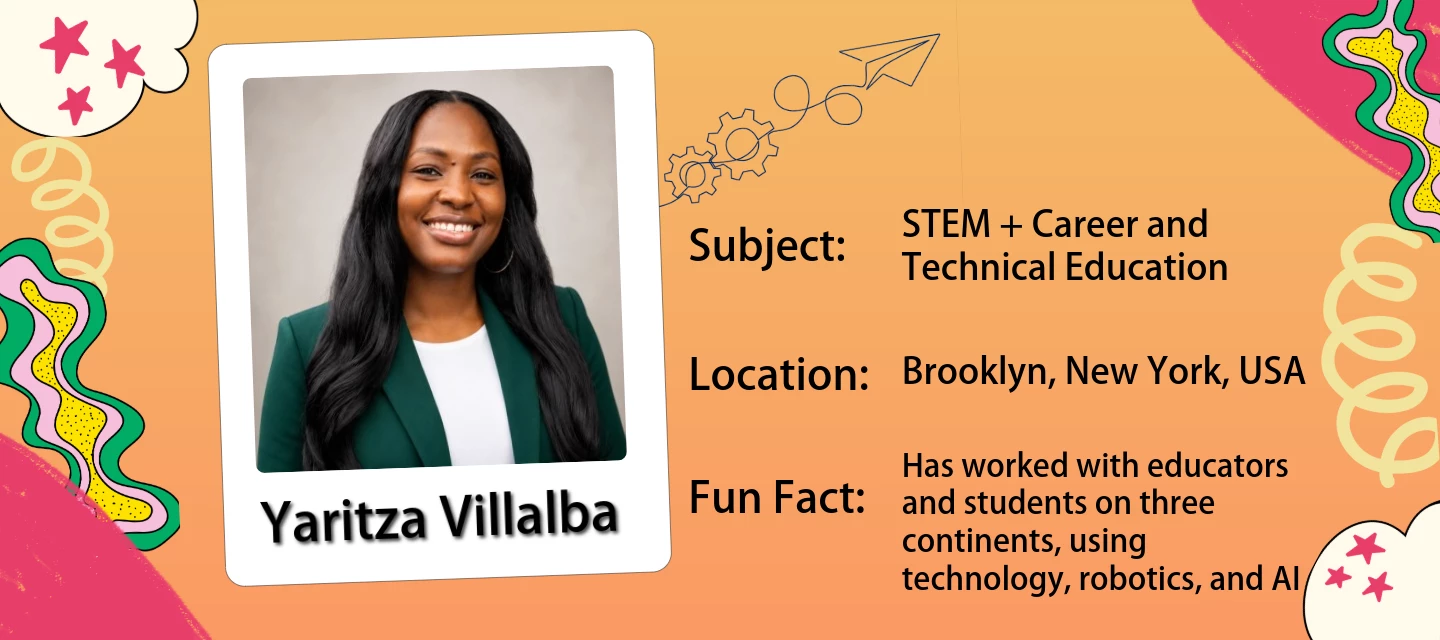
明日4/21(火) 8時からスタート!24-Hour Create-a-Thon 🎨 🗓️ 4月21日は「World Creativity Day(創造性とイノベーションの世界デー)」です。この World Creativity Day を祝う取り組みのひとつとして、24時間の Create-a-Thon(英語イベント)を開催します🎉Adobe Express for Education が届ける、先生や児童生徒のみなさんに楽しんでいただけるクリエイティブ企画です。ぜひイベントに参加して、World Creativity Day を一緒に楽しみましょう! 👉 イベントの詳細はこちら🇯🇵❤️‍🔥 日本からは「LIVE Create-Along セッション」に、ACE Innovator の茂田先生 ​@Shigeta-sensei  が登壇されます👩‍🏫 🧵 Community Quilt タイルを作ろうAdobe Express のガイド付きアクティビティを使って、児童生徒のみなさんと一緒にタイルを作成してみませんか?テーマはこちらです。「あなたの創造性は、世界にどんなストーリーを伝えていますか?」✅ 登録不要で参加できます👉 adobe.ly/adobecreativequilt 🎥 LIVE Create-Along セッションに参加しようシドニーからハワイまで、タイムゾーンをまたいで配信されるACE Innovators 主導の24時間連続クリエイティブセッションをお届けします。📅 すべてのライブ配信スケジュール&イベントリソースにフルアクセスするには 【ACE Leader コミュニティ(英語)】にご参加ください。🌟 Student Ambassador スポットライト学生クリエイターたちが、自身のクリエイティブな歩みやストーリーを語ってくれます。━━━━━━━━━━━━━━📣 イベントは 4月21日 午前8時(日本時間)スタート!🔗 https://new.express.adobe.com/webpage/3JY5EbPqUgF8j#1-the-art-of-the-ai-me━━━━━━━━━━━━━━

Artist Spotlight: Victoria White (Collectively Creative with Capoor)
Substance 3D Sampler 6.0 is here — now built around OpenPBR
AI Assistant is now live in InDesign 21.4 (Beta)

AI Assistant is now live in InDesign 21.4 (Beta)

 InDesign AI Assistant just launched in public beta and we are excited for you to try it. What is AI Assistant in InDesign?It's your conversational partner built directly within InDesign. It can help you build skills and create production-ready InDesign documents faster. Instead of digging through tutorials, simply ask the AI Assistant "How do I create a table of contents?" and learn as you go. Or save time by having it set up your layout and apply bulk text/image/style edits with a single prompt.Why it mattersDesigners spend a huge amount of time on repetitive tasks and navigating menus, and when you get stuck, context-switching to YouTube or Help pages breaks your flow. AI Assistant changes that: Speed up your workflow: Automate multi-step workflows with natural language prompts. Guidance on demand: Get instant, in-context answers without leaving the app. Stay in your creative flow: Fewer interruptions, more designing.  How to try itOpen the Creative Cloud desktop app and go to Apps > Beta. Download or update to InDesign (Beta), version 21.4. For more information on how to update the app, click here.  Once open, find the AI Assistant panel in the top bar (next to the Share button), in the contextual taskbar, or via File > AI Assistant.How to share feedback Your feedback is gold. Here's how to send it our way: Use the 👍🏼 / 👎🏼 inside the AI Assistant panel after any interaction. Fill out the in-app survey when it pops up. You can also share your feedback by filling out the feedback form.  Try it and let us know what you think! For more information, please click here.