

















Design the future of fashion, win Firefly Pro 👗✨
Questions
Recently active
I have an existing Adobe Acrobat PDF Pack subscription. Previously when I added images to my PDF files, there were no issues. Today when I attempted to add images, a pop up surfaced, telling me to reactivate my subscription. May I know what is happening?
Since updating to version 2015.009.20069 of Acrobat Pro DC on Mac Pro (late 2013), I am unable to use any keyboard shortcut to navigate between open documents. Prior to the most recent update to Acrobat Pro DC it was possible to navigate between open documents using keyboard shortcut. So, what has changed with the keyboard shortcut ?Paul
I went to reply to a question I had posted on 1/23 and I could not find it. Was the question removed? Unable to open a PDF receipt in Acrobat 9 PRO
Apologies for resurrecting this error, but I'd like some more up-to-date advice. This seems to be a recurring problem that has now found me. I've gone through a number of posts and tried various fixes, but this still persists. I'm on Windows 11. When I click on a .PDF file, I get the following error message:Every PDF I touch generates this error. If I'm scrolling through a folder of PDF files looking for something, I can have many, many error windows.My guess is it is somehow related to the Explorer Preview Pane. If I switch Explorer View from "Preview Pane" to "Details Pane", I do not get the error. Or if I turn off the Preview Pane completely, there is no error. Based on other posts, I have tried to run a repair on Acrobat.I've also tried uninstalling and re-installing the software. The first attempts the install "failed". It then moved to a different browser and downloaded from the Adobe FTP as suggested in the help page.If I go to the indicated folder: C:\Program Fil
I have an existing (tree planting) form that I am making fillable. The Satisfactory, Marginal, and Severe fields are all ‘date’ fields. If a date is placed in the “Severe” column, I need it to require the completion of the Temp, RH, Wind and Soil_Moisture1/2 in the “If Planting On A Severe Day” column.Most of the time, only one day may be severe, so whichever cell is “Severe(1-4)” It needs to go in the Temp1, RH1, Wind1, and Soil_Moisture1 first followed by the second set of readings. Thanks in advanceDoug
I want to know how to do this. I’ve tried show/hide fields, javascript… nothing works! help please!
Hoping to get get some other people with this issue: I have a user that when the start to print a PDF in Adobe Acrobat, the the job get stuck and all Adobe processes need to be forced closed. What I have done so far - renaming the Adobe folder in the user's appdata\roaming profile folder does not help - disabling protected mode in the settings in did not work - printing PDF as an image did not work - printing a fresh PDF did not work - user can print a PDF from Chrome without issue - user can print a DOC to the same printer without issue - Adobe Acrobat version: 25.001.20672 (32-bit - other users appear to be having the issue at the same time Anyone seen this issue before?Next step is to upgrade if possible
Who knows how I can copy a selection from one pdf (including pictures and text) into another pdf?
Hi i am new at making PDF’s in Adobe Acrobat.what i need is a dropdown menu which would allow you to change an image into another.. i have tried to get help from chatgpt with low expectations.. but it helped me get a basic understanding of how and that i need a script.. the problem is the script.. it made a script for me but it doesnt work so are there some script wizard in here who can give me a basic script or tell me how or were to find it. Best Regards - Madsthese images in the same place so only one of them is visible at a time.
I created a dropdown choice box in a PDF for with the following choices:VERY LOWLOWMINORMODERATESERIOUSHIGH I would like the font color to change depending on the choice (Green, Green, Blue, Yellow, Orange, Red) from choices above. Can someone provide the script I can use to do this. Thanks in advance.
Hi all, I have a contract that I need to send out. I am in the "request e-signatures" area. I have added the proper fields in the correct places of the form, including two signature fields. When I click "review and send" I am prompted by a message that says "Add a signature field: Go back to show recipients where to sign by adding signature fields. Select continue to automatically place a signature field for each recipient to the end of your document." But it's there. I made them. If I do click "continue" additional fields are placed under the area I want signed. What am I doing wrong? I've never run into this issue. My app is up to date, and I am on the most recent version of Windows. Thanks for your time.
I have a subscription to PDF Converter but when I am in Acrobat reader, I cannot export. When I click on "Export", I get a blank screen. Help!
Hi all, After a long support call I was told that the only way Adobe Acrobat DC can print on a Macintosh was to choose 'print as image.' When I questioned the veracity of this during the support call, I was told unequivocally that if using a macintosh I had no other option to print. I'm coming to the community becasue that seems impossible to me--is it true? Aren't I supposed to be able to print at full resolution in the correct manner with this software? Using latest verision of Adobe DC and creative cloud. Mac OS 10.14.6. Before updating creative cloud I was able to print fine, but after updating last week I no longer can print documents through Adobe. When I go to print it flashes in the printer queue and then disappears and nothing prints.I can print the exact same documents through any other program (preview, safari, chrome, etc). They just wont print through Adobe. I uninstalled and re-installed. I re-installed my printer drivers. I removed and re-added the printer
When trying to add H2 tag to document, Acrobat has added some kind of overlay. I have moved the text above the overlay to show it is still there. I cannot delete the overlay and the text is unable to be tagged. There is no undo, so I cannot try again without starting the tagging process from the beginning. Anyone know what is going on?
Create, design, and collaborate effortlessly in one of the best AI creative workspaces. SUMMARY Learn how to use one of the best all-in-one AI workspaces to simplify every stage of document formatting and creation—from brainstorming and drafting to design, editing, and collaboration. See how PDF Spaces, built-in AI Assistants, and Adobe Express – all brought together in Adobe Acrobat Studio – can help you build and refine content faster, and produce polished, professional documents in one creative workspace. Today's business professionals, students, and consumers are looking for ways to work smarter and faster as they create content that stands out and attracts attention. But when you're juggling multiple tools for writing, designing, and collaborating on documents, productivity can stall. Enter Adobe Acrobat Studio—the next generation of Acrobat, and one of the best all-in-one AI workspaces. Adobe invented the PDF and is trusted by millions of users at over 745,000 organizations wor
Hi there. I'm working in Premiere 26.0 on my 2025 Mac Studio. For some reason, when I create a new sequence by dragging a clip onto the icon in the project panel, that sequence defaults to 0 instead of matching the clip timecode. I’ve tried clicking the “Set by first clip” box but it only changes for the individual sequence, not globally. Is this a bug? Is there a new setting i’m missing? Thank you.
How do I invert colors on a document No I don't mean this Right-click on the PDF document for which you want to invert its colors.Go to Open with and choose Adobe Acrobat Reader.Click on the Edit menu.Select Preferences.Choose Accessibility from the left-hand pane.Mark the Replace Document Colors checkbox.Select the Custom Color radio option.Click on the checkboxes for Page Background and Document Text.For each of the above options, select your preferred color.Hit OK to save your new color preferences. No I don't mean the above method.I mean how do I actually invert colors of the image of the PDF itself not the text and backgroundThe above method only work with PDFs that can be read aloud or have editable text.I need to invert the colors on a scanned document that reads as a image in adobe and does not have editable text. The same way you would invert colors in magnifyer but I need to do
I have created a form using Adobe Acrobat. The source was Microsoft Word and I made sure it passed all of Microsoft’s accessibility requirements and checks before Saved As PDF. I manually created each field. I added field names and tool tips AND tagged every field. I ran Adobe’s prepare for accessibility checker and it came back perfect. No accessibility errors. BUT when I used NVDA to read the PDF the following happens:When displayed in Adobe Acrobat: Doesn’t announce any of the fields and has trouble reading the rest of the content. When displayed in Chrome: returns “Document inaccessible” When displayed in Edge: Doesn’t read any of the fields.I am attaching the Help about for Adobe Acrobat, and NVDA. I am also attaching the PDF form. Please tell me why this isn’t working! I can’t teach staff to create accessible forms if the tool we use doesn’t create accessible forms even when the end user is following all of the manufacturer’s rules!
Hello Team,I am posting on behalf of a government entity in Asia that is WebTrust compliant. We are currently experiencing difficulties enrolling our Certification Authority (CA) in Adobe’s AATL program and would greatly appreciate assistance from Adobe representatives.Since early September 2025, my team has sent multiple emails to aatl-info@adobe.com but has not yet received a response in the past months. We would sincerely appreciate it if a member of the Adobe AATL or relevant specialist team could contact us to provide advice on the correct registration and enrollment process, and to confirm the appropriate point of contact for coordinating this activity.If there is a specific Adobe team, team member email address, or communication channel other than aatl-info@adobe.com that we should use to ensure this request reaches the appropriate group, we would be very grateful for your guidance.Thank you in advance for your attention and support.Best regards,KeL
Where is the "Retain Original Color for Signature" setting or equivalent in the new Adobe Acrobat Pro (version 2024.001.20615)? I want my graphic signature to insert with the original color in the image, not to change to one of the 18 preset colors in the Adobe color palate. This used to be an option before; but in this newer version of Adobe Pro it seems to have been replaced with "Keep signatures black," -- a pointless option since you can already set the color of whatever object you're about to insert (including a signature) through that very setting. The other option -- to create a signature form field and insert a graphic or graphic/text combo image using your file -- also isn't perfect because it shrinks the signature to the size of the field, and increasing the size of the field results in covering overlapping content under the image because you don't have the option to arrange the signature image to the back. The closest workaround seems to be to insert the image file
Updated of Adobe has removed functionality of text additions. If you want to add “TEXT” to an existing document, you must enter “EDIT” mode which then can cause all the existing text on the page to be disrupted. Adobe refuses to provide solution or explanation of why this capability was removed.
I just had a first. I downloaded a PDF receipt from a PA State Game Commission site and Acrobat 9 PRO would not open it. Said I need a newer version of Acrobat.
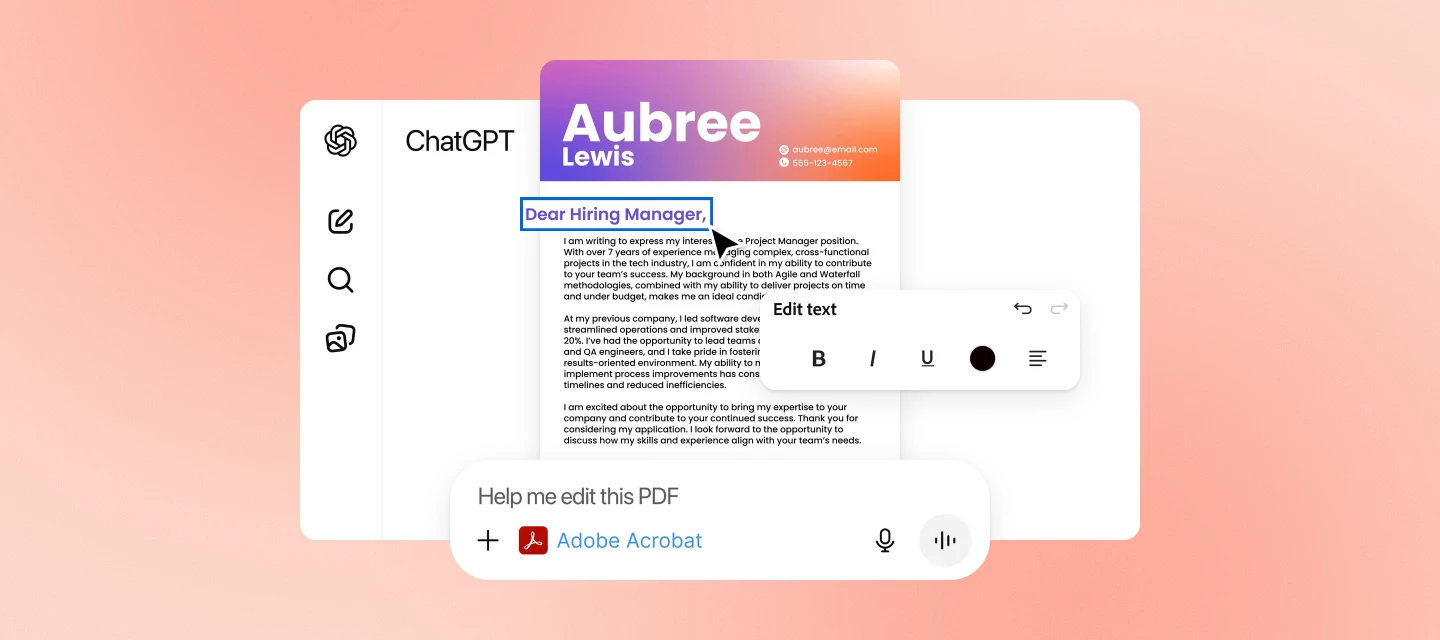
Hi everyone! We’ve just launched Acrobat GPT, a new way to work with PDFs directly inside ChatGPT.If you’re already using Acrobat to convert, combine, compress, or organize PDFs, this GPT brings many of those workflows into ChatGPT in a more conversational, guided way. What you can do with Acrobat GPT With this early release of Acrobat GPT, you can:Convert files Compress a PDF’s file size Merge multiple PDFs Create organized PDFs from uploaded files Sort through complex PDFsThese actions are triggered by uploading your files and telling the GPT what you want to accomplish — it guides you through the steps. Learn more about Acrobat for ChatGPT. Try it now You can access Acrobat GPT directly in ChatGPT, no additional installation required.Go to Acrobat GPT What's next This is an early release, and more workflows are planned. If you run into anything unexpected or have suggestions for what would make Acrobat GPT more useful, feel free to share your experience here — it helps guide improv
Hello -I am attempting to create a document where the person can select a checkbox for an item (will have multiple items/checkboxes) and then on the Different page, a text field would auto-fill specific words based on the checkbox on page 1. Example: Page 1 is a "to-do" list such as : blood work, xrays, mri, consultationThe person checks a box next to specific items,then on another page, text field will automatically populate a phrase, one that is specific to each item so in my example, If Blood work, Xrays are both checked then page 2 will write out "blood work checked today" and "xrays ordered" etc. Also, each text field on page 2 could autopopulate all possible phrases (like in the first test field/row, each autofill phrase could be filled into this area, same thing with the second text field, etc.) But i would also want to make sure after 1 text field has information autofilled, the next box checked will autopopulate witht the next empty text field.Sorry I know its a
It appears today's Acrobat update broke something with the Edge/IE mode integration. When attempting to print a PDF that has been rendered in this mode, a focus loop will occur where it constantly switches between the print dialog and the rendered pdf window. A user can somewhat manually stop this behavior by clicking and dragging the rendered PDF window, but obviously this is just a hack workaround. Please advise. This is for a legacy application that requires IE mode in Edge that cannot be changed at this time.
Remix with Firefly Community Gallery
Thousands of free creations to fall in love with and remix in Firefly.
Already have an account? Login
Enter your E-mail address. We'll send you an e-mail with instructions to reset your password.