


- Home
- After Effects
- Discussions
- Re: PC automatically restart while working in Afte...
- Re: PC automatically restart while working in Afte...
PC automatically restart while working in After Effects

Copy link to clipboard
Copied
Why does my PC automatically restart while working in After Effects and Premier Pro?


 15
Replies
15
15
Replies
15




Copy link to clipboard
Copied
I guess the issue is related to the physical trouble. Would you check the use of memory, storage, cpu by Task manager while After Effects runs? If the specific task is highly consumed, you check this out.
Copy link to clipboard
Copied


Copy link to clipboard
Copied
Fix your graphics driver. The Adobe apps don't even register it correctly.
Mylenium
Copy link to clipboard
Copied


Copy link to clipboard
Copied
Hi Neel,
Sorry for your issue.
Is there any error message? Do you see Blue Screen when the computer crashes? Are there any third-party plug-ins installed for Premiere Pro or After Effects?
Let us know, we're here to help.
Thanks,
Nishu
Copy link to clipboard
Copied
No error message. No Blue Screen...Suddenly display is off like shutdown. It happened multiple times. No third-party plug-ins are installed.
Copy link to clipboard
Copied
It happened multiple times, I checked and cleared all purges but still i have this issue.
Windows 10
Processor Intel(R) Core(TM) i5-6400 CPU @ 2.70GHz 2.71 GHz
Installed RAM 24.0 GB
System type 64-bit operating system, x64-based processor
Graphic Card : NVIDIA GeForce GT 710 (2 GB)
Dispaly: DELL S2218H
Copy link to clipboard
Copied
Hi Neel23480906kgid,
Sorry for your issue.
Did you see any error message? What happens after the display is turned off? Does it come back on or do you have to restart the computer? Is your GPU driver updated?
Moving this thread from Bugs to Discussions for troubleshooting.
Let us know.
Thanks,
Nishu
Copy link to clipboard
Copied
No error message. After turned off screen then need to restart the computer.
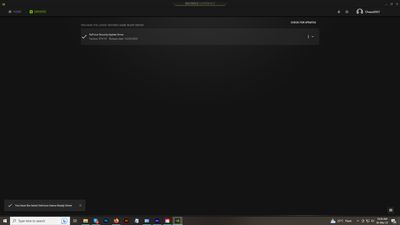
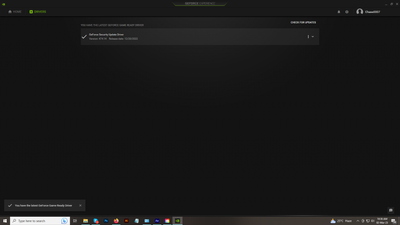
GPU driver already updated.
Copy link to clipboard
Copied
Thanks for the screenshot.
Does it happen while working on a particular project or with all of them? Are there any third-party plug-ins installed? Please try the following:
- Install the Studio driver and test After Effects with it. Studio drivers are optimized for creative apps.
- If that doesn't help, try installing the Nvidia driver version 517.40.
- Also, try resetting the preferences. Here's how: https://community.adobe.com/t5/after-effects-discussions/faq-how-to-reset-trash-preferences-in-after...
Let us know the outcome.
Thanks,
Nishu

Copy link to clipboard
Copied
Hi, I have the same problem and when I work with After Effects for about 1 hour, the screen suddenly freezes and then goes black and then the system restarts
My computer specifications are as follows
i3 12100f
rtx 2060 super
16gb ram

Copy link to clipboard
Copied
Oh I have the same problem here, screen suddenly goes black and laptop automatically restarts, and as I remember it started to happen lately, so did anyone knows how to fix this problem?

Copy link to clipboard
Copied
is usually the Power Suply Unit

Copy link to clipboard
Copied
I am facing the same problem with AE2024, my computer suddenly restart or just freeze.
Have you found a solution ?
Copy link to clipboard
Copied
What are your system specifications? Did you try the suggestions above? Do you see any error messages or any pattern? Let us know, we're here to help.
Thanks,
Nishu


Get ready! An upgraded Adobe Community experience is coming in January.
Learn more
 AdChoices