


Have just updated to Photoshop 2024 and my save to web panel is now not displaying correctly - see screengrab. How can I adjust it to have the full image fill the four windows? cheers, Bob
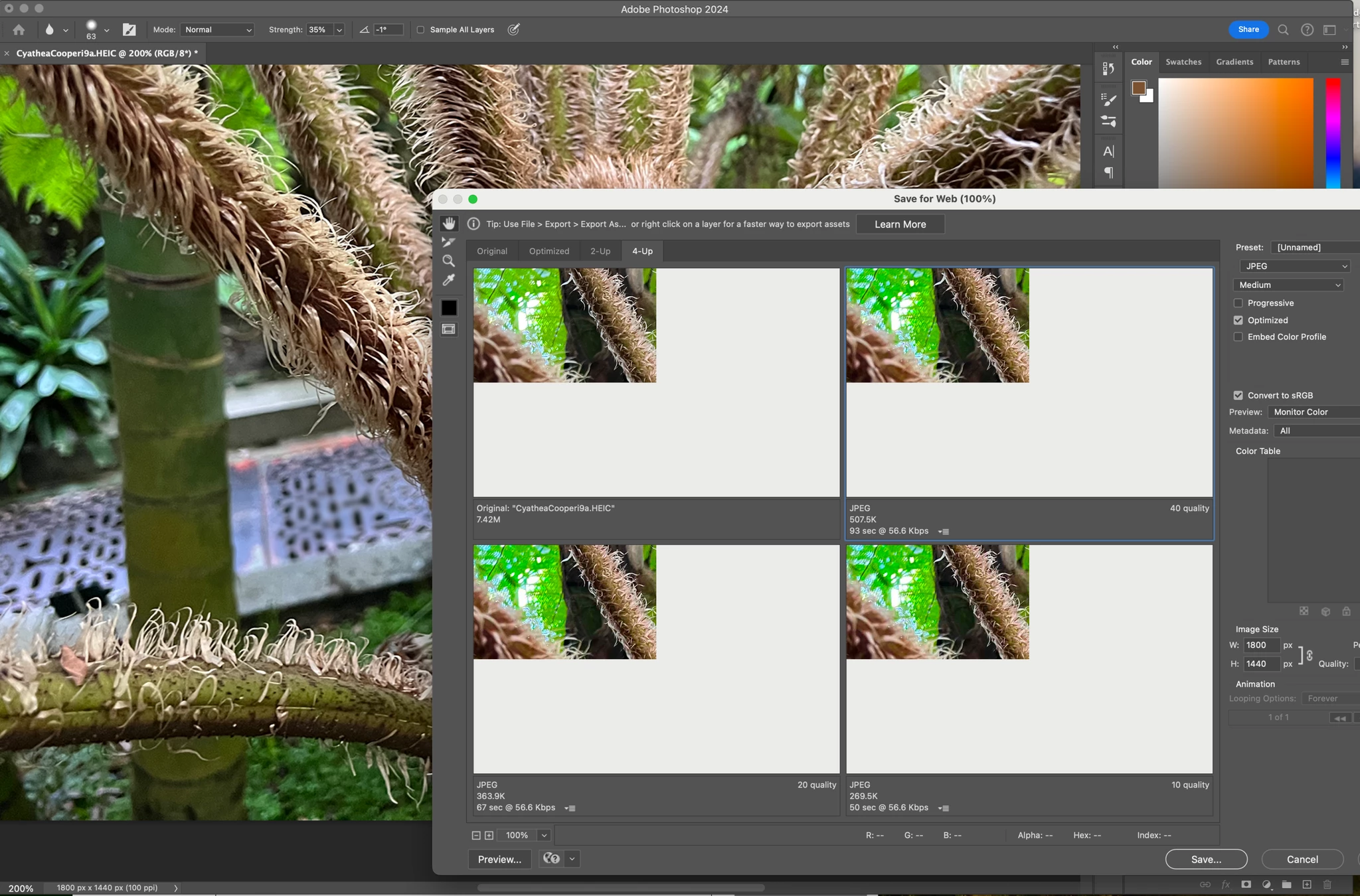
I'm running Sonoma 14.0 and I have a png file loaded into Photoshop (25.0.0). I'm using the Save for Web Legacy option to create various exports. However, I'm not seeing any preview, just a white canvas. I've tried loading lots of different fles and they all show the same thing, just a white canvas.
If I click "2 Up" I get a sliver of an edge, and if I click "4 Up", I see a little more. But no option displays the full image.
When I click "save", the exported file is correct. It's just the preview that seems buggy right now.
I've also rolled back and installed 24.7.1 & 24.7.0 & 24.0.0 and even 22.2 and this time, I can see a sliver of the preview but when I resize the export window or change the preview zoom to 100%, it disappears.
So it seems to me that there is a bug with Photoshop's Legacy export preview window and Sonoma 14.0. I thought the latest version was to be fully supported, but if it's not yet, then please disregard.
I am running Adobe Photoshop 25.0, and when I try to export a file as Save for Web (Legacy), the preview window does not show the image. How do I fix this? This issue just started when I upgraded to Photoshop 25 and/or installed Sonoma. I have always been able to see a preview of what I am exporting.
Working on a Mac 16-inch, 2021 (M1) running Sonoma 14.0.
Me llamo Paco Palacios y desde que instalé la última versión de Photoshop (25.0.0) en mi Imac 27" (sistema operativo Sonoma 14.0) al intentar guardar mis archivos para web (Archivo/Exportar/Guardar para Web) no puedo visualizar el archivo que quiero exportar, por lo que no sé si los cambios que hago al comprimir se verían bien puesto que no me muestra el archivo en el que estoy trabajando.