


Yustas240
Inspiring
December 28, 2017

P: Photoshop 23.3 opens images with everything in white color.

  • December 28, 2017
  • 150 replies
  • 77262 views

Hey!

Just updated my Photoshop to 23.3 version. And when I'm trying to open any RGB file - it opens with all layers colored in white color. Seems like RGB is not active at all.

IF I transfer it into CMYK - all good.


Windows 10 Home.

Below is the print screen of RGB file turned into CMYK. Cuz I was unable even to make a printscreen in RGB.
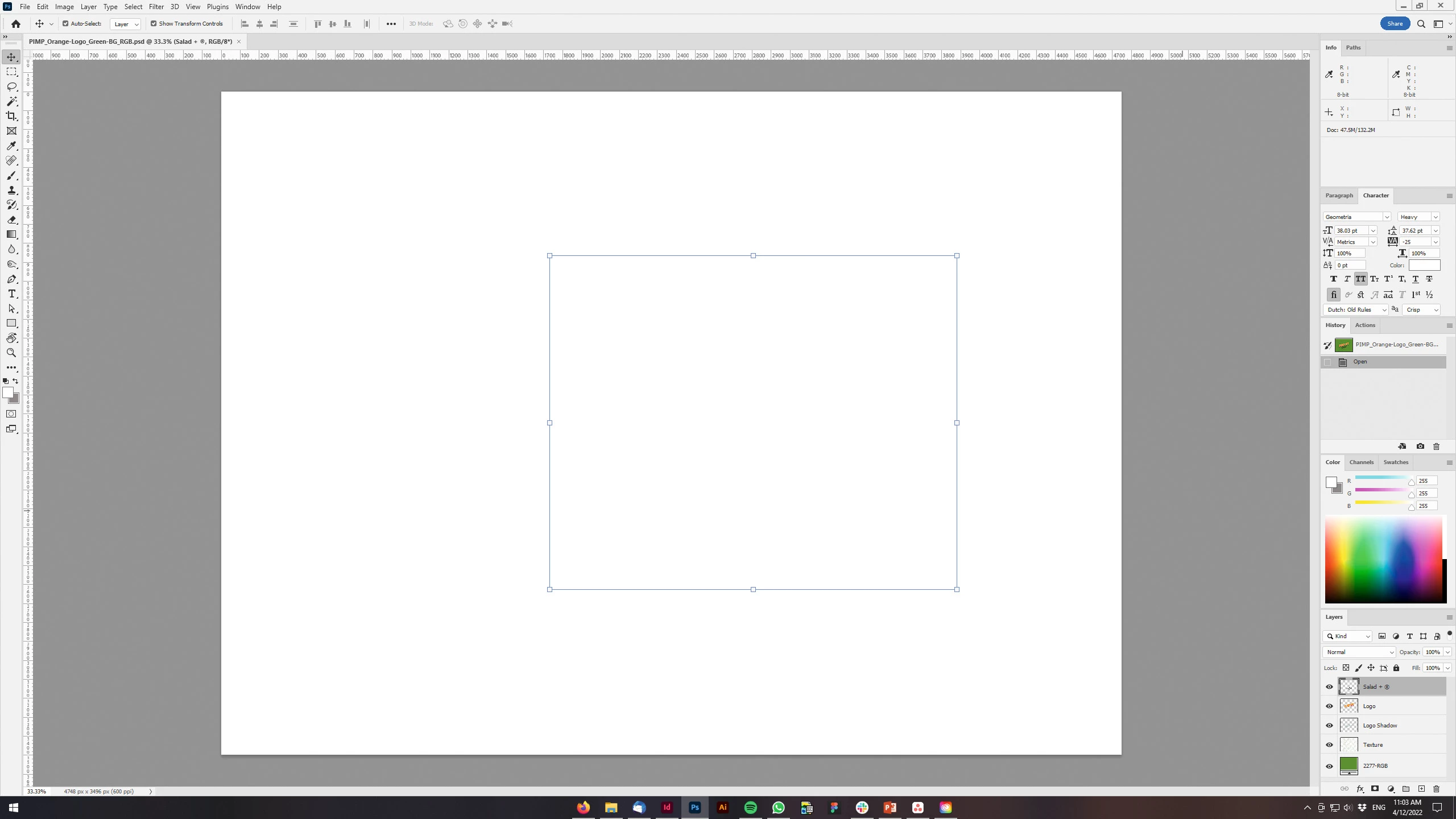
 

150 replies

April 18, 2022

Is anyone else suddenly getting just a pure white panorama from automate/photomerge in the newest download of PS CC?  I was merging a turkey on snow with trees in the background, None of the original images are pure white.  They show up looking completely normally in their layers pallet thumbnails with completely normal looking masking thumbnails as well. but nothing other than white is showing on the main pano image.  Oddly enough the preview to resize it down shows the image but the resized image is also pure white.  I tried twice to upload the downsized file as a tif and this website throws this error    "

Correct the highlighted errors and try again.

  • The attachment's untitled_panoramawhite.tif content type (image/tiff) does not match its file extension and has been removed.

"

Stephen Marsh
Community Expert
Community Expert
April 18, 2022

People with unsupported GPU's are getting white screens for just about anything:


P: Photoshop 23.3 opens images with everything in white color.


Preferences > Performance > GPU Settings > Advanced > GPU compositing [ ] – uncheck/deactivate this new feature.

phil180
Inspiring
April 17, 2022
Go to:
Preferences/performance/advanced then advanced and untick the GPU box
--
Sent from Gmail Mobile
phil180
Inspiring
April 17, 2022
It’s a bug in the latest in the last upgrade…go to:
Preferences/performance/advanced/and in check the GPU BOX
--
Sent from Gmail Mobile
Participant
April 17, 2022

Hello, with the latest update when I open any file in photoshop it appears completely white. could anyone tell me why? Thanks

Participant
April 17, 2022

I'm having the same problem, can anyone help?

Participant
April 17, 2022

I opened Adobe Photoshop today to make a flyer and when I tried to create a text layer, nothing is showing up. Has anyone had this happen to them? What is the fix? I tried restarting Photoshop, Computer and even uninstalled Photoshop and reinstalled. Still nothing.

Participant
April 17, 2022

Just for information, I tried to perform the Tool Reset in this article - Adobe Support Community Article and it didn't work.  

Inspiring
April 16, 2022

I run PS on a Win-10 machine.  PS was updated just yesterday.  Layered Tiffs are appearing as a blank white screen.  They look fine in the layers pallet.  The image looks fine if I flatten it.  I've been running PS without serious issues on this machine for more than 3 years.  This strange behavior seems to have started with yesterday's update.

davescm
Community Expert
Community Expert
April 16, 2022

The latest version has put more of the compositing workload onto the GPU rather than the CPU. That is good news as it should help performance with the larger image files we use these days. However, it could expose existing bugs in GPU hardware or drivers.
You can try going to Preferences > Performance > GPU Settings >Advanced and unchecking GPU Compositing. Then close and restart Photoshop.

If that helps, try updating your GPU drivers to the latest versions designed for creative work (e.g NVidia release Studio drivers) and when updating use the clean install option. Once done you can try rechecking the GPU compositing option and restarting Photoshop.


Dave

hdimaging
Participating Frequently
April 16, 2022

I am using PS version 23.3. After opening a file, when i unlock the background layer, the image turns white or blank.  The same thing happens if open two files and try to add one file on top of the other opened file.  It turns white as if the layer disappeared.  Any help? Thanks.

Ged_Traynor
Community Expert
Community Expert
April 16, 2022

Hi

Hit Ctrl + K to go into the preferences and disable this option then restart Photoshop

hdimaging
Participating Frequently
April 16, 2022
Thank you. That works.
georgesd26819225
Inspiring
April 16, 2022

Hallo, a few days ago I downloaded the update PS 23.3. But there was a bug by opening apicture there was some times a white surface. A few times it was ok, but when I make a selection and copy it Ctrl-J only a white surface.So I went back to the early version via system recovery, but now I have troubles with sky replacement. Creative Cloud Desctop set that already PS 23.3 is installed. Can I in some way re-install PS 23.3 hopely without bugs?

I use Windows 10

Thank You


Participant
April 16, 2022

tell me if you find a fix i havent been able to finish my logo for a 2 days

phil180
Inspiring
April 16, 2022
I had the same problem…there is a post on here that easily fixes it: untick
the GPU box in preferences…--
Sent from Gmail Mobile
Participant
April 16, 2022

After the last update, my images are gone. They appear blank. Please fix this urgently.

davescm
Community Expert
Community Expert
April 16, 2022

Go to Preferences- Performance- GPU settings -Advanced and uncheck GPU compositing. Then close and restart Photoshop.

Dave