


















Get help and share feedback in our global community.
Recently active
Where is the implementation of display color space transforms via mercury transmit? My second monitor is now useless if I want to use OCIO color management. Why does it not follow the displat color space set under the compostion window?
Hello I would like to retreive the points of a path in a shape layer In a composition, I have this layer :“Arrow”|_Content |_”CArrow” |_”CPath” |_Path I create a text layer. In the source text of this layer, I write :-- Code --thisComp.layer("Arrow").content("CArrow").content("CPath").path.points();-- End code --and it works fine But if I write this code in a .jsx file -- Code -- var mainWindow = new Window("palette", "Get-Set arrow", undefined); group01 = mainWindow.add("group", undefined, "Group 01"); group01.orientation = "row"; var bGet = group01.add("button", undefined, "Get"); var comp = app.project.activeItem; WriteLn(“name : “+comp.layer("Arrow").content("CArrow").content("CPath").path.name); pointsArray = comp.layer("Arrow").content("CArrow").content("CPath").path.points();-- End code -- that I launch by File->scripts->Execute file script (not sure of the name, I’m using a non english version of After Effects), it doesn’t work anymore. The writeLn(...name
I reinstalled my computer. My previous local fonts are not available anymore. I open a project I was working on, get this message. Ok, it works. But the problem is that after I click ok, after effects is not showing the missing fonts. I have no clue which fonts I am missing and it would take a lot of work to manually set all the text layers again.
If I have a specific color composition background color for my animation, and export it to an mp4 (or so) it gets black. Would be nice if Ae interprets it as a solid and renders it out as this color.
Getting this UI on my after effects whenever i try to change the color or anything. Is there any fix to this???
I have a line of text that I want to reveal from the center out. I tried making 2 shape layers as masks each moving in opposite directions to reveal the text. I want to use the scale for the mask so it hides the side of the text I don’t want to see. However, there is drift in the scale even though I have unlinked the scale parameters. It is about 5% drift that reveals the side of the mask I don’t want to see as the correct side of the text appears. How do I do this?
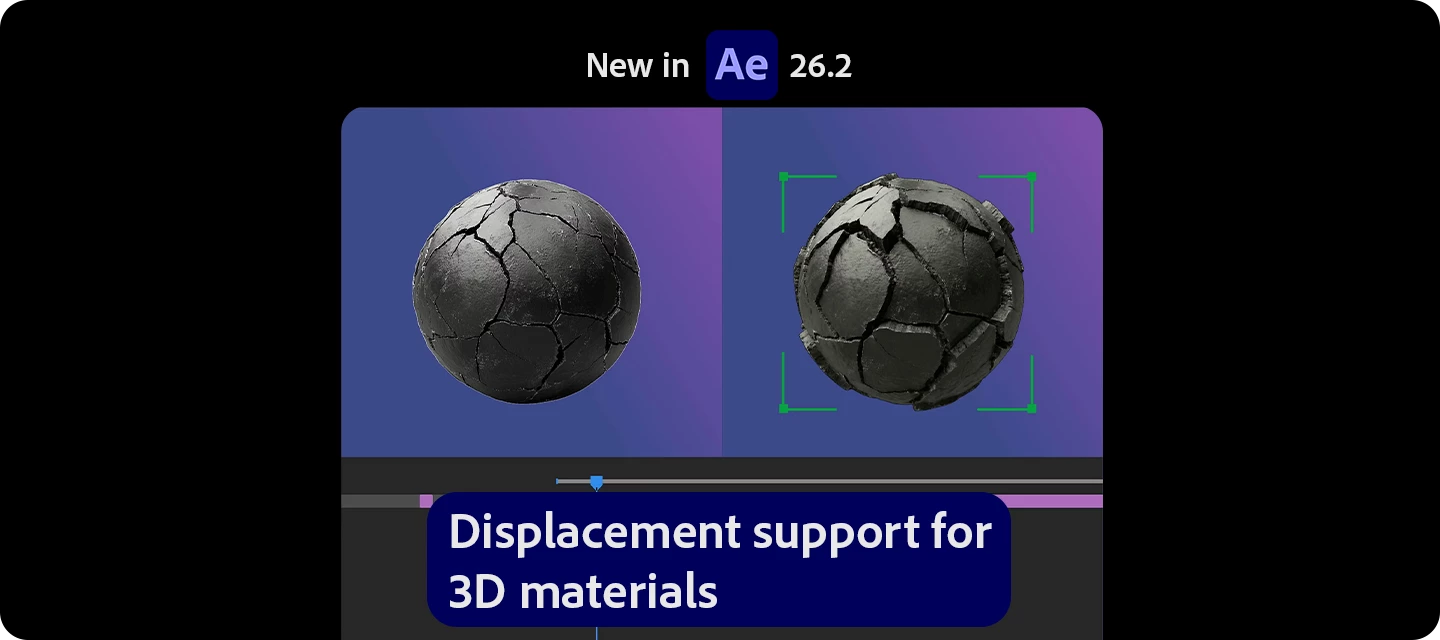
I updated After effects Beta to it’s latest Version (26.2) and then I find out that the new Object mask is not working, no brush no select .. nothing at all in the latest update of after effects Beta 26.2.the brush is not appearing to select any object, no object is going to be highlighted to select and isolate.
Is there a way to still obtain the AE 2024 in 2026?The oldest version I can find when I click on the three dots is version 25.0. If I click on "see more," I just get redirected to the website where the 2024 version is also not listed.Thanks
I’m working on animating a chart to go on my company’s homepage and followed this tutorialto help me achieve the look I want. The red line (trim path) is moving left, which is the direction I want it to go, but for some reason the null is moving the opposite direction when I adjust the slider control. I’ve attached a screenshot of my work so you can see the expression I used to achieve this. I need the null object to be aligned to the right side of the trim path line so I can eventually add a gradient color that would be track matted over the red line. Happy to provide more insight if needed, but am hoping for an answer! This is definitely user error :) Red Trim Path moves from left to right, but null object moves from right to left
Hello, I'm sure there's been discussion on this, but I am at my wits' end trying to get accurate colors in motion graphics for use on a web page. My goal is to set hexidecimal colors in AE, and achieve those same colors in the export file. But I can't seem to get the file to come out without Rec. 709 curve adjusting (I think)? Color test export results. I have:Project Settings: Working Color Space: set to sRGB IEC61966-2.1Output Color Space: set to the Working Color SpaceSee project/render/output settings below. My current work around is just basically guessing/calculating a different hex value that, when color transformed upon export, results in the desired hex. Not a great long term solution. Surely with these settings the color should come out of AE as the hex code they're set as? Or am I missing something? Any help is greatly appreciated, thank you. I don't want to muddy the water, but additional info:I'm trying to re
I am experimenting with various Effects & Presets by dragging them onto animated image layers in the Timeline.Is there somewhere that you can see a summary of how all the different effects look when applied? How do you specify when you want an effect to start after being dragged to the layer since it is applied to the entire layer? What if I want some effect to only be applied at the beginning or the middle or the ending of a clip? I applied three different effects to animated text and I only see the parameters for it in the Layers and not in Effect Controls. Why are they not displaying in Effect Controls?Thanks
We need a native UV texture mapper in AE as well as a real vector motion blur for vector passes from blender. Also depth of field has always looked terrible in AE with bad fringing from a depth matte. I’m not asking for AE to be nuke but it could try a little harder on the 3D compositing side of things. Not having every effect be 32 bit in an OCIO setup is pretty rough as well.
This is definitely user error, but I’m clearly forgetting some of the most basic AE knowledge. Nothing on Google is helping me. I have two shapes. A line and a circle. I’m trying to copy the ellipse’s path to the line’s position so the line will follow along the circle’s path. Yes, I’m aware of just using a trim path on the circle but that’s not the end goal here. Anytime I copy the ellipse’s path and paste it on the line’s position, it just pastes a “Group 1.” How can I properly copy the ellipse’s path so that the line follows it?
I use After Effects for compositing my 3D renders, and I always export 16 or 32 bit EXRs, starting to use ACES. Unfortunately, many, many effects are still only 8 bit, some support 16, and some can do 32. If you don't want to lose me and many other compositors (at least those that are left), please update more effects to 32bit!
Everytime I open after effects I get this message on startup. Have tried everything but nothing seems to work.
It’s quite a hassle to first set the interpretation for one item, then choose ‘Remember Interpretation’ and then ‘Apply Interpretation’ to apply it to others. Why not select a bunch of items and set the interpretation. (also: ‘Rembember/Apply’ is quite a strange flaw in UI - why not ‘Copy/Paste’?)
Because it’s actually impossible to comp anything with highlights without them becoming inverted. These invalited pixels you are seeing here are only 1.100-1.500. They are not overly bright yet this happens. It’s a joke. Stop messing about without AI crap and fix the basics. This just a white line being screen over the top of my CG. It could not get any more simple. Adobe, you are a joke.
I migrated my preferences from 25.6 to v26.0. Now I can’t edit my custom shortcuts anymore. “After Effects warning: Invalid menu operation” appears, and then the program crashes. I’ve provided the .txt file that causes this error.
I made a team project on the AE and have created my .aep file as usual. Upon saving and exporting the final video. I’ve learned that the project file cannot be saved. I have searched online for it but I cannot find the same issue in this current version.Someone has suggested I use the “reveal project in finder” feature but it doesn’t work either. I have tried finding the location of the file through Finder app in Mac but the filename does not show. When I tried looking for the file location, I checked the original preferences of the application but project does not show in the location. Original folders of the adobe projects show 0 bytes too.When I close the team project and the application itself, the project shows up in the recently opened menu. I also tried opening it in adobe cloud storage but it does not show up. Good thing the file still opens even after closing the application. How can I save the project?Posting screenshots here as well.
If I turn a 2D layer into a 3D layer in the Advanced 3D renderer, the layer glitches. This has been happening to a image I placed behind 3D shapes, but occurs no matter what I placed in the comp (footage, images, .eps files). This only seems to occur when Advanced 3D renderer is selected (which is what I want to use), not in Classic 3D or Cinema 4D renderer. In the example attached, the 2D image layer is a starry sky scene and should turn into a 3D layer I can move behind my 3D shapes. It turns into a 3D layer, but the image becomes distorted. After Effects 26.0.0MacOS Sequoia 15.7.4Occurs in new and other existing AE projects Steps already taken: purge memory and cache, restart computer, reinstall AE
How do I adjust the Fade Up Words preset to match the speed of words spoken if the speed is inconsistent for every word? That means some words may have appeared when they shouldn’t because they weren’t spoken yet and some words may haven’t appeared when they should.
I’m working with Particle Playground the most heavily I’ve ever used it, and using it for some fairly unusual purposes (essentially layer instancing). It works fine overall, but I am noticing some significant inconsistencies with the results I’m getting when I preview a comp versus what I get when I render out the whole project. In particular there seem to be far fewer particles/instances being generated in the full render than there appear to be when I preview. There’s a lot of randomness going on so it’s hard to really quantify, but visually this definitely seems to be the case. I’ve monitored many of my renders and AE does not appear to be running out of RAM -- the highest I’ve seen the RAM use so far has been about 80% of my 256Gbs. Most of my experience with particles has been in 3D (Maya specifically), and I know particle systems are quirky, but this seems to be a consistent problem. I know Particle Playground is super old, though I’d never realized quite how useful it can be til
Objects are turning black, disappearing, and flickering. I didn't make any edits or anything since I last worked on it (worked fine then) but when I opened my computer to the open file it started glitching. I exited out of the document without saving because I assumed my previous save from when it worked normally would save me. When I opened my save from before the glitch, it was still glitching, and it got even worse. My layers are mostly imported from Illustrator, but I didn't touch the file I had on there either. The layers in the project window also show up mostly all black when I look at their previews, although I am new at AE so unsure if this is common. I am working on a Mac and the program should be up to date. Any ideas on what could make individual art objects flicker or turn black?
Certain layers in my comp do not populate any settings in the effects control panel, where it used to have Transform, Opacity, Unassigned masks, etc. This just happened today as yesterday all of this functionality was working and nothing has since changed. - restarted computer- reset prefs- cleared cacheWhy is this happening now? And if this is normal functionality, who thought it was a smart idea to remove the default layer settings (transform + opacity, etc) out from the effects control panel?
Any Idea what is wrong with it? I honestly so frustrated with Adobe changing the layout so often. If you work with many of their programs it becomes truly painful experience.
Remix with Firefly Community Gallery
Thousands of free creations to fall in love with and remix in Firefly.
Already have an account? Login
No account yet? Create an account
Enter your E-mail address. We'll send you an e-mail with instructions to reset your password.