


















새로운 Adobe 커뮤니티에 오신 것을 환영합니다.
Announcements
최근 활동
We're happy to announce the release of Photoshop 25.9.1 With this release of Photoshop Desktop 25.9.1, we provided minor bug fixes for the product. To update Photoshop to 25.9.1, click "Update" in the Creative Cloud desktop app next to Photoshop. More detailed instructions for updating
We're happy to announce the release of Photoshop 25.9 What's new in this update? Adjustment Brush Tool now available for general users in Photoshop Other enhancements - Set default font size automatically Fixes for a customer reported issue. For details, see Fixed issues To update Photoshop to 25.9, click "Update" in the Creative Cloud desktop app next to Photoshop. More detailed instructions for updating
We're happy to announce the release of Photoshop 25.7 What's new in this update? We're thrilled to announce the MAX April 2024 release of Photoshop Desktop 25.7. In the release, you'll find a few exciting new features, along with other enhancements and bug fixes. Improved Font browser with a streamlined experience Hover layer bounds in the Move tool Other enhancements & Fixed issues. To update Photoshop to 25.7, click "Update" in the Creative Cloud desktop app next to Photoshop. More detailed instructions for updating
For details, see Celebrate Firefly's 1st Year with Us and Be Featured in the Community.
We're happy to announce the release of Photoshop 25.6 What's new in this update? With the March 2024 release of Photoshop Desktop 25.6, we provided fixes for customer-reported issues and some performance and stability improvements. For details, see Fixed issues. To update Photoshop to 25.6, click "Update" in the Creative Cloud desktop app next to Photoshop. More detailed instructions for updating
We're happy to announce the release of Photoshop 25.5.1 What's new in this update? With the March 2024 release of Photoshop Desktop 25.5.1, we provided a fix for a customer-reported issue. For details, see Fixed issues. To update Photoshop to 25.5.1, click "Update" in the Creative Cloud desktop app next to Photoshop. More detailed instructions for updating
We're happy to announce the release of Photoshop 25.5 What's new in this update? Do more with custom Adjustment Presets. Work with the new Type options in the Contextual Task bar. Bug fixes. For details, see Fixed issues. To update Photoshop to 25.5, click "Update" in the Creative Cloud desktop app next to Photoshop. More detailed instructions for updating
We're happy to announce the release of Photoshop 25.4 What's new in this update? Support for the native full-screen mode in macOS Bug fixes. For details, see Fixed issues. To update Photoshop to 25.4, click "Update" in the Creative Cloud desktop app next to Photoshop. More detailed instructions for updating
We're happy to announce the release of Photoshop 25.3.1 & Photoshop on the iPad 5.4 What's new in this update? Photoshop With the December 2023 release of Photoshop 25.3.1, we provide fixes to customer-reported issues and some performance and stability improvements. For details, see Fixed issues. Support for new cameras and lenses. Photoshop on the iPad Firefly-powered Generative Expand now available in Photoshop on the iPad To update Photoshop to 25.3.1, click "Update" in the Creative Cloud desktop app next to Photoshop. More detailed instructions for updating To learn how to update Photoshop on the iPad to 5.4, see Update your apps manually
We're happy to announce the release of Photoshop 25.2 & Photoshop on the iPad 5.3 What's new in this update? Photoshop Improved layer panel, flyout menu, and right-click options Fixes to general and customer-reported issues. For details, see Fixed issues Photoshop on the iPad Generative fill is now available in Photoshop on the iPad To update Photoshop to 25.2, click "Update" in the Creative Cloud desktop app next to Photoshop. More detailed instructions for updating To learn how to update Photoshop on the iPad to 5.3, see Update your apps manually
We're happy to announce the release of Photoshop 25.1 What's new in this update? With the October 2023 release of Photoshop Desktop 25.1, we provide fixes to customer-reported issues and some performance and stability improvements. For details, see Fixed issues. To update Photoshop to 25.1, click "Update" in the Creative Cloud desktop app next to Photoshop. More detailed instructions for updating
We're happy to announce the release of Photoshop 25.0 & Photoshop on the iPad 5.0 What's new in Photoshop? Generative Fill and Generative Expand Updated Remove tool Contextual Task Bar updates for Masking Other enhancements, changes, and Fixed Issues What's new on the iPad? Use the color picker and swatches on your iPad Import and open Lightroom photos in Photoshop on the iPad View generative layer variations in the Properties panel To update Photoshop to 25.0, click "Update" in the Creative Cloud desktop app next to Photoshop. More detailed instructions for updating To update Photoshop Mobile to 5.0, check out how to update the apps manually
We're happy to announce the public release of Photoshop on the Web Open Photoshop What's new in Photoshop on the Web? Take your creativity to the next level Reimagine your images with Generative AI capabilities Learn basic editing concepts Quick actions for quick edits Work with anyone on the web Related links: Adobe Blog User Guide System Requirements Common Questions If you have a question or an idea to share, come and participate in the Adobe Photoshop community. We'd love to hear from you!
We're happy to announce the release of Photoshop 24.6 & Photoshop on the iPad 4.7 What's new in this update? Photoshop Improvements with the Layer Panel Other enhancements and changes Fixes to general and customer-reported issues. For details, see Fixed issues Photoshop on the iPad Add Stroke and Drop shadow layer effects Customize double-tap options when using the Apple pencil To update Photoshop to 24.6, click "Update" in the Creative Cloud desktop app next to Photoshop. More detailed instructions for updating To learn how to update Photoshop on the iPad to 4.7, see Update your apps manually
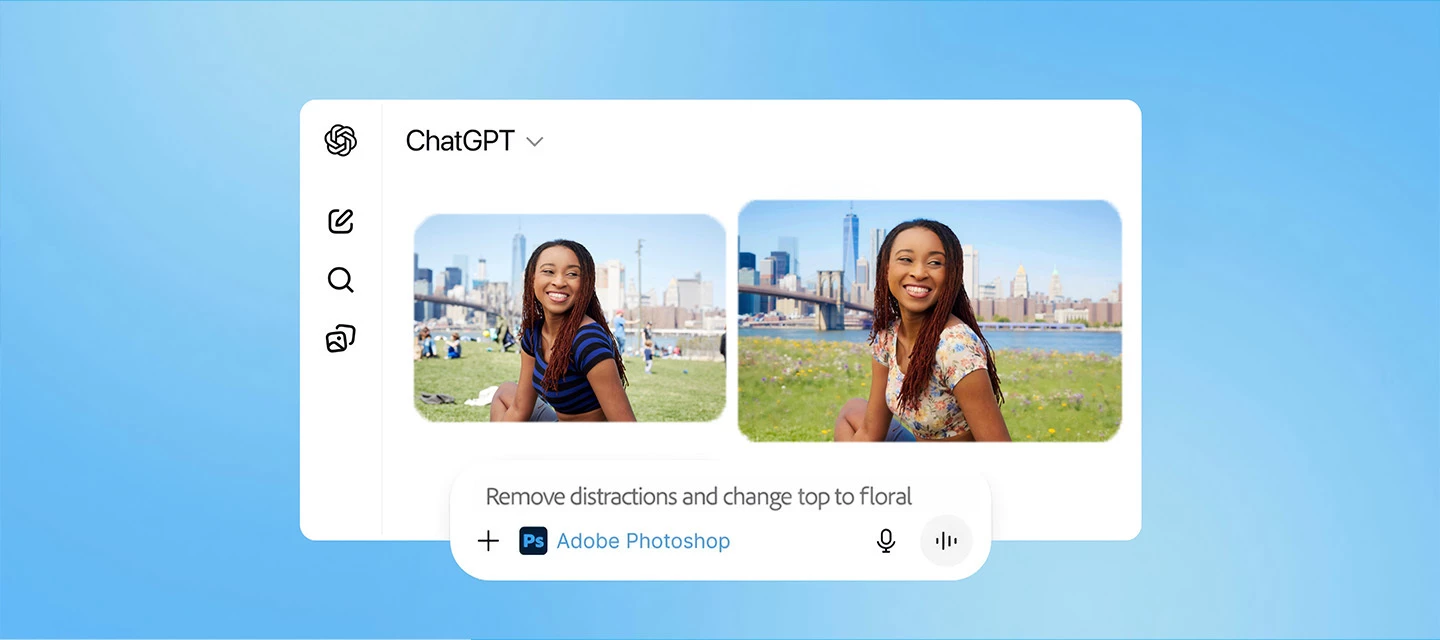
We're happy to announce the release of Photoshop 24.5 What's new in this update? Add drama to your images with Adjustment presets Preview and change the appearance of your images with Adjustment Presets. Continue to refine your adjustments in the Layers panel Remove distractions with Remove Tool Retouch and remove unwanted areas in your image using the Remove Tool in Photoshop Find relevant next steps with the Contextual Task bar Find the right tool at the right time on your canvas with the Contextual Task Bar Improved Gradients Quickly adjust Gradients in your images with the new on-canvas controls and a live preview that gets created automatically Bug fixes Fixes to general and customer-reported issues To update Photoshop to 24.5, click "Update" in the Creative Cloud desktop app next to Photoshop. More detailed in
이미 계정이 있으신가요? 로그인
Enter your E-mail address. We'll send you an e-mail with instructions to reset your password.
죄송합니다, 다운로드하려는 파일의 안전성을 확인하고 있습니다. 몇 분 뒤에 다시 시도해 주세요.
죄송합니다, 바이러스 스캐너가 이 파일이 안전하지 않다고 감지했습니다.