

_nicdean
Community Expert
Community Expert
February 6, 2025

BUG: setJustification() broken when combined with setText()

  • February 6, 2025
  • 6 replies
  • 1705 views

Issue:

setJustification() is broken if it is set after setText().


Solution:

Allow setJustification() to control paragraph alignment, irrespective of setText().


Adobe After Effects version number

25.xx


Operating system

Mac/Win


Steps to reproduce

This expression controls the Justification from a Dropdown Menu control and ignores the layer's Properties > Paragraph settings.


var myString = "myText" + "\r" + "on a new line";
var menu = effect("Dropdown Menu Control")(1);
var myArray = ["alignLeft", "alignCenter", "alignRight"];

text.sourceText.style
	.setText(myString)
	.setJustification(myArray[menu - 1])
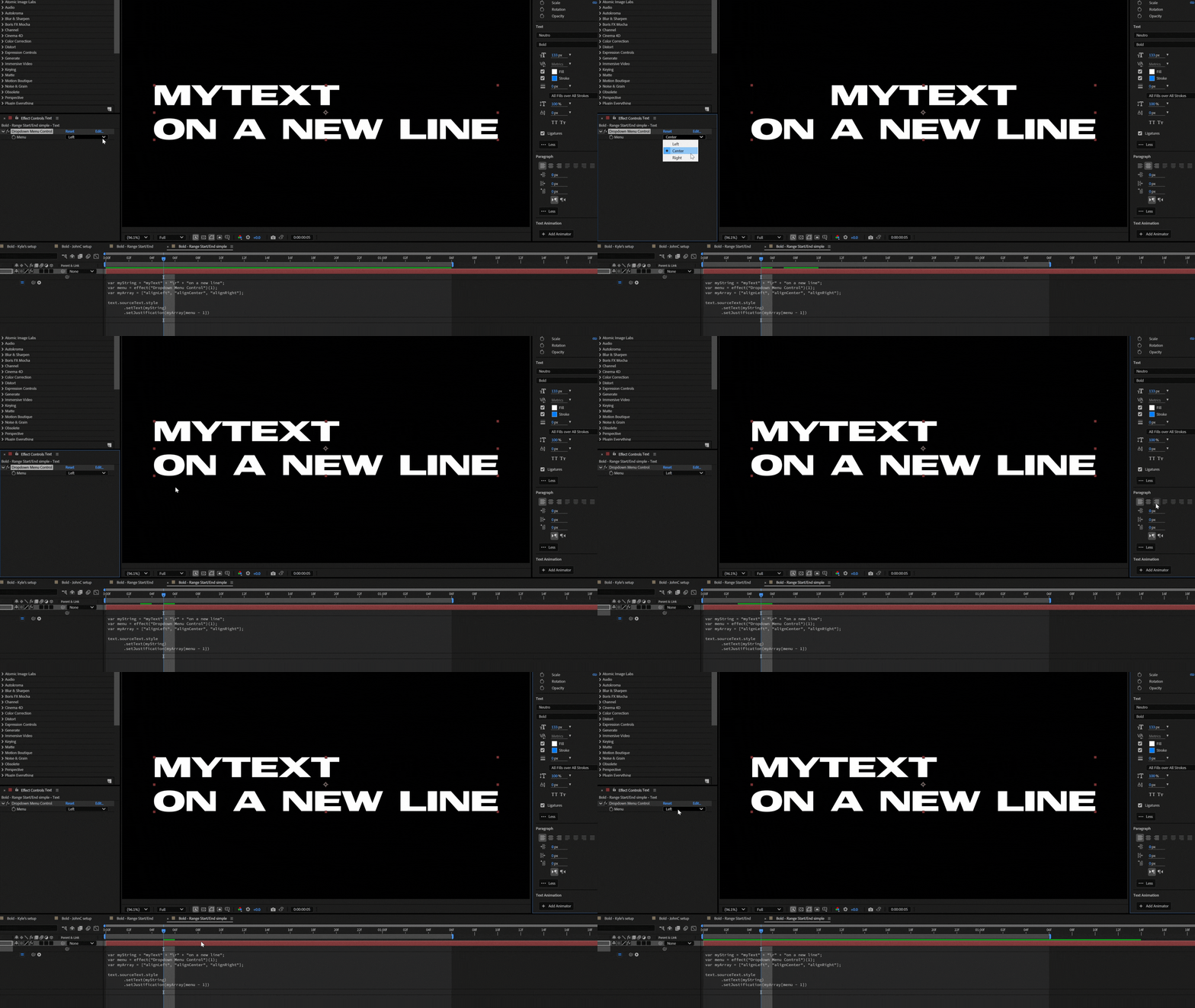


If you reverse the order of the final 2 lines, the Justification does not update from the Dropdown Menu but can still be controlled from the layer's Properties > Paragraph tab.


var myString = "myText" + "\r" + "on a new line";
var menu = effect("Dropdown Menu Control")(1);
var myArray = ["alignLeft", "alignCenter", "alignRight"];

text.sourceText.style
	.setJustification(myArray[menu - 1])
	.setText(myString)
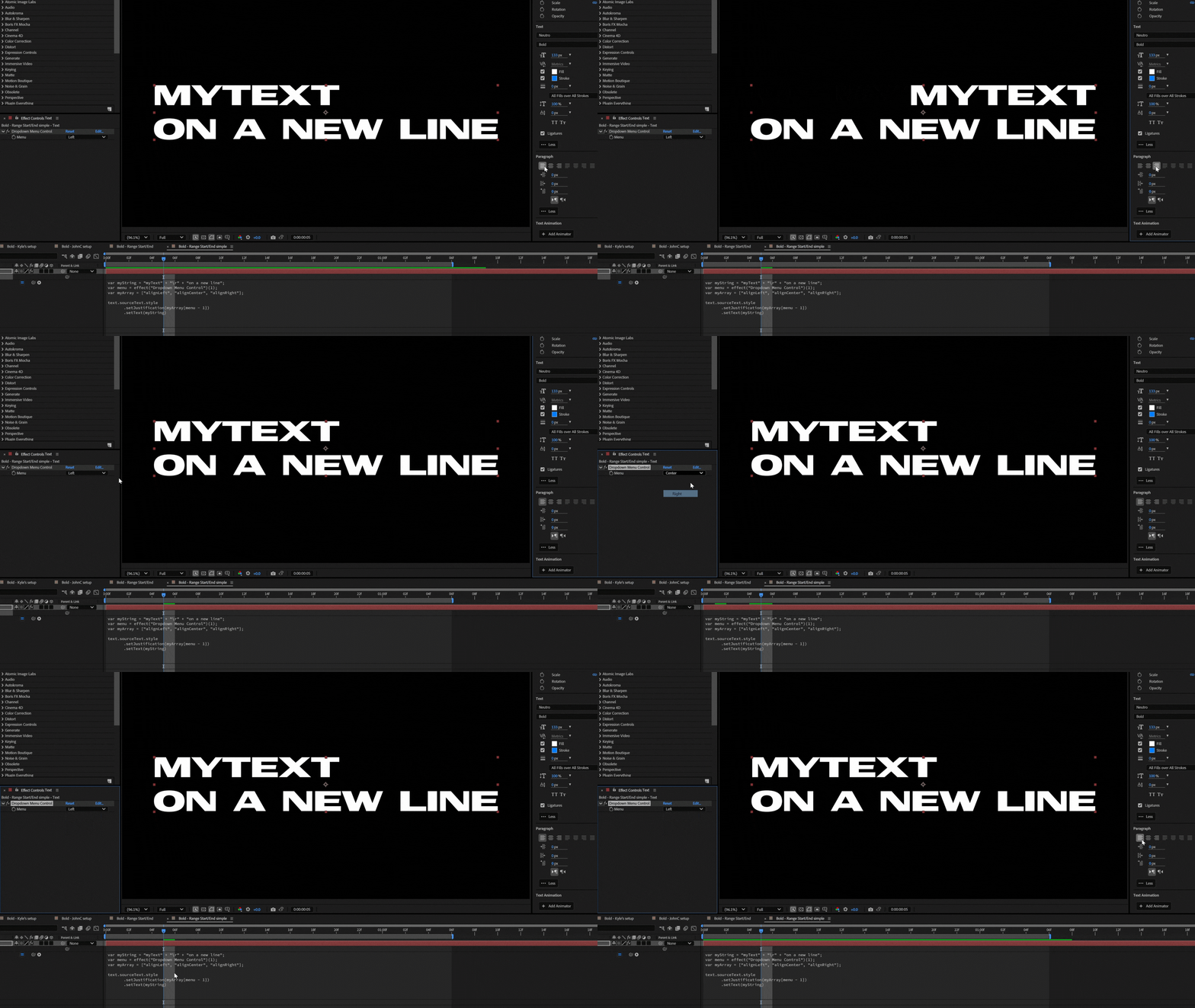


Expected result

The order of these text style methods should not matter, because they are affecting 2 different properties (i.e. text string contents & paragraph alignment). If setJustification() is being used, it should be the sole control of the justification. You should not be able to override setJustification() from the layer's Properties > Paragraph tab.


Actual result

Described above, the justification is ignored.


How will the idea help your workflow? 

It is common to combine both setText() and setJustification() in AE templates. Users are unlikely to stumble upon the correct order of operations organically, and would expect setJustification() method is broken.


Fixing this bug should not break older workflows and simply allows more flexiblity & ease of use moving forward.


Enlist support!

Vote on this fix~!

6 replies

_nicdean
Community Expert
_nicdeanCommunity ExpertAuthor
Community Expert
July 14, 2025

Just tested across a few of my projects, and this one appears fixed in the Beta! Thank you for working this one out @Theresa Rostek  + team!

Theresa Rostek
Community Manager
Community Manager
July 8, 2025

Hi @_nicdean,


A fix is now available in After Effects Beta 25.4.0x64. 

When you can, please give the fix a try and let us know if it is working as you expect.

Thanks!
Theresa

Theresa Rostek
Community Manager
Community Manager
February 6, 2025

Hi @_nicdean 

Thanks for reporting this issue. We are aware of the issue and have a ticket open to investigate potential fixes. We will update this thread with any new information.

Cheers,

Theresa

Kevin-Monahan
Community Manager
Community Manager
February 6, 2025

OK, thanks. I hope a community member like @Dan Ebberts or the team might chime in. I'm sure we can get an answer for you in short order. Sorry for the wait and I appreciate your patience.


Thank You,
Kevin


Kevin Monahan - Sr. Community and Engagement Strategist – Adobe Pro Video and Audio
_nicdean
Community Expert
_nicdeanCommunity ExpertAuthor
Community Expert
February 6, 2025

Thanks @Kevin-Monahan . This quirk is easy to repro on any machine and documented in https://ae-expressions.docsforadobe.dev/text/style/#textstylesetjustification.


I chose to classify as a bug (not a feature idea) because the current implementation is unintuitive. It feels like an accidental oversight while building text style expressions.

Kevin-Monahan
Community Manager
Community Manager
February 6, 2025

Hi @_nicdean,
Thanks for the post. I’m Kevin from support, a moderator here.


Since I'm not an expert in expressions, we may need the team or a specialist to reply.


In the meantime, may the team have more information?It oculd help them reproduce the error more easily.


If you have time, see the post, How do I write a bug report? to list the details that would be helpful for us to know in order to solve your problem.


I hope the community or the team will respond shortly. Sorry for the frustration.
 
Thanks,


Kevin

Kevin Monahan - Sr. Community and Engagement Strategist – Adobe Pro Video and Audio