











Design the future of fashion, win Firefly Pro 👗✨
Share your work and connect with the Fresco community.
Recently active
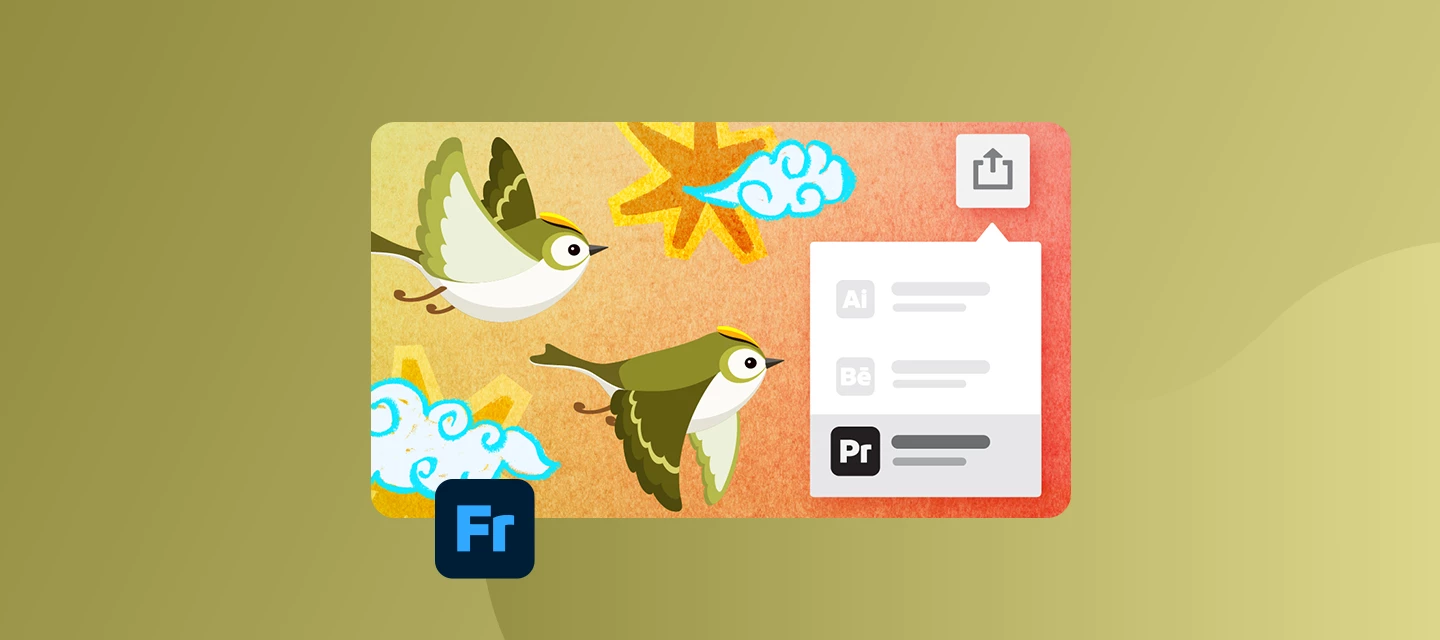
Hey everyone! 👋We're excited to announce the release of Adobe Fresco 7.5, bringing new motion export capabilities that make it easier to take your animations from illustration to video editing.Whether you're creating animated artwork, social media content, or motion graphics, this update helps streamline your workflow between Adobe Fresco and Adobe Premiere Pro. What’s NewExport motion projects to Adobe PremiereEasily export your Fresco motion projects as MP4 files to Adobe Premiere from the Share sheet, so you can keep editing wherever you are. For more information, click here. Export motion videos with transparent backgroundsExport your Fresco motion videos with transparent backgrounds, making it easy to layer them in other iOS apps. Learn how to here. Want to learn more about these updates? Check out What’s New in our release notes.Start exploring all these new features and updates today! Get started with Fresco. Bug Fixes - Thanks to YouThank you to everyone who reported issues a
It was working perfectly fine yesterday. This has never happened before. There seems to be an issue with only the upper-left side of the app. It leaves my cursor loading, and I can’t click anything. I can click on the entire right side and anything below the lasso tool. Is there an update that it’s not showing me? I’ve deleted the app, repaired the app, etc. If I move my cursor off the app, it stops loading, but I still can’t click anything. Pleasee tell me this is fixable; this was the best art app that works with my crap laptop so far. :(
I am a professional illustrator who was heavily reliant on the full mini palette for max efficiency. It was a genius function that made recent brushes + colours, plus opacity and hardness toggles right at your fingertips. Please bring it back ASAP. Thank you.
Hello,I am looking for information regarding Adobe Fresco version 7.7 for Windows. I use the app daily for my digital art and anime drawings.Could anyone please update me on when this version (7.7) will be officially released for Windows users? I would also love to know if there are any specific features or performance updates included for the desktop version.Thank you!
Hello,I am experiencing a strange issue that appeared with the latest update, Fresco V 5.5.0. It is hard to describe, but I feel it is lag-related. At the start of any brush stroke, there is a slight lag. Then, it appears that Fresco “catches up” and tries to draw a straight line from the start of my initial brush stroke to my current position. Though this issue happens constantly, the problem is most visible when I draw curved lines, such as a circle or an S-shape. An odd straight line appears soon after I start drawing these shapes. I’ll attach an image showing what I mean.This problem makes it impossible to draw naturally because any linework I create gets interrupted by these lag-related straight lines that appear.The issue persists with any brush.It only happens in Fresco v 5.5.0. Other applications work fine.I use a Surface Pro 8 (32 GB RAM) with a Slim Pen 2.
Hi, I don’t know if this question was addressed before, but I think it would be more than great to add a search option within the brush panel. I used to add brushes as “favorites”. But the list gets longer and longer. And life happened. I needed to reinstall Fresco from scratch, and I lost all my preferences, and my favorites brushes. So now, when I paint in Fresco, I just scroll through hundreds and hundreds of brushes, trying to remember the ones I used to use. I use most of Kyle’s brush packs (the mega pack has over 400 great brushes). Even if they are correctly labelled and it is less tiring to go through them, it is still a bane, especially when you are in a creative flow. It would be soo useful to have a search option within the brush panel, so when I just look for “ink” brushes, they appear all at once. This would help so much, instead of scrolling and scrolling through packs and packs of brushes. Am I the only one struggling with this kind of stuff in Fresco? Let me know.
When I try to draw anything it draws a straight line at the beginning of the stroke. When i disabled windows ink it worked normaly but pressure sensitivity was gone.On other apps drawing works perfectly. I noticed that drawing with a mouse in Fresco also works so there must be something wrong with pen. This morning everything was normal when i was drawing.Please help Im desperate.KritaFresco
I have been using Adobe Fresco on my iPad for my work projects for three years. Every time I finish a project, I have to upload it to my Google Drive. Recently, my exports to drive keep failing. Over and over and over again. It’s extremely frustrating. The message I receive is “Some items failed to upload to Drive and could not be shared. Please try again.” For three years exporting my project have been seemless and easy. Now all of a sudden I can’t upload a file quickly, it’s an hour ordeal before it will upload my file. Please help:( Internet connection is great and high speed. Drive is shared appropriately. iPad works great. Have updated, restarted, trouble shot in every way and it just keep coming back to something has got to be wrong with the fresco app.
Have been using Adobe Fresco on the iPad for years without a problem. Now experiencing problems moving and grouping layers. With the Layers Panel accessed, I usually tap and hold the layer I want to move and drag it to the desired position in the layer stack. Alternatively, to group, I hold the layer and drag it to the group or layer to be grouped with. This simple and fundamental function no longer works for me. Tapping and holding the layer highlights the layer I want to move but it won't move and just jumps back to it's starting position. Grouping doesn't work either. I have recently updated to iOS26 and wonder if there is an issue here. Is anyone else experiencing this? I have tried re-installing the app but this has made no difference. Frustrating as I can't complete any projects without this core function and will need to find an alternative in the meantime.
I keep getting this message. I tried different accounts ( each of them is personal account, never used business accounts or anything like that ). I deleted app, then installed it again, reinstalled creative cloud, and nothing works. Windows 11 Please help
Recently i bought an Apple Pencil usb-c for my iPad when i started using it my, brush strokes where lagging and when i lifted the pencil off the screen the brush started moving on its own, filling the screen can somebody please check if this is a technical issue or a problem with my Apple Pencil.
Just like the title says. My workflow used to be create art in Fresco, then go to Publish and Export, then to Capture Pattern, and when I opened Capture I could use the art to make patterns.All of a sudden after the most recent update, both of those links are gone, there’s an Export to Illustrator and Behance, but no way to “capture pattern” anymore.Did it move or get renamed? This is the one thing I really need to make my workflow operate.iPad Pro 12.9 up to date.help!
i haven’t used fresco in a few weeks and opened it to find that i was logged out of my account due to an automatic update. after logging in, all my files were gone! if it helps, i was running on 5gb of cloud space but my files were synced to the cloud. i tried uninstalling and reinstalling to see if my files came back but it didn’t work. i tried accessing my cloud through the creative cloud app on my desktop and on web but can’t seem to find any of the missing files. is there any way i can retrieve the files ? i spent a lot of time and hard work on the sticker illustrations i was looking to sell for my first art business :( i’ve seen alot of other users having the same problem with no replies from adobe but i’m trying my luck here, pls help me adobe!
Hi, I started using Adobe Fresco, but everytime I open it I get a message saying that I need at least 3gb of space on my iPad to be able to use it. I have more than 10 gb of free space so I don't really understand. I tried deleting a few things, restarting my iPad, re-downloading the app and I managed to make it work a few times, but I mostly just can't use it. I like using the app when I manage to make it work, so any advice would be welcomed 🙂 Thank you, Isabelle 14/02/20 Update Many months after I still have this problem. The issue went away for a while and it recently came back. The only way to fix it is to re-install the app and the last time I did that I lost a project I had worked on that I now have to re-do. Looking forward for this to be fixed, I'll be using procreate in the meanwhile [Renamed by Mod]
Hello, I just installed Fresco on my new PC running windows 11, unfortunately it doesn't open and keeps crashing. I get this notice: 'Loading documents' and after a few seconds crashes and closes. I updated everything I could on windows, even my graphics card directly from the manufacturer (Radeon) to no avail. Any advice would be greatly appreciated, thanks. [Renamed by Mod]
Am I able to download and run Adobe Fresco on my Apple Desktop computer? I see options for I-Phone, I-Pad and Windows Desktop, but not Apple Desktop. Thank you! [Renamed by Mod]
I am unable to open all my files on adobe fresco. My account email is still valid, and i can still see all the files on “my files” yet i cant open any to save or edit them. It says “you’re disconnected” and that i should contact you. Please let me know how to fix it
I’m checking out the “Try Brushes” practice file that showed up when I opened Fresco for the first time. I just wanted to know which brushes are which. I tried several settings to try to match the brushes displayed but I wasn’t having much success. I did come close to the pencil brush that’s at the top but was having a bit difficulty trying to match the rest of the brushes. Any advice would be appreciated.
Frame holding is a very important feature that I wish was in adobe fresco and a feature request in official feature suggestion post an admin replied confirming that frame holding is on the roadmap but that was three years ago and now it’s 2026 and it still hasn’t come to adobe fresco.
Come on Adobe. It's 2023, how do you not have android compatibility yet?
I've tried everything-- Updating to ios17--reinstalling the Creative Cloud app--reinstalling Fresco--restarting the iPad several timesNothing works concerning adding new pixel brushes or retaining them in the library. Annnnnnnd....once you do get them to load, they often lock up, causing you to have to restart the program..... losing all the imported brush libraries, and to make things more confusing, sometimes they all show up, then they don't when reopening againUsing an imported brush will also sometimes cause it to lock up.It seems that when I'm not connected to the internet, the app shows all the libraries fine, except a lot of the brushes are not downloaded. WTF? It's just a library filled with gray, not downloadable brushes.I load brushes from import files, and they show up, but once the app is shut down and reopened, ALL the brush libraries are gone except the ones included with the app.It's a complete mess when comes to brushes. I'm beyond frustrated at this point. I spen
Hello. I'm working on a new iPad Pro and I create illustrations. This is the first time I've tried to export a Fresco Timelapse video... but it will not export to Photos (Save video). I can export to files. But it is not recognized to drop into Keynote or iMovie... Anybody know what's going on? I've saved to Files... (and exported to social media from there)... but not recognized by Mac software... hmmm... I've already restarted apps... restarted the iPad... re-exported... adjusted settings to smaller files. I have PLENTY of storage on my iPad... Anybody know what it could be?
Hi,I installed Fresco on my new PC (Windows 11, NVIDIA RTX 5080 GPU with the latest Studio driver). The hardware is state-of-the-art.I’m running Fresco 5.7.0. When I launch Fresco and try to create a canvas, Fresco crashes without warning. Uninstalling it sometimes fails, but occasionally works. The same goes for reinstalling it.I have no idea what’s going on. Thanks for any info
Adobe Fresco Deleted all my work. A pop up came up to sign back into the account, all work is gone.
Hi,For the past three days, I’ve been experiencing a serious issue with Adobe Fresco. Some of my existing Fresco documents suddenly stop opening and I get the following error:“Format not supported. The document does not appear to be a valid PSD file.”The files were created and edited in Fresco and worked normally before.I have found a temporary workaround, but I have to repeat it every time. I duplicate the affected document, make the copy available only in cloud storage, then download it again and open it. After doing this, the document opens normally and I can continue working in it.However, once I close the document and try to open it again later, the same error appears. I then have to repeat the entire process again — duplicate the document, make it cloud-only, download it again, and reopen it.This has been happening repeatedly for the past three days and is seriously disrupting my work.I also want to mention a separate issue with the recent Fresco update. My workflow for transferr
Remix with Firefly Community Gallery
Thousands of free creations to fall in love with and remix in Firefly.
Already have an account? Login
Enter your E-mail address. We'll send you an e-mail with instructions to reset your password.