Would it be possible to have a simpler noise removal option for audio clips? Sometimes I just need to remove light background hiss or room noise without spending too much time tweaking settings. I’ve tried VoiceCleaner AI for this and liked the results, so something similar built into the workflow would be really useful.
The current construct of Open Recent is dated and lacks appreciation of how users use the app - we work on multiple projects at once we create multiple project versions - a strong aversion to losing work is high on everyone’s agenda When coupled, these two realities mean that the Open Recent feature’s options to display only the last 10 projects is hugely lacking. I’d like the feature to be more contextual - each project and its variants will have its own submenu with up to 10. We can continue with the current 10 recent projects but these are really, really 10 different projects and not variants. On project names with more variance than baseName + numbered suffix, I believe users will be forgiving if the app treats them as a separate project and this is acceptable for projects involving language variations where the baseName may differ. But for general use-cases, once the baseName is identical and only the numbered suffix varies, they should be treated as the same project, with variants. So, 10 -10 for numberOfRecentProjects - numberOfVariants and also 10; because Lionel Messi! :-)
Most of the time keyframes are set relative to a clip's in/out/middle point(s) and/or other edit points in the Timeline. Keyframes are seldom set relative to the content of a clip alone. For this reason, users need a simple way to decide if keyframes should slip along with a clip or not. The solution is SIMPLE!Slip = keyframes DO NOT move when slipping a clip (new default behavior since this is what most users want most of the time) Ctrl(Cmd)+Slip = keyframes move as they currently do when slipping a clip (when using this keyboard modifier, the slipping icon could show a keyframe icon to visually inform users that keyframes are being slipped as well. See illustration). Note: for users that prefer the current behavior, a new option in the Preferences window could allow users to reverse this functionality, i.e.: Slip = keyframes move together with clip, Ctrl(Cmd)+Slip = keyframes don't more. This solution would work for ALL editors, since it would give everyone the option to easily choose on the fly if they want their keyframes to slip in tandem with their clip or not. This is one of those quality of life improvements that would make a huge improvement in Pr's editing workflow! Please add this much needed functionality!
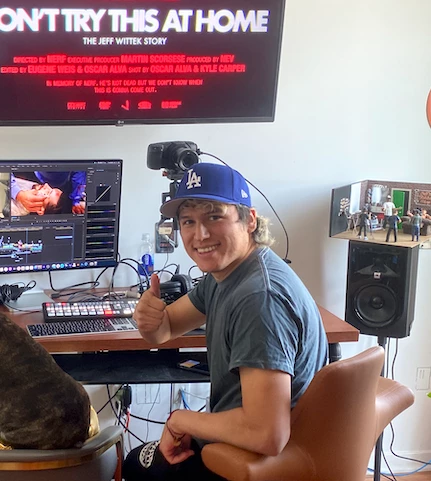
Hey team! Love all the improvements to the text based editing that have been added. In the world of tiktok, instagram, and youtube shorts and social media in general there's been a surge in content that has burnt in captions. I know you guys care about social media editing because you introduced a vertical profile. A lot of social content comes from longer format podcasts. I personally edit podcasts with 3+ speakers but when it comes to captioning clips for multiple speakers it's kind of a headache, sure premiere can differentiate the speakers when you transcribe but the moment you convert to captions the text kind of gets jumbled up together and it's a lot of correcting who's speaking. With text based editing came the feature to transcribe the source clip which I wish could be used to transcribe and create captions for every track/speaker on separate caption tracks which could then be converted to graphics layers. The current workaround I've found is retranscribing the the sequence and selecting the idividual audio track instead of mix -> creating captions ->repeat for track 2 -> track 3 etc and i end up with a time line like this which then I clean up and correct the captions and convert to graphic layers to be able to do animations and end up with a final timeline looking like thisthe area where the captions overlap i have a splitscreen that each speaker has the text under So to sum it up I think it would be great if we can just get caption tracks for individual speakers. And on the topic of captions it would be great to have a the option to set a keyboard short cut exactly like Edit selected caption text that would work on a graphic layer so there's less moving of the mouse. would love to hear your thoughts on this!thanks youOscar Alva
Can you please allow all the color libraries access to the Palette Generator?
I would change literally everything about how time remapping works in premiere pro. It's just awful, fiddly, unintuitive and just poorly designed. Please change it. Anything is an improvement
The is no generation on web page. There is a mystuff on the iPhone. Just put on the web page.
It’s 2025. I open After Effects and… it feels like I’m still working in 2013.While Blender, Unreal Engine, Houdini, and even newer tools like Cavalry are evolving with bold updates, After Effects has barely moved. Every time a new version drops, it’s disappointing to see tiny improvements disguised as “major features.” It’s as if Adobe is keeping the program on life support without actually developing it.Let’s call it out: Graph Editor – still outdated, clunky, and untouched for over a decade. No real-time preview, no modular behavior, no intelligent UI. No modern easing tools – no built-in bounce, elastic, inertia, or overshoot. You still need to rely on Expression tricks or 3rd-party scripts for basic animation finesse. No native effectors or procedural animation tools – while tools like Cavalry, Cinema 4D, and Notch offer real-time procedural workflows and effectors, After Effects is stuck in manual keyframes and precomp hell. Still no native IK (inverse kinematics) – even simple character rigs require a stack of third-party scripts or plugins. Why isn’t something like Duik, Rubberhose, or Limber native by now? No advanced duplicator – there's no built-in cloner or radial repeater like in Cavalry, Motion, or Mograph. We need a better system for duplicating layers with control over scale, delay, and animation. No node-based workflow – at least give us the option! Every other modern motion software has some form of visual scripting or node logic. 3D? A joke. The “3D” system in AE is laughably outdated. No lighting realism, no proper camera controls, no real viewport. Blender, Unreal, and even free tools are miles ahead. Scripts and plugins are doing Adobe's job – tools like Flow, EaseCopy, Motion Tools, Joysticks 'n Sliders, Duik, etc. are incredible—but many of these should be native. We're duct-taping creativity. Comparing with the rest of the industry:Cavalry offers real-time procedural animation with effectors, duplicators, behaviors, and constraints.Blender has had constant innovation: Geometry Nodes, real-time rendering, asset browser, grease pencil updates, and a thriving dev community.Unreal Engine drops massive features like Nanite, Lumen, MetaHuman, and more—for free.Houdini is evolving faster than entire Adobe departments, and that’s saying something.Here’s what we actually want:A modern graph editor with user-defined easing presets, preview curves, and velocity visualizationBuilt-in bounce, overshoot, and motion behaviors — no more relying on expressionsEffectors and procedural animation systems, à la CavalryReal 3D integration or native support for importing scenes from Blender/UnrealA decent cloner/duplicator with delay, randomness, and animation controlsNative IK systems and rigging tools for characters and UI elementsNode-based system as an optional workflowTimeline folders or groupingBuilt-in SVG support and better shape layer toolsGPU acceleration that actually matters in real workflowsWe’re not asking for gimmicks. We’re asking for Adobe to start treating After Effects like it’s part of the future—not a legacy app with patches.If you’re a motion designer, VFX artist, or animator feeling the same, raise your voice. We love After Effects for what it was. But now it needs to evolve—or get left behind.
The title says it all. Auto-save should function in the background and NOT pop up with an annoying progress bar every time it runs. Gets REALLY bad on large project files when auto-saves take up to a min every single time.Total workflow killer. Should be just like taking snapshots of your project in the background while continue working.The dialog even pops up and steals focus from another app you're in.
This might be a long shot and I dont know if its technically possible to implement, but I think this would be a major improvement to after effects as a whole. I think the easiest way to explain it is looking at the dynamic link feature between premiere and AE, but from AE projects to AE projects.I would have plenty of usecases for this and I it would elevate professional workflows into new heights.Just like having your own library of functions in coding, that you can link in multiple scripts, updating or adding new logic to the source function which automatically integrates in the scripts where its linked to. In this case the function would be an After effects project that you can reuse and implement in other projects and automatically updates in all linked projects if theres changes to the master project.Reallife example: I have a beverage flatlabel that I wrap around a beverage can with UV Map. I use this Label in multiple projects, since theres plenty of different campaigns and animations where this can is animated differently and set into different scenes.everytime anything on the master flatlabel changes, or we have to translate it into different languages for local campaigns, then I have to manually update and import the label project in ALL my different campaigns to update the Label there. If this Live Link would be a feature, then I could just do the changes in the master file and it automatically implements into all projects. This could also be further expanded in a way like Mogrts, that you can even control certain properties when its imported/live linked from the master project, without manipulating the actual master project. Obviously this would be a pretty major feature, but Im certain that this would have a huge impact on general user experience and complex professional workflows.
Impossible to choose a proposal because of the contouring : for exampleIn this case of a little part to delete, it will be usefull to hide the outline.
I am always dropping a 4k clip in the 1080p timeline such as stock and needing to quickly change it to 50%. I can click on the value and type it in, but a simple “50%” button would be awesome to make this faster.
If I lay a ribbon path and I create another layer path that aligns over it it would be cool to group multiple overlapping child splines to folllow parent spline, then control those splines.
Is it possible to measure the overall time spent working on a Premier Pro project? Is there a log or setting that allows me to see this data? It would be really useful, especially for long and complex edits, divided into different periods of time, to be able to know the actual hours spent on the project.Thank You allAndrea
The editable gradient map is great i constantly need the Linear Gradient to be bent, a bit like the transform warp arc feature would be amazing!The ability to squash a radial gradient as well as bend it would also be incredibly useful This would ba especially useful remaking skies.The ability to add grain into this would be great too as dither still produces banding results in 8bit
It would be really useful to be able to programically transform or tranlate a layer in a no-destructive easily repeatable wayThis would include a lens warp barrel distortion feature, like the optic distortion in camera rawAn offset left/right up/downA scale feature to 2 decimal places (very important) currently can scale with lens correction scale but only whole numbersThere have been so many occations ive wanted these things but have to do them manually and write them in the layer name to try to remember settings
Having to leave things like this in final edits is extremely unprofessional.For anybody experiencing [cursing removed] like this - it is easily fixed by stopping your Adobe subscription and switching over to Da Vinci Resolve.Da Vinci Resolve can handle simple tasks like adding titles to your videos.
Already have an account? Login
No account yet? Create an account
Enter your E-mail address. We'll send you an e-mail with instructions to reset your password.