






















Questions
Actividad reciente
Hello, I am confused over something regarding tranform-scale... I have a psd with miltiple layers that is 33" wide... When I select everything, and scale it down to about 6", things get very pixelated. I would expect that to happen when scaling things way up, but not sure why it's happening when I scale way down? This was a design in illustrator origanally, but when I try to scall down in illustrator, strokes etc get moved on me...Thanks for any advice/explanation...
I run actions on a regular basis, for example to generate proofs to send to clients - say 400 images. The action works fine and processes all the images. However on completion I get an error message every time stating, "Sorry I could not process the following files". Any idea why this is being shown when it's worked perfectly? Since updaitng my Mac OS I cannot scroll down to click "ok" to close the dialog box, so have to quit Photoshop altogether and re-open it whenever I batch processed images. Thanks in advance 🙏
I've got a feeling this is out of Photoshop Scripting's gamut*... I can get access an images colour profile with app.activeDocument.colorProfileType app.activeDocument.colorProfileNameHowever, i need to look at this from the other end of the telescope: I want to be able to list all currently installed colour profiles and get their exact strings/names/identities. Coated GRACoL 2006 (ISO 12647-2:2004)Coated FOGRA39 (ISO 12647-2:2004)PSO Coated v3Etc... Which, let's face it, might be quicker with a pen and paper, but I still would like to know if this is possible or not. *se what i did there!
Bonjour, Depuis la dernière MAJ que j'ai faite (27.2), il m'est impossible d'exporter quoi que se soit. Ce message s'affiche : Impossible d'exécuter la commande Exporter sous en raison d’une erreur du programme (1e12aa.3126). J'ai désinstallé / réinstallé Photoshop, puis creative cloud et rien de ce que j'ai trouvé sur les forums n'a fonctionné. C'est pourquoi je m'en remet donc à vous...Merci d'avance
HiWhen I record an action to do something like create a new brush setting and paint for example, the action saves the data like dimension, opacity, etc. And I can see that also when I Save as Javascript...Now if I do the same for, let's say the blur tool, that uses brush aspects for dimension, opcity etc and record that. Those settings are not stored, nor saved to the batchplay of the javescript.I even looked at Alchemist to see if that stores them mbut no.CAn anyone tell me how these values if they are just replicas of brush settings acan be captured?
When I save to the desktop sometimes it shows the photo image but most of the time I get the broken image thingy! Using PS26 on windows 11
I have my tool bar, but the icons are no longer visable
Has anyone run PS and Bridge successfully on a Zorin OS machine?
I have document in photoshop and when i goto print option its all normal even after i click below the print setting panel everything was working but when i use the print settings like, change the layout, switch printer and clicking into print setting my photoshop will crash,is this because of my system or bcz of photoshop, Help me to fix.
I have version 25.12.4 20250725.r.1089 75c3aec x64. Hello all. My remove tool is issing. Before coming to this community, I saw several videos on how to restore the remove tool. I clicked on Edit and then toolbar - the remove tool is NOT in the "Extra Tools" but it is in the left panel. I tried dragging it to my toolbar but it does not allow me to drag it there. Also, why would the remove tool "disappear"? Thank you in advance.
Hi all, I'm trying to open Photoshop 2026 and the application refuses to open. I'm trying to open version 27.2 through the Creative Cloud on a Window 11 laptop. Every time the Photoshop screen starts to boot up, it crashes and ends the process without me doing anything. I've already restarted my computer, uninstalled and re-installed Photoshop, went down a version, and checked for updates on my computer, but nothing came of it and I can't open the app. I'm starting to panic. I have a project due at midnight that needs me to use Photoshop and I'm afraid I won't be able to get it done.
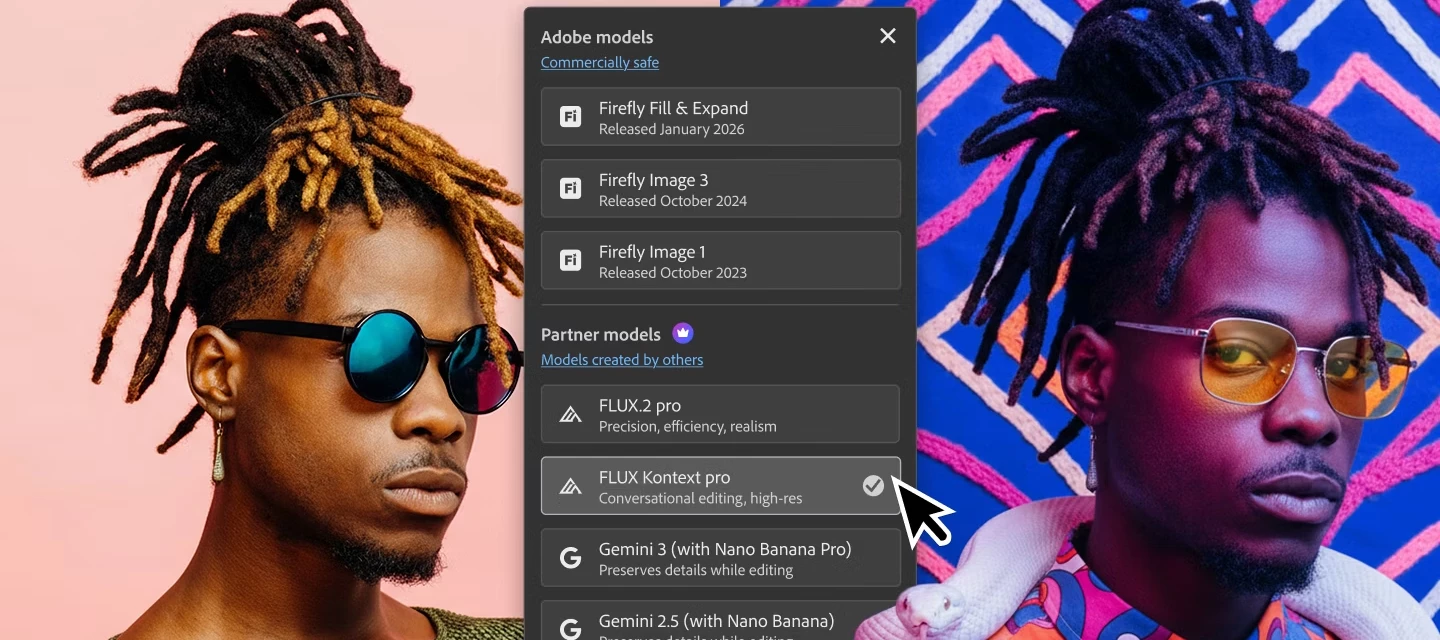
🤔 🤔 Does AI follow your style, or do you end up following AI?Let me know your thoughts in the comments below. Partner models can generate a wide range of creative possibilities, but Photoshop’s precision tools are what allow creators to refine, direct, and reinforce their personal style with intention. When used together, AI and Photoshop become less about automation and more about authorship - helping your work stand apart from generic, AI-generated visuals and clearly reflect your authentic voice. In my video, I demonstrate how I use Nano Banana in Photoshop to customize my style for different variations of my cute cat friend. I encourage creators to share how you shape and guide AI output to align with their own aesthetic. Show me examples of your process, explain the decisions you make along the way, and offer practical advice on maintaining consistency and creative integrity when working with Gen AI tools like Nano Banana in Photoshop. #Photoshop #Adob
Hi all,I have been using photoshop CS5 for last 10 yrs. I think its really time to change and subscribe to the cloud.I used mainly photoshop, ACR and Bridge. Very little on Light Room. Thats all I need. There are 4 plans. Which one should I subscribed?Tks
Hi all! I'm using v. 27.2.0. And all of a sudden, I can't save as a JPG file. I made sure "Enable legacy "Save As" is checked; I tried "Save as" and "Save as a copy." None of these allow me to save as a jpg any longer. I CAN export... but that takes so much longer than just saving! Is this something new in 27.2? Thanks.
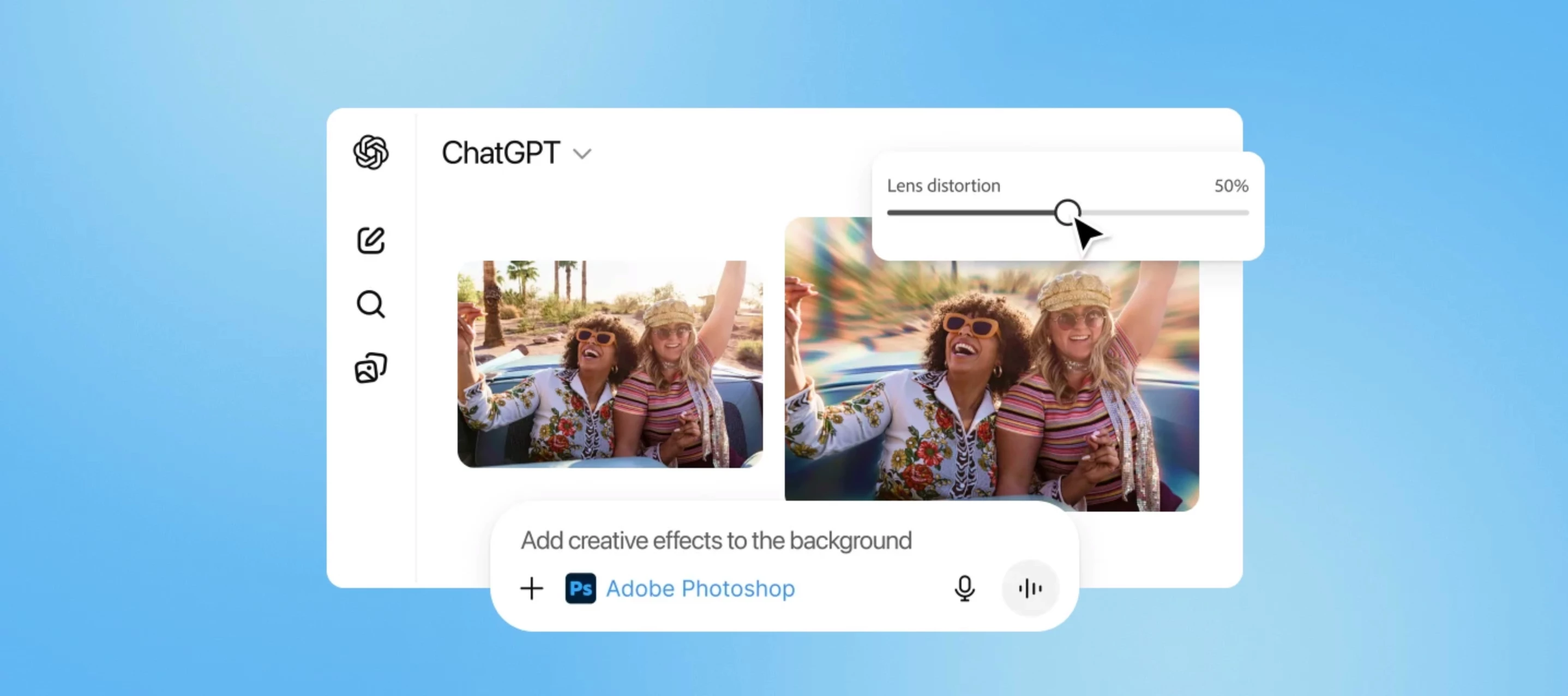
What if I tell you that two of your favorite apps are joining forces to make image editing effortless? Yes, you heard it right, with the new Adobe Photoshop for ChatGPT, you can enhance, adjust, and stylize images without any complicated setup. Simply describe what you want and use Photoshop's adjustments and effects in ChatGPT to bring your ideas to life. Then refine your images with intuitive sliders without leaving the conversation. Need more precision? Switch to full screen view anytime for detailed edits. ps_appicon_noshadow_256.png Try Adobe Photoshop on Web Edit, retouch, and transform photos with the industry-leading creative tools you know and love. Open Photoshop on web Feature Highlights: Basic Image Adjustments Make core image adjustments such as removing or blurring the background, lighting and color refinement, and precise control of vibrance, saturation, exposure, and contrast. Creative Effects Apply creative effects like vintage and cinematic effects
I have a bunch of intersecting paths that are forming random triangles. Ctrl+click to select. I want to fill the triangles one by one, changing colors in between. That used to be easy in CC! Leave "contiguous" off, and it would just fill in the single area you filled with your bucket. Can I not do this in 27.2.0 (Win 11)?
Hi, I have the latest version of Adobe Photoshop 2026, the Swedish version. When I pick the option to adjust exposure, starting with gamma correction and then going for exposure, the gamma correction automatically jumps down to 0,1, turning the image all black. I've attached a video to showcase this bug. I've never had this issue ever before with any version of Photoshop, and it makes working with photos very, very frustrating right now. I hope there's a solution for this. Thanks in advance! Best regards,Fredrik
I have been using Generative Fill without problems for a couple of months, but now when I try to use it the 'generate' box is greyed out and requires a prompt to be added (which has not previously been the case). If I add a text prompt I am then able to click on 'generate' but I get a box which shows that it is using Gemini 3 / Nano Banana and after about 50% completion the operation stops and I get another box indicating that I have used all my credits and if I want to continue I need to upgrade my plan. I don't wish to use Gemini 3......how do I revert to using the basic Generative Fill. [moved by moderator from the Firefly forum]
Thank you to all who took part in our previous Christmas challenge.We have now entered a new year and, thanks to an idea by jane-e, I thought we should create something that represents good luck for 2026. With that in mind, we start with this 'lucky' horse-shoe. what can you make with it? The “rules”: Use the starter image as at least part of your own image entry. Anything goes, as long as it meets the forum rules on decency, copyright, etc. Anyone, and everyone, is welcome to have a go, whether you are a complete beginner or a Photoshop expert. This is not just for our forum “regulars”. The challenge is not limited to Photoshop. Any Adobe software can be used. There are no prizes apart from the chance to practice, show off your skills, or bring a bit of humor and fun. Don't be shy, join in and have a go! The starter image is made available for you to use in this forum challenge only. To download the starter image, hover over the image and click on the circle with the arrows at th
Hello,The steps to convert EPS to BMP files using Photoshop are shown as below. Some text is becoming thinner; is there a problem with one of the steps? thanks
Got this project im working on where there is pixel are involved. Got some really low res pictures that I need to scale up to fit the resolution of my project but whenever I do the pixels get blurred making it look really bad. tried the "nearest neighbor" thing and it did absolutely nothing. any other ways to upscale a low res image and have it be pixelated instead of blurry?
It was an interesting little toy when it came out, but now that you charge for it (with credits) it needs to be, y'know, good! The only practical use I have for it is removing objects and sometimes generative expand, but the latter often completely fails - mismatched colours creating very clear borderlines and the kind of typical jank that was common in AI years ago. It's not getting any better, and if you really want to push AI as the new frontier for Adobe then you just cannot be lagging this far behind every competitor and most free tools out there. Get it together.
I have 4 layers selected, zoomed out to 91.61%.When I was clicking the direction keys left and right, to do fine tune adjustments, I noticed the layers did not move uniformly but kind of staggered, so then I started testing it and If you move the selected layers back and forth a few times it will wander to the left after a while. They do not return to the same location.I'm working on a large project and just wanted to see the pixel differents when zoomed out to 91.61% and this is only when the odd bug occurs. Zoom to 100% or closers and there is no issues.Latest certified version installed as of 01/23/2026. 27.0.0
I have been using pPS elemnts for 25 years. I use the shape tool a lot. Now with new PS cc, it no longer functions as it should. I do not make banners and boxes, I do real work and this shape tool is worthless to me. I have been fighing it for months. I finaly had enough and downloaed my elements 9. Well it caused my pc to crash and I lost every thing, had to use recovery. I lost months of work and luckily I am surving the added stress. The shape tool is now worthless to me. Moving things around for no reason causes great stress. Warn people that all your old software will not work with w11., try it and you'll be sorry.
Is there a reason that select subject no longer works, or is it a bug? Or was it changed and has some really dumb extra step that I'm supposed to do in order to get it to work? I tried changing it to device instead of cloud and the button appears like I can click it, and then says I can't do it because it is not available anymore. How do I fix this so that I don't have to keep going back to the previous version, just to select subject and then back to the new one? Or just use the old version until fixed? Which is what I had to do for something else similar to this. Had to use the previous one for almost a year before something was fixed and able to use the new version. Edit: So I noticed that if I manually click on a layer further down, it allows me to use it........so this definitely is a bug or a bad change that for some reason was intentional. Before I could do it above my frequency separation group and above my dodge an
Remix with Firefly Community Gallery
Thousands of free creations to fall in love with and remix in Firefly.
¿Ya tiene cuenta? Iniciar sesión
¿Aún no tienes una cuenta? Crea una cuenta
Enter your E-mail address. We'll send you an e-mail with instructions to reset your password.