Get help and share feedback in our global community.
Actividad reciente
Is there a way to drag photoshop files into after effects using a dual monitor setup? Or for that matter can i drag and drop any layer or file from one adobe app to another using the dual monitor setup? When i try, for example a PNG in photoshop will make it on over to AE on my main monitor and it pops up an icon that suggests it is ready to paste/place the image into the application but it doesn't seem to want to stick.
I made an animation for a client and they wanted it to be a lottie json to implement into their app. I had some problems with the lottie exports but was able to fix all of them except for the number counter.I tried the counter expression with a slider and as pure javascript but got the same result with both ways. Does someone know how to fix this lottie export issue?The file as a video and a screencapture of the lottie are in the attachment. Thanks in advance,Josh
Hi, I can't make the spot light to work, it just turns my text to black.. I can't see the 3D widget to make distance adjustments, falloff is set to none. Any suggestions? Thank you.
I would like to add a small frame box inside this video (bottom left) with andother video with subtitles in signs for not earing people.The issue is the video with signs is 16:9 format, but I would like to crop it 1:1 adding just a squadred box in my composition. I don't know hot to do it, since if I modify dimension of the signs clip, it modifies the proportions as well instead of cropping it.I attach a screenshot from a frame of my composition. The white box with the man in suit is the one I would like to crop to 1:1 without altering proportions.I'm not a native english speaker, so I hope my question is clear.
Hi, I would like to change a comp frame rate (FPS) with an expression. The Frame rate will be from imported data so I just want to be able to set the comps FPS to either 23.975, 24 or 25fps. I would like all layers to be affected no just individual properties on layers. Just as if I had changes the FPS in the comp properties menu. I see options to use the posterize time effect but I don't understand how to implement it for everything in a comp as required above? Thanks for any help. Nick
Codec settings I need is GOP: M=3, N=12.Where can I check that I have it correct or make it so?I am a beginner and would really appreciate any help.
Hello Team, I have seen several posts about how rotobrush 3 is currently in beta and its available to us and people have been using it. Unfortunatley when I try and drop down my brush version from 2 I see no brush 3 option. I have ensured after effects is fully up to date. Please help. Thanks so much!
So I have problem with my transition opacity i have 2 compositions and an ink transition above the second composition on the comp above i wanted it to show as a transition in the middle of the composition below so i added it and something is wrong the transition shows as if its faded like as if the opacity is missed up but i didnt miss with it i do have key frames applied to the composition but they come at the end of the comp and the percentage doesnt affect whats behind it and i tried turning off the keyframes but still the same problem , what makes it interesting is that at first it was fine like the first time i applied it and when i finished all composition went back to see if there are any errors and only in transitions that are applied as ink there is a problem and another thing to mention i do have 3d applied as a wiggle to the images which are 2d animatedso as you can see in the image the opacity of the second composition when its ab
What is the reason why the colors look paler in After effects? How to fix?After Effects 23,6Photoshop 24,7
as far as i could tell this is not a new problem, but none of the solutions i found work for me. I have a group of shapes with a mask that I pre-comp (2218px x 1920px). I grab that group and place them in a new comp, the group of shapes that are in the corners I cut with a mask to create an infinite pattern. but when I activate the collapse transformations and apply the effects, that gap is created between the images, and I tried to change the size of the comp, mask, shapes and more but nothing works, it is a problem that only appears when I activate the collapse transformations. thanks for any suggestion.
Can't track any layers in the composition, even pre-composed ones, because the menu is simply grayed out. Anyone know how to fix this? I desperately need to finish a project.
I've created simple (one-word 4 letters :)) animation and Bodymovin reports me "Composition should not include any Texts"May it be it so sophisticated?And why it works with square-shape and and NOT with any Star Shapes?? But why? )
I've been using AE CC18 without any issues on my MacBook Pro. I recently switched to a PC, and currently using Windows 10. When I try to import any PNG files, the option is not listed by default. I change the file type to "All File Types" and I get the error "After Effects error: Failed to connect to Adobe Dynamic Link project. (86::1)". Is this a known issue with Windows machines and AE CC18?
My system.CPU : AMD 5800XGPU : Gigabyte RTX 3080 Gaming OCRAM : 64GB with xmpOS : Windows 11 (build 22621.2134) After effects crashes when open preferences. I don't know why it crashes, but i saw a post on redditAdobe after effects crashes when opening preferences... : AfterEffects (reddit.com) On comment, he said graphics drivers downgrade at 517.48, it works for me. why graphics drivers occured crashing preferences?and how can i solve this with latest drivers?
I'm changing a layer to a 3D layer here, but it is giving me an icon I haven't seen before, with 3 arrows instead of the usual one with a little cube. Please how can I make it change to the usual cube?
ich habe versehendlich Cinemad 4d deinstalliert und jetzt kann ich nicht mehr mit After Effects arbeiten, da dann direkt die Meldung kommt, dass Cinema 4d fehlt und After Effects ohne nicht arbeiten kann. Google sagt, ich soll über Creative Cloud es als Add on einfach neu installieren, jedoch wird mir nur angezeigt, dass es bereits hinzugefügt wurde und dass ich es nicht neu installieren kann. Kann mir jemand helfen?
Bonjour, lorsque j'essaie de lancer un rendu sur after effect, un message d'erreur apparait : " Juxtaposition directionnelle ne peut allouer de mémoire supérieure à 30000 pixels dans aucune des dimensions. (516) (25 [ 56) " J'ai localisé l'effet qui provoque ce message qui se trouve être l'effet flou composite qui est nécessaire à ma compo, cependant je ne comprends pas le rapport avec le message. Si vous avez la solution, vous me sauvez.Merci !
Is it possible to tell the speed value of this velocity on the Twixtor plugin in this video? I have a video imported from YouTube on my timeline
Well where do I start I have a plugin called Twixtor and am trying to make a smooth slow-mo but for some reason, it is showing ghosting when it goes in slow-mo.Oh yeah and After Effect is taking 10GB of my RAM just from that plugin :DD
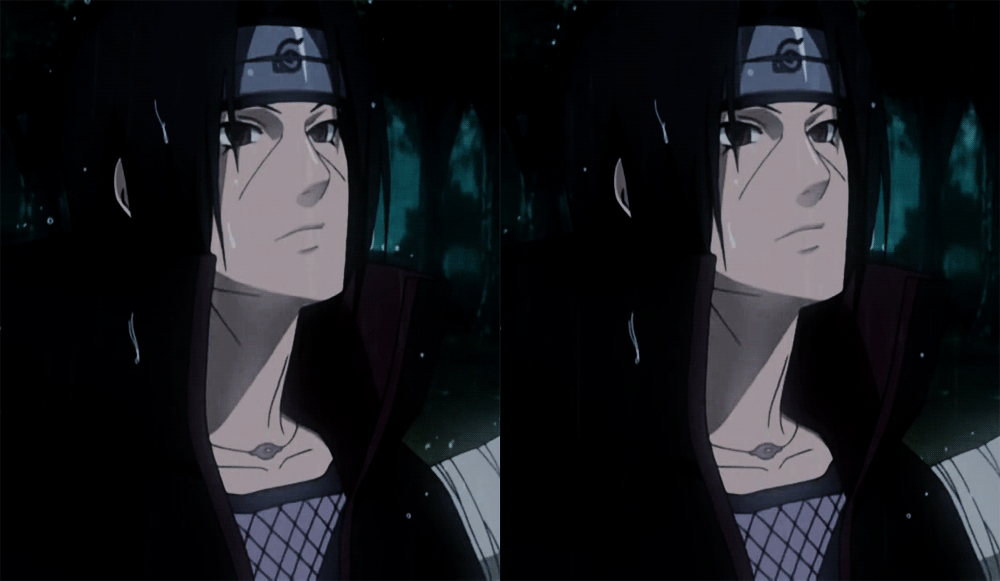
Does anyone know the name of that text fill?
Hi everyone! I have a quick question about changing the look of an extrusion on a 3D shape layer. I have a 3D extruded circle and want to change the sides of it so they are not filled in only one color. I now have a 3D extruded circle with sides filled in black. I would like the sides having some lines but I don't know how to add them. Here are some pictures to better understand my simple but unsolved problem: Thanks for your help!
After Effects 2021 and 2022 NOT Responding. The program does not run at all. It used to work perfectly up until 2 weeks ago, but it has stopped working all of the sudden. I have uninstalled, and reinstalled different versions of 2021 and 2022, but still useless. I restarted several times after uninstalling different versions before reinstalling them. It just does not work at all. The first interface wouldn't get loaded.I desperately need to finish my projects. I need your immediate assistance. Config: Ram 32GB, GPU RTX 2060 8GB, System Windows 10, SSD 512 GB
How do I make the fill like that in the video on text I have imported a video from YouTube on my timeline Title edited by Mod.
Sometimes when I go to import a video into After Effects and go to preview it, the colors somehow come out as if saturation is turned on 1 million and its very bright, white, and yellow looking. I don't know how to explain it so I'll just show it.
I have searched the forums for a good stop motion workflow, but still have some questions hoping to get some help. I've shot a stop motion project on a 5DMKII, all images are raw .cr2 files. I want to be able to bring in sequences and edit in Premiere Pro, once I have picture lock I want to send a high quality file to my colorist so that he can achieve the final look using resolve.I shot raw because I want to maintain flexibility while editing and doing color, but I do not want to do any initial color correction while importing the files. So far this is the workflow I have: 1- Import the raw files to AE to create sequences 2- Export sequences from AE to .mov files to start editing in Premiere - QUESTIONS: -What codec should I use for this export to maintain the flexibility of the raw images? - Aside from the codec, are there any specific settings I should use to export the sequence to have a high bit rate file. 3- Export the picture lock to a ProRes 444 for color correct
Remix with Firefly Community Gallery
Thousands of free creations to fall in love with and remix in Firefly.
¿Ya tiene cuenta? Iniciar sesión
¿Aún no tienes una cuenta? Crea una cuenta
Enter your E-mail address. We'll send you an e-mail with instructions to reset your password.










 AdChoices