















『アドビコミュニティフォーラム』に質問/トピックを投稿する方法
Master Photoshop with the help of our global community.
新着順
The June 2026 Photoshop update is here, bringing more creative choices and meaningful workflow fixes. What’s newThis release expands creative choice in Generate Image with access to custom‑trained AI models, similar to what you’ve seen with Generative Fill. You can now choose from Adobe and partner models, including Firefly Image 5, Flux.2 Pro, and Gemini, making it easier to explore different visual styles, achieve stronger photorealism, and get results that stick closer to your prompts. Whether you’re experimenting with concepts or polishing production‑ready visuals, having multiple models at hand gives you more control over how your ideas come to life. Bug fixes — thanks to you!Your feedback continues to shape these updates. In this release, we’ve addressed several customer‑reported issues to make everyday workflows more reliable:Canvas size relative mode fields display incorrect default values, reject zero and negative values, and use incorrect increment steps. Add support to renam
We've split the Photoshop community into two dedicated spaces so you can find the conversations, tips, and apps that fit how you actually work:🖥️ Photoshop (Desktop & Web)📱 Photoshop Mobile Two focused communities mean more relevant content, better discussions, and an easier way to connect with creators and experts who work the way you do. Were you part of the Photoshop Ecosystem community? That space has been renamed Photoshop and is now home to all Desktop and Web conversations. To jump in, head to the App Communities page and select Photoshop. You'll find desktop-first editing techniques, inspiration, and a place to share your creations. On mobile? Drop into the new Photoshop Mobile community to explore the space and connect with fellow mobile creators. We'd love to hear from you. Does separating Desktop & Web from Mobile make it easier to find what you need? Explore the new spaces and let us know how they're working for you in the comments.
Thanks to everyone who took part in our previous SFTW259 ‘lock gate’ challenge.This week I heard Bob Marley’s ‘Stir it up’ and, once that ear-worm had taken hold, I had to base our starter image on something connected. I found this whisk as a 3D model, in Adobe 3D assets, and I textured it using Adobe Substance Painter.The challenge is, what can you make with the whisk?The “rules”:Use the starter image as at least part of your own image entry. Anything goes, as long as it meets the forum rules on decency, copyright, etc. Anyone, and everyone, is welcome to have a go, whether you are a complete beginner or a Photoshop expert. This is not just for our forum “regulars”. The challenge is not limited to Photoshop. Any Adobe software can be used. There are no prizes apart from the chance to practice, show off your skills, or bring a bit of humor and fun. Don't be shy, join in and have a go! The starter image is made available for you to use in this forum challenge only. To download the star
Keeping your Layers panel organized just got a whole lot easier. Layer Cleanup in Photoshop 27.6 and above automatically deletes empty layers and renames layers based on their content, so you can focus on creating, not housekeeping. With a single action from the Layers panel, Photoshop scans your document and removes blank pixel or text layers that tend to pile up during exploration. At the same time, it can intelligently rename layers, giving them clear, descriptive names that reflect what’s inside, so you no longer have to guess what “Layer 37 copy 2” contains. You’re in control of how much cleanup happens. Run it across the entire document for a full reset, or apply it only to selected layers when you want to tidy up as you go. Here is a quick tutorial demonstrating this feature. Why this mattersFaster navigation in complex files Cleaner handoffs when sharing PSDs with teammates Less friction when revisiting older projects Better layer discipline without manual effortWhether you’r
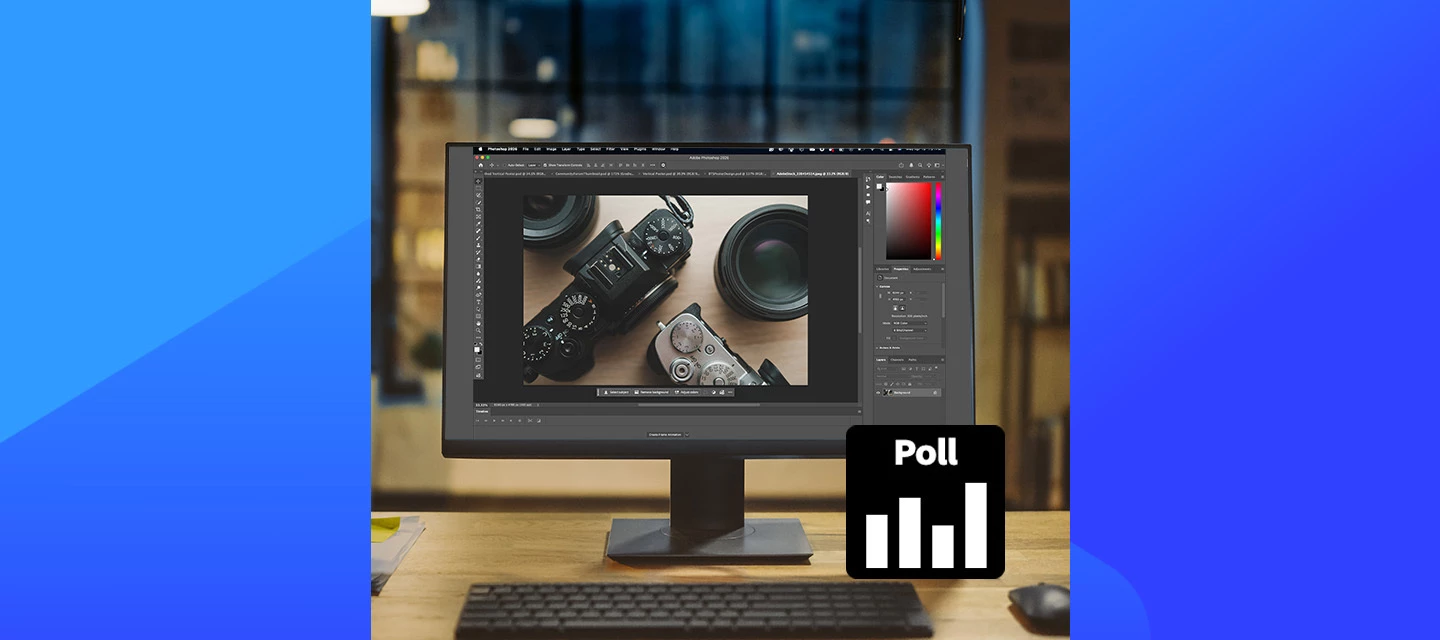
Help us shape this community: What content do you want to see? Whether you're a longtime community member or just found this space, your input will directly shape what we publish here. We want this to be a place you return to, not just when something breaks, but when you want to learn, get inspired, or connect with other creatives. What we’re considering:🚀 Feature Highlights: What’s new in Photoshop, explained with real workflows.📖 How-to Guides: Step-by-step tutorials for common tasks, errors, and workflows.💬 Community Discussions: Polls, questions, and conversations about how you work.🌟 Community Highlights: Spotlighting community members, standout work, and creative journeys. We’d love to hear your thoughts:What type of content do you find most useful when you visit this forum? Is there a Photoshop topic you keep looking up but never find a great answer for here? Would you want to share your own creative workflow or be featured in a community highlight? What kind of projects wou
How to Report a Bug in the Adobe App Community Run into something that’s not working the way it should in Photoshop? Let’s tackle it together. When you share bugs in the Adobe Community, you’re helping product teams see what’s really happening, recreate the issue, and fix things faster. Think of this guide as your sidekick—it’ll walk you through creating a clear, helpful bug report, no technical expertise needed. Before you startBefore jumping in with a new bug report, take a quick look around the community to see if someone’s already spotted the same issue. If you find a matching post, add your vote and feel free to add your experience there instead of starting from scratch. It keeps everything in one place and helps the team connect the dots and solve things faster. Note: Any duplicate posts will be merged into a primary post that you can follow for updates on the issue. What makes a good bug report?A great bug report tells the full story it explains what happened, what you expected
On the Mac 27.6X, PS content aware keeps getting worse, and we (several of us work together) suspect that AI is ruining everything. Yesterday one of my editors stitched a scan together from about a dozen images and he had missed a small section. There wasn’t really much there in terms of detail, so he just selected it with the lasso tool and hit the delete key and selected “content aware fill”. If filled the hole with green. He then tried some different things, and each time it was progressively worse, at one point making a green square with a laptop in it. When we scan or photograph paintings, some paper paintings we hold up with magnets. He had not yet cloned out the magnets on the edges, and PS filled the green square in the middle of the image with a large magnet from the edge of the painting. No proximity at all to the area being filled. And while I know this is an anecdotal example, I was having a conversation with someone about PS the other day at the gym, and this person says
I updated to PS v27.8 and it will not open, no matter how I try. I've restarted my desktop, tried opening directly, tried opening a file, tried opening through Creative Cloud, and I only get a Crash report to fill out. I did the upgrade a couple days ago (Sunday 6/21/2026), and haven’t been able to open Photoshop since. I REALLY need to be able to use it ASAP.
I see today that the Creative Cloud Desktop app has changed. I use (or I used to use) this app to keep track of the different versions of Ps, Br, ACR installed. I could uninstall a version or reinstall an older version. I could also see whether there were any pending updates for any or all of the different version that I have installed. I currently have three version of Ps and three versions of Br installed. But with the newest version of CC Desktop I cannot see any Br or ACR app, and I only see the latest version of Ps. It did briefly flash that a new version of Ps was available, but then it also said there was a new version of CC Desktop. Now I can’t find the update for Ps.Very, very confusing.Any insight, observations, or suggestions would be appreciated.Peter
no
When using “Save For Web”, the output file size is not updating when actively changing values like “lossy” or “dither”. The user must exit out of the value box in order for the file output size to update. This “bug” occurred after a recent update to the Photoshop app (27.7.0 Release) and is an undesired experience causing workflow issues. Please look into this. Thanks.
Adobe Photoshop Version: 27.4.0 2Operating System: Windows 10 64-bit When I go to Image → Canvas Size, the default is always pixels. I want it to be inches. Note: I have checked in preferences, units and measures, and the default is inches. Also when I go to image → Image size, the default is in fact inches, which is what I expect. Is the default unit for image → canvas size now different? Is there a different place to set it? thanks
Right after the june 18 2026 Photoshop update , the colours of every .PSD that I open are WASHED OUT!!! If, in Photoshop-preferences I disengage the “Use Graphics Processor” colours look allright again….. My set up is an iMac Pro ( 2017 ), connected to an Eizo-monitor.
Lasso tool is completly broken.It starts to activate only after I move cursor few pixels which makes it not precise.also when you try to move selected pixels just a little it jumps back to original positionCan you please fix that adobe? I would like to have my basic tool working to do my job.
Version 27.7.0 / WIndowsI oftentimes add many guides (by exact percentage) to my documents.So I use the New guide pop-up.It was always a quick and streamlined process as the number field was preselected, I just had to write in it and hit Enter. Now I have to manually click in (or Tab into) the number field to be able to write my numbers.This is clearly a regression because of the new pop-up. So I consider it a bug.I think the Canvas Size dialog box already had the same problem, so you could consider it a feature request there and in every other pop-up too: Always the first input field should be the active one, not the OK button which makes not much sense.That could be pushed by hitting Enter no matter what part of the pop-up is active.Thanks for looking into it!
Bonjour,Quand j'utilise l'Outil Correcteur Localisé en cliquant avec ma souris sur une zone de la photo à l’écran, une multitude de lignes partent dans tous les sens. Donc cet outil ne fonctionne plus depuis plusieurs jours. Est-ce un bug ?
The AI repair brush is not working in version 27.4. An error message appears when I set it to AI ON. When AI is set to AI AUTO, a pattern appears where the brush is supposed to repair.Please fix this bug.
Do you have a dream? I know i do. To one day own a functional adobe product that doesn’t consistently crash. To never again have to experience a crash DURING a save which not only corrupts the working file but wipes the autorecover folder because Photoshop thought the save went well, losing two days of work that now has to be immediately all redone. It’s ok Adobe, I didn’t have any plans for the next 16 hours anyway. I’ve been hurt by you before, it was my fault to trust you not to completely make a mess of the bed.Oh, and the hue/saturation properties bug prevalent in PS 2025 STILL isn’t fixed for 2026.
With the rectangle tool I created a rectangle. After like 15 minutes of not working in Photoshop and not changing anything at all the “Live Shape Control”, which shows you handles to stretch the rectangle or round the corners, was not appearing anymore.When looking into the properties I also don’t find any settings that I can change (I attached screenshots of a “working” rectangle and the “corrupted” rectangle).How can I repair the corrupted rectangle and make the “Live Shape Control” and the property settings available again? (I’m not talking about a workaround - I’m looking for a fix of this issue)Kind regardsNico [Moved to Photoshop by a moderator]
I want to create Action to access Shadow/Highlight in Photoshop 2026 on my new Mac. I had it on my old Mac, so I know it was possible. When I try to record, it says there are no actions listed. Can someone please explain how to do this?
Estou com um bug no Photoshop relacionado às pranchetas. Ao criar, duplicar ou editar pranchetas, passam a aparecer áreas brancas/transparente fora delas, como se o canvas estivesse sendo exibido/renderizado de forma incorreta. Antes isso não acontecia no mesmo arquivo e fluxo de trabalho. Já testei reinstalação, reset de preferências, atualização do Photoshop e do macOS, e o problema continua, sem mensagem de erro.
The function perfectly identifies distractions but, in the elimination phase using the cloud, 9 times out of 10 it reports that the Internet connection is missing, when in fact it is perfectly active.
Hi,after the latest update of the CS suite programs like Photoshop (windows) I am not able to record the executing/opening of a JSX script anymore. I have done this many times before: executing a JSX within an action; as described e.g. in this very old posting: Screenshots of these steps: It should look like this: Bug? Feature? Any idea/suggestion? Thanks!mycc
Hello,A few years back, a topic was made regarding an issue I have also been experiencing for quite some time:I would have commented on the original topic, however it was closed and engineering was allegedly looking into the problem. But as of today, the issues described still persist in Photoshop 2026 (Windows 11). As the original poster mentioned, when you place text and the line is blank, you cannot freely move it around as you would if existing text was there. Also as the poster described, there is an invisible “bounding box” where I see the cursor change to the Move Tool cursor when I’m within close proximity of the text, but moving too far out changes it to the default OS cursor (at which clicking anywhere commits the text). I can also confirm that holding down the Alt key does alleviate the text movement issue altogether, but I am unsure if this is intended behavior or a programming oversight/bug. The “ReduceUXFriction 0” does not exist anymore on the page that was linked in t
i know that there is some problem with reflection removal section, but in camera raw, it is not working also, it cant remove anything, do you know guys how to solve this problem, or its a worldwide problem?
Remix with Firefly Community Gallery
Thousands of free creations to fall in love with and remix in Firefly.
すでにアカウントをお持ちですか?ログイン
Enter your E-mail address. We'll send you an e-mail with instructions to reset your password.
申し訳ございません。このファイルは、ダウンロードしても安全かどうか、内容を確認中です。数分後にもう一度お試しください。
申し訳ございませんが、当社のウイルススキャナは、このファイルをダウンロードすることは安全ではないと検出しました。