









Design the future of fashion, win Firefly Pro 👗✨
Connect with our global Photoshop Elements Community.
Recently active
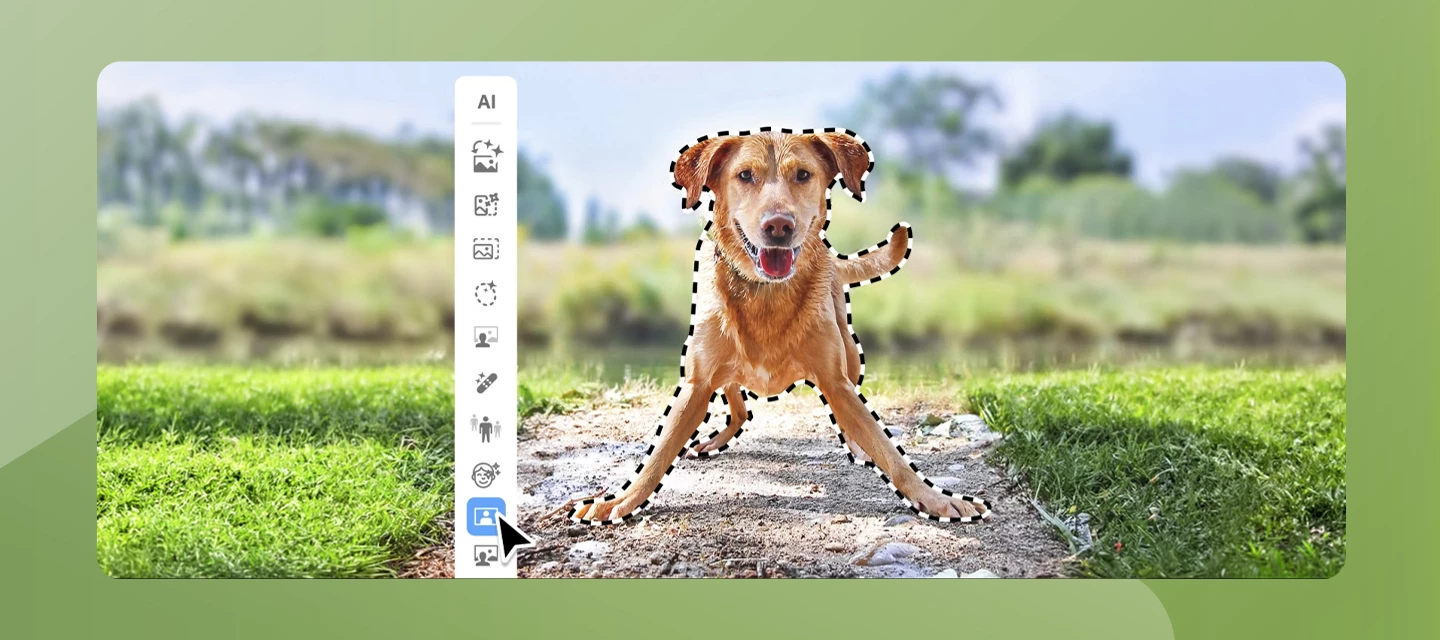
Adobe Photoshop Elements 2027 introduces a collection of AI-powered tools designed to make photo editing more intuitive, creative, and accessible for everyone. Whether you're enhancing old photos, expanding a cropped image, or experimenting with artistic effects, the latest release helps you achieve impressive results with fewer steps.A new AI Mode brings together popular AI-powered features into a single workspace, making it easier to discover and use intelligent editing tools. With Generative Expand, you can seamlessly extend the boundaries of an image to create a wider composition. Generative Upscale improves the clarity and detail of low-resolution photos, helping breathe new life into older images. New Creative Filters provide fresh artistic effects to transform your photos with just a few clicks. Photoshop Elements 2027 also introduces the AI Assistant (Beta), offering contextual guidance while you edit. The assistant helps you discover relevant features, learn workflows, and na
I want to speak with a live Photoshop support agentI need the phone number to do this
I own Premier Elements and Photoshop Elements 15 but it was erased when my Windows OS failed. I need to reinstall it. I have the product codes.Thank you,Jeff Russell
I own a legitimate retail boxed copy of Adobe Photoshop Elements 15, purchased approximately ten years ago. I still have the original packaging, Windows and Mac installation discs, documentation, and serial-number label.Installation history: I originally installed and activated Photoshop Elements 15 on my older Windows 10 computer. I later installed and activated the software on a second computer that my wife was using. When that second computer became my primary computer, I performed a factory reset, installed Windows 11, and reinstalled Photoshop Elements 15. Unfortunately, I did not deactivate the previous installation before resetting Windows. The problem:Photoshop Elements now reports that my serial number is already in use by the maximum number of allowed computers.I attempted to open Photoshop Elements on my original Windows 10 computer to deactivate that installation, but it displays the same activation error and will not allow me to access the Help menu.I also tried openin
I have an one time paid version of Adobe Photoshop element, i want to activate it on my new laptop, however, i reached the limit of used laptops. But now i cant access the old laptops to deactivate. Can someone help me with this??
Already using Photoshop Elements 2026 for macOS (on my MacBook Pro 16” Max 36GB, with the latest version of macOS), Photoshop Elements would simply freeze for 5-20 seconds every time I would resize or rotate a layer. So I upgraded to PE 2027 and macOS 27.2, hoping this would fix the problem, but it still occurs every single time I resize or rotate a layer, making PE totally unusable. I have attempted all the recommended troubleshooting fixes I found via AI google, such as checking (or unchecking) every Settings>Performance> Use Graphics Processor (including under Advanced Settings) or Multithread Compositing option and combination, deleting PE’s preferences, etc.. However all without success. I am now officially at a loss and would appreciate any help before I am forced to delete PE forever and switch to the less capable but at least functioning Pixelmator Pro. Many thanks.David
Elements 2018, open a file; make a few edits (color, contrast, file save as) click to print, and Elements Crashes! I’ve rebooted, tried when Elements was the only program open. Is there a way to run in Compatibility Mode ?
I have a 2022 version that came with my PC. Is an upgrade adivsable or is it too buggy to attempt and obtaining a license of the standalone 2027 elements the wisest decision ?
Ho acquistato e installato photoshop elements 2026 dal sito , il programma si installa poi quando clicco sull’icona non si avvia , ho disinstallato e reinstallato , o corretto visual c++ ho avviato come amministratore ho disabilitato il firewall ho aggiornato il driver della scheda video ho riformattato e aggiornato windows 11 pro ….. niente nonavvia
Where did the triangle to zero out the X & Y coordinates with transforming? I used to use it all the time when repeating objects for making patterns. I would select my object and be able to move it the exact amount of inches I needed and I always clicked the triangle so it would 0 out instead of starting where the object is on the canvas. This is what it looked like, attached.
I started the day addressing a black-and-white PS file that needed some changes. As soon as I opened it, the screen was invaded by a reverse-version of a different B&W file, as an overlay on the file I was trying to work on. It doesn’t constiture a layer, apparently, but The only way I could get rid of it was to switch to “Magic eraser”, as opposed to “brush” or “Size”. If I dial down Brush, Size, and Opacity, it seems to go away, but why is this happening in the first place?
Mes raccourcis windows, ouvrir avec ne fonctionnaient plus avec PSE 2026, ni acrobat reader , ni d’autres applis. Ces éditeurs n’y sont pour rien. Ccleanerpro avaient crées lors de leur mise en veille des redirections qui n’aboutissaient pas. Application à désinstaller au plus vite après avoir supprimer toutes les mises en veille sauf si vous avez l’IA Claude qui a trouvé cette cause et l’a résolu en virant les clés de redirection une par une de regedit. En espérant que cela puisse aider quelqu’un.
in photoshop 21 kan in ARW bestanden niet toevoegen. de laatste RAW upload heb ik gedaan
Hi everyone,I create a lot of social media graphics in Photoshop Elements and often need to add symbols, arrows, checkmarks, stars, and emojis to my text overlays.The built-in symbol picker in Windows is clunky and the emoji panel doesn't always paste cleanly into PSE text boxes. Plus I need specific Unicode symbols (math symbols, currency, decorative arrows) that aren't in the standard emoji set.Is there a reliable website where I can browse a large collection of symbols, copy them, and paste directly into Photoshop Elements text layers? I'd prefer something browser-based without installing extra fonts or plugins.Also, if the same site has formatting tools (bold, italic, cursive text), that would be a bonus since I use those too.Thanks for any recommendations!
Depuis la dernière mise à jour de Photoshop elements 2026 , il y a 2 ou 3 jours, PSE ne démarre plus que ce soit par raccourci ou en cliquant directement sur l’éxécutable. Cela marche avec un raccourci forçant le mode administrateur. mais forcer l’éxécutable en administrateur ne fonctionne pas non plus (dans compatibilité). J’ai désinstallé et réinstaller pas d’amélioration. Et je tiens à pouvoir utiliser Ouvrir avec dans l’explorateur.
I had PSE21 and suddenly started having issues printing so upgraded to PSE 26 and it was fine for about a week then started doing exactly the same thing. It says “because the default printer cannot be opened” and this. I have been on remote access with Adobe but they can’t fix it and now don’t seem at all interested and keep closing my help tickets down! I have tried every fix going that I can find on the web and it is driving me crazy. It just won’t print at all. I managed to get one print out of it by holding down the space bar before clicking print but it won’t even do that now!
I’m using PSE 2027 on a windows 11 Pro PC. Recently when I tried to use File/Reconnect All Missing Files it fails.I see:Dialog box shown while searching for ??? If I Click on BROWSE, I see:Naturally, I can’t do anything and I have no idea how many files PSE thinks are missing.This has worked normally in the past.I’ve tried this several times and I’ve let it continue to look for the missing files on it’s own but there is no change in behavior.If I select Find/All Missing Files - it does not report any missing files were found.I don’t know how to resolve this.
I'm unable to activate Photoshop Elements 2023 because my device activation limit has already been reached.Could you please to deactivate the previously activated device or reset my activation limit so I can activate the software on my current device?Thank you for your assistance.
I tried to install a download of Photoshop Elements 10 on my Windows 11 system. I "think" everything went fine. I was prompted to restart my system to complete instalation. Now my system won't reboot. It's stuck on the HP screen, computer manufacturer. I can't get my computer to load. What do I do? Any help, suggestions would be greatly appreciated. I hate to think that installing this software killed my system. Please help!
My brush tool is not working. When I mask a layer and want to reveal using white or conceal using black it does a combination of both. When making my brush black it doesn't conceal or work at all. When making my brush white to reveal (after clicking control i) it will alternate between reveal one second then conceals the next second. Please help. Thanks!
I recently upgraded my Mac. I have Rosetta installed for my Office programs. I tried to edit a photo in Elements 2025 and got the message that it wouldn’t edit because of Rosetta. I can’t delete Rosetta and can’t find a way to turn it off to use Elements. Help, please!!
Adobe Photoshop Elements 2026. I have cropped an image successfully to 10cm x 10cm and 300dpi. When I change the size to 12cm x 10 cm the input box still shows 300dpi. After cropping the next picture (or the same picture) with this setting it does not have 300dpi like intended. Instead there is a random result like 178 dpi in the example. This bug is present for other sizes. As soon as you change one of the dimensions, the DPI setting wont be applied correctly. [Moved from Adobe Collaboration Experiences to Photoshop Elements by a moderator]
When using the ‘Save As’ option to save an image as a PNG, the save operation appears to successfully complete without any errors. However, no PNG file is saved to the specified folder on disk. The only other meaningful observation is that we don’t see an interim save PNG dialog after pressing the ‘Save’ button as we might with a JPEG file. Saving as a JPEG file works fine, but there is also an interim dialog asking for preferences regarding quality and so forth.We need to save images as PNG files to save the transparent backgrounds. Any suggestions as to why we cannot save the images in PNG file format?
trying to down ioad copy of elements 2020 on new laptop same as disc over wifi from my accountdisc version paid for
Subject: Unable to Activate Photoshop Elements 13 Due to Serial Number Activation LimitDear Adobe Support Team,I am experiencing an issue activating my copy of Photoshop Elements 13.Recently, I purchased a new PC and needed to reinstall Photoshop Elements 13. However, when I enter my serial number, I receive a message indicating that the serial number has been used too many times and can no longer be activated.This is a legitimate license that I have owned and used for many years. The software was previously installed on my old computer, which I no longer use. I would therefore appreciate your assistance in resetting the activation count or otherwise enabling me to activate the software on my new PC.Please let me know if you require any additional information, such as my serial number, Adobe ID, proof of purchase, or other details.Thank you for your assistance. I look forward to your response.Kind regards, martijns86315203
Remix with Firefly Community Gallery
Thousands of free creations to fall in love with and remix in Firefly.
Already have an account? Login
Enter your E-mail address. We'll send you an e-mail with instructions to reset your password.