




















Design the future of fashion, win Firefly Pro 👗✨
Premiere (Beta)
Recently active
When using AI Enhance audio on dialogue the audio sounds great within premiere pro, but viewing the export afterwards there is random bits of audio that is showing up in quiet moments. Please see this video here at 10:04 Should be completely quiet and some audio from another part of my timeline is showing up here and repeating. Inside of Premiere Pro this glitch isn't present https://youtu.be/iw5eLAt7yzw?si=tSkpGfU4pjepDFRV&t=603
WS does not work properly on a clip which has a mask applied.Render bar stays red: hence bad playback. W11Pro26.3.0.26 Nesting is not always a solution
Delete from disk (ctrl+delete) does not delete the original file. I still need to navigate to the folder in the file explorer to delete it manualy.
We’ve taken a fresh look at the application, panel, and context menus across Premiere Pro and developed a new organizational system to bring editors all the same functionality in a more concise and discoverable way. Even on a 13-inch laptop, you’ll never have to scroll a menu to get your work done. Our approach to organizing the menus: Aggressively organize into submenus. Commands stay in the same menu as before, but the submenus mean the menu stays short and readable. Give useful names to the new submenus. Editors new to Premiere Pro can more quickly learn what the menu items do. Be consistent when similar items appear in different menus. Whether in the Project or Timeline panel, common items like “Label” or “Media File Properties” appear in the same parts of menus. Across the application, menus that were updated average a 40% reduction in height, with some menus shrinking by half. This is a big change to the feel of using Premiere Pro, and while we took time an
I launch Premiere 2026, I give the project a name then go to my external hard drive to give the project a location…. when I click the create button, Premiere freezes
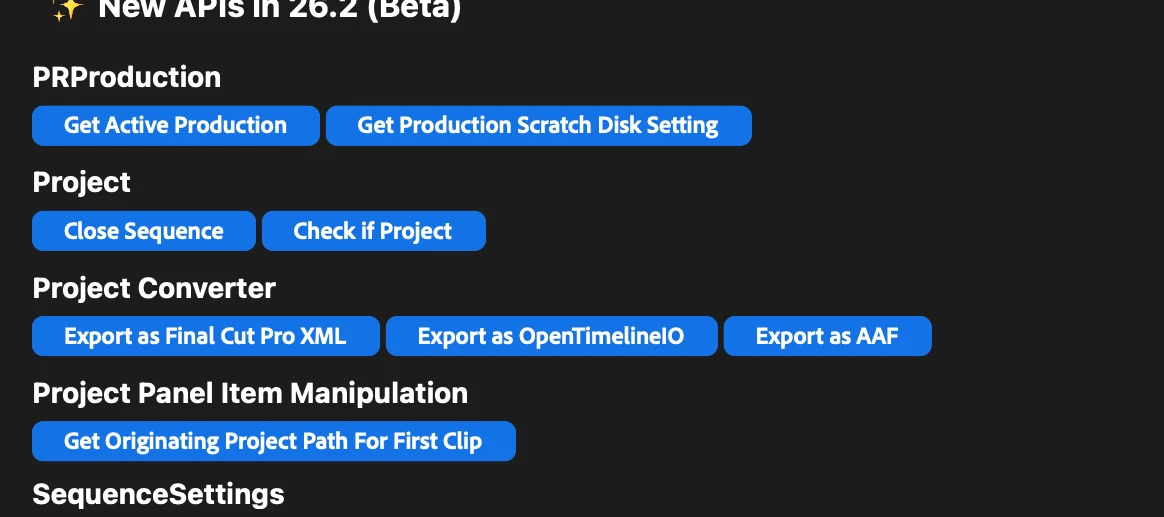
Hello, Premiere integration partners! We’ve added lots of new APIs to the premiere-api sample plugin; updated documentation to follow. These APIs are available in current beta builds, and in our next official release. Please direct any technical questions to the Premiere UXP Developer Forum. We hope you find them useful; more API expansion, coming soon! Thanks for developing your integrations, with Adobe products. -bbb Bruce BullisSenior Engineering ManagerPremiere Pro Integrationbbb@adobe.com
System info Application: Premiere Pro (Beta) v26.3.0.25 OS: macOS v26.3.1, RAM: 32,00 GB GB, CPUs (logical): 10
Analyze is turned off, but its Premiere is still making prin files. I don't want them. They are making a mess of the Project folder. Or please put them in their own folder.
I have done the recent updates, I tried restarting the software and the PC but it doesn't solve the problem. It will probably be fixed with the next update ?
the automatic transcription fails to properly transcribe the dialogues and this issue leads to wrong close captions
The pen and shape tools are only creating shapes in new layers and not creating masks for effects.
when trying to choose the browse option under LUTS premiere crashes every time. goes unresponsive. im extremely close to switching editing programs after 15 years of adobe
Edit: these effects are now available in Premiere v26.2. If you have question or comments, please post them in the Premiere forum: https://community.adobe.com/p/premiere We are adding some exiting new effects and transitions to Premiere, and they are ready to test out in beta right now. Effects (Gradient, Channel blur, Noise); Transitions (3D spinback, Push). Keep reading for descriptions of each. Gradient effectFind it in: Effects panel > Video effects > GenerateGradient is a new generator effect designed as a modern replacement for Ramp. It’s a great tool for creating background textures with support for a wide range of visual styles. It supports both linear and radial gradients and adds expanded color and texture controls for more creative flexibility. Gradient gives you precise control over position, scale, orientation, repetition, mirroring, interpolation, feathering, and grain, with master opacity and alpha preservation for predictable compositing. Color controls let you
Dear Adobe Community and Product Team,My name is Volodymyr Kuropiatnyk, and I am a Director and Editor at TVP3 Szczecin, a major Polish television station. With over 10 years of professional experience in post-production and video editing—starting from my student years—I have built my entire career on Adobe products. Throughout this decade, Adobe Creative Cloud has been my exclusive toolset for professional broadcast production.I am writing to respectfully request the addition of Ukrainian and Polish language support for the transcription feature in the upcoming Premiere Pro update.Professional Context:Ukrainian and Polish television broadcasters, including public stations like TVP3 where I work, actively depend on Adobe's professional tools for daily production workflows. As someone who has invested a decade in mastering Adobe's ecosystem, I can speak to the critical importance of having comprehensive language support for all key features.Why This Re
We’re excited to announce a major update to our Content Credentials workflow in Premiere on desktop and Media Encoder. You can now use Content Credentials to add your identity to your work, helping you safeguard your creativity and build trust with your audience. What’s New? Sign your work with your verified name: Attach your real identity to your content, so viewers know it’s authentically yours. (requires a verified LinkedIn profile) Connect your social accounts: Link your social media profiles to your output, making it easier for your audience to find and follow you and your work. Ask generative AI models not to use your content: After adding your name or social accounts, you can request that generative AI models not use your content for training, helping to prevent creative theft. Participating models respect the “Do Not Train AI” request, but not all AI systems may comply. Premiere and Media Encoder can use your preferences from the Adobe Content Aut
Transcripts use precise timing of words, and you can see the sub-frame timing in display of the Playhead in the timeline. Zoom in to the frame level and use Left/Right in the Transcript tab. Most operations work as if the playhead is on a frame, for example, Ctl+K cuts at the end of that current frame. However, if “automatically set in/out points” is OFF in the Transcript tab (so you can manually set in/out), you can see in the timeline that the in/out points are actually set between frames. And Extract leaves a one-frame video gap, and less than one frame audio gap. (See screenshot.) A black frame is observed on playback and in export. I used Extract, but Lift shows the same results when using Ripple Delete or Close Gap. Regular Text-based editing with “automatically set in/out points” ON, sets in/out only on frames. If you use regular Text-based editing with the timeline displaying Audio Time Units, it will leave the gaps. Workarounds: do not use Text-based edit
when I use slog3 luts highlight very over expose please fix the issue in new updates
When I make an object mask with sharp the outline appears.When I make an object mask with smooth the outline will not appear. W11pro26.3.0.11
I’m having a hard time getting my N-RAW footage to look right. I’m attaching a few pictures to hopefully explain. They show my project setting, sequence settings and clip settings. There is one photo with no changes done and one photo of Overide color space to Nikon NLog. The NLog looks completly oversatuated. I’d like to use ACEScct for more dynaic range but my highlights stipp look blowout even at sub 90ire. Any suggestion? Workflow help? Please and thank you.
Hey community! I’m working on a massive documentary project and my Media Cache is filling up faster than usual.Do you guys prefer to "Clean" the cache manually within Premiere, or do you use a third-party app to clear out the database? Also, how often do you reset your preferences for better stability during big edits?
Stroke effect > pre scaling does not work as expected.W11 pro 26.2.0.41No issue in public 26.0 version
Here are a few bugs for Beta version as well as universal bugs for all versions.Beta version bugs:The Object Mask Tool is great. But the removal of free shape draw mask tool is a mistake. That’s why I still have to use non beta version sometimes. If I want to draw a specific shape and use if further as a mask. On Beta - that is impossible. What? The Object Mask Tool highlights a suggested shape. That is a significant downgrade if I want a strict shape easily. Stability issues. Once in a while I encounter a situation where clicking on something closes down the app. I have RTX 4090 24GB, 64GB RAM, i9 3.2GHz, 12TB, win11. Is my device too old… already?Bugs that no one cares about in ALL versions:This is surprising. I just am unable to believe that this is never noticed. It has been a bug a year ago. It is a bug now. and probably will remain a bug in the future. It’s for those who enjoy punishing themselves: Text - Captions. There is a problem when editing captions. As you know, Enter but
I installed the Premiere Pro Beta yesterday. I'm on the 7 day free trial. When using the hand tool in the program window, with the window zoomed in, scroll bars don't appear and the hand tool does not move the contents of the window around when clicking, holding and moving the cursor. The icon does change to a fist when clicked and held. The hand tool does work in the Source window. Macbook Air M1 2020 running Ventura 13.3.1 (a)Adobe Premiere Pro (Beta) 24.1.0 (Build 25)
I have created an object mask that tracks in a short sequence. A Gaussian blur is applied to the masked area. The mask was created by drawing around the item on the first frame of the sequence, and then using imbetweening across the rest of the sequence frames. This works perfectly - the tracking is awesome. There are 2 issues:Within Premiere, playback is corrupted (lots of flashing colours across the full canvas). When you pause playback, this settles and shows everything correctly (including the mask and blur).When exporting the sequence to a video, the object mask and blur are ignored (entirely absent). Exporting individual frames (as BMPs) works correctly. System spec:Arm processor: Snapdragon(R) X Elite - X1E80100 - Qualcomm(R) Oryon(TM) CPU (3.42 GHz)64GB RAMWindows 11 25H2Version 25.6.0 BETA (Build 102)
After masking and tracking an object with the latest tool in the object (which works suprisingly good and smooth), I can not change the opacity of the mask unde this tool. The opacity slider moves but does not do anything. Help pls :')
Remix with Firefly Community Gallery
Thousands of free creations to fall in love with and remix in Firefly.
Already have an account? Login
Enter your E-mail address. We'll send you an e-mail with instructions to reset your password.