Join a global community of InDesign users.
Actividad reciente
(InDesign 21.5.1, Windows 11 Pro)There have been (are) several problems with InDesign’s Undo feature, to which a new one (as far as I know) can be added: when you Save As a document, the undo stack is no longer removed. This is a problem because over time, a document’s size can increase enormously. Reported here:https://indesign.uservoice.com/forums/601180-adobe-indesign-bugs/suggestions/51605780--save-as-doesn-t-clear-the-undo-stack
I just closed my mac without turning it off, and when i opened it the next day, i could not do anything on my document. I can open new documents, but all menus are gray, like there is an opened window that does not exist. Also, i cannot quit indeisng, nor click on "about indesign".... I triesd to delete preferences, caches, et reinstall it, nothing has worked...
I have used the tabs panel on indesign to set regular sized tabs to create a middle aligned table. However, no matter what I do the first column is always aligned to the left even when the text box is set to be middle aligned. As soon as I press tab the first column always wants to be next to the text box. Does anyone know how to make the first column middle aligned?
Admittedly, it has been some time since I have used data merge, many years ago for a particuarl client, lately not so much. To get up to speed again, searched online for a few answers... most notably answers coming from people struggling to get it to work properly. And finding answers on non-Adobe pages with tips on how things break and what to do. Frustrating. I have a book prohect that has lists at the back of items that are formatted in a table format with about a dozen cells. The cells are not just columns, that would have been easy, can't do it that way. I have two wider cells that are split horizontally to place content - see attached. I got the data merge set up to work - placing the tags from the .csv headers is the easy part. Where things exploded is when I actually merge the document. If I have one table set up and merge the .csv file, even with "multiple records per page" selected as the option to import, I get 495 pages with just one table per page. 
Hi all,Apologies if this already exists on the forum somewhere, if it does I have been unable to find anything that helps. I'll list all the facts that I have below. Hoping that someone out there knows something!My Indesign is displaying colours as faded/washed out. This is happening with whatever documents I work on. I have checked and double checked that the documents have the correct colour break-downs - when I export to PDFs (or JPG or whatever else) the colours show correctly, so I know that the problem is not with my Mac screen. Document colours also display correctly when my colleague opens and works on them on his Mac, so I deduce that it the problem lies with my Indesign.My indesign is fully up to date and the problem persists no matter what display performance I chose. Indesign is displaying faded on everything both created in indesign and assets imported in from illustrator however imported JPGs seems to be okay. So maybe the problem is with how swatches are displayed? (agai
We use data merge frequently, using the same Excel files and InDesign templates over and over. Over the past week or so, our merges have stopped working, and we get this attached error message. We have removed any placeholders in both InDesign and Excel that are not being used. We have tried creating various .csv files from Excel. What could we be doing wrong, our workflow has not changed. Thank you!
We generate in-store A3 landscape signs automatically from our ERP: a JSON job feeds an ExtendScript that drives InDesign 2026 and exports the PDF, with no manual step. Each sign holds 2 or 3 uppercase lines (the product name) whose length varies a lot from product to product. Design goal: the largest possible cap height (these are read from the street), the text block filling the sheet, and no distorted type. What the script does today: it sets the point size from the height each line gets, then raises horizontalScale until the line reaches the frame width. That lands at 115-130%, which is visibly distorted, so this is clearly the wrong tool. Questions: 1. Is there a scripting equivalent of Illustrator's Type > Fit Headline in InDesign, or is adjusting tracking the accepted way to make a short line fill the measure? 2. For a line that is too long, is switching to the condensed cut of the same family the recommended automated fallback, rather than reducing the point size? 3. Is Line
For more than a week, InDesign has been stuck on startup, either on “Calling Late Initializers” or, at other times, “Starting Panels.” I have to force quit every time. I'm on the latest version, 20.4.1, running on a MacBook M3 Pro with macOS Sequoia 15.5.I’ve tried everything I could find online:Resetting preferences at startupResetting all fonts, removing fonts, removing any Adobe fontClean installs, older installs, reinstalling Creative Cloud, even using Adobe Cleaner to remove everythingStarting up in root user, starting up in another Mac user account, startup in safe modeEmptying every cache I could think ofRunning First Aid via Disk UtilityTried talking to adobe support 'We look forward to helping you during our open hours.'How is it possible that software essential to so many graphic designers simply stops working?I run a graphic design business, this has a huge impact on client work. I have print and magazine files that I can’t even open, let alone edit or render out. At the ver
Hello allI have an image in PS; 72ppi. See screen grab.When I insert it into Indesign, the actual PPI is 72 as I would expect, but the effective PPI is 144.The scale is 50%. Why has it been scaled to 50% and not as 100% as I would expect?I can easily rescale in Indesign to 100% but wondered why was it inserted at 50%?Just seems odd to me??Thanks all
I have developed an InDesign plugin using SDK and C++. The built plugin needs to be placed in Plug-Ins folder. We generally use pkgbuild and productsign on MacOS terminal to prepare the package / pkg. However, I am unable to upload this package in Adobe Exchange approval for distribution. How do I create installable plugin to be uploaded for Adobe Exchange distribution?Also, need to understand whether I need to have any security to be implemented for subscription of this plugin or Adobe will handle its expiry?Please advise.
(05/08/2026, version 21.5, updated yesterday) Glad for the option to delete all AI generated alt-text... if only it would work properly. The remove all button doesn’t recognize the generated alt-text and pretends there is nothing to delete. This document has 208 pages and there is several pictures on each of them. Having AI generated descriptions on our images erodes the trust our clients have in our products, and I had to find roundabout techniques to delete them directly in the exported PDF because as a professional, I can not afford the time to delete them all by hand, one by one in InDesign. Thus, neither me or my colleagues have touched the descriptions : they are as they were generated (without our consent) when this feature was pushed without notice. So the feature should recognize them as AI generated text to be deleted, and just does not. I keep being dissatisfied with how this whole situation have been handled since it’s been reported month ago. Dialog box says “No AI-genera
I am working with an InDesign file that includes a separate, linked InDesign file. Both files have correct tags and reading order in the structure and when I export them separately to PDFs.But if I export the main file including the linked file, only the main file’s tags and reading order are in the structure and exported. The linked file is treated as one frame/object only. None of the individual objects from the linked file appear in the structure or the exported PDF.Is there a way to include a full-featured linked document inside an InDesign document that preserves all the original objects, tags, and reading order?
For quite some time now my InDesign has been taking a long time to open. I think it started doing this a couple updates ago. I have been dealing with it, but now it has become annoying.When I open InDesign, it takes over 30 seconds to open.In the past it opened in less than 10 seconds.What has changed is causing this issue.I am running Windows 11 Pro.I have an I9 processor with 24 cores.With 64 GB of memory.The hard drive is 2 TB and I am using about ¼ of that, so there is plenty of space.What can I do to get this to open quickly, like it used to? Rick
I have the latest Indesign version. However I don't have the option Open PDF to convert PDFs into Indd files... How is it possible?
Hi everyone,I am developing an InDesign C++ SDK plugin that features a custom UI panel containing an EVEColorListDropDownWidget. My goal is to keep this color dropdown widget automatically synchronized whenever changes occur to the document's swatches—including adding new swatches, deleting existing ones, or modifying swatch properties (such as color values or swatch names).I am implementing a custom CObserver class attached to the active document (kDocBoss) via ISubject. However, I am unsure about the exact PMIID protocols required to reliably catch all relevant swatch events.Specifically, I would like to ask: Which PMIID(s) should I listen to? Should I attach my observer using IID_ISWATCHLIST, or a combination of them? Where should I attach the Observer? Is attaching to the document's ISubject (kDocBoss) sufficient, or do I need to attach directly to ISwatchList / kSwatchListBoss? Command Filtering: In the Update() method, which ClassIDs (theChange parameter) should I handle to
Hello,I am a professional graphic designer and I use Adobe InDesign all day, every day, for client work.Immediately after installing the macOS 27 Golden Gate Public Beta, InDesign became almost unusable.The problem is intermittent. InDesign can work normally for a while, then suddenly freeze. It seems to happen most often when I am editing text or changing fonts, although I cannot reproduce it consistently.When this happens:Save becomes disabled (greyed out). Save As becomes disabled. Close becomes disabled. I cannot save my work. I cannot close the document. The only solution is to Force Quit InDesign, which causes me to lose hours of work.This happens with multiple InDesign documents, not just one file.I have already:Updated InDesign to the latest version. Tested a previous version of InDesign. Restarted my Mac many times.The issue started immediately after installing the macOS 27 Golden Gate Public Beta.Has anyone else experienced this issue?Can Adobe confirm whether this is a known
I understand what they're there for, but Its really distracting when Im trying to layout a page. I know I can hide them when I hide my guides - but I need my guides to work with. Thank you.
Wide monitors (as docking stations) is the new thing now.As I don’t think this is possible as of today in InDesign, is it possible to increase number of spreads sideways on a monitor?For a standard magazine, pages on a spread shows like this: | 12 | 34 | 5etc.So I am wondering if it’s possible to go to: | 1 2 | 34 | 5 6 | 7etc.Or is this a feature you don’t recommend?
I have a project in InDesign (PC, Win11Enterprise, i7 12th gen, 32Gb Ram, Nvidia RTX4000 12Gb graphics card).When I open it, it says there is a font missing - Avenir Oblique (I use Avenir Regular in the document).I open [Replace fonts]When I click [Find First], nothing happens.When I click [More info], it shows:Restrictions: Unknown (font is missing)Path: Unknown (font is missing)Character Count: 0Style count: 0Pages: none.So it implies that the font is not used … so how comes it’s “missing”? I can’t, visually, find where it is so I’m stumped and I want to get rid of this annoying pop-up … but it might mean something.Any ideas?Thank you,Johnny
Escribo este mensaje para manifestar mi más profundo descontento e indignación con la gestión de rendimiento en la última actualización de InDesign 2026.Es completamente inadmisible que un software profesional limite mi flujo de trabajo basándose exclusivamente en la resolución de mi monitor. Cuento con una estación de trabajo excelente, equipada con un procesador Intel Core i5 de 11.ª generación, 32 GB de memoria RAM y una tarjeta gráfica dedicada NVIDIA GeForce RTX 3060. Hardware más que de sobra para mover cualquier proyecto editorial con total fluidez.Sin embargo, debido a una decisión de desarrollo absurda, InDesign 2026 bloquea por completo la aceleración por hardware (Rendimiento de GPU) mostrando el mensaje: "No se ha detectado un monitor y GPU compatibles". Mis periféricos y la resolución en la que decido trabajar son decisiones mías que a Adobe no deberían importarle ni condicionarle. Es insólito que para que el software funcione de manera decente, pretendan obligar al usuari
Hi, I’ve updated my InDesign to version 21.5.1 yesterday and noticed, that in Data Merge, it stopped supporting danish letters in the .csv’s column names. It changes the letters to a random character, so the data merge function doesn’t work anymore because it can’t figure out the link between the .csv and the placeholders.My job relies heavily on data merge so I rolled the update back to 21.4.1 and it works perfectly. I hope the bug will soon be resolved.
I am finding that my computer is heating up to an unusual level and the fans are activating when I use InDesign, even though the tasks I’m performing are very basic and not at all demanding of the processor.My computer is a MacBook Pro with the M5 Pro chip, purchased in April this year, so it should easily be capable of performing these tasks without needing to activate the fans to cool itself down.My version of InDesign is definitely up to date and I have tried uninstalling InDesign and reinstalling.Is anyone else finding that Indesign is putting unreasonable demands on their processor?
I’ve been using a competing vector program for creating braille signage and wondered if there was any plans on having this be something Illustrator or Indesign could incorporate natively so that I can stop using the other program entirely? The workflow currently with adobe products is:go to some conversion web page like brailletranslator.org paste text in for the conversion, copy results go back into my Indesign doc using a braille font with a CA Standard paragraph style (that I’ve created)This works for making 1-10 signs, but I’d prefer to have this be something I was able to merge from a CSV file as we typically need to create 100 individual signs at a time--which the competing program will also not do. It does however have a TEXT TO BRAILLE and BRAILLE TO TEXT option from the TEXT menu and a panel that looks a little like this:
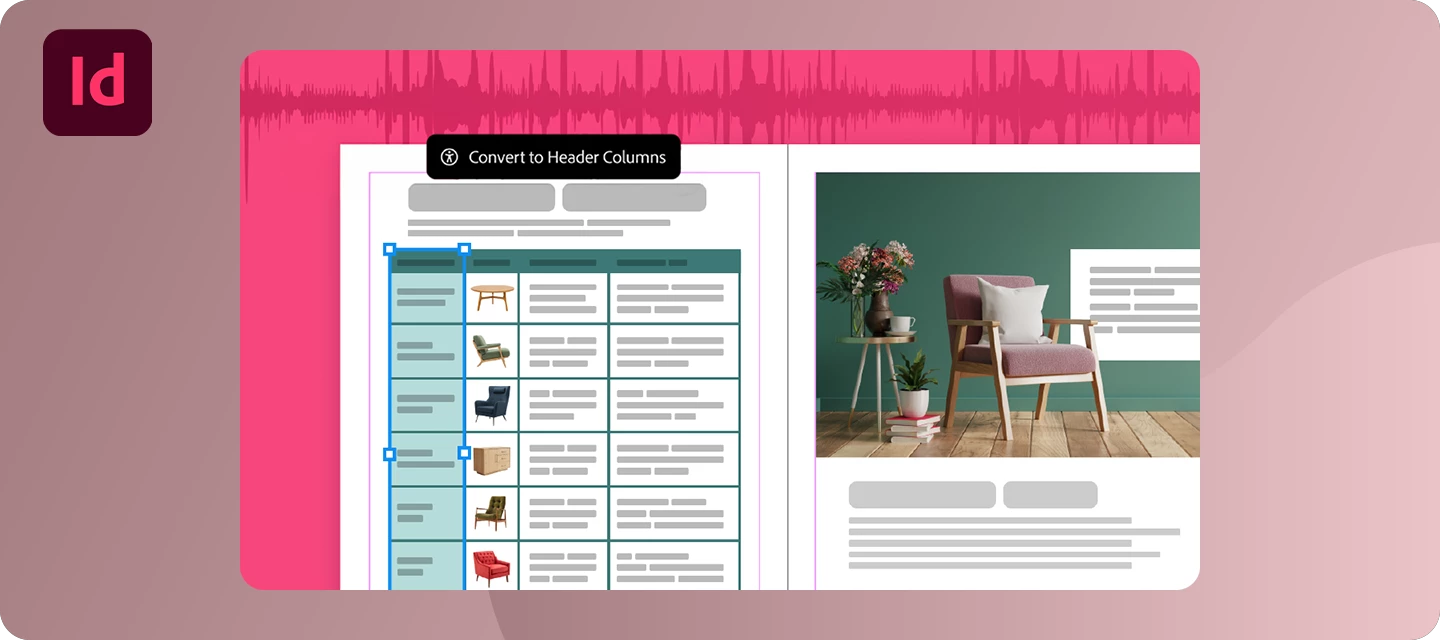
Hey everyone! 👋We’re excited to announce the InDesign 21.5.1 release! This latest InDesign update includes an important stability fix, along with all the new features and workflow improvements introduced in InDesign 21.5.We’ve also included several bug fixes based on your feedback. Thank you for helping us make InDesign even better.What's NewThis release is packed with new features and improvements inspired by your feedback. Here are some of the highlights:Enhance Table Accessibility in PDF and EPUB ExportsCreating accessible documents is now easier than ever. You can now include header rows, header columns, and table captions when exporting tables to PDF and EPUB, helping screen readers correctly interpret table structure and making your documents more accessible for everyone.Learn moreFind Keyboard Shortcuts FasterSpend less time searching and more time designing. The new Search option in the Keyboard Shortcuts dialog lets you quickly locate commands or their assigned shortcuts, mak
HelloFor some reason my page 1 in indesign file is not looking like the master page. I also could not use Remove Local Overrides as it is greyed out. Also applying master page to page 1 is not working.I face this problem frequently. Temporarily I create a new file and redo everything to clear out. But this is taking lot of time. How can I correct this in the current file. I have attached indd file.Thanks
Remix with Firefly Community Gallery
Thousands of free creations to fall in love with and remix in Firefly.
¿Ya tiene cuenta? Iniciar sesión
¿Aún no tienes una cuenta? Crea una cuenta
Enter your E-mail address. We'll send you an e-mail with instructions to reset your password.























 AdChoices