










Master Photoshop with the help of our global community.
Recently active
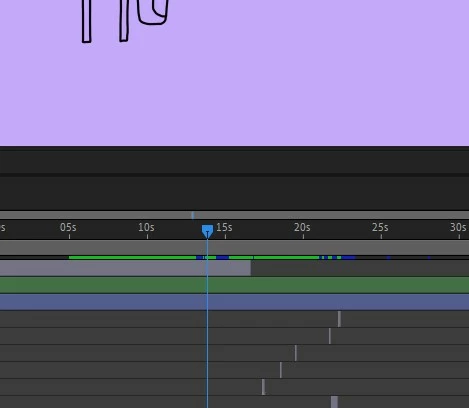
dear community!I’m on the lookout for a drawing tool for a live performance. I’d love to be able to draw a simple sketch with my graphics tablet, reacting to a live performance. But what I really want is for the drawn line to fade! I’d like to be able to regulate after which time my drawn line starts to disappear, already after 1 second or only after 10 minutes… 🙂 So I guess, what I am looking for is a kind of reverse function for the drawing process.Does anyone have any ideas?I’d be over the moon if you did!Cheers!
Estou com problema quand oabro qualquer aplicativo, com o codgo 12013, fala que tenho que arrumar as horas mas esta tudo certo
photoshop não reconhece pasta com arquivos ao realizar ação em lote no photoshop25
Alguien que me ayude respecto al filtro neural en la sección de retrato, ninguno de estos filtros me permite realizar alguna axión, por ejemplo tengo abierto el archivo de un retrato de una persona y quiero suavizar la piel, pero solo aparece un signo de admiración en el que dice que no se detectan rostros para esa imagen, y no entiendo.. si es prácticamente la foto de un rostro.. gracias por su ayuda
Hallo, ich muss das Bild "Casa Sissi_original" (ein Foto) in das Bild " Casa Sissi_final" (zwei Bilder in unterschiedlicher Perspektive) umwandeln. Ich habe es mit verschiedenen Techniken in Photoshop probiert, aber es wirkt immer zu künstlich...Hat vielleicht jemand eine Idee, wie ich zu diesem Ergebnis komme?DankeViele Grüße
I have a photography account with adobe and now my desktop version says that photoshop does not have a license and then closes the application, how can I solve this?
This happens a lot rarely does it work properly
Ich möchte nach einer Auswahl den Hintergrund weichzeichnen.Der Modus steht auf normal und die Ebene ist nicht gesperrt. Die Stärke habe bis zu 100% getestet.Es gibt keinen Weichzeichnungseffekt.In einem Youtube-Tutorial habe ich gesen, dass sich beim ersten Pinselstrich eine neue Ebene öffnet.Auch das ist nicht der Fall. Worin könnte mein Fehler liegen?
Hi there,I want to use the lock transparent pixels feature on an image that I have converted to a black drawing on a transparent background by 1. adjusting threshold, 2.adjusting blending option. When I use the lock transparent pixels feature, the marching ants show that it is applied to the whole rectangular perimeter of the image, rather than the actual lines of the drawing. How do I fix this?
°Hello to everyoneI need distort a image in this way:Imagine to shoot a sobject but to a different heght from the camera for example 2 m, upThe photo will be distort, my goal would be a image to same heght from the camera.During the shooting i can measure the angle of the camera for take the photo, after i'd like find on Photoshoot the tool for distort the image for example of 10°. Does anyone know how can i do it?I find a lof of tools but no one like this.
System: PS v24.0.0, Windows 10Issue: when accidentally opening the "Save for web" dialog on an image with huge dimensions, PS would automatically encode the preview into the last used format, let's say PNG. This can take a while, depending on the CPU power and dimensions. In this moment, you would want to be able to cancel the action, but the Cancel button is locked. Later, once the encoding is finished, the Cancel button becomes unlocked, but then it's useless. Why? If I wanted to save the PNG, I would click "Save". If I wouldn't want to save it, I would click "Done". So either the Done or the Cancel button is surplus here. Considering what the Cancel button could be used for, the Done button is more surplus.
Bonsoir,J'ai un arrière plan à changer sur des photos de mariage. J'ai essayé avec le copier-coller, le lasso, et l'IA génératif qui n' est pas trop mal . Mon soucis est que j'aimerais garder un arrière plan généré par cet IA qui me convient pour une photo, pour le répercuté sur toutes les autres photos (portrait, paysage). J'ai beau écrire le prompt avec les mêmes mots que pour l'ancienne photo, voir même écrire certains détails en supplément pour plus de précisions mais en vain, je n'arrive pas à retrouver catte fameuse photo même après plusieurs générations. J'aimerais savoir si c'est possible de garder un même plan généré par l'IA pour toutes mes photos qui ont besoin d'être retouchées et si oui, comment faire. Je suis dans une impasse totale depuis 1 bonne semaine.Merci pour l' aide que vous pourrez m'apporter. Cordialement,Agnès
Hey everyone,I am doing a digital painting of a city where each facade/face is painted flat, and then converted into a smart object and warped in my illustration.Each window/brick has its own separate layer.How can I convert this from a smart object BACK into a regular layer while preserving the layers & the transformation? This is so I can continue painting and adding details to the windows, bricks, etc in my document. At the moment I get this message when trying to convert to layers:After which it undoes my transformation. Thanks!
I just updated to Photoshop 2025 and the beta version on the Mac. Now whenever I use the brush, it shows cross hairs. This is for both the regular and the beta version. Caps lock is off. When I check preferences, it's set to brush, not cross hairs. Anyone else encountering this?
Hi everyone,Don't know if anyone else experienced the same issue, but from the last update my PS keeps crashing after trying to use 'Select&Mask' optionI have no clue why, any ideas how to fix it? Thanks in advence!
I've already tried everything it says on "how to fix" and nothing worked. Here's the log:Photoshop Error informationCode: -1Text: because of a program errorMessage: Could not open “arlo voss.psd” because of a program error.Stack:Adobe Photoshop 26.5.0 20250318.r.16 0a154be - x860 address: 00007FF6EAC30AC2 base: 00007FF6E3E40000 module name: 'Photoshop.exe' symbol info: 'dunamis_http_setSendRequestCallback:-1 in n.a.'1 address: 00007FF6EAC2A89D base: 00007FF6E3E40000 module name: 'Photoshop.exe' symbol info: 'dunamis_http_setSendRequestCallback:-1 in n.a.'2 address: 00007FF6E99EBCEC base: 00007FF6E3E40000 module name: 'Photoshop.exe' symbol info: '?SetSpacingToFit@OptycaImpl@@IEAAHXZ:-1 in n.a.'3 address: 00007FF6E99EA8EC base: 00007FF6E3E40000 module name: 'Photoshop.exe' symbol info: '?SetSpacingToFit@OptycaImpl@@IEAAHXZ:-1 in n.a.'4 address: 00007FF6E52D2C44 base: 00007FF6E3E40000 module name: 'Photoshop.exe' symbol info: '?SetCharCount@OptycaSegment@@UEAAXH@Z:-1 in n.a.'5 addre
Hola, estoy teniendo un problema al abrir un archivo en Photoshop, me aparece "No se ha podido cumplir porque ha habido un error de programa." pero todo lo demás lo puedo abrir con normalidad solo es un archivo en especifico y no quisiera perderlo, desinstale y volvi a instalar el programa pero continua todo igual
Made lots of mistakes on a picture of me...need to delete.
How do I deactivate this virtual number pad? I'm using Windows 11 and not even the chat GPT tips help.Thanks
O preechimento generativo sempre dá erro, acusando de ir contra as diretrizes da adobe, qualquer que seja a imagem, não gera sequer um fundo branco.
Hello.After the last update the trash bin vanished from the home page of Photoshop for iPad. I tried resetting the app's default setting, reinstalling the app and rebooting my iPad, but the trash still is not back...the app is up to date, so it's not that.Is it a bug or a new "feature"? Thank you in advance.
Some months ago I setup an auto renaming of files saved after editing. Due to a significant change in my filing I now need to revert back to the standard Photoshop system, but cannot remember or even find out how I did it.Can anyone help me?
I want to be able to go to New and just click create and have the default be 4500x4500, I can adjust later I just want click and done. It's always trying to default to the size of the clipboard which is all over the map, I just want it to always go to a default size. Possible?
Remix with Firefly Community Gallery
Thousands of free creations to fall in love with and remix in Firefly.
Already have an account? Login
No account yet? Create an account
Enter your E-mail address. We'll send you an e-mail with instructions to reset your password.