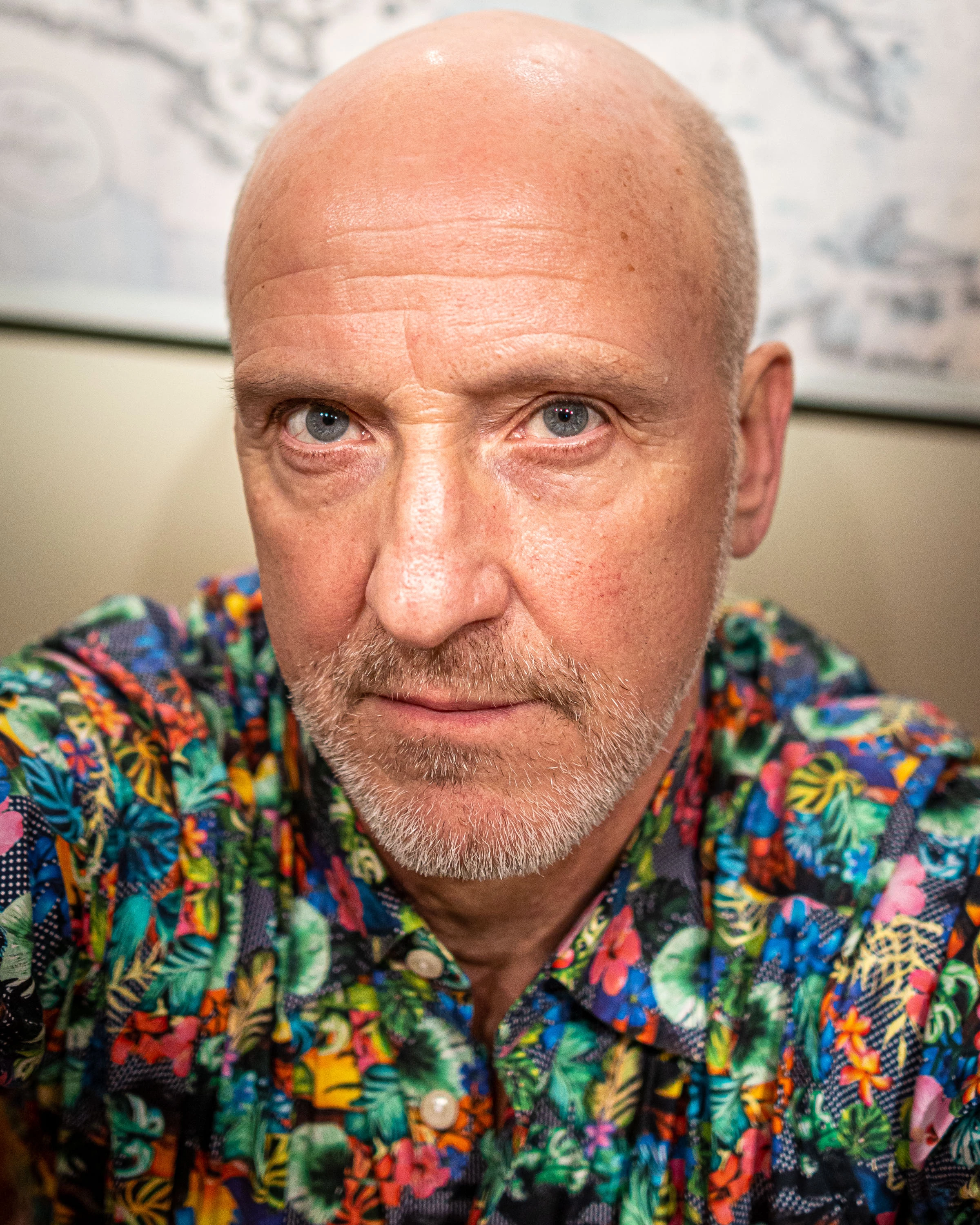
I find the Reference View very useful. But I’m missing the crop tool there.For example when I’m using a handheld camera to make portraits the camera angle differs somewhat from frame to frame.As I often put together several photos with different expressions on a book page. Then it’s important to be able to control the crop precisely. It would be very convenient to be able to use the crop tool in the reference view to make the crops fit together.
I believe this is a bug, but I’m not sure if it truly is. My Firefly interface is in French, probably just because I’m in France, even though my account's language setting is in English. I can't find my history is since the Google translation for the page doesn't even work. Please make sure the app's language matches the language setting of the Adobe Creative Cloud account.
Please add a native "Align to Key Object" feature to Photoshop's alignment toolset, identical to how it functions in Adobe Illustrator and InDesign. Currently, aligning multiple layers averages the distance between them or forces us to use a tedious Marquee tool selection workaround just to lock a single reference layer in place. Adding a "Key Object" option under the "Align To" menu would save massive amounts of time for layout, UI, and graphic design workflows.
I'd love to make LR more multi-computer friendly. I have no doubt that there's probably database architecture issues and a host of other barriers... But I have to believe that the need for either multi-user or at at lease multi-computer use is widely desired. And yes, I know you can do the catalog import export thing but I find this less than ideal.
Our design teams are currently using Adobe Firefly Boards as their main working environment to build and continuously update our seasonal and delivery overviews.As a Design Manager overseeing multiple teams, I would love to have the ability to create one central Master Board that gives me a live visual overview of the individual Boards my teams are working in.Ideally, I would be able to embed or reference an existing Firefly Board within another Board. The embedded Board should remain linked to the original, so whenever the design team makes changes, these are automatically reflected in the Master Board.For us, Firefly Boards have replaced the separate Illustrator overview files we previously worked with. The Boards themselves are now our main source of truth. Because of this, linked Illustrator documents or manually copying content into a separate Master Board wouldn't solve the problem, as this creates an additional workflow and risks the overview becoming outdated.A live Board-to-Board connection would be extremely valuable for design organisations working with multiple teams, labels or collections.Is this functionality already being considered for Firefly Boards? Or is there currently another way to achieve a similar live overview?Would love to hear if other teams are experiencing the same need.
Right now copying and pasting layers is dependant on selection order. So if I select my layers from bottom and up, then pasting them will result in them being pasted in reverse order. I would like an option in the preferences to say 'Always paste layers in layer order' or something, so that copying and pasting never happens based on selection order and layers are always pasted in the order they are already in my timeline. Hope it makes sense. Thanks.
şu ana kadar doğru düzgün hiç bir şey yaptıramadım ama sürekli kredim azalıyor
Rather than “maximum length in characters”, or even just as another option. It’s far more intuitive to think in words rather than characters. I can’t instantly think of what 42 characters means but I can think what 5 words means.
The Problem (Workflow Bottleneck):I operate a single-person creative studio with two local workstations. When Station A is locked down by a heavy background render or export (e.g., Premiere Pro encoding 4K video), my single-user license prevents me from maximizing my efficiency by editing photos on Station B.Why Current Solutions Fail Solo Creators:Creative Cloud for Teams: Forcing a 1-person business to purchase multiple seats at triple the cost simply to use two machines locally is economically unviable. Account Stacking (Separate IDs): Binds users to separate cloud storage systems, fractured asset ecosystems, and complex billing. The Strategic Business Risk for Adobe (Churn to Open-Source):Because individual plans enforce a hard digital block on concurrent use, solo creators are actively looking at free, open-source alternatives (like Darktable, Luminance HDR, or DaVinci Resolve) to fill the gap on their secondary rendering machines. Once these programs are introduced into a studio pipeline, the friction to completely churn off the Creative Cloud increases.Proposed Solution (The "Solo Studio" Add-on):Introduce a single-user "Dual-Workstation Add-on" tier (suggested pricing: $10–$15/mo extra) to the individual subscription. How it Works: This add-on would allow two devices to run Adobe apps simultaneously, provided both devices are connected to the exact same local network (IP address) at that moment. Preserving Mobility: When traveling with a single laptop, the software should function normally as it does today on any external network. The IP check should only trigger to validate and allow concurrent, simultaneous use when two machines are active at the exact same time. The Benefit: This grants solo creators the hardware flexibility they need while completely preventing the risk of account-sharing with external users in different locations. Monetizing this vast market segment of solo-operator businesses will generate net-new ARR (Annual Recurring Revenue) while building massive goodwill and user retention.
Das ist eine Beanstandung!! Ich habe 2x genaue Prompts beschrieben, nichts wurde realisiert/generiert, aber die Credits werden abgerechnet !!! Es sollte die Funktion “Reklamation” im Editfenster geben. Kann doch nicht sein, dass man für die Fehler der AI auch bezahlen muß!!!? Bestell Nr. AE06471204777CDE - die Videos und Prompts sind im Verlauf - ich erwarte die Credits zurück!Mit freundlichen GrüßenPeter Frank [Personal Info removed by moderator]
In the current version, the speakers can be separated during voice transcription, but the create captions is still combined together.And you can't select one of the speakers for create captions through the filter in the transcription window.Suggest to add the option to separate the speakers when create captions
Nearly all renderings that contain type/text has typos introduced even when reference imagery is supplied. AIs can read text without issue so there needs to be a separate step in the rendering process that checks references and generated text to not have typos.
I'd love to be able to see my favorited images in a full-screen pop-up similar to when you can view the different iterations of a rendered image and scroll through them.
It should be a good idea to add a cancel button (or clickable "close" icon) on the turntable generation popup window.If I select an element of a generated complex object, made of several shapes (with the direct selection tool instead of the selection arrow for example), instead of the whole object, I'd like to have the possibility to cancel the calculation. Or if the calculation time is too long.
The Request: Please expose the native 'Audio Gain' property (adjusted via the 'G' hotkey) in the UXP API for both AudioClipTrackItem and ClipProjectItem. The Problem:Currently, there is absolutely no way to read or write the native audio gain via scripting. It seems that the native gain sits internally on the clip object itself (as a linear amplitude multiplier) and is completely inaccessible, even via the QE DOM.See this post:The Use Case:For editors, the most intuitive and frequently used method to change a clip's basic volume is to adjust the audio gain via the 'G' hotkey. My plugin is specifically designed to support and enhance this workflow.To achieve this, the plugin must be able to read and modify the native audio gain. Using the standard "Volume" effect as a workaround is not sufficient, as users rarely use it for basic volume adjustments. Forcing them to use the 'Volume' effect instead of the ingrained 'G' hotkey would completely undermine the core use case and value of the plugin.Adding the simple methods .getAudioGain() and .createSetAudioGainAction() would solve a significant problem.Thanks in advance!
The new lens blur function generates a depth map from images without depth information. It would be nice to be able to use this depth map for mask creation. Right now only lumance and color range is support here, but depth range is disabled if the image doesn't contain a depth map. In this case an AI generated depth map could be used to enable depth range based masks even if no depth data is recorded in the image.
For Voice Enhance: Maybe this exists and I don't see it, but I think a simple feature that allows you to select output sample rate, file type, and stereo or mono would be very useful. Or at the very least export the enhanced file with the same settings as the original file. I always upload 44.1 KHz mono wav files and it always exports 48K stereo - which is totally bananas.
Votre page ne fonctionne pas ! On ne peut pas cliquer sur certains éléments et quand je lance un prompt il me dit un problème est survenu…prompt : Ultra-realistic luxury private dining experience inspired by the reference images, in an elegant residence overlooking Lake Geneva at night.Well-dressed guests naturally enjoy dinner around a candlelit table while a private chef discreetly serves a refined gastronomic plate.Warm candlelight, deep shadows, crystal glasses, elegant tableware, subtle flowers and Lake Geneva city lights in the background.Very slow cinematic push-in toward the table. Natural guest interactions, subtle smiles and gestures, realistic plate service, candle movement and glass reflections. Nobody looks at the camera.Premium documentary-style hospitality cinematography, natural skin texture, realistic hands, authentic food, subtle depth of field and film grain. Intimate, elegant and understated.Avoid AI appearance, distorted hands, morphing faces, duplicated objects, exaggerated expressions, unnatural movements and artificial lighting.No text or logos.AUDIO: elegant minimal cinematic instrumental music with subtle synchronized sound design: plate placement, crystal glasses, cutlery and soft dining ambience. No dialogue, voices, narration or singing.Vertical 9:16, 8 seconds, 24 fps.
Como sabrán hay imágenes generadas en firefly que no son compatibles con after effects nativamente y hay que reinterpretarlas para que puedan importarse. OBVIAMENTE esto es una partida de testículos bien fastidiosa y pierde tiempo y merece que se pongan las medias al revés por una semana. No se la solución pero debido a que es un programa de Adobe, merece que deba ser integral el flujo de contenido. Gracias.
[Update: See this reply for a list of third-party plugins providing automatic image tagging: https://feedback.photoshop.com/photoshop_family/topics/automatic-image-tagging-with-google-cloud-vis... -- John Ellis]Hi all,who of you likes organising and tagging pictures in your image catalogue? I don't. I'd love to keep my focus on taking photos. When I read about the Google Cloud Vision API, I thought this cloud be the solution for my problem that I don't like organising, but love having things organised. Cloud Vision is a service that takes an image and returns a set of keywords, places, brancs, etc. it detected. Why not let Google do the work? So I started learning Lua and Lightroom development to create such a Plugin by myself (hold on, it is nothing there yet).When I started thinking about the actual plug-in, the question came up what would other Lightroom users expect it to look like? And what other features do you expect? So I forwarding these questions to you. What do you think of it? Do you think this plug-in is helpful to you? What are your expectations?
I’ve been looking at Beta 27.0 and playing with the new Colour Management tools.Overall - looks to be good.Using V26.2.2 for main projects.One thing in parallel that is new for me having a new DJI Device with D-Log2 capability.At present this requires manual entry for the downloadable DJI D-Log 2 to Rec 709.If I’m using Panasonic VLog I normally have that covered by ‘Detect Log /Raw footage ‘ settingIt would be useful to have the new D-Log2 conversion done as part of Premiere to avoid mistakenly applying conversion twice.Can we put this on the list for DJI D-Log2 to Rec 709 detected by Premiere?.Thanks
Already have an account? Login
No account yet? Create an account
Enter your E-mail address. We'll send you an e-mail with instructions to reset your password.