screenshot 1 is initial, screenshot 2 shows that “26” value reset to 0 after changing the Scale value.
With “Show Guides” turned on in the Program Monitor, right-clicking a guide and choosing “Edit Guide...” opens the Edit Guide dialog. Modifying the Position value and clicking OK does not affect the guide. Likewise, changing the Units or Orientation
Premiere 26.5 launches with a focus on what matters most: getting powerful creative tools into your hands faster, making your workflows more reliable, and keeping you focused on storytelling instead of technical troubleshooting. Whether you're workin
Guys, the new Premiere 26.5 update isn’t showing up in my Creative Cloud. Could someone send me the direct download link?
Premiere pro shows log footage with a REC709 conversion, and clips I have already graded on DV appear darker than what they really are. This didn’t happen with previous versions of the program. How can I revert this? I have searched before for answer
The Fast Blur effect crops the image, and it sticks to the edge. The Scale mode behaves very strangely in this case; it moves the frame all over the place, left and right.
My software keeps crashing repeatedly, which is affecting my workflow and preventing me from working properly. I’m also facing issues while exporting the video, as the export is not completing successfully. I’m trying to resolve the technical issues,
I've had this bug come up throughout numerous versions over the years. There's often no levels on the mix channel in the audio track mixer channel. Obviously I need to see my levels before export.
IssueOn a MacBook Pro M5 running macOS 26.6.2, Premiere Pro 26.5 displays its Home screen after the splash screen, but all application interaction remains unavailable for approximately five seconds. Recent-project links, buttons and menus cannot be u
I would like to have the full editing functionality of the text window transcript tab be available for a clip in the timeline at any stage of the editing process.I would like to be able to update transcripts on clips that have already been edited int
Has anybody experienced this very bizarre problem with Premiere Pro CC 2015.0.2? (I'm using Mac OS X 10.10.5.)Several times per day while working with Premiere Pro, the "linked selection" option randomly stops working. The only solution that I have f
Seemingly out of no where, Premiere started to freeze and give me the “Not responding” message. It seems to be on a 20-30 minute timer before it crashes, and has nothing to do with how much I’m editing. It’s crashing on 1hr+ projects, and 30 second c
Q: Is there any way to disable/control the auto relinking behaviour?BG:Managing in this post refers to what is called consolidation in Avid (although it requires transcoding in PP)Took over a job that had been edited separately (with full copy of med
Hi Adobe Support,Premiere Pro 2026 version 26.3.2 keeps lagging and freezing while I am editing. Premiere Pro 2025 version 25.6.2 works normally on the same computer, so I downgraded to continue working.My PC specifications:- Windows 11 Home 64-bit-
Hello,I am currently trying to create a plugin for Premiere Pro, and I would like to know if it is possible to retrieve the name of an effect preset (.prfpset) that has been applied to an element.I have the impression that there is nothing in CEP or
Hi,I mainly edit video files with the HEVC 10 bit 4:2:2 codec. I know they're very heavy, but everything works smooth up to version 26.2.2. When I try to edit the same files with versions 26.3 and 26.3.2, playback becomes laggy even without color cor
I need to view the main Sequence in the Program (or other) monitor while making adjustments to the Nested sequence referenced in the main sequence. When I click on the Nested sequence, the program monitor (naturally) switches back to that view. So I’
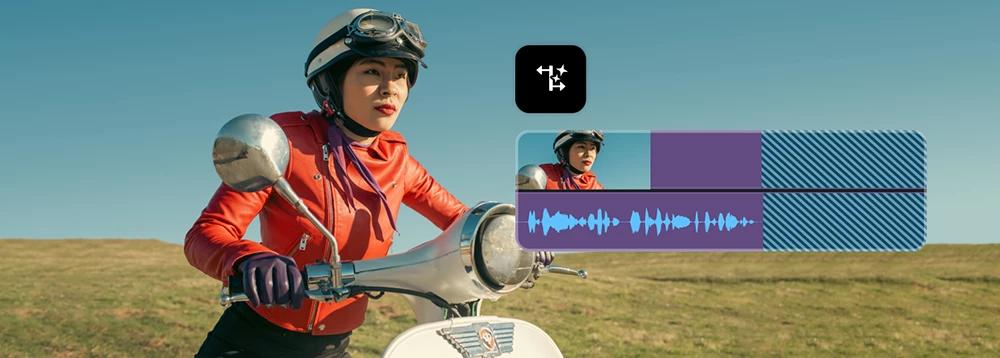
I’d like a nicer way to add audio meters or spectrum as a visual animated graphic within the video. Instead of the quite manual and clunky way to do it in After Effects using the audio spectrum and having to generate keyframes.The effect could use ei
i need the old trusty lumetri color panel on the new v27 premiere pro. i used it for 10 years and i cant cope with the new awfull color mode! i need to work fast to keep with the deadlines and the color mode is a joke!
Dear Adobe, I was wondering. You have all these exotic languages supported in your automatic transcription tool, which is awesome. How about you show some love to my fellow Hungarians, by implementing this language too?It would help me and
PPro had a bad trimming mode. In the example i compare Avid Media Composer and Adobe Premiere Pro trimming.1) Screen while trimming.In PPro we can see only in program monitor and when you use laptop, screen is too small to see, what's happening
I am aware its in beta.. but it would be great to enable the AI assist to create individual folders+projects in a given production
It is a waste of time and clicks to have to click the “toggle sync lock” button on the timeline/track area - every time I want to use that command .if there was a way to map that command to a key or series of keys.. would make trimming much faster fo
In Premiere, when I export a file, a little blue post-it note sort of window pops up informing me that the export was successful, and displaying the file path where the exported file lives. This is nice, but what I'd really like is to be able to clic
मैं एक वेडिंग वीडियोग्राफर हूं और रोज़ाना Premiere Pro पर काम करता हूं। मुझे एक समस्या का सामना करना पड़ा जो शायद कई एडिटर्स के साथ होती होगी:अगर किसी क्लिप का ऑडियो टाइमलाइन से गलती से डिलीट हो जाए, तो उसे वापस लाना बहुत आसान नहीं है। Undo (Ctrl+Z)
Please add the option to Reload Footage from the project panel.Example:You have an image sequence in your timeline. You edit the sequence in AE (for example) and re-export, having now a sequence that is 1 second longer. This doesn't update in Pr
Hello, I applied the Gaussian Blur effect on a video clip and used the pen tool to apply a mask around a number plate. I then hit the play button to track the mask as the car moves but the progress bar doesn't show any progress. When I select "S
to reproduce:1.) add transform effect to a horizontal Video in the source effect section with 90 degrees rotation (this is neccesairy to correct Videos early in the pipeline that are intended to be vertical but the rotation tag is either wrongly set
Working on a project with larger file sizes. Intermittently when I try and drag and select multiple clips in the timeline, the drag window won’t appear and no clips will be selected. I’ll save the project and then the issue will stop for a little whi
When exporting the location option is missing. I have tried everything that ai has suggested as well and worked on it for hours over multiple days.What initially worked was sending a video to youtube, etc and it would export but not with a normal med
When using the Audio Track Mixer and setting the automation to “write” mode, Premiere will not save adjustments or write any keyframes. It will not record volume fader adjustments or 5.1 panning adjustments. No keyframes are written. “Latch” mode how
What's New in Adobe Premiere 26.3Premiere Pro 26.3 is here, bringing new tools for social video creators, improved Firefly workflows, and new creative effects for editors who want more control over their visuals.Single-Word CaptionsIf you've been man
As we prepare for our upcoming version 27.0 release of Adobe Premiere, After Effects, Media Encoder, and Audition, we are sharing an important update regarding Macintosh hardware compatibility. Beginning with version 27.0, our video and audio applica
🎬 What’s new in Premiere Pro (April 2026 release)Hi everyone 👋We’ve just released the latest Premiere Pro update (v26.2), bringing a range of improvements to help you work faster, stay organized, and refine your edits with more control. See a summar
As we prepare for the upcoming version 27.0 release of Premiere, After Effects, Media Encoder, and Audition, we want to share advance notice regarding hardware and OS compatibility changes across Windows and MacOS. Windows OS Requirements The minimum
Color Mode in Adobe PremiereColor Mode is an application-sized release inside Adobe Premiere (Beta) — a purpose-built color grading experience with new controls, a clip grid, contextual HUDs, Styles, Modules, and a new grade management system called
Meet Premiere's New AI Assistant — and What It Can Actually DoAdobe just launched the AI Assistant for Adobe Premiere Pro in public beta, and it's a different kind of AI feature. Most AI tools in creative apps respond to a single prompt and hand you
Boost Your Creative Career with 3 Months of LinkedIn Premium – Free with Adobe Creative Cloud Subscription! We're excited to help you take your next big step-creatively and professionally. With 3 free months of Linkedln Premium,
🎉 NAB 2026: Join the Post|Production World Party & Adobe Mini-Expo (Sunday Night)🎯 OverviewIf you're heading to NAB this year, Adobe is hosting a Post|Production World Party & Mini-Expo on Sunday night — a great opportunity to connect with fe
There's a reason editors have been talking about automatic track creation in Premiere Pro for years. When you inserted a source clip with more audio channels than your sequence had tracks, Premiere would automatically create the additional tracks. Fo
Edit videos like a pro, mix audio, and add effects to craft stunning stories with powerful tools and AI features.
Already have an account? Login
No account yet? Create an account
Enter your E-mail address. We'll send you an e-mail with instructions to reset your password.




 AdChoices