  • 1496 Product updates
Artist Spotlight: Victoria White (Collectively Creative with Capoor)
Substance 3D Sampler 6.0 is here — now built around OpenPBR
AI Assistant is now live in InDesign 21.4 (Beta)

AI Assistant is now live in InDesign 21.4 (Beta)

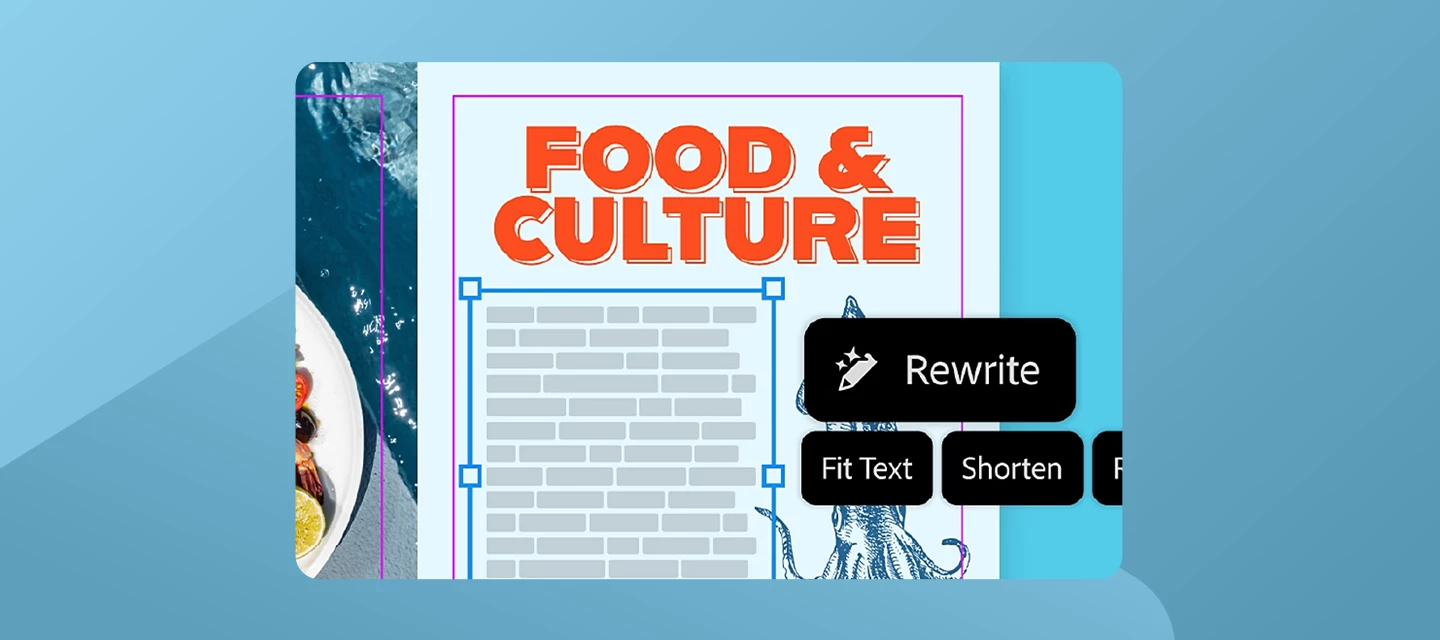
 InDesign AI Assistant just launched in public beta and we are excited for you to try it. What is AI Assistant in InDesign?It's your conversational partner built directly within InDesign. It can help you build skills and create production-ready InDesign documents faster. Instead of digging through tutorials, simply ask the AI Assistant "How do I create a table of contents?" and learn as you go. Or save time by having it set up your layout and apply bulk text/image/style edits with a single prompt.Why it mattersDesigners spend a huge amount of time on repetitive tasks and navigating menus, and when you get stuck, context-switching to YouTube or Help pages breaks your flow. AI Assistant changes that: Speed up your workflow: Automate multi-step workflows with natural language prompts. Guidance on demand: Get instant, in-context answers without leaving the app. Stay in your creative flow: Fewer interruptions, more designing.  How to try itOpen the Creative Cloud desktop app and go to Apps > Beta. Download or update to InDesign (Beta), version 21.4. For more information on how to update the app, click here.  Once open, find the AI Assistant panel in the top bar (next to the Share button), in the contextual taskbar, or via File > AI Assistant.How to share feedback Your feedback is gold. Here's how to send it our way: Use the 👍🏼 / 👎🏼 inside the AI Assistant panel after any interaction. Fill out the in-app survey when it pops up. You can also share your feedback by filling out the feedback form.  Try it and let us know what you think! For more information, please click here. 

Discover what’s new in the April Lightroom Release

Discover what’s new in the April Lightroom Release

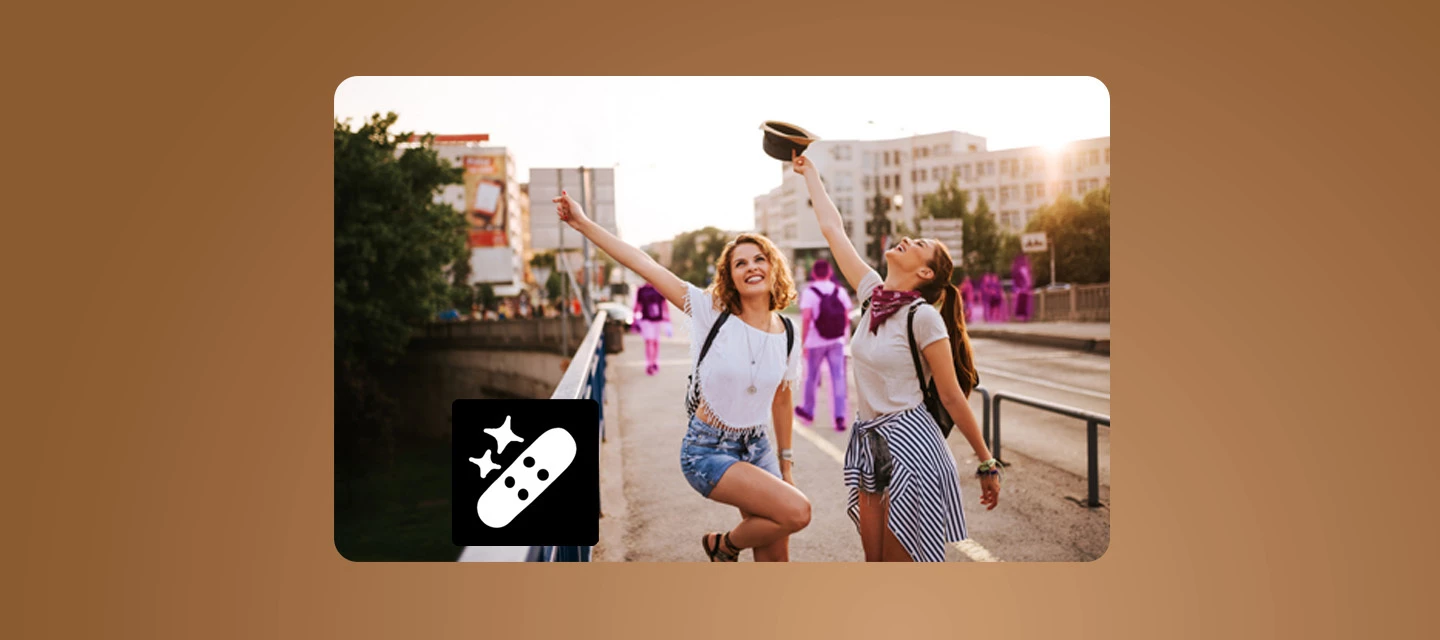
Hey everyone! We’ve just rolled out new features, updates, and bug fixes across the Lightroom ecosystem including Lightroom Desktop 9.3 and Lightroom Mobile iOS (11.3) and Android (11.3.1). This release brings improved generative results along with fixes inspired directly by your reports. Thanks for the feedback! What’s New This release brings a fresh set of updates designed to speed up your workflow and spark creativity, from smarter natural‑language search and improved assisted culling to new film‑inspired presets, smoother crop controls, and better Photoshop integrations including PSB support. You can also now send photos straight to Firefly Boards for easy ideation and planning. Curious about any of these features? Find out more about them in our What’s New. Start playing with all these new features and updates now, get started in Lightroom!Bug Fixes - Thanks to You The following issues were identified and upvoted by members of this community. Thank you for flagging them and helping us prioritize:  P: Recommended Presets Not Working P: Lightroom v.9.2 Export with Previous (CTRL/CMD+E) settings is not working  P: Tab and Shift-Tab no longer moves focus in settings fields P: (WinArm) Charging me credits for Topaz upscaling but it's spent hours and not done anything P: LrM 11.2.2 Applying or canceling any edits made in the Geometry/Crop panel removes all edits made prior For a complete list of all the bug fixes check our release notes here. Your reports and upvotes directly influence what gets addressed. Please keep them coming.  How to UpdateGet the latest features, updates, and bug fixes by simply updating Lightroom and Lightroom Mobile to the latest version. Update Lightroom now What’s Next?  Let us know what you would like us to prioritize for the next Lightroom Ecosystem release.

Explore What’s New in Lightroom Classic 15.3 - Smarter Workflows and Creative Updates

Explore What’s New in Lightroom Classic 15.3 - Smarter Workflows and Creative Updates

Hey everyone! We’ve just rolled out new features, updates, and bug fixes for Lightroom Classic 15.3. This release brings improved generative results along with fixes inspired directly by your reports. Thanks for the feedback! What’s New This release brings a fresh set of updates designed to speed up your workflow and spark creativity, including new film‑inspired presets and improved Photoshop integrations with PSB support. You can also send photos straight to Firefly Boards to make ideation and planning even easier. Curious about any of these features? Find out more about What’s New in our Release notes. Start playing with all these new features and updates now! Get started in Lightroom ClassicBug Fixes - Thanks to You The following issues were identified and upvoted by members of this community. Thank you for flagging them and helping us prioritize:  P: Crop is being performed when the Transform Tool is Synced between images P: Shortcut for assigning Purple omitted from TranslatedStrings.txt  P: Wrong keys shown for Map's Show Filter Bar in DE, ES, FR, SV P: LrC 15.2 Preferences live preview on hover for History & Snapshots not working P: Creating a preset with just Remove selected fails For a complete list of all the bug fixes check our release notes here. Your reports and upvotes directly influence what gets addressed. Please keep them coming.  How to UpdateGet the latest features, updates, and bug fixes by simply updating Lightroom Classic to the latest version. Update Lightroom Classic now What’s Next?  Let us know what you would like us to prioritize for the next Lightroom Ecosystem release.

What’s New: ACR 18.3 and the Latest DNG Converter

What’s New: ACR 18.3 and the Latest DNG Converter

 Hey everyone! We’ve just rolled out new features, updates, and bug fixes for Adobe Camera Raw 18.3 and the latest DNG Converter. This release brings improved generative results along with fixes inspired directly by your reports. Thanks for the feedback! What’s New The Adobe Camera Raw 18.3 release adds a mix of creative touches and handy improvements to everyday editing. Try out new film‑inspired presets for a classic look, easily desqueeze photos shot with anamorphic lenses, and make more precise edits using the new Depth Range Mask. There’s also a new Projection correction slider to help fix stretched faces near the edges of wide‑angle shots. On top of that, this update includes support for 3 new cameras, 25 new lenses, and a round of bug fixes to keep things running smoothly. Find out more about What’s New, Release notes, and a the list of newly supported cameras and lenses! Bug Fixes - Thanks to You The following issues were identified and upvoted by members of this community. Thank you for flagging them and helping us prioritize:  P: Creating a preset with just Remove selected fails For a complete list of all the bug fixes check our release notes here. Your reports and upvotes directly influence what gets addressed. Please keep them coming.  How to UpdateTo update Camera Raw to 18.3, click “Update” in the Creative Cloud Desktop app next to Camera Raw. More detailed instructions for updating here. You can check out details for the latest version of Adobe DNG converter 18.3 here.  What’s Next?  Let us know what you would like us to prioritize for the next Adobe Camera Raw release.

Welcome to Adobe Media Encoder 26.2!

Welcome to Adobe Media Encoder 26.2!

  What’s New in Adobe Media Encoder 26.2The April 2026 (26.2) release of Adobe Media Encoder introduces an important update focused on Content Credentials at export, giving creators more control over how attribution and identity information travels with their video content. 🔍 TL;DRNew in 26.2: Apply Content Credentials preferences directly when exporting Configure and save preferences in the Export Settings panel Choose what information is included, including linked social media accounts See the official Help documentation for more details here.  🎬 Apply Content Credentials preferences at export Adobe Media Encoder showing the Content Credentials tab with options to apply preferences at export.Adobe Media Encoder now lets you customize and apply Content Credentials during export, directly from the Export Settings panel.In the Content Credentials section, you can:Open the preferences webpage using Set preferences Choose what information is included in your exported video Optionally link identity details such as social media accountsOnce configured, you can use the Content Credentials tab to:Apply your saved preferences at export Ensure consistent attribution information across outputs Streamline credential application without leaving Media EncoderThis update makes it easier to ensure your exported videos carry the right provenance and creator context—right at the moment of delivery. 📘 Learn moreTo get started, see the official Adobe Help documentation on using Export Settings to apply Content Credentials preferences when exporting video. 

Hero image of article about Premiere 26.2 and its new features

Welcome to Premiere 26.2!

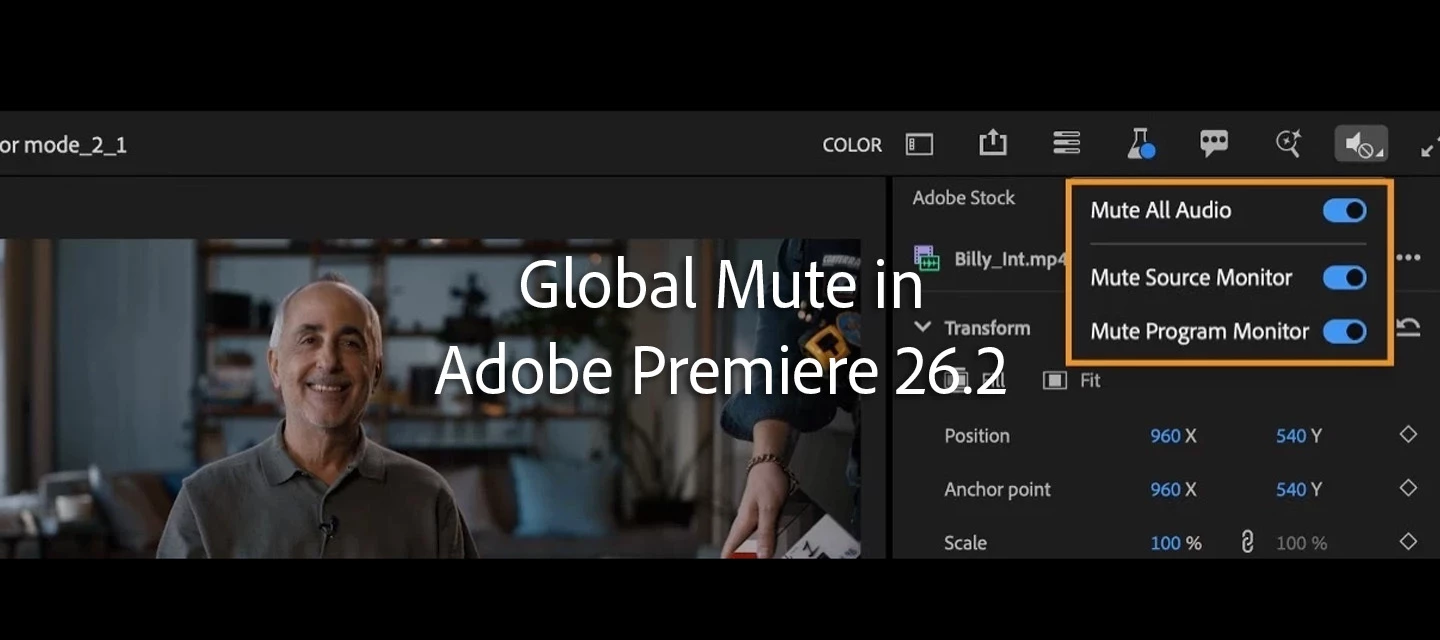
 🎬 What’s new in Premiere Pro (April 2026 release)Hi everyone 👋We’ve just released the latest Premiere Pro update (v26.2), bringing a range of improvements to help you work faster, stay organized, and refine your edits with more control. See a summary of the new features here.Here’s a quick look at what’s new: 🎨 New effects & transitions New effects & transitions Explore new Film Impact–powered effects and transitions, including: Channel Blur, Gradient, and Noise effects Dynamic 3D Spinback and Slide transitions Great for adding texture, depth, and motion to your edits.Learn more about the effects>Check out the new transitions> 🎯 Improved Object Masking Improved Object Masking New Sharp and Smooth edge modes let you refine mask edges more precisely—helping your masks better match your footage.Learn how to adjust mask edge quality to match your footage › 🎧 Audio waveforms in the Source Monitor Audio waveforms in the Source MonitorYou can now view audio waveforms directly in the Source Monitor, making it easier to: Find dialogue and beats Review clips before editing Make more precise cuts Learn how to display audio waveforms alongside video playback › 📊 New Sequence Index panel New Sequence Index panel Navigate complex timelines with a searchable, spreadsheet-style view of your sequence.A big help for larger projects.Learn how to use Sequence Index › 🔗 Faster media relinking Faster media relinking Improved search and path detection help Premiere automatically reconnect offline media, even across drives and systems.Learn more about relinking media › 🔇 Global Audio Mute Global Audio Mute Instantly mute all sequence audio with a single toggle—without changing track or clip settings.Learn more about how to mute all audio › 🔍 Marker search improvementsMarker search improvements Find markers faster using: Names Comments Colors …and jump directly to their location.Learn more about Marker support › 🛡️ Content Credentials support Content Credentials support Add Content Credentials during export, including: Attribution info Linked accounts AI usage preferences Learn how to configure Content Credentials preferences › 🧪 New in Beta: Color ModeWe’re also introducing a brand-new Color Mode (Public Beta)—a redesigned color workflow built for speed, clarity, and flexibility. Color Mode See the following post: Now in Beta: Introducing Color ModeKey highlights: A streamlined Color workspace focused on the image New Color Controls panel with modern, intuitive adjustments Clip Grid for faster shot-to-shot grading Layered “operations” workflow (Clip, Group, Sequence) for more powerful grading control This is a major evolution from Lumetri, and we’re actively looking for your feedback as we continue refining it.💬 We’d love to hear from you:Which feature are you most excited to try?As always, thanks for being part of the community 🙌

Photoshop (beta) :モダン化された「web用に保存」

いつもPhotoshopベータ版をお使いいただきありがとうございます。「書き出し」から使えるこの機能の向上のお知らせです。 [モダン化されたweb用に保存]「web用に保存」のパネルがモダン化されニュールックでご利用いただけます。 概要:Photoshopは多くの機能をご提供していますが、時には複雑になりすぎることがあります。ユーザーの皆様よりこのパネルでのプレビューや操作に時間がかかるとお声をいただいており、その解消のためにも、この度このパネルをモダン化しました。現在ご覧いただいているものは最終盤ではなくこれからも使いやすくするため向上、追加をしていきます。 変更していない項目:-ショートカットは変更していません。今まで通りお使いください。-カスタム設定のレイアウトは保存されています。-各ツールは同じ場所にあり、同じ動作をします。-自分のファイル、プリセット、アクション、プラグインに影響があることはありません。 お使いのワークスペースを変更することはせず、使いやすいように「部屋をアップグレードした」という感じです。お使いいただきご感想やご不明な点、または問題があればこちらでお知らせください。 よろしくお願いします。

Photoshop (beta) :生成塗りつぶしのパートナーモデル参照画像サポート

いつもPhotoshopベータ版をお使いいただきありがとうございます。新機能がベータ版でできるようになったのでご紹介です。[パートナーモデルの参照画像サポート] 生成塗りつぶしのパートナーモデル(Gemini 2.5, 3.0 (Nano Banana), FLUX Kontext Pro, FLUX.2 Pro)でも参照画像をお使いいただけるようになりました。参照にしたい複数の画像をアップしてプロンプトで指示をして生成してください。生成モデルは参照画像を見てスタイル、構造、などをプロンプトの指示に合わせて元画像を変えます。   使用方法:Psベータ版で画像を開き、メニューの選択範囲>全てを選択、を選ぶ(又はCtrl/Cmd+Aキー) メニューの編集>生成塗りつぶし、又はコンテキストタスクバーの「生成塗りつぶし」をクリック モデルピッカーでGemini 2.5, 3.0 (Nano Banana), FLUX Kontext Pro, FLUX.2 Proのいずれかを選択 プロンプトで参照画像を使って何をしたいかを指示する。例)モデルの洋服を6つの参照画像で入れ替える 写真の形の参照画像アイコンで画像を選択する(Gemini3の場合は8画像まで) 生成ボタンをクリックしてスタート お試しになりご意見をお聞かせください。また下図のようにアプリ右上のビーカーアイコン(下図A)でこのパネルが開くのでBを選択してCにあるようにこの機能が製品版に搭載できるクオリティーかYesかNoでお知らせいただけると幸いです。よろしくお願いします。

Substance 3D Painter Bridge in ZBrush now  available!

New in Beta:Curl Noise – Swirling, Animated 2D Noise (26.3x46)

We've been having a lot of fun with a new effect we're calling Curl Noise, and we want you to try it.If you've ever wanted a noise effect that feels less like static grain and more like smoke, flowing water, or swirling ink— that's the space Curl Noise is aimed at. It generates smooth, animated 2D noise with a fluid, organic quality that's naturally well-suited to backgrounds, texture overlays, abstract motion, and anywhere you want movement that flows rather than flickers.The reason it feels different from other noise effects is in how the noise field is curled — the vectors that define the noise are rotated so they always flow tangentially, which is what gives the result that characteristic fluid quality. Crank up Swirl and it starts to coil and spiral. Push Turbulence Speed and it churns. Keep things subtle and it just... drifts. Here are some examples… Curl Noise with Default SettingsModify the Transform properties and add some swirlReduce the swirl, add in smoothness and a little Blend X/Y for a softer noiseand some examples when animated… Loop Curl Noise through the Evolution parameter​​Use an alternate Input Noise Source with a Shape Layer of Rotating StarsUse an alternate Input Noise Source from another layer with CC Particle WorldSend the Output from Curl Noise into CC Sphere and CC Radial BlurCurl Nose using Internal Noise Speed and Direction creates flowing waterCurl Noise with some masks used to make smoke and fire How the Controls Work Input NoiseInput Noise is where you choose what drives the effect. Source gives you three options — Internal, This Layer, or Other Layer — and your choice here determines which other controls in this group are active. Internal uses noise generated by the effect itself. This is the most self-contained option and the only one that enables Speed and Direction. Speed (0–100) controls how fast the noise field drifts over time — at 0, it's completely static. Direction sets the angle the field moves in. This Layer uses the luminance of the layer the effect is applied to as the noise input. The brighter areas of your layer become the peaks of the noise field, and the curl is then computed from the gradients in that image. Speed and Direction are disabled in this mode since the layer's own content drives the field. Other Layer lets you pick any other layer in your comp as the input. You can use a separate animated layer, a gradient, a blur, or anything else to modulate the curl. The layer picker becomes active, along with two controls specific to this mode: Source Mapping (Fill or Center) controls how the source layer is mapped onto the curl layer if they differ in size. Fill stretches the source to fill the layer. Center uses a 1:1 pixel mapping, centering the source; if the source is smaller than the curl layer, the surrounding area is treated as neutral (mid-gray, which produces no gradient and therefore no curl at the edges); if the source is larger, it's cropped around the center. Mirror at Edge (Off or On, also available in This Layer) controls what happens when the curl calculation samples coordinates outside the source bounds. Off fades smoothly to neutral at the edges, which gives a natural falloff where curl dies out toward the edge of the source. On mirrors the source at the edges, creating a seamlessly tiling pattern that extends the field indefinitely in all directions without any edge artifacts. Softness (0–100, only available with layer-based sources) blurs the input noise field. At 0, the source is used as-is. Increasing it smooths out fine detail in the source, which produces gentler, more gradual changes in curl direction. If your source has sharp edges or rapid brightness changes raising Softness is usually the fix. Curl NoiseThe Curl Noise group is where the character of the output is shaped, with three subgroups:Transform (Scale, Offset, Rotation, etc.) positions and sizes the noise field spatially. This section works similarly to the Transform group found in Fractal Noise.Curl Generation is where most of the interesting stuff happens:Evolution is a rotation angle applied globally to every swirl calculation. Animating it over time cycles the whole pattern through different states — great for loops or for nudging the overall look without changing the underlying structure. If you want a looping Evolution pattern, make sure Turbulence Speed and Input Noise Speed are set to 0. Turbulence Speed (0–200) controls how quickly the noise field changes over time. At 0, the turbulence is frozen. Higher values make it boil and seethe faster. It's independent of Input Noise Speed - think of it as how fast the internal perturbation evolves, rather than the Input Noise moving. Swirl (-360 to 360) is the main character control. Higher values create tighter, more dramatic swirling and coiling. Lower values are more gentle and flowing. Negative values reverse the direction of the swirl. Density (-100 to 100) controls how tightly packed the variation in the noise is. Positive values pull complexity toward the center; negative values push it outward. At 0 it's evenly distributed. Smoothness (0–100) controls how sharp or soft the curl structure is. At 0 you get fine, detailed curl. Higher values soften and smooth it out. Blend X/Y (0–100) shifts the dominant direction of the flow between horizontal and vertical. At 0 the flow runs mostly horizontal; at 100 mostly vertical.Flow Options controls how the characteristic long, flowing lines in the Final Render look and feel. Think of this group as styling the output: how long the lines are, how sharp their edges are, and how evenly or organically they're distributed.Sample Count (3–24) controls how smooth and continuous the flow lines look. More samples give longer, more cohesive lines; fewer gives a rougher, more broken-up result. Sample Radius (0-200) at 0 you get the soft underlying noise with no flow lines; at 200 you get the full crisp, elongated line structure. Larger values favor broader, more sweeping structures; smaller values pick up finer detail. Flow Softness (0–100) controls how much contrast there is between the bright flow lines and the darker areas around them. Low values give a softer, more diffuse result where everything blends together gradually. Higher values make the bright lines stand out more crisply against a darker background. Edge Definition (0–100) at low values the flow lines have soft, feathered edges that blend into each other. Higher values push toward sharper, brighter, more distinct strands. Flow Falloff (0–100) at 0 the flow lines are uniform across the frame. Higher values make the result feel more organic and uneven, with some areas brightening and others fading.  OutputOutput has a View dropdown (Input Noise, Curl Generation, Final Render) that lets you inspect each stage of the pipeline — useful for understanding what your Input Noise source looks like before it's curled, or what the raw curl field looks like before the flow coherence pass turns it into the final result.The remaining controls, Contrast, Brightness, Clip HDR Results, and Channel (RGB or individual channels and Alpha) — are your final output adjustments. A Note about Masks, Text and Shapes with Curl NoiseWhen using Internal noise, masks, text and shapes on your layer behave as you'd expect — they simply reveal or hide the curl output, without affecting the noise pattern itself. When using This Layer or Other Layer, it's different: the mask, text and shape edges on those layers become part of the noise field that drives the curl calculation. This means a shape drawn on your layer won't just cut out the result — its edges will influence the flow of the curl around them, which can produce some interesting effects but may also give you unexpected results if you're just trying to crop the output. If you want to mask the final result without influencing the curl generation, pre-comp the layer with the Curl Noise effect and mask the pre-comp.  PerformanceCurl Noise is GPU-only — it requires Mercury GPU acceleration. On an Apple M3 Ultra with a 1920×1080, 8bpc composition, we are seeing around ~300 fps in a simple preview scenario. Your results will vary with resolution, hardware, and where you push the controls. We'd love to hear how it holds up on your machine. We need your feedbackPlease try out the effect and tell us:Parameter names — Do they match what you expect? Anything you'd call something different? Ranges — Do the min/max values feel right for real work, or do you constantly bump up against the ends? Confusion — What was unclear the first time you used it? Performance — How does playback and interactivity feel on your system, especially at higher resolutions or with Sample Count pushed up? Presets — If you make something that looks great, would you be willing to share it? Screenshots, clips, or the project file are all welcome — we may turn standout looks into presets that ship with the effect. Happy curling — we're excited to see what you make with it. 

New in Beta: Copy Frame to Clipboard (26.3x46)

Sometimes you just need a copy of what’s in your Composition panel—a still of the current frame, ready to paste into chat, email, socials, etc. Exporting a frame works, but it’s more steps than it should be.We’re (finally) introducing Copy Frame to Clipboard: a one click option accessible from the Composition, Footage, or Layer panel to grab the currently rendered frame and put it on the system clipboard.  How do I use it?Set the Current Time Indicator to the frame you want to copy and let it render. Click the Toolbar button in the Composition, Footage, and Layer panel toolbars. Or use the Keyboard shortcut when any of those panels are active. Defaults: Ctrl+Alt+Shift+F5 (Windows) and Cmd+Option+Shift+F5 (Mac).  What Does Copy Frame to Clipboard Support?On Mac and Windows, a PNG will be placed on the clipboard (up to 16-bit when using 16bpc or 32bpc comps in After Effects). On Windows, a bitmap  representation is also provided, so more apps can paste reliably. With regard to color, what you see is what you copy : when a project working color space is active and Display Color Management is in effect, or when you’re using an OCIO display transform, the copied pixels are transformed to match the viewer. Enabling Toggle Transparency Grid  will include the transparent areas in the copied image (when the destination supports it). With Toggle Transparency Grid OFF, the image is composited over the composition background color, matching how the frame looks with the solid background in the viewer.Copying works with the Classic 3D, Advanced 3D, Cinema 4D and Draft 3D renderers. The resolution of the Frame (Full, Half, Quarter, Third, etc.) is used in determining the copied frame size.What Does Copy Frame to Clipboard Not Support?There are certain stages of a preview that are done after the composition pixels are rendered, and as such, those adjustments are not currently captured. These include:Viewing Individual Channels (Red, Green, Blue, Alpha) will still result in the full RGB being copied. If you need individual channels, try pasting into Photoshop and viewing individual channels and copy from there. Panel Exposure changes are not included. Add an Exposure effect to the composition as needed. Grids, Guides, Rulers, Title Safe, Mask Overlays, etc. are not included. Region of Interest is not respected. Draft 3D’s Extended Viewer and Ground Plane is not included.If any of these seem critical to your usage, please let us know. We’d love to hear how you use Copy Frame to Clipboard and which apps you paste into most. If you find an application that doesn’t paste correctly, please let us know.

After Effects 26.2 is here!

After Effects 26.2 is here!

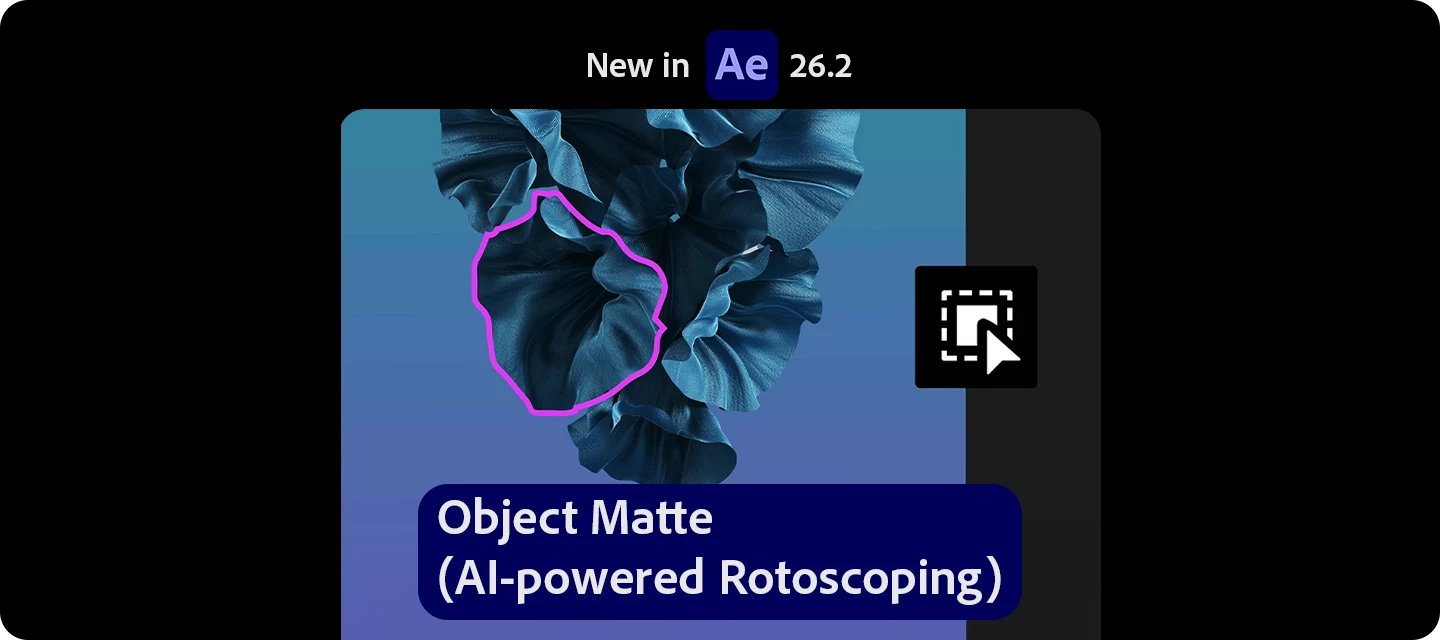
The latest version of After Effects is here—bringing powerful new features designed to speed up everyday workflows and reduce manual effort.From AI-powered rotoscoping with Object Matte, to faster lookups with Quick Apply, smarter multi-layer adjustments using Proportional Scrubbing, and enhanced realism with Substance 3D material displacement, this release focuses on helping you get more done—with fewer steps. What’s new in 26.2  Object Matte (AI-powered rotoscoping) Use the Object Matte tool to automatically select, isolate, and track subjects in your composition using single-click AI-powered subject selection.   Displacement support for 3D materials on parametric meshes Use displacement to push a mesh into 3D space using height data, adding subtle texture for realism or turning simple shapes into detailed models.   Proportional Scrubbing in timeline Distribute changes across multiple layers proportionally by dragging a selected property's hot‑text values, enabling faster, more intuitive multi‑layer adjustments.   Search and instantly apply effects, presets, or commands Use Quick Apply to quickly search for any effect, animation preset, or menu command, then select what you need and apply or run it instantly.    Import SVG file as footage or as a composition Import SVG files as a composition with editable vector layers or as rasterized footage, allowing you to choose the level of flexibility that best fits your project.      Fixed issues in 26.2  After Effects no longer crashes when stopping an almost completed render to a QuickTime-encoded file. Essential Property values are no longer shared across pre-comps in the same 3D bin when using the Advanced 3D engine with Collapse Transformations enabled. Effect names are now correctly encoded for Unicode characters when accessed by third-party plug-ins. Variable Font Axes pop-up values now support Up/Down arrow key increments and relative math input. Pre-composing a pre-comp containing Essential Property instances of Trim Paths Start and End no longer causes a crash. After Effects no longer displays error (76 :: 59) when entering text edit mode. Empty compositions no longer display ghost imagery in the alpha channel or final renders after rendering. Projects that previously opened with Substance 3D Materials offline now load correctly. Custom keyboard shortcuts can now be assigned to the Parametric Mesh tool. After Effects now supports Emissive textures in Substance 3D Materials (SBSAR) files. The Show System Compatibility Issues preference now correctly migrates when importing settings from a previous version. Improved Smooth Magnification performance in the Layer panel, reducing jitter and stuttering when using the Roto Brush tool. Extruded 3D text layers now display correct shapes when using fonts with overlapping outlines. After Effects no longer crashes when creating Shapes from Text layers containing special characters. Unmult no longer introduces banding on footage with partial transparency. Interlaced footage exported to Quicktime or H.264 from the Render Queue will be output at the correct frame rate. In-Use SBSARs (Substance Materials) can now be deleted from a project. Changing the font used in the Particle Playground Text Cannon no longer causes After Effects to crash.   New in Beta  Duplicate layers using Alt/Option-drag Alt/Option-drag a layer to the Composition panel to instantly duplicate it in both 2D and 3D compositions.   Change anchor point in a more efficient way  Effortlessly adjust the anchor point on 2D layers with Quick Set Anchor using the Properties panel or a keyboard shortcut.   Create and use Depth of Field in the Advanced 3D renderer Create a Depth of Field effect that lets you focus on 3D models, parametric meshes, Substance 3D materials, 3D text, shape layers, and more in Advanced 3D.   Curl Noise effect for swirling animated 2D patterns Create fluid, organic 2D noise that feels like smoke, water, or ink, ideal for smooth, flowing motion in backgrounds, textures, and abstract animations.   Quickly Find Variable Fonts by Axis Filter variable fonts by axis properties such as weight, width, and slant to quickly find the exact style you need.   Effect Controls panel modernization Use the updated Effect Controls panel, built on a modern framework, to view and manage effects with icon-based controls.   Here’s how you can update your After Effects 👉 Which feature are you trying first?👉 What’s already improving your workflow?Let us know in the comments!

Try out the new Markup feature in your creations!
Now in Beta: Introducing Color Mode

Now in Beta: Introducing Color Mode

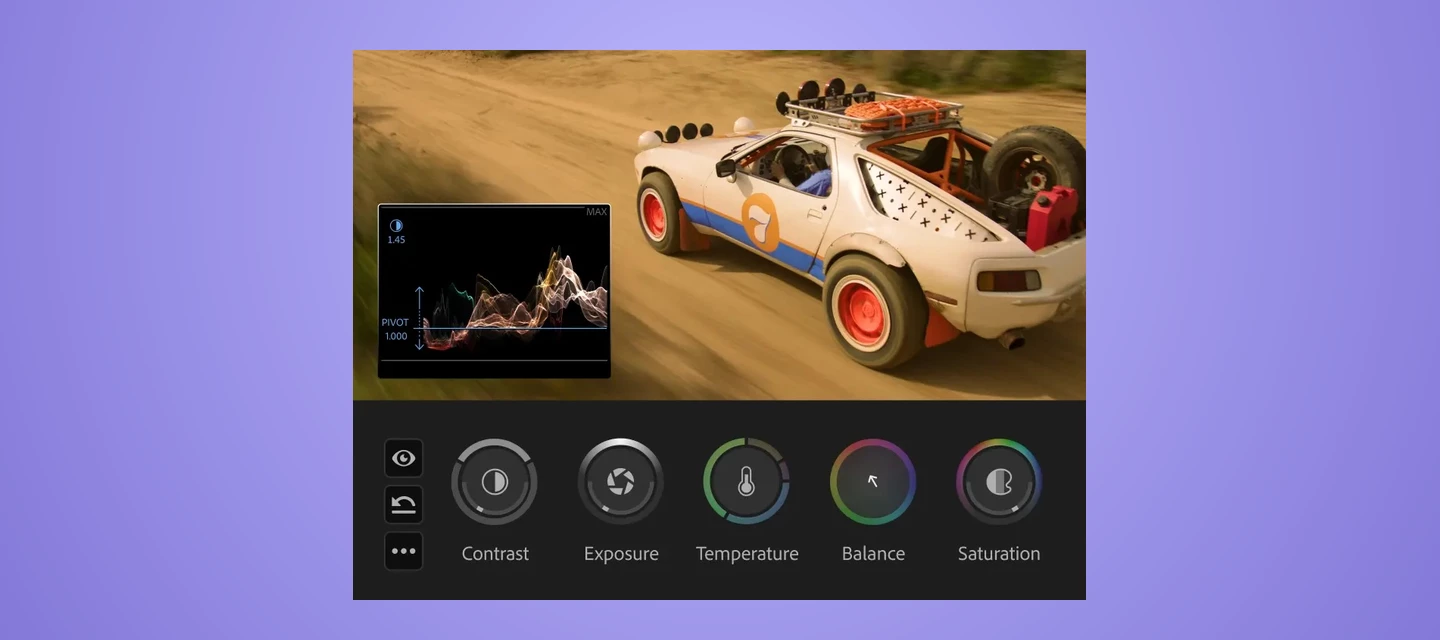
Welcome to the public beta of our brand new Color Mode! This is a colossal release that's been years in the making, months in private beta, and now we're excited to share it with you. Here's all the most important information to get you started.Resources for Learning About Color ModeGiven how new this is, we've prepared the following videos and articles to get you up to speed on Color Mode as quickly as possible. Color Mode Announcement Video Color Mode in Premiere Page Color Mode Training Course Frequently Asked Questions Videos HelpX ArticlesAbout Color ModeColor Mode is a brand new approach to color grading created specifically for the needs of editors. It's been designed to be an accessible, fast to learn, and efficient environment for making every clip in your sequence look its best right inside of Premiere. However, Color Mode has also been built to provide the full functionality necessary for users at every level to make highly detailed improvements as well as the broad stylistic enhancements necessary to prepare any edited sequence for delivery to the audience in its best form.Whatever your level of color knowhow, Color Mode gives you a streamlined and uncluttered color adjustment experience. Learning how to examine and evaluate the image is the most important skill necessary for successful color, and Color Mode has been carefully designed is to keep your eye on the picture as you work. The default layout deliberately maximizes the size of the Color monitor (depending on your computer’s display size), minimizes other onscreen distractions to only what’s essential to guide you through the process, and provides color-specific panels that aren’t available in Edit mode to accelerate your color workflows.The default Color Mode workspaceThe Clip Grid, available only in Color Mode, makes it fast to select any clip for sequence navigation and immediate adjustment. It can be positioned vertically or horizontally, and has many functions that help you organize your work via filter and sort, manage color operations via copy and paste, and make complex selections quickly in order to create groups for grade management.The Clip Grid positioned horizontallyThe Color Controls panel has been designed to expose maximum color adjustment functionality within minimum space, so you spend more time grading and less time opening collapsed groups and scrolling around to find what you need. Adjust operations give you surgical control over the image, while Style operations let you use saved Style presets or build-your-own combinations of modules designed to make artistic adjustments fast and fun. Two dimensional color controls let you simultaneously adjust related parameters for maximum creative control, while a heads-up-display gives you contextual analysis and guidance when you need it, disappearing when you don't. Color controls for the selected Adjust operationColor Mode also makes it easy to apply operations at every level of your grade, to adjust the entire sequence at once, specific custom groups of clips, or individual clips as your needs require. When applied to the sequence or a group, an operation automatically ripples changes to all connected clips, making alterations fast and simple. Every clip starts with an Adjust operation you can use to make surgical corrections to images, while a default sequence Style operation lets you apply a Style Preset to the entire sequence to give it a show look, or create your own look by mixing and matching Style Modules, which are customizable color effects.Style modules within the selected Style operationLastly, the Color monitor has specific features to facilitate color workflows. For example, you can switch between sequence and clip playback modes in the time ruler to either navigate the entire sequence quickly (in sequence mode) or focus deeply on the clip at hand without accidentally navigating to another clip (in clip mode). A new Solo mode lets you suspend compositing effects and superimpositions so you can specifically monitor a single clip you’re adjusting, without the distraction of superimposed graphics or clips getting in the way.About the Public BetaWhile Color Mode is nearly feature complete, it’s still a work in progress. There are a few new features and refinements yet to come, such as HSL keying for masked operations, additional Style modules, and various other targeted enhancements that will appear throughout the public beta as they become available.However, the complete end-to-end workflow we wanted to give you in this first version of Color Mode is fully operational, so we invite you to give it a try, kick the tires, and give us your feedback. Tell us what you like, because it’s important for us to hear what’s working. Tell us what you think could be improved. Above all, feel free to reach out on the public beta forums.How Should I Test This?Color Mode is a massive update, and the public beta is an ongoing work in progress. While we’ve taken pains to provide the best experience possible, you should expect issues to arise from time to time. When these happen, we’d appreciate it if you would use the Adobe bug reporting mechanism and let us know what you were doing in the provided dialog.We’re confident that we’ve given you new workflows you’ll love, and we’d be very happy for you to test with real-world edited sequences of various lengths and sizes. However, changes are anticipated over the course of the public beta  as we make improvements and respond to user feedback, so we don’t recommend doing client work just yet.Ongoing refinements to Color Mode at this stage may impact the project format, so consider every project you create that uses Color mode to be potentially disposable. For the best experience, import duplicates of projects with sequences you want to test using, or import new media into a fresh project. Note: There are no limitations over what kind of media you are encouraged to test with, although 8K media is known to have performance issues when used at an 8K sequence resolution.Premiere (beta) Project CompatibilityWhile it's possible to take a project created in Premiere (beta) with Color Mode and open it in Premiere 26, this isn’t recommended as you won’t be able to access any of the beta features in the shipping version, including the new color effects in each clip, group, and sequence operation. Given the magnitude of the changes in this particular beta of Premiere, we do not recommend moving projects freely between versions.To avoid inconvenience, we recommend you use duplicate projects with sequences that you'd like to work with for learning and testing Color Mode, and we strongly advise against using this public beta for mission critical client work.If you do open a Premiere (beta) project in Premiere 26, you’ll be warned about missing color effect and sequence color effect video filters. If you continue, you’ll notice that graded clips contain an offline filter corresponding to the color effect. The safest thing you can do in this instance is to quit without saving and reopen this project in Premiere (beta).Color ManagementColor Mode is designed to work on sequences using Color Management. This is meant to give you the best starting point for grading clips in all supported color spaces, log-encoded, or raw. Using Color Management, you’ll get great results using the Direct Rec. 709 (SDR) color setup that’s the default for most new sequences.Important: You should always double-check that sequences are using the correct color setup before you start grading. Using the wrong color setup could give you unexpected results and changing the color setup you’re using after you’ve made color adjustments is not recommended as it will likely change the appearance of your clips.As you experiment, you may also want to try the newly improved Wide Gamut (Tone Mapped) color setup to see the differences in workflow. The default Tone Mapping and Gamut Compression settings have been improved to work correctly with graphics and SDR media using the new Apply Inverse Tone Mapping checkbox in the Advanced settings. This new option is a work in progress during public beta, so your feedback is critical to making sure we’re giving you the results you need.No matter which color setup you use, every feature in Color Mode has been designed to make grading and delivering HDR output a pleasure, so try choosing either the Rec. 2100 HLG or PQ output color spaces and using all the available Adjust and Style tools to grade HDR highlights if you have an HDR display you can use.After Effects InteroperabilityBecause of the extensive changes being made to how color grades are managed, After Effects interoperability for clips that have been graded using Color Mode remains a work in progress, and should be avoided until further notice. We remain committed to robust After Effects interoperability so making this a great experience is a priority for us.Color Mode Replaces the Lumetri PanelWhile the Lumetri Color effect remains available in the Color Correction bin of the Effects browser, the Lumetri panel has been replaced by the Color Management panel to support the new Color Mode. Previous projects using Lumetri will import correctly and appear as before, with total color fidelity. If you want to continue making Lumetri color adjustments or adding more Lumetri Color effects, you can do so using the Effects Control panel.Avoid Using Lumetri Color and Color Mode TogetherIf you’re beginning a new project, we encourage you to use Color Mode without also using Lumetri Color effects. The Lumetri Color effect has several disadvantages compared to Color mode, including:Some controls in Lumetri Color clip out-of-range color values so they’re not retrievable in subsequent adjustments. Color Mode does not. Lumetri Color controls have a more limited range of adjustment. Color Mode gives you greater range to make bigger changes. Lumetri Color does image processing differently than the significantly more color space-aware tools that have been newly created for Color Mode.  Lumetri Color controls were primarily designed for SDR grading. Color Mode tools have been built to make both SDR and HDR grading easier and faster.Avoid mixing Lumetri Color with the Color workspace; using Lumetri often restricts your grading options in Color Mode.There Are New Fast Color Features in Edit ModeIf you want to make fast color adjustments in Edit mode, the Properties Panel has a new Color section with a set of basic correction controls that you can use. These adjustments work in conjunction with Color Mode to provide you a seamless experience. You can make simple and fast adjustments to fix issues with individual clips in Edit Mode, while using the streamlined workflows in Color Mode to quickly grade your overall sequence with more creative controls. New Color controls in the Properties panelClip Match Has Been RemovedChanges to Premiere required the Clip Match feature of Lumetri be removed, as well as the clip comparison mode of the Monitor in Edit mode (clip comparison is available in Color Mode).Finish Critical Projects in Version 26If you want to continue using Lumetri as it was to finish a work in progress, we encourage you to continue using the shipping version of Premiere version 26 until you’ve finished.One Last Note From the ArchitectOn a personal note, back when I wrote the Color Correction Handbook, I had no idea that I’d someday have the opportunity to bring everything I’ve learned to a re-imagination of color workflow this ambitious. Color Mode is the product of a career's worth of work as a colorist, of research, of talking with countless colorists and post production artists, and lessons learned building all kinds of other color tools and workflows. With the help of my close collaborators in Design, Engineering, Project Management, and Product Marketing here at Adobe, we would all like to introduce this new color experience.While we've worked hard to provide as complete a color workflow as we could on day one, Rome wasn't built in a day and this is only the beginning; we have an ambitious roadmap and there's much more to come, so I invite you to give it a try and have fun exploring what we’ve created!

Community Expert Activity Highlight -February March 2026

 こんにちは! コミュニティエキスパートが作ったコンテンツの一覧です。😊今回は、2、3月に作られたものを中心にご紹介します。ぜひお使いの製品以外のものも見てみてください!posted on 2026/4/20------------------------------------------------------------------------------------------------ ●Adobe Express BlogAdobe Expressアドオン研究記録 @アドビアプリ自動化もくもく会2/28つの Adobe Expressで「入稿データ」を作るカッパ師匠(増田) クリエイターの自分発信を「秒」で終わらせるAdobeExpress爆速コラージュ術イチハシアイ  ●Adobe Firefly BlogAdobeFireflyで楽々音楽生成!たそがれ Adobe Fireflyでベクター素材をサクッと作る方法Ten A Fireflyボード?なにそれおいしいの?という人のための機能まとめおこじょ  ●Adobe Fonts BlogMacのIllustratorやPhotoshopで「メイリオ」が使えるTen A普段使っている(好きな)フォントy_hiranai 英字新聞に使われるフォントまとめネオンサインにぴったりの英語フォントを厳選〈商用利用可〉Natchan  ●After Effects Blog【AfterEffects】パラメトリックメッシュツールを触ってみたって話しあさ  ●Animate BlogAdobeAnimateを使ってインタラクション表現!たそがれ  ●Illustrator BlogAdobe Illustratorで描くチョコ系チュートリアルまとめ【Adobe Illustrator】複数のオブジェクトの塗りと線をまとめて切り替えるスクリプトを作ったので配布しますスクリプトで平成女児チョコを描こう渋谷瞳 【Illustrator】「フチ文字」を深掘り#デザインクイズチャレンジhamko 【Illustrator】文字装飾とオブジェクトの作り方フォローアップやんこ 【Illustrator】文字組み記事のフォローアップ #デザインクイズチャレンジ【Illustrator】「印刷における黒」のフォローアップ #デザインクイズチャレンジあかつきおばな タイポグラフィ造形探索:「インクトラップ」takuma よんどび2026年1月配信アーカイブ / Illustratorの最新AI機能(ベクター生成)を、デザイナー4人で試す生配信よんとび  YoutubeAdobe Illustrator 2026の新機能を徹底紹介!高田ゲンキ  ●InDesign BlogInDesign:コピペの罠ァ 1InDesign:いじわるすぎてムカつくと言われたあのデータが再来透明効果とオーバープリントは仲が悪いぞ の余録Ajabon Grinsmith 【Adobe InDesign攻略ガイド】STEP2:ptからQ・Hの世界へ!文字を完璧に制御する「フレームグリッド」の基礎【Adobe InDesign攻略ガイド】イラレユーザーのための挫折しないInDesignの始め方【Adobe InDesign攻略ガイド】STEP1:新規ドキュメントのマージン設定と文字フレームSedge InDesign 英語インターフェースでの日本語の取り扱いInDesignの欧文コンポーザーについてTen A  ●Lightroom Blogスーツを買わずに証明写真を作る方法〈AIアプリで着せ替え〉Natchan   ●Photoshop BlogPhotoshop Beta版の新機能!「オブジェクトを回転」で素材の向きを変える!少しの傾きがデザインを台無しに?Photoshopで写真の水平・垂直をピタッと決める最短ルート土屋愛矢 情報の渋滞を卒業!Adobe生成AIで「伝わるスッキリ」を作る【 #デザイン力の基本 ONLINE講座】 ウジ トモコ よんどび2026年2月配信アーカイブ / 調整レイヤー革命&生成AI最前線!Photoshop最新機能よんとび Photoshopで使えるネオン管のテキストエフェクトを厳選Natchan Youtube写り込んだキズ・汚れの修復1_基本と注意事項_Photoshop®基礎6|ねこゼ動画です!ねこゼ  ●Premiere Pro Youtube【初心者向け】Adobeソフト契約からインストールまで完全解説! 【初心者向け】無料ソフトじゃダメ?動画編集で稼ぐならAdobe Premiere Pro 一択な理由!【神アプデ】もうマスクで悩まない。Premiere2026の最新AI機能が魔法レベルな件!!!!!【初心者必見】Premiere Proあるある7選!みんなハマる失敗をまるっと解決✨【動画編集】https://www.youtube.com/watch?v=aH_CdDvbACw 【※今すぐ見て】Adobe契約をお得にお申込みするならどっち!?契約プランを徹底比較!【動画編集者必見】佐原まい ●スクリプト BlogH型の定規シェイプを作成するスクリプト「Shape-RulerH.jsx」     H型の定規シェイプを作成するスクリプト「Shape-RulerH_V2.jsx」3D回転対応の矢印を作成するスクリプト「shapeArrow(s)@3D.jsx」H型定規シェイプ(.ffx配布あり)「Shape-RulerH」 ベンド可の矢印を作成するスクリプト「shapeArrow(s)@2DBend.jsx」ナスカズアキ  ●ベータ版 BlogAdobe製品のベータ版は商用利用できる?公式に確認しました!アザラニアン   アドビ コミュニティ エキスパート プログラムについて Blog アドビ コミュニティ エキスパート プログラム 日本で展開開始 #adobecommunityexpert コミュニティエキスパートの発信はX(Twitter)のリストをフォローすると簡単ですよ!Community Expertの著作一覧(Amazonのリスト) ご興味ある方は、お知り合いのコミュニティエキスパートもしくは私までご連絡ください。

What’s new in Adobe Captivate 13.1: Easier migration, better interactions

Adobe Captivate 13.1 – What’s New Download Captivate 13.1 today The 13.1 release of Adobe Captivate introduces meaningful enhancements aimed at improving authoring flexibility and reuse. The focus is on helping creators work faster while delivering more interactive learning experiences. Reuse legacy projects with ease (Beta)You can now import projects from Captivate Classic into the new Captivate. This includes supported slides, content, and interactions, making it easier to modernize existing courses without starting from scratch. Simulation projects can also be imported, retaining key elements like highlight boxes, click boxes, input fields, and recorded typing text. This is a significant step toward smoother migration workflows. New interactive widgetsTwo new widgets expand how content can be presented:Slider widget enables step-by-step content reveal for more controlled learning flows Stack card widget allows grouping related content into interactive, learner-driven cardsThese additions offer more flexibility in structuring engaging, bite-sized experiences. Improved multilingual supportCaptivate now supports right-to-left (RTL) authoring for languages like Arabic and Hebrew. With bidirectional text support across components, quizzes, and buttons, creating localized content becomes much more seamless. Additional workflow enhancementsImport only selected PowerPoint slides instead of full decks Lock or hide slide objects directly from the Timeline for better control during editing In summaryCaptivate 13.1 focuses on practical improvements: easier migration from Classic, more flexible content layouts, and better global language support. It is a solid update for teams looking to scale content creation without increasing complexity.

Substance 3D Designer 16 is available now!

Substance 3D Designer 16 is available now!

 The latest release of Substance 3D Designer brings a set of targeted updates focused on improving procedural shape workflows, expanding OpenPBR support, and improving access to displacement settings in the 3D view.This release introduces the Shape Spatter v2 node, allowing you to scatter raytraced 3D shapes individually in real time, enabling per-instance control over properties such as shape, orientation, and size. Shape Spatter v2 supports atlas inputs, allowing artists to scatter an unrestricted range of shapes from a single atlas without the limitations of the previous workflow.  In addition, this version brings significant improvements over the original node, with enhanced controls for scatter randomness, rotation randomness, size variation, and distribution. To complement the new scattering capabilities, the node comes with an expanded Signed Distance Field (SDF) toolkit, introducing a range of new nodes for creating, combining, and manipulating custom 3D SDF shapes.  Finally, this release continues to build on OpenPBR support, with a new OpenPBR material model, updated graph templates and shaders, and a button to provide direct access to displacement settings to streamline material authoring for modern pipelines.  The Substance 3D team believes in the potential of OpenPBR for 3D workflows; to help accelerate its adoption across the ecosystem we’ve recently released a high-quality, easy-to-use, production proven implementation as open source on GitHub. You can find that right here. Please see the Designer 16 release notes for more information.

Adobe Learning Manager – April 2026 Release Highlights

 Adobe Learning Manager – April 2026 Release HighlightsThe April 2026 release of Adobe Learning Manager brings a focused set of enhancements across learner experience, admin flexibility, and AI-assisted workflows. Many features are currently in beta, but they signal a clear direction toward more intelligent and scalable learning.Smarter learner experienceThe Fluidic Player now gives clearer navigation with “Next Module” labels and a dedicated exit action, reducing ambiguity during learning journeys. Learners also benefit from an in-product AI Assistant that helps answer questions in context, along with improved multi-language support across job aids, checklists, and video captions.Better content interactionCaptivate content gets a more structured experience with unified table of contents, slide-level completion tracking, and improved notes export. These updates make content consumption more transparent and trackable.More control for admins and authorsAdministrators can now: Schedule multiple concurrent Zoom VILT sessions without constraints Control when learners can start modules Access learning object expiry data via APIs Authors also gain enhanced checklist modules with weighted scoring, multilingual support, and reviewer comments.Enhanced customization and scalabilityCustom certificates now include a drag-and-drop editor with dynamic fields and AI-generated backgrounds. Additionally, the new non-logged-in Experience Builder enables creation of public learning pages without requiring user authentication.Instructor and reporting improvementsInstructors can generate QR codes for attendance and enrollment, while reporting sees upgrades like multi-attempt SCORM tracking and improved learning time calculations in transcripts.For more information, check out the official docs:What’s new in April 2026 release Release notes