『アドビコミュニティフォーラム』に質問/トピックを投稿する方法
In 2026, when you mouse over clips in the timeline, there’s cross dissolve boxes on the clip on booth sides.Nice feature, to turn that off. Should be easy.
i have tried fixing this by 1-re-transcribing, the same irrelevent result.2-uninstalling and installing premiere pro, which fixed the issue for a few days, but again this issue came back. please fix this ASAP, as i have my deadlines, and paying for a
Now the entire program interface is running slowly, and when I try to open the Preferences settings, the program freezes for 20 seconds. Thank you for your advice! Now I have the slowest program in the world! Every window takes 10 seconds to open or
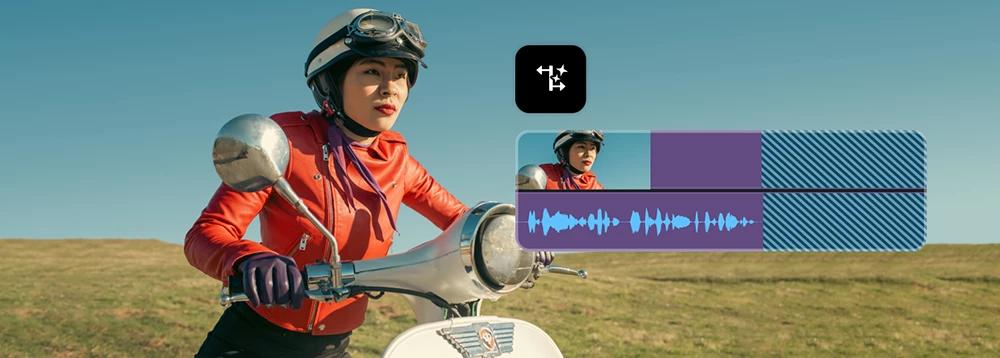
I am recording piano music to an audio recorder which outputs .WAV files. If (when) I make a mistake, I go back a measure and just start playing again, ending up with a audio recording with multiple pauses. What I want to do is edit out the mistak
I’m working on a Premiere Pro project that uses old Merged Clips. I created subtitle-burned versions of several lab-roll files that are frame-for-frame identical to the original media, including the same duration and timecode. I need to replace the o
添付のようにイラストを水平方向反転させると、boxのイラストの位置がおかしくなります。本来は青いBOXはイラストの中心にあるはずですが、反転するとこういう現象になってしまいます。基本的にはイラストに対して「水平方向反転」のエフェクト入れただけなのですが、解消方法知りたいです。
How is clearing the cache related to cursor operation?
Issue Description:In Premiere Pro 2026, using the Track Matte Key effect with a Text Layer (Graphic Layer) as the matte source causes the text layer to scale down unexpectedly.Steps to Reproduce:Create a new Premiere Pro project. Create a sequence (f
Extremely Disappointed by Adobe Dropping Windows 10 SupportI am extremely disappointed with Adobe's decision to drop Windows 10 support for the latest versions of Premiere Pro.When I purchased my annual Creative Cloud subscription, there was no clear
I have been trying to get information on how to get on a tech support phone call with someone at Adobe about Premiere and have not been able to. I am a paid Creative Cloud subscriber. Let me know. Thanks!
Previously this function was working for me when trying to batch relink proxies. Now, it has suddenly stopped and Premiere is only relinking one proxy at a time, despite all proxies being in one folder and all proxies having corresponding names to or
Hi everyone,Fit Clip dialog box is no longer appearing when I click OverwriteI'm having an issue with Premiere Pro. I checked the "Always Use This Choice" option in the Fit Clip pop-up during a 4-point edit. Now, whenever I click Overwrite, the "Fit
End Roll Credits issueEnd roll credits speed is effected by changing the length of the text box layer. THis is workign as expected.However, Ease in, and Ease out are not causing any change.The text box layer is 30 seconds long and ease in is 3 second
Right now, Premiere Pro’s (Pr) enhanced speech is V1. The only way to access V2 is by using the web-based Adobe Podcast. This adds so much extra time. The V2 is so much better than V1. Please add V2 to Pr so it can be done within the Pr app on my com
Add a Watch Folder feature, where footage are automatically imported if added to a specific watch folder
I frequently incorporate speed ramps into my work, but the current implementation in Premiere Pro makes the process unnecessarily difficult. Unlike After Effects’ Time Remapping, Premiere Pro’s speed ramping constantly changes the clip length, making
We need a professionnal way to edit a multicam sequence into a target sequence with all the audio tracks included in the multicam sequence.If my multicam sequence have 6 audio tracks, I have to copy them from the multicam sequence and paste them into
Color wheels in Lumetri need granular numeric controls for hue angle, magnitude and so on. Resolve has It, Premiere used to have It in the old color factory plugins. Why can't we have It now? They're essential for professional and efficient color gra
When syncing audio how can we, as highly functioning editors, who would like to continue to use Adobe and NOT move to Davinci... designate which audio track moves. There should be a designation for master Audio, it cannot be that hard.I also noticed
Is Premiere cursed or something? Or are we, professional video editors? How can cell-prone app have such a simple and needed feature for years and Premiere Pro, which is obviously for PROs, sends you to AE for this? Adobe, this is not funny. Every ot
I don't think this needs a description, it doesn't make sense to move everything forward or backward without moving the markers.
Hi, guys. The porblem I've suffered for ages seems to bother no one but me since I've found no such posts here in the Community.There are keyframes in Premiere Pro and they have handles. In After effects if you hold the Shift key on your keyboard, th
Issue: The Premiere version 26.3 is causing issues with scale and position when exporting and rendering videos, but everything looks fine when I'm in the project and timeline, so the only way I can check for errors is to export a whole video. This on
When I select a single clip in my sequence to be offlined and linked to a higher resolution clip, it kicks the entire sequence offline. I'm on Premiere 2024.2.1. Sonoma 14.4. M2 Ultra Mac Studio. I have video demonstrating it attached. 
There’s no Project Window panel, and I can’t access my bins. Even after resetting the workspaces, the Project Window still doesn't appear.
When connecting proxies to full resolution media, Premiere 26.3 will only connect one proxy at a time. It spends a lot of time as if trying to connect more than one file, but ultimately only attaches one. The only fix for this was to roll back to 26.
It’s been 4 updates already (since 26.2 till the latest 26.3.2) that everytime I use the Properties Panel, either Position or Scale mainly, Premiere crashes, freezes for like 10 seconds and seems normal, then I want to use the panel and crashes again
Properties panel causes severe freezing on any interaction — 40+ second hangs, complete unresponsivenessPremiere Pro 26.2.2 (latest stable release as of May 2026) freezes severely whenever the Properties panel is used. The issue was also reproduced o
IssueIn a production shared by 4 different computers, all of them using shared storage, Premiere re-creates peak files constantly.After a lot of testing and investigation (of which I can provide details later on if useful), I have worked out that the
In the latest version 26.3.2 the same problems as with version 26.3...everything new, latest drivers, fresh system and the same problems....relinking files too long... the same error appears again with the HEVC codec... which we solved in the previou
Boost Your Creative Career with 3 Months of LinkedIn Premium – Free with Adobe Creative Cloud Subscription! We're excited to help you take your next big step-creatively and professionally. With 3 free months of Linkedln Premium,
Color Mode in Adobe PremiereColor Mode is an application-sized release inside Adobe Premiere (Beta) — a purpose-built color grading experience with new controls, a clip grid, contextual HUDs, Styles, Modules, and a new grade management system called
What's New in Adobe Premiere 26.3Premiere Pro 26.3 is here, bringing new tools for social video creators, improved Firefly workflows, and new creative effects for editors who want more control over their visuals.Single-Word CaptionsIf you've been man
🎉 NAB 2026: Join the Post|Production World Party & Adobe Mini-Expo (Sunday Night)🎯 OverviewIf you're heading to NAB this year, Adobe is hosting a Post|Production World Party & Mini-Expo on Sunday night — a great opportunity to connect with fe
There's a reason editors have been talking about automatic track creation in Premiere Pro for years. When you inserted a source clip with more audio channels than your sequence had tracks, Premiere would automatically create the additional tracks. Fo
As we prepare for our upcoming version 27.0 release of Adobe Premiere, After Effects, Media Encoder, and Audition, we are sharing an important update regarding Macintosh hardware compatibility. Beginning with version 27.0, our video and audio applica
If you spend any time in the Premiere (Beta) forum you may have already seen it, but I want to make sure this one doesn't slip past the folks who live here in the main forum: there's a new Generative Media Tool in the Premiere beta, and it lets you g
🧭 Navigate Faster with Sequence IndexTL;DRSequence Index is a navigation tool, not an edit panel It surfaces clips and titles instantly It’s ideal for large or long timelinesWhy Sequence Index ExistsScrolling long timelines is slow. Sequence Index le
Adobe Since NAB 2026 — What Editors Should KnowA lot was announced at NAB in April. A few months on, it's worth taking stock of what actually shipped, what's evolved, and what's now available to try — because the landscape looks meaningfully differen
📏 Changing Track Size in the TimelineTL;DRTrack height affects visibility, not playback or export Taller tracks reveal more waveform detail This is a timeline view preference — not a sequence setting Multiple methods exist: drag, scroll shortcuts, ke
Edit videos like a pro, mix audio, and add effects to craft stunning stories with powerful tools and AI features.
すでにアカウントをお持ちですか?ログイン
アカウントをお持ちではありませんか? アカウントを作成
Enter your E-mail address. We'll send you an e-mail with instructions to reset your password.





 AdChoices